
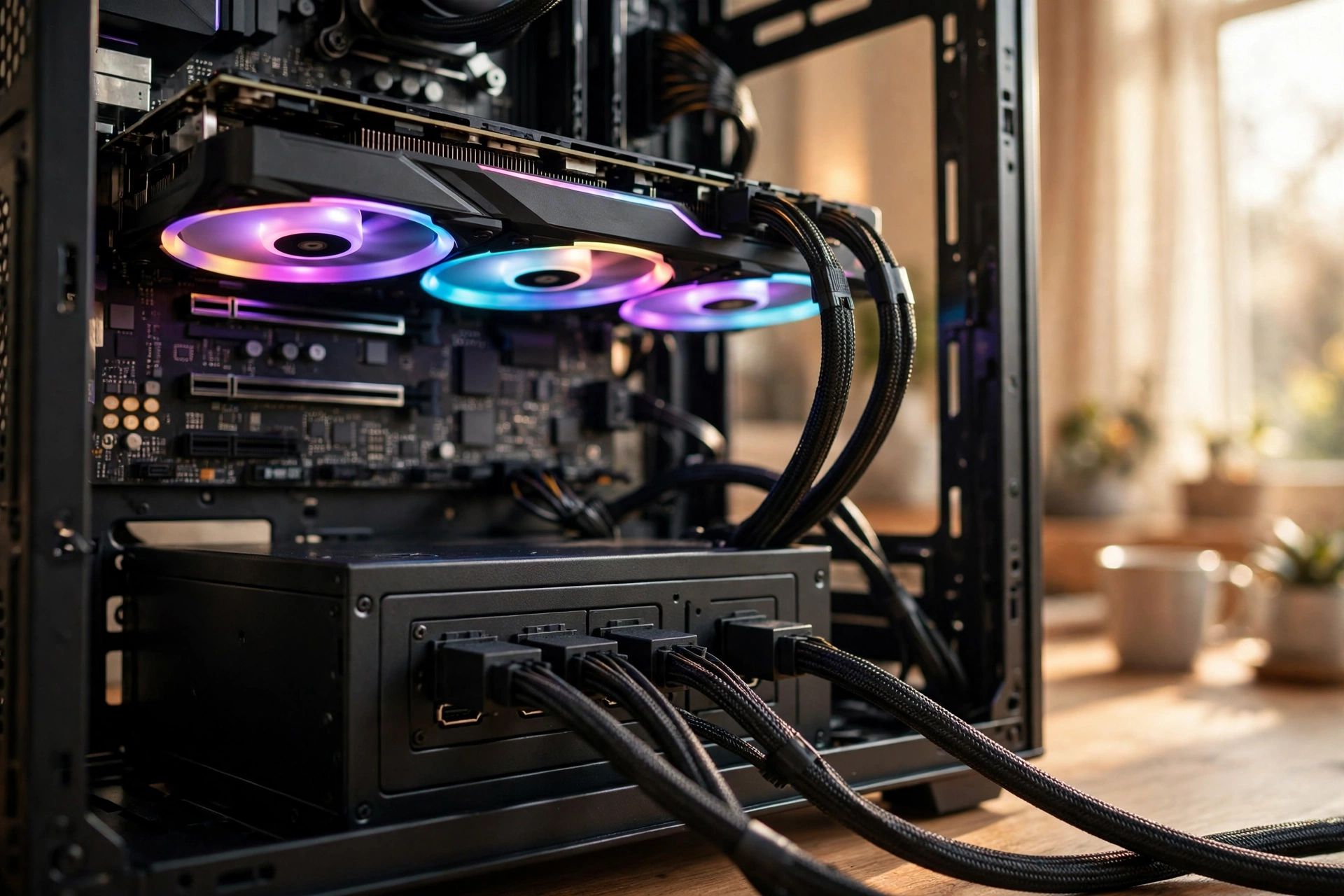
The best 750w psu is the one that matches your graphics card, your CPU, and your upgrade plans, and then gets out of the way for the next seven to ten years. A 750W unit sits in the middle of the power supply market for a reason. It is strong enough for the graphics cards most gamers actually buy, it is cheap enough to leave budget for the GPU itself, and it is efficient enough to run quietly in a normal gaming load. This guide explains which GPUs a 750W unit genuinely supports, what ATX 3.1 and the 12V-2×6 connector change, how transient spikes cause random shutdowns, and which units are worth buying for four different kinds of build.
A quick note before we start: power supply street prices move fast in late 2026, and GPU prices are surging at the same time, so this guide recommends units by platform, tier, and feature set rather than by price. Check current listings at the retailer you trust before you buy, and treat any price you see in an older roundup as stale. The same warning applies to memory: the ongoing RAM shortage is pushing DDR5 prices up, so if your build budget is tight, lock in your memory and power supply decisions early rather than leaving the PSU as an afterthought.
Why 750W Is the Sweet Spot for Gaming PCs in 2027
Most gaming PCs draw far less power than their owners assume. A typical 1440p build with a midrange to upper midrange graphics card and a modern 8 core CPU pulls roughly 350 to 450 watts while gaming. A 750W power supply covers that load with comfortable headroom, which keeps the fan slow or stopped, keeps efficiency near its peak, and leaves room for the short power spikes modern graphics cards produce.
Go lower and you start cutting into that headroom. A 650W unit can run many of these builds, and it is a fine choice for a lower power card, but it leaves little margin for a future graphics card upgrade or a hotter CPU. Go higher and you pay for capacity you will never use. An 850W or 1000W unit does not make your PC faster, and it does not pull more power from the wall than your parts ask for. It only buys headroom, and for most single GPU gaming builds that headroom is never touched.
The 750W figure also lines up neatly with what graphics card makers themselves recommend. NVIDIA recommends a 650W minimum system power supply for the RTX 5070 and a 750W minimum for the RTX 5070 Ti. AMD lists a 750W minimum power supply for the RX 9070 XT, its 304W flagship RDNA 4 card. When the two biggest GPU makers both point at 750W for their upper midrange cards, that is a strong sign the wattage is not a marketing number. It is the level where the mainstream high end actually lives.
There is one more reason 750W is the sweet spot in 2027. The best 750W units are now built to the ATX 3.1 standard with native 12V-2×6 connectors, Gold or better efficiency, fully modular cables, and 10 year warranties, all at prices that used to buy a basic Bronze unit. You no longer have to choose between a modern connector set and a trustworthy brand. The midrange of the PSU market is now where the good engineering lives.
That said, 750W is a sweet spot, not a universal answer. It is the right wattage for most builds, not for every build. The sections below show exactly where it fits and where it stops, so you can check your own parts against real manufacturer guidance instead of guessing.
Which GPUs a 750W PSU Actually Supports
The honest way to answer this question is to start with the graphics card makers, not with forum opinions. NVIDIA and AMD publish a minimum recommended system power supply for every card, and those figures already assume a normal gaming PC with a mainstream CPU, a couple of drives, and typical cooling. If your build is ordinary, the table below is the answer.
| Graphics card | Board power | Maker minimum PSU | 750W verdict |
|---|---|---|---|
| RTX 5060 | 145W | 550W | Plenty of headroom |
| RTX 5060 Ti | 180W | 600W | Plenty of headroom |
| RTX 5070 | 250W | 650W | Comfortable fit |
| RTX 5070 Ti | 300W | 750W | Right at the recommended level |
| RX 9060 XT | 160W to 182W | 450W to 550W | Plenty of headroom |
| RX 9070 | 220W | 650W | Comfortable fit |
| RX 9070 XT | 304W | 750W | Right at the recommended level |
| RTX 5080 | 360W | 750W to 850W | Works with a quality unit, 850W safer |
A few things in this table deserve a closer look. First, the RTX 5070 is the classic 750W pairing. NVIDIA only asks for 650W, so a quality 750W unit gives you 100W of extra margin on top of the official guidance, which is exactly the cushion you want for transient spikes and a future CPU upgrade. If you are building around an RTX 5070, a 750W Gold ATX 3.1 unit is the default correct answer, and you can stop worrying about wattage.
Second, the RTX 5070 Ti and the RX 9070 XT sit exactly at the 750W line. Both cards draw around 300W, and both makers call for a 750W minimum. That means a good 750W unit is enough, but there is no spare margin for a power hungry CPU at the same time. Pair either card with a Ryzen 7 9800X3D or a Core i7 class CPU and you are fine. Pair one with a 16 core Ryzen 9 or a Core i9 that regularly pulls 200W or more, add a stack of drives and fans, and the sensible move is 850W. The card is not the problem. The total system is.
Third, the RTX 5080 is the edge case. Its 360W board power and 750W minimum recommendation mean a high quality 750W ATX 3.1 unit can run it in a normal build, and several manufacturers say so directly. But the margin is thin, and this is where the coming hardware cycle matters. An RTX 5080 24GB model is expected around December 2026 or January 2027, according to current reporting, and it is not confirmed by NVIDIA. If you are buying a power supply today with a 5080 class upgrade in mind, or if you already own a 5080, 850W is the calmer choice. It costs a little more and removes the question entirely.
One warning applies to the whole table: these are minimum recommendations for reference and typical partner cards. An overclocked partner card with a raised power limit can draw 30 to 50 watts more than the reference figure, and a card with three 8 pin connectors is telling you it expects a serious power supply. Always check the exact card model you are buying, not just the GPU name, and add its power guidance to your CPU and the rest of the system.
If you want a second opinion on the RTX 50 series figures, the RTX 50 series power supply guide on this site walks through each card in more detail, and MSI publishes a wattage guide for RTX 50 series builds that lines up with the numbers above.
Where 750W Stops GPUs That Need More
A 750W power supply is not a flagship wattage, and pretending otherwise is how builds end up shutting down under load. The clearest cutoff is the RTX 5090, which carries a 575W board power rating and a 1000W minimum system recommendation from NVIDIA. No honest guide should tell you a 750W unit can run that card. It cannot, and the attempt would be unstable at best.
The RTX 5080, discussed above, is the borderline case rather than a hard no. It works on a quality 750W unit in a balanced build, but it is the top of the range, not the middle. If your build also has a high core count CPU, heavy overclocking, or a lot of storage and cooling hardware, step up to 850W.
Older flagship cards follow the same logic. An RTX 4090 draws around 450W and its maker guidance sits at 850W, so it is outside the 750W class. An RX 7900 XTX draws around 355W with a 750W to 800W recommendation depending on the partner model, which puts it at the very edge. Some owners run it on a good 750W unit without trouble, but it is not a comfortable pairing, and anyone buying a card in that class today should budget for 850W.
The pattern is simple. If the graphics card alone draws more than about 350W, or the maker minimum is above 750W, you are shopping in the wrong wattage class. The money saved on a smaller PSU is not worth random shutdowns, and a power supply that is constantly near its limit runs hotter, louder, and closer to its protection thresholds. Buy the wattage your parts ask for, not the wattage you wish they asked for.
ATX 3.1 and the 12V-2×6 Connector, Explained Simply
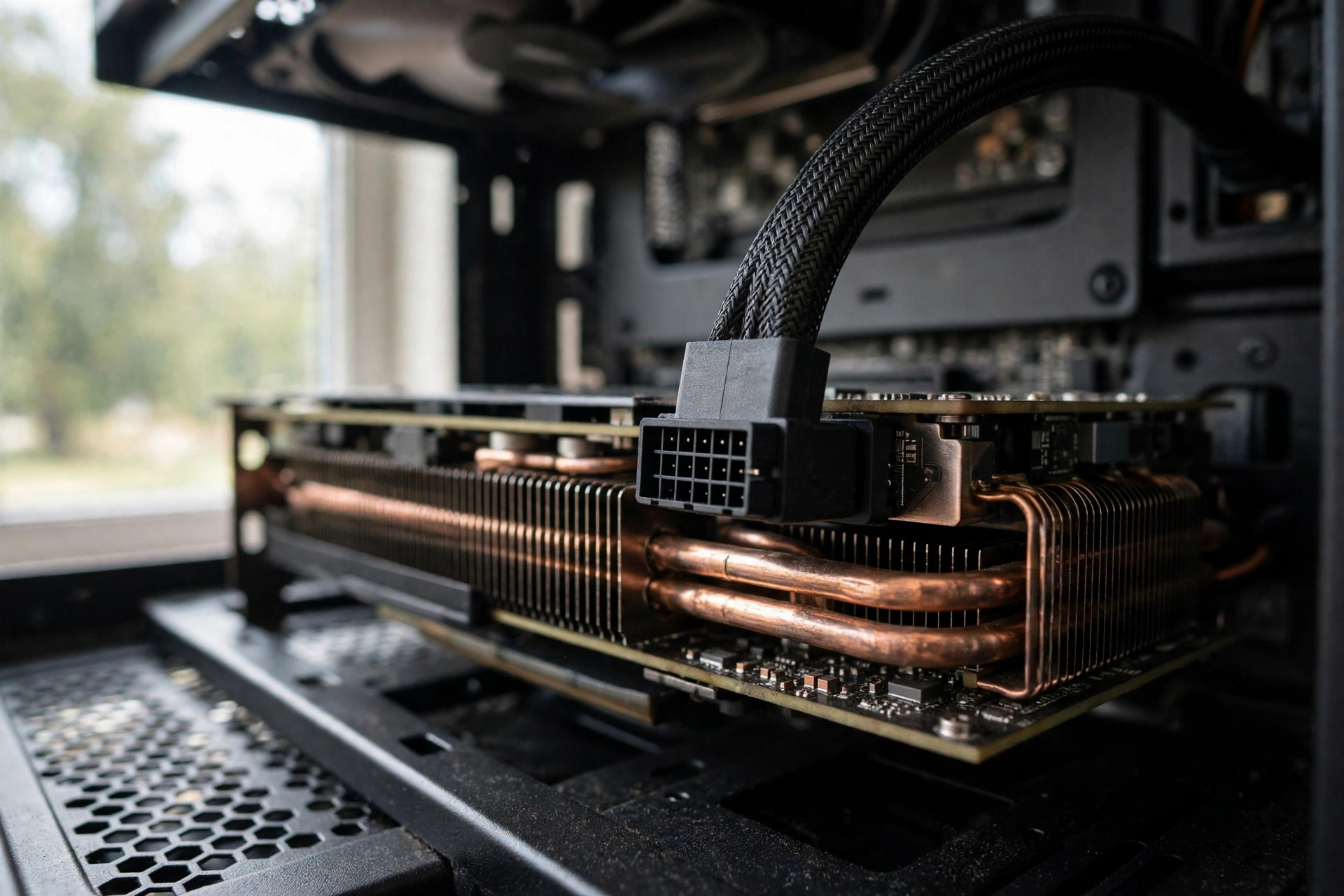
ATX 3.1 is the current power supply standard, and it matters more than the wattage number on the box. The standard, paired with PCIe 5.1, defines how a power supply must behave when a modern graphics card suddenly demands a burst of power far above its rated draw. A unit built to ATX 3.1 has been designed and validated to handle those bursts without tripping its own protection circuits. A unit built to the older ATX 2.x standard has not, no matter how good it was in its day.
The visible part of the change is the connector. ATX 3.1 units ship with a native 12V-2×6 connector, a single 16 pin plug that can deliver up to 600W to a graphics card through one cable. It replaces the older 12VHPWR connector from ATX 3.0, with shorter sense pins and a revised design that improves how the plug seats and how the card detects the connection. The practical result is simple: one clean cable instead of two or three 8 pin cables joined through an adapter, and a connection designed for the way modern cards actually draw power.
If you are buying a new power supply in late 2026, ATX 3.1 is not optional. Every current generation graphics card from NVIDIA and AMD is designed around it, and the next generation will be too. An older ATX 2.x unit can still work with an adapter, but it was never validated for the transient behavior of these cards, and it is the most common cause of the random shutdowns discussed in the next section. For a deeper explanation of the standard itself, see our ATX 3.1 PSU guide.
When you shop, check the spec sheet for three things: the words ATX 3.1, PCIe 5.1 support, and a native 12V-2×6 cable included in the box. If a listing says ATX 3.0 only, or if the 12V-2×6 cable is an optional extra, keep looking. Also check that the cable is a native cable from the PSU maker, not a third party adapter. The adapter that ships in a graphics card box is a stopgap, not a permanent solution, and a native cable is one of the clearest signs you are looking at a current generation unit.
One more practical point: the 12V-2×6 connector must click fully into place. Push it in until you feel and hear the latch engage, and check that no gap is visible between the plug and the socket. Most of the melted connector stories from the last two years trace back to a plug that was not fully seated. This is a five second check that protects a very expensive graphics card.
Transient Power Spikes The Shutdown Problem Most Buyers Miss
Here is the problem that makes wattage math misleading. A graphics card does not draw a steady amount of power. Its rated board power, 250W for an RTX 5070 or 304W for an RX 9070 XT, is an average under typical gaming load. For milliseconds at a time, when a scene loads, a shader compiles, or a frame spikes, the card can demand far more. Under the ATX 3.1 specification, a graphics card is allowed to draw up to twice its rated power in short bursts, and up to three times its rated power for bursts shorter than 100 microseconds.
A good modern power supply is designed for this. Its protection circuits are tuned to ride through those spikes without treating them as a fault. An older or lower quality unit is not. Its overcurrent protection sees a 400W or 500W spike from a 250W card, concludes something has gone wrong, and shuts the system down to protect itself. The PC restarts, the game crashes, and the owner blames the graphics card, the drivers, or the game, when the power supply was the part that gave up.
This is why two power supplies with the same 750W label can behave completely differently. A quality ATX 3.1 unit handles the spikes and never makes itself noticed. A cheap unit with the same sticker rating trips, restarts, or in the worst case degrades over time. It is also why the advice in this guide keeps coming back to the ATX 3.1 standard and to reputable makers rather than to raw wattage. The wattage number tells you what the unit can sustain. The standard tells you what it can survive.
If your PC already shuts down or restarts during gaming and you suspect the power supply, the symptoms are worth checking against a proper list before you buy anything. Our guide to 7 signs your PSU is bottlenecking your PC covers the warning signs, including random restarts under load, coil whine that appears only in games, and instability that vanishes when you lower the graphics settings.
How to Read the 12V Rail Rating Before You Buy
Every power supply has a label on its side, and the most important number on that label is not the big wattage figure on the box. It is the 12V rail rating. Modern PCs draw almost all of their power from the 12V rail: the CPU, the graphics card, and most of the motherboard power delivery all run on it. The 3.3V and 5V rails power small things like drives and USB, and they account for a small share of the total.
A good 750W unit should deliver nearly all of its rated power on the 12V rail. Look for a line on the spec sheet or the label that reads something like plus 12V, 62.5A, 750W. That means the rail alone can deliver the full 750W. A unit that lists its 12V rail at 600W or 650W while advertising 750W total is padding its headline number with capacity on rails your gaming parts barely use. That is a red flag, and it is common on cheap units.
The math is simple. Watts equal volts times amps, so a 62.5 amp rating on a 12V rail is 750 watts. A 70 amp rating would be 840 watts, which you will sometimes see on a unit that advertises its combined 12V output honestly. What you want is a 12V rating within a few percent of the total wattage. Anything far below that is a unit to avoid.
Check this before you buy, not after the box arrives. Reputable makers publish the full rail table on the product page, and independent reviewers publish it in their teardowns. If a listing hides the rail table, or if the seller only shows the front of the box, treat that as information too. A maker that is proud of its engineering shows you the numbers.
80 PLUS Efficiency vs Real Quality
The 80 PLUS badge is the most misunderstood label on a power supply. It measures one thing only: how efficiently the unit converts AC power from the wall into DC power for your components. A Gold rated unit is roughly 87 percent efficient at 20 percent load, 90 percent at 50 percent load, and 87 percent at full load on a 115V supply. A Bronze unit is a few points lower, a Platinum unit a few points higher. Higher efficiency means less wasted heat, a slower fan, and a slightly lower electricity bill.
What the badge does not measure is quality. It says nothing about voltage regulation, ripple suppression, the quality of the capacitors, the behavior of the protection circuits, or whether the unit can handle transient spikes. A Bronze unit from a good maker with solid engineering can be a better power supply than a Gold unit from a no name brand that cut corners everywhere the test does not look. The badge is a starting filter, not a verdict.
For a 750W gaming build, Gold is the sensible default. It is the efficiency level where the price, the heat, and the quality of the available units line up best. Platinum is nice if the price gap is small, and it usually means a quieter fan curve, but it is not required for a stable build. Bronze is acceptable only for a tight budget build with a lower power card, and only from a known maker. Below Bronze, do not buy it for a gaming PC at any price.
There is a second rating worth knowing about: Cybenetics. Where 80 PLUS tests efficiency at a few load points, Cybenetics tests efficiency and noise across a much wider range and publishes both an efficiency rating and a noise rating. Several of the best 750W units carry a Cybenetics Gold efficiency rating and a low noise certification, which is a useful cross check when two units both claim 80 PLUS Gold. If a unit carries both certifications, that is a good sign. If it carries neither and comes from a brand you have never heard of, walk away.
The practical takeaway is short. Use the efficiency badge to set your floor, then judge the unit on its maker, its platform, its ATX 3.1 compliance, its warranty, and its published reviews. A badge alone never makes a power supply good, and the lack of a top tier badge never makes a well engineered unit bad.
Single-Rail vs Multi-Rail What Actually Matters in 2027
Every modern 750W power supply is either single rail or multi rail on its 12V output, and buyers worry about this far more than they need to. A single rail unit puts all of its 12V capacity, the full 750W, on one rail with one overcurrent protection limit. A multi rail unit splits the 12V output into several rails, each with its own lower protection limit, so a fault on one cable shuts down only that rail.
In theory, multi rail is safer, because a short circuit on one cable trips a smaller limit sooner. In practice, for a single graphics card gaming build, the difference is small. Modern multi rail units are designed with limits high enough that a normal graphics card never trips them, and modern single rail units have fast protection that catches genuine faults. The horror stories about multi rail units tripping on a high end card come mostly from older designs with limits set too low for modern transient spikes.
For a 750W gaming build, do not choose a unit because of its rail design. Choose it for its maker, its ATX 3.1 compliance, its reviews, and its warranty. If you are choosing between two otherwise equal units and one is multi rail, take the multi rail one for the marginal safety benefit. If the single rail unit is better in every other respect, take it and do not look back. Rail design is a tiebreaker, not a deciding factor.
One exception is worth noting. If you run an extreme overclock on a power hungry card, or you use custom cables and splitters, a multi rail unit gives you an extra layer of protection against a cable fault. For everyone else, including every build this guide is written for, the rail question should take about thirty seconds of your decision time.
Modular vs Non Modular
A fully modular power supply lets you detach every cable, including the 24 pin motherboard cable. A semi modular unit has the essential cables fixed and the rest detachable. A non modular unit has all cables permanently attached. For a gaming build in 2027, fully modular is the right default, and it is what nearly every good 750W unit offers.
The benefit is practical, not cosmetic. You connect only the cables your build needs, which means less clutter, better airflow, and an easier build. It also makes future changes simple: swapping a graphics card or adding a drive does not mean fighting a bundle of unused cables. Non modular units are cheaper, and they are fine for a basic office PC, but the savings on a gaming build are small and the clutter is real. If the price gap between a modular and a non modular unit of equal quality is large, take the cheaper one. Otherwise, take modular and enjoy the cleaner build.
Cable quality matters too. Flat ribbon style cables are easier to route in tight cases. Braided cables look better and resist snagging. Either is fine. What matters is that the cables are long enough for your case, which is worth checking on the spec sheet if you own a full tower case or route cables behind the motherboard tray.
The Quality Signal Most Buyers Ignore
If there is one number that predicts power supply quality better than any other, it is the warranty length. A maker that offers a 10 year warranty is telling you it expects the unit to last 10 years, and it is willing to pay for that promise. A maker that offers 3 years is telling you something else, even if the marketing copy says otherwise.
The best 750W units in 2027 carry 10 year warranties. Corsair offers 10 years on the RM750x and the MSI MAG A750GL, and 7 years on the more affordable RM750e. Seasonic offers 10 years on its Focus GX line. These are not accidents. A long warranty costs the maker money unless the unit is built to last, so it is one of the most honest signals in the whole market.
Warranty length also tracks with the parts inside. Units with 10 year warranties almost always use Japanese capacitors rated for 105 degrees Celsius, which handle heat far better than cheaper capacitors rated for 85 degrees. They also tend to have better fans, often fluid dynamic bearing designs that stay quiet for years instead of developing a rattle after eighteen months. You do not need to memorize capacitor brands. You need to read the warranty, because the maker has already done that math for you.
Treat warranty as a filter, not a guarantee. A 10 year warranty from a maker with a reputation for honoring claims is worth a lot. A 10 year warranty from a brand with no service network and no track record is worth much less. Check that the maker has a real support channel in your country before you buy, and keep your receipt. A warranty you cannot claim is just a sticker.
Best 750W PSU by Use Case
Most 750W roundups are ranked lists of ten nearly identical units. This section does something more useful: it matches units to the four builds people actually put together, and it names the platform and feature set that makes each one fit. No prices are listed, because street prices move fast in late 2026 and any number printed here would be stale within weeks. Judge each pick on its platform, its standard, its warranty, and its reviews, then check the current listing before you buy.
| Use case | Best fit | Why it fits |
|---|---|---|
| Best overall | Corsair RM750x ATX 3.1 | Gold efficiency, 10 year warranty, zero RPM fan, native 12V-2×6 |
| Best value | MSI MAG A750GL PCIE5 | Gold efficiency, 10 year warranty, native 12V-2×6, compact size |
| Best quiet build | be quiet! Pure Power 13 M 750W | Quiet fan curve, ATX 3.1, fully modular, strong efficiency |
| Best small form factor | Corsair SF750 ATX 3.1 | SFX size, near silent operation, handles spikes up to 850W |
Best Overall 750W PSU: Corsair RM750x
The RM750x is the default recommendation for a reason, and it is the unit to buy if you do not want to overthink this. It is ATX 3.1 compliant with PCIe 5.1 support, it carries a native 12V-2×6 connector, it is rated 80 PLUS Gold with Cybenetics Gold level efficiency, and it comes with a 10 year warranty. Its fan stays off at low loads under its zero RPM mode, and it uses Japanese capacitors rated for 105 degrees. Corsair also adds a manual fan override knob on the current version, so you can force the fan on if you prefer airflow over silence.
This is the unit for a 1440p build with an RTX 5070, an RTX 5070 Ti, or an RX 9070 XT, paired with a Ryzen 7 or Core i7 class CPU. It has the headroom, the connector, and the warranty to cover that build and the next graphics card after it. If you want the full picture of where this unit sits in the wider market, our PSU tier list ranks the best power supplies by tier and explains which platforms sit at the top.
Best Value 750W PSU: MSI MAG A750GL PCIE5
The MAG A750GL is the value pick because it gives you nearly everything the premium units offer at a lower tier of the market. It is fully modular, ATX 3.1 compliant, 80 PLUS Gold rated, and it ships with a native 12V-2×6 cable and a 10 year warranty. It is also compact for an ATX unit, which helps in smaller mid tower cases. Published reviews consistently praise its voltage regulation, and it is one of the most widely sold 750W units in its class, which means there is a large base of long term owner feedback to check.
Buy this one if you want the modern standard and the long warranty without paying for premium extras like a fan override knob or a Platinum badge. Pair it with an RTX 5070 or an RX 9070 and a Ryzen 5 or Ryzen 7 CPU and you have a balanced build with money left over for the parts that affect frame rates. If you are still deciding on the graphics card itself, our guide to the best CPU for the RTX 5070 helps you match the processor to the card before you size the power supply.
Best Quiet 750W PSU: be quiet! Pure Power 13 M
Some builders care about noise as much as performance, and the Pure Power 13 M is built for them. It is an ATX 3.1, fully modular, 80 PLUS Gold unit with a fan curve tuned for silence, and published testing has measured efficiency up to the low 90 percent range at typical loads, which keeps waste heat and fan speed down. Its zero RPM style behavior at low loads means the fan stays off during desktop work and light gaming, and even under load it stays noticeably quieter than most units in this class.
Choose this unit if your PC sits on your desk next to you, if you record audio, or if you simply notice fan noise and it bothers you. The tradeoff is modest: you give up a little of the premium feature set of the RM750x, and you should confirm the exact warranty terms for your region before buying. For a quiet 1440p build, that is a fair trade.
Best Small Form Factor 750W PSU: Corsair SF750
Small form factor builds have their own rules, and the SF750 is the unit that has defined this class for years. The current version is an SFX form factor unit, which means it is much smaller than a standard ATX power supply and fits mini ITX cases that a full size unit cannot enter. It is ATX 3.1 compliant with PCIe 5.1 support, it runs near silent in normal use, and Corsair rates it to handle short power spikes up to 850W, which matters a great deal in a tiny case where a shutdown is harder to diagnose.
Buy the SF750 if you are building in a mini ITX case, and do not try to save money by fitting a full size ATX unit into a case that was not designed for it. Check the case maker specifications for the exact power supply form factor it accepts, SFX or SFX-L, and confirm the cable lengths reach your motherboard and graphics card in that specific layout. A small case forgives nothing, and the right size power supply is part of the build, not an accessory.
One caution applies to all four picks. These are recommendations based on published specifications, published reviews, and the makers own guidance, not on lab testing by this site. We have not benchmarked these units ourselves, and we do not claim test results we did not produce. What we have done is cross check the specifications that matter, ATX 3.1 compliance, the 12V rail rating, the warranty, and the connector set, against the needs of a real gaming build. If a unit you are considering fails any of those checks, keep looking, no matter how good the listing looks.
How to Size Your Own Build in Five Minutes
You do not need a calculator website to size a power supply, and you do not need to guess. The method below takes five minutes and gives you a defensible answer for any single GPU build.
First, write down your graphics card board power. Use the maker figure: 250W for an RTX 5070, 300W for an RTX 5070 Ti, 304W for an RX 9070 XT, 360W for an RTX 5080. If you own an overclocked partner card, add 30W to the reference figure.
Second, write down your CPU power draw under load. A Ryzen 5 or Core i5 class CPU typically draws 100W to 140W in gaming. A Ryzen 7 or Core i7 class CPU draws 120W to 180W. A 16 core Ryzen 9 or Core i9 can draw 200W or more under a heavy all core load, though gaming rarely pushes it that far.
Third, add 75W to 100W for everything else: the motherboard, memory, storage drives, fans, and USB devices. This is a generous allowance for a normal build, and it covers a liquid cooler and a handful of accessories.
Fourth, add the three numbers and multiply by 1.25. That 25 percent margin covers transient spikes, efficiency losses, and a future upgrade. If the result is 650W or below, a 750W unit gives you comfortable headroom. If the result lands between 650W and 750W, a 750W unit is the right size but an 850W unit is worth considering. If the result is above 750W, buy 850W or more.
Worked example: an RTX 5070 at 250W, a Ryzen 7 9800X3D at 120W, and 100W for the rest of the system adds up to 470W. Multiply by 1.25 and you get about 588W. A 750W unit covers that with room to spare, which is why this pairing is the textbook 750W build. Now try an RTX 5070 Ti at 300W with a 16 core CPU at 200W and the same 100W allowance: 600W times 1.25 is 750W. That build works on a quality 750W unit, but it has no margin left, so 850W is the calmer buy. The arithmetic takes a minute, and it is more reliable than any rule of thumb.
If you want to check how your CPU and GPU pair for gaming performance before you finalize the power supply, the CPU bottleneck calculator on this site estimates whether your processor will hold back your graphics card at your target resolution.
Mistakes to Avoid When Buying a 750W PSU
The first mistake is buying on wattage alone. A 750W label tells you nothing about the 12V rail, the ATX standard, the capacitors, or the protection circuits. Two units with the same label can be entirely different products, and the cheaper one is usually cheaper for a reason. Read the spec sheet, check the standard, and check the warranty before you compare prices.
The second mistake is buying an old ATX 2.x unit because it is on sale. A five year old design, however well reviewed in its day, was never validated for the transient spikes of a modern graphics card. The discount is not worth random shutdowns, and the money saved is small compared to the cost of the graphics card it is supposed to protect.
The third mistake is reusing a power supply that is already showing its age. If your current unit is more than eight years old, if it has started making noise, or if it predates the ATX 3.0 standard, replace it when you upgrade the graphics card. Power supplies degrade slowly, and their capacitors lose capacity over time. A unit that was fine for a 200W card five years ago is not automatically fine for a 300W card today.
The fourth mistake is ignoring the case. A 750W ATX unit is a standard size, but some compact cases only accept SFX units, and some full tower cases need longer cables than a budget unit ships with. Check the case specifications for power supply clearance and form factor, and check the cable lengths on the power supply product page. A unit that does not fit is not a bargain at any price.
The fifth mistake is buying more wattage than you need because it feels safer. A 1000W unit in a 400W build is not safer, it is just more expensive and often louder at low loads, because its fan curve is tuned for a much larger system. Buy the wattage your parts ask for, from a maker you trust, to the current standard. That is the whole secret, and it has not changed in years.
Frequently Asked Questions
Is 750W enough for an RTX 5070?
Yes. NVIDIA recommends a 650W minimum system power supply for the RTX 5070, so a quality 750W ATX 3.1 unit gives you 100W of margin above the official guidance. Pair it with a Ryzen 5, Ryzen 7, or Core i5 or i7 class CPU and you have a comfortable, quiet build with room for transient spikes. Only step up to 850W if you run a 16 core CPU, plan to upgrade to a much stronger card soon, or own a heavily overclocked partner card.
Is 750W enough for an RTX 5070 Ti or RX 9070 XT?
Yes, with a condition. Both cards carry a 750W minimum recommendation from their makers, so a good 750W unit meets the official requirement exactly. The condition is the rest of your system. With a midrange 8 core CPU and a normal set of drives and fans, you are fine. With a high core count CPU that draws 200W, or with heavy overclocking, 850W gives you the margin back. If your CPU is a Ryzen 9 or Core i9, buy 850W and stop worrying about it.
Can a 750W PSU run an RTX 5080?
It can, but it is the top of the range. The RTX 5080 draws 360W and its minimum recommendation is 750W to 850W depending on the CPU. A high quality 750W ATX 3.1 unit will run it in a balanced build, but the margin is thin, and an RTX 5080 24GB model is expected around December 2026 or January 2027, which is not confirmed. If you already own a 5080 or plan to buy one, 850W is the safer and calmer choice.
Do I need an ATX 3.1 power supply for a new build?
Yes, for any build with a current generation graphics card. ATX 3.1 defines how the unit handles the short power spikes these cards produce, and it includes the native 12V-2×6 connector. An older ATX 2.x unit can work with adapters, but it was never validated for this behavior, and it is the most common cause of random shutdowns in new builds. Buy ATX 3.1, and confirm the native cable is in the box.
Is 80 PLUS Gold enough, or do I need Platinum?
Gold is enough for nearly every gaming build. The difference between Gold and Platinum is a few percentage points of efficiency, which means slightly less heat and a slightly lower electricity bill. Platinum is worth it if the price gap is small, or if you value the quieter fan curve that usually comes with it. It is not required for stability. What matters more than the badge is the maker, the platform, the ATX standard, and the warranty.
How long should a good 750W PSU last?
A quality unit with a 10 year warranty should last through at least two full PC builds, often ten years or more. The warranty is the maker telling you how long it expects the unit to survive, and it is the best single predictor of lifespan you can read before buying. Replace a unit sooner if it develops noise, if it starts causing instability, or if it predates the ATX 3.0 standard and you are upgrading to a modern graphics card.
Can I reuse my old 750W PSU for a new graphics card?
It depends on its age and its standard. If it is an ATX 3.0 or 3.1 unit from a reputable maker, less than five years old, and in good working order, it is usually fine. If it is an older ATX 2.x unit, or more than seven or eight years old, replace it with the graphics card. The cost of a new power supply is small next to the cost of the card, and it is the part that protects everything else in the system.
Conclusion
The best 750W PSU is not the cheapest one with the right number on the box, and it is not the most expensive one with the fanciest badge. It is a current ATX 3.1 unit from a maker with a track record, with a native 12V-2×6 cable, a 12V rail that delivers nearly the full rated wattage, Gold or better efficiency, and a warranty of seven to ten years. That combination covers the RTX 5070, the RTX 5070 Ti, and the RX 9070 XT, it handles the transient spikes that cause random shutdowns, and it stays quiet while it does it.
Size your build with the five minute method in this guide, check the exact graphics card model you are buying, and confirm the unit fits your case before you order. If your build sits at the top of the 750W range, step up to 850W and buy yourself the margin. If it sits in the middle, a 750W unit is the sweet spot, and the money you save belongs in the graphics card, where it actually changes your frame rates.

Leave a Reply