
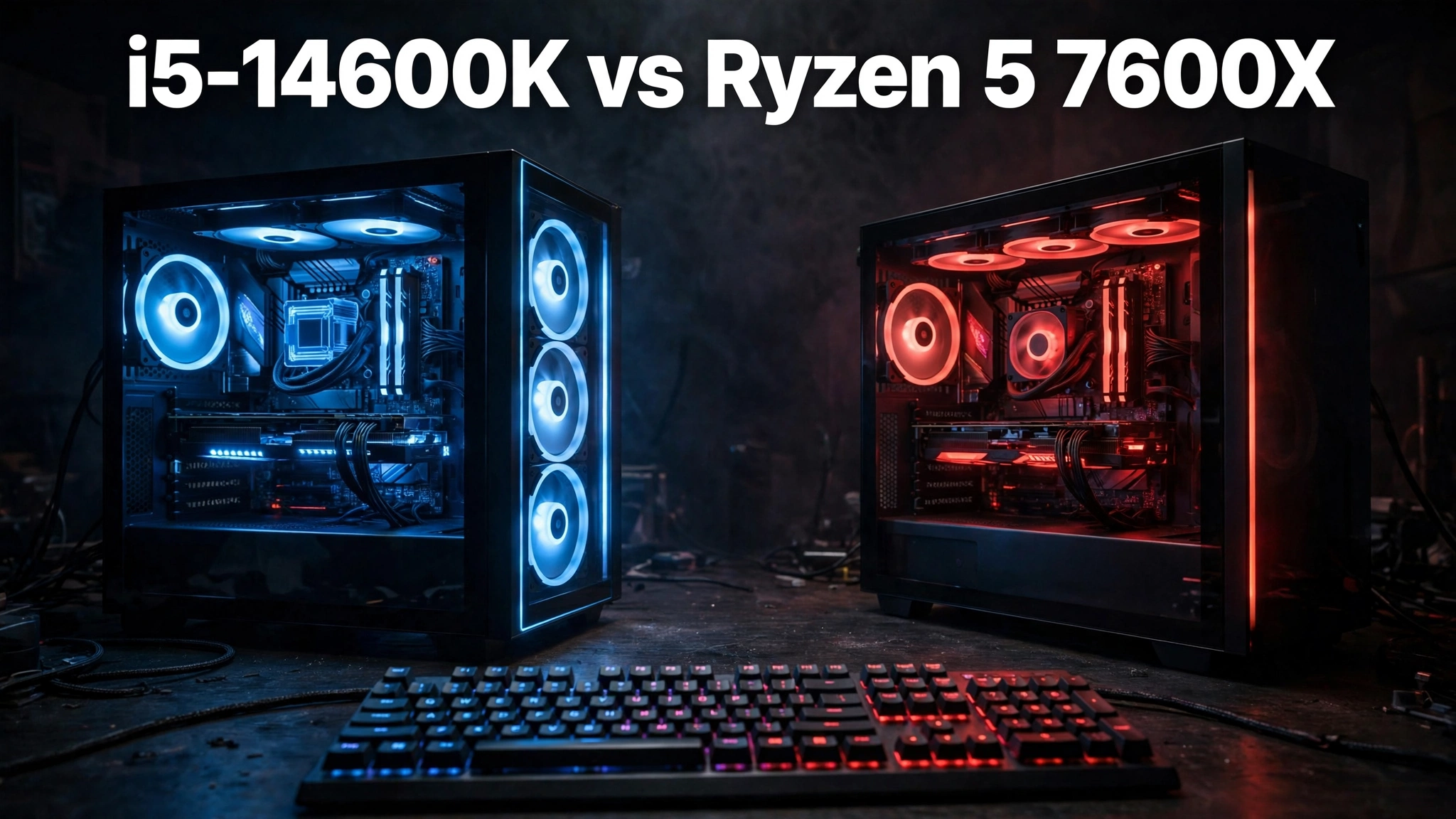
If you search for i5 14600k vs ryzen 5 7600x, you are really asking one question which of these two midrange chips will hold your graphics card back less? Both are strong gaming CPUs, both boost to 5.3 GHz, and both will run modern games well. The differences show up in the details: core counts, memory support, platform costs, power draw, and what you plan to upgrade next. This head-to-head compares them on gaming performance by resolution, smoothness, platform cost, cooling, and the graphics card tiers each chip can feed without becoming the bottleneck.
One important note before the numbers. Neither chip is a magic no bottleneck part. A bottleneck depends on the whole build: the graphics card, the resolution, the game, and the settings. A CPU that is perfect at 4K can still limit a high refresh rate monitor at 1080p, and a CPU that struggles in one strategy game can be plenty in another. Use this comparison to pick the chip that fits your monitor, your graphics card, and your upgrade plans, not just the one with the higher score in a single test.
Which CPU Bottlenecks Less?
1080p verdict: The Ryzen 5 7600X bottlenecks less for most pure gaming builds. Its single fast core complex and large 32 MB L3 cache keep frame times steady in CPU heavy titles, and published comparisons put it slightly ahead on average gaming frame rates. The i5-14600K is close, and its extra cores help when you stream or run background apps while gaming.
1440p verdict: Call it a tie for most gamers. At 1440p the graphics card does more of the work, so the gap between these two chips shrinks to a few frames in most titles. Pick based on platform cost and upgrade plans rather than raw speed at this resolution.
4K verdict: Also a tie in practice. At 4K, even a high end graphics card is the limit in nearly every demanding game, so either CPU will feed it about equally well. Spend the price difference on a better graphics card or more storage before worrying about which of these two chips you own.
What to upgrade first: If you game at 1080p on a high refresh rate monitor and your frame rate is stuck while your graphics card is not fully used, upgrade the CPU first. If you game at 1440p or 4K and your graphics card is running near full load, upgrade the graphics card first. If you already own one of these two chips, neither is worth replacing with the other: the gaming gain is too small to justify a new motherboard and possibly new memory.
For the wider brand picture, our Intel vs AMD CPU comparison explains how the two companies differ on platform strategy, pricing, and upgrade paths beyond this single matchup.
Specs at a Glance i5-14600K vs Ryzen 5 7600X
The spec sheet tells most of the story. Intel gives you many more cores and threads, plus the choice of cheaper DDR4 memory. AMD gives you a simpler 6 core design, more L3 cache, lower power draw, and a platform with a longer upgrade road ahead. Both chips are unlocked for overclocking, and neither includes a cooler in the box, so budget for cooling either way.
| Specification | Intel Core i5-14600K | AMD Ryzen 5 7600X |
|---|---|---|
| Cores and threads | 14 cores (6P plus 8E), 20 threads | 6 cores, 12 threads |
| Base and boost clock | 3.5 GHz base, up to 5.3 GHz boost | 4.7 GHz base, up to 5.3 GHz boost |
| L3 cache | 24 MB | 32 MB |
| Base power and max turbo power | 125 W base, 181 W max turbo | 105 W TDP, up to about 142 W peak |
| Memory support | DDR4-3200 and DDR5-5600 | DDR5-5200 only |
| Socket and platform | LGA 1700 | AM5 |
| PCIe support | PCIe 5.0 | PCIe 5.0 |
| Integrated graphics | Intel UHD Graphics 770 | Basic Radeon Graphics for display output |
| Cooler included | No | No |
| Launch date | Q4 2023 | September 2022 |
| Unlocked for overclocking | Yes | Yes |
Intel’s own specification page lists the 14600K as a 14 core, 20 thread part with a 5.3 GHz max turbo frequency, 24 MB of Smart Cache, 125 W processor base power, and 181 W maximum turbo power, with support for both DDR5-5600 and DDR4-3200 memory. You can check those figures on Intel’s official 14600K specification page. AMD lists the 7600X as a 6 core, 12 thread part with a 4.7 GHz base clock, up to 5.3 GHz boost, 32 MB of L3 cache, and a 105 W default TDP, with no cooler included and a premium air cooler recommended. Those figures are on AMD’s official 7600X product page.
The headline difference is simple. Intel wins on thread count and multitasking headroom. AMD wins on cache, efficiency, and platform longevity. Neither spec line alone decides gaming performance, which is why the resolution tests below matter more than the core count.
Gaming Performance by Resolution
At 1080p, the CPU matters most. The graphics card can draw frames faster than the processor can prepare them, especially in competitive shooters and strategy games, so a faster or better balanced CPU shows up directly in the frame rate counter. Published head-to-head testing generally shows the two chips within a few percent of each other here, with the 7600X slightly ahead on average across a wide game suite and the 14600K ahead in a smaller number of titles that use many threads well.
At 1440p, the balance shifts. The graphics card works harder on every frame, which gives the CPU more breathing room. The gap between the two chips narrows, and in many story driven games you would need a frame rate overlay to tell them apart. This is the resolution where most buyers should stop worrying about which chip is faster and start comparing total build cost.
At 4K, the graphics card is almost always the limit. Both chips can feed a high end card at 4K in demanding games, and the differences that exist at 1080p mostly disappear. If your main monitor is a 4K display, buy whichever chip plus motherboard plus memory combination costs less, and put the savings toward the graphics card tier that actually decides your 4K experience.
Digital Foundry’s launch era testing of the 14600K illustrates the pattern well: in CPU heavy scenes the Intel chip posted strong average frame rates, while the 7600X trailed on averages in some titles but stayed competitive at higher resolutions where the graphics card took over. You can read that analysis in the Digital Foundry 14600K review.
Practical takeaway: match the chip to your monitor. High refresh 1080p favors the 7600X by a small margin. 1440p and 4K make the choice mostly about price and platform.
Estimated FPS 10 Popular Games at 1080p and 1440p
The table below gives estimated average frame rates for each chip paired with a high end graphics card in the RTX 5070 Ti class, at high settings. These are estimates compiled from published third-party benchmarks, not in-house testing, and they are rounded to keep the comparison honest. Your real numbers will vary with your exact graphics card, driver version, game patch, memory speed, and background apps. Treat the table as a guide to the size of the gap, not as a promise for your PC.
| Game | i5-14600K at 1080p | Ryzen 5 7600X at 1080p | i5-14600K at 1440p | Ryzen 5 7600X at 1440p |
|---|---|---|---|---|
| Cyberpunk 2077 | 132 | 126 | 108 | 105 |
| Baldur’s Gate 3 | 118 | 115 | 98 | 96 |
| Call of Duty: Warzone | 178 | 172 | 148 | 145 |
| Fortnite | 225 | 218 | 185 | 180 |
| Apex Legends | 232 | 228 | 195 | 192 |
| Elden Ring | 60 | 60 | 60 | 58 |
| Red Dead Redemption 2 | 128 | 124 | 102 | 100 |
| Valorant | 520 | 505 | 430 | 425 |
| Counter-Strike 2 | 380 | 368 | 320 | 312 |
| Starfield | 78 | 75 | 66 | 64 |
Three patterns stand out. First, the 14600K edges ahead in several of these estimates at 1080p in thread friendly and simulation heavy titles, which matches its extra core count. Second, the gaps are small: mostly 2 to 6 frames, or roughly 2 to 5 percent, which you will not feel without a frame counter on screen. Third, Elden Ring is capped at 60 frames per second by the game itself, so no CPU wins there: both chips simply hit the cap.
The honest summary is that neither chip dominates. If a single game you play every day favors one architecture, that game should weigh more in your decision than any average across ten titles. Check benchmarks for your main game specifically before buying.
1% Lows and Frame Time Why Averages Lie
Average frame rate is the number everyone quotes, and it is also the number that hides stutters. The 1% low tells you how bad the slowest moments get, and frame time tells you how evenly frames arrive. A PC that averages 120 frames per second but regularly dips to 45 feels worse than a PC that holds a steady 100.
This is where the two chips trade blows in a more interesting way than averages suggest. The 7600X, with its single core complex and large cache, tends to deliver steady frame pacing in many games, which is why players often describe Ryzen builds as feeling smooth even when the average is not the highest. The 14600K can post higher averages in thread heavy scenes, but its hybrid design means background tasks and thread scheduling matter more: a poorly tuned system with heavy background apps can show dips that a clean system does not.
What you can do about it matters more than which chip wins a single 1% low chart. Keep background apps light while gaming, enable the memory profile (XMP on Intel boards, EXPO on AMD boards) so your RAM runs at its rated speed, and update your motherboard BIOS, especially on the Intel side where microcode updates have addressed stability and voltage behavior on 13th and 14th generation parts. If you want the full explanation of why lows matter more than averages, read our guide on what frame time is and why 1% lows matter.
Practical takeaway: do not buy on averages alone. A steady 1% low figure and a clean, well cooled system will feel better than a slightly higher average with frequent dips.
DDR4 Savings vs the AM5 Upgrade Path
This is where the purchase decision often gets made, because the CPU price is only part of the bill.
The 14600K runs on LGA 1700 motherboards, and many of those boards accept DDR4 memory. If you already own a good DDR4 kit, you can reuse it and save the cost of a new memory kit entirely. Even buying new, DDR4 is cheaper than DDR5, and budget B760 DDR4 boards keep the total platform cost down. The catch is the road ahead: LGA 1700 is at the end of its life, so your next CPU upgrade will almost certainly need a new motherboard and new memory anyway. Buying into LGA 1700 in late 2026 is buying a finished platform, not a growing one.
The 7600X runs only on AM5 motherboards with DDR5 memory, so there is no reuse path for an old DDR4 kit, and the upfront cost is higher. The payoff is the upgrade path: AM5 has already hosted multiple Ryzen generations, and AMD has committed to supporting the socket for years, so a future CPU swap may need only a BIOS update. If you plan to keep the motherboard for five years and drop in a faster chip later, that future saving can outweigh the higher starting cost.
Memory size deserves its own line in the budget. Valve’s September 2026 Steam Hardware Survey found 32 GB of RAM overtaking 16 GB as the most common configuration among surveyed players, at 42.22 percent versus 37.82 percent. That does not make 16 GB unusable, but for a new build meant to last several years, 32 GB is the sensible default on either platform. Our DDR4 vs DDR5 gaming performance comparison breaks down where faster memory actually changes frame rates and where it does not.
Practical takeaway: tight budget today, or a DDR4 kit already in hand, favors the 14600K. A new build you plan to upgrade in two or three years favors the 7600X on AM5.
Power, Heat, and Cooling
Neither chip is a low power part, and neither ships with a cooler, so cooling is a real cost on both sides. The difference is scale. The 14600K is rated at 125 W base power with up to 181 W maximum turbo power, and under heavy all core loads it will ask your cooler and power supply for every watt of that. The 7600X is rated at 105 W, with peak power around 142 W, and in gaming it typically draws noticeably less than the Intel chip.
In practice, that means a good midrange tower air cooler is usually enough for the 7600X in a case with decent airflow, while the 14600K is happier with a strong dual tower air cooler or a 240 mm liquid cooler, especially if you run long rendering sessions or heavy multitasking. Small form factor builders should pay extra attention: the 14600K in a cramped case with weak airflow will throttle sooner and run louder, while the 7600X is the more forgiving choice for tight builds.
Power supply sizing follows the same logic. Both chips pair fine with a quality 650 W to 750 W unit for a midrange to high end graphics card, but if you plan on a top tier card plus heavy overclocking on the 14600K, stepping up to 850 W buys headroom and quieter fan behavior. Do not cheap out on the power supply to afford a faster chip: an unstable supply causes crashes that look exactly like a CPU problem.
Practical takeaway: budget for real cooling on both chips, and budget more of it for the 14600K.
Productivity When 14 Cores Actually Matter
For pure gaming, six fast cores are enough for nearly every current title. For everything else you might do on the same PC, the 14600K’s extra eight Efficient cores change the picture. Video editing timelines, 3D rendering, code compilation, photo batch exports, and streaming while gaming all scale with thread count, and there the 14600K pulls clearly ahead. Published multi core benchmarks put the Intel chip far in front of the 6 core AMD part in rendering and encoding style workloads, often by roughly a third or more depending on the test.
That does not make the 7600X slow at productivity. It handles office work, web browsing, light editing, and single stream encoding fine. It is simply not the chip to buy if your PC earns its keep through rendering or heavy multitasking. If you stream, the gap narrows if you use your graphics card encoder (NVENC or AMF) rather than CPU encoding, because the encoder load moves off the processor entirely. Many streamers will never notice the core count difference for that reason.
Practical takeaway: gaming only, or gaming plus light work, keeps both chips in play. Regular rendering, compiling, or CPU encoding makes the 14600K the clear pick.
Which GPU Tier Can Each CPU Feed Without Bottlenecking?
Think in tiers, not in single card names, because prices move and new cards arrive every year.
Entry and mainstream cards (RTX 5060 and RX 9060 XT class and below): Neither CPU bottlenecks these cards in any meaningful way at 1080p or 1440p. At 1080p high refresh rates in competitive games, the CPU still sets the ceiling, but both chips clear it comfortably for 144 Hz and beyond in most titles.
Upper midrange cards (RTX 5070, RTX 5070 Ti, and RX 9070 XT class): This is the sweet spot for both chips. At 1440p, the graphics card is the limit in demanding games, and both CPUs feed it well. At 1080p high refresh, the 7600X holds a small smoothness edge, while the 14600K holds a small average edge in thread heavy titles. Either pairing is a good build.
High end cards (RTX 5080 and above): At 1440p and 4K, both chips still work well, because the graphics card dominates. At 1080p competitive settings, both chips become the limit before the card does, and a faster gaming chip (such as an X3D part) would show a bigger gain than swapping between these two. If you own a top tier card and play mostly at 1080p, the CPU upgrade that matters is a step up in class, not a side step between the 14600K and the 7600X.
If your own system feels held back and you are not sure which part is at fault, our guide on how to find a PC bottleneck walks through usage monitoring step by step, and our CPU bottleneck vs GPU bottleneck explainer helps you read those numbers correctly.
Practical takeaway: up to the upper midrange, both chips are fine. Above that, resolution decides, not the brand badge.
Pairing-Specific Issues to Watch
Intel BIOS updates and voltage behavior
13th and 14th generation Intel chips had well documented instability reports linked to elevated voltage behavior, and Intel addressed this through microcode updates delivered in motherboard BIOS releases. If you buy a 14600K, update the BIOS before judging stability, enable the Intel default power settings rather than an unlimited motherboard preset, and do not run an old launch era BIOS. This is a setup step, not a reason to avoid the chip, but skipping it is the most common self inflicted problem with this platform.
DDR4 vs DDR5 on the Intel side
A DDR4 board saves money but caps memory bandwidth, and some newer titles respond to faster DDR5. The gap is usually small at 1440p and above, and larger at 1080p high refresh. If you reuse DDR4, use two matched sticks and enable XMP. If you buy new memory for a 14600K build, DDR5 is the better long term buy unless the budget is truly tight, because it keeps the door open to faster kits later on the same board.
AMD memory tuning and EXPO
The 7600X wants DDR5-6000 with EXPO enabled to show its best gaming numbers. Running at the default JEDEC speed without enabling EXPO leaves real performance on the table, especially in 1% lows. Enable EXPO in the BIOS on first boot, verify the speed in Windows, and only then judge the system. Also note that AM5 boards can take longer to train memory on first boot, so a slow first startup is normal and not a fault.
Cooling and case airflow
Both chips boost aggressively and run warm by design. The 7600X will sit near its thermal limit under load even with good cooling, which is expected behavior for Zen 4, not a defect. The 14600K will do the same under all core loads. Judge cooling by sustained clock speeds and stability, not by a single temperature number, and make sure your case has a clear intake and exhaust path before blaming the chip.
Better Alternatives for the Same Money
Before you commit, check three alternatives that may fit your budget better.
If pure gaming is the job and the budget stretches a little: a Ryzen X3D chip, such as the 7800X3D or its newer successors, is the single biggest gaming upgrade over both chips in this comparison, thanks to stacked cache that lifts many games well beyond what either the 14600K or the 7600X delivers. It costs more, but the gain is larger than any difference between the two chips compared here.
If the budget is tight and the platform must last: the non-X Ryzen 5 7600 (65 W, includes a cooler) or a discounted 7600X on a budget B650 board can deliver nearly the same gaming experience for less money, with the same AM5 upgrade path. The money saved can go toward 32 GB of DDR5 or a better graphics card.
If Intel pricing moves in your favor: Intel cut the official suggested price of the newer Core Ultra 7 265K from $399 to $299 in October 2026, with the 265KF falling to $284. Street prices vary, and the 265K needs a different LGA 1851 motherboard, so it is not a drop in swap for a 14600K build. Still, if you are pricing a whole new Intel system, compare the total 265K platform cost against the 14600K platform cost before buying, because a newer chip at a cut price can change the value math overnight. Treat any sale price as time limited and verify it at checkout, since prices move fast.
Practical takeaway: the best alternative depends on your goal. Maximum gaming frames point to X3D. Minimum spend points to a discounted 6 core Ryzen. A full new Intel build deserves a fresh price check against the 265K.
What Changed Around These CPUs in 2026
Two 2026 trends are worth knowing before you buy, because both affect the value of these older chips.
First, Intel’s October 2026 price cut on the Core Ultra 7 265K, from $399 to $299, puts pressure on the whole midrange Intel stack. Older LGA 1700 chips do not automatically get cheaper when a newer chip drops in price, but the comparison shoppers make changes: a buyer comparing a full new system now weighs a discounted current generation Intel chip against a discounted previous generation one, and that comparison did not exist at the old price.
Second, Valve’s September 2026 Steam Hardware Survey showed AMD closing the gap with Intel among surveyed players, with AMD at about 48.4 percent of all surveyed systems (47.41 percent on Windows alone) and Intel at the remainder. The same survey showed 32 GB of RAM overtaking 16 GB and 1440p displays climbing to 27.04 percent of primary displays. None of this makes one chip faster, but it confirms the direction of travel: more players on AMD platforms, more memory, and higher resolutions, all of which favor buying for 1440p and 32 GB rather than optimizing only for 1080p.
Memory pricing is the third moving piece. DDR5 kits cost more than DDR4, and memory prices have been unsettled through 2026, which makes the 14600K’s DDR4 option more valuable in a tight budget month and less valuable when DDR5 prices ease. If DDR5 pricing looks high the week you buy, the Intel DDR4 path is a genuine saving. If DDR5 looks reasonable, the AMD platform penalty shrinks.
Common Mistakes i5-14600K vs Ryzen 5 7600X
Buying the 14600K for gaming alone at a big premium. If the Intel platform costs much more than the AMD platform in your region that week, the gaming return does not justify it. Buy the 14600K for its cores and DDR4 savings, not for a gaming lead it does not clearly hold.
Buying the 7600X and forgetting EXPO. Default memory speeds hide the chip’s best performance. Enable EXPO on day one.
Judging either chip in a bad case. Both chips boost hard and run warm. A case with no intake airflow will throttle either chip and make the comparison meaningless.
Upgrading from one of these chips to the other. The gaming gain is small, and the motherboard plus memory cost wipes it out. Upgrade to a different class of chip, or upgrade the graphics card, instead.
Ignoring the BIOS. Old BIOS versions on either platform can mean missing performance fixes, memory compatibility updates, and stability patches. Update before troubleshooting anything else.
Frequently Asked Questions
Which is better, Core i5-14600K or Ryzen 5 7600X?
For pure gaming, the 7600X is slightly ahead on average across a wide set of games, while the 14600K is better for multitasking and productivity thanks to its 14 cores and 20 threads. If you only game, lean AMD. If you game and work on the same PC, lean Intel. This question comes from the FAQ section of a published head-to-head comparison of the two chips.
Ryzen 5 7600X or Intel 14600K for new gaming build?
For a new gaming build, the 7600X is the simpler recommendation if the total platform prices are close, because it sips less power, runs on the longer lived AM5 platform, and delivers slightly smoother average gaming performance. The 14600K wins the recommendation if you already own DDR4 memory, if the Intel board bundle is clearly cheaper, or if you stream and multitask heavily. This question is the title of a Tom’s Hardware forum thread where a builder asked exactly this while planning a new PC.
How does the Intel i5 14600K CPU perform on a DDR4 system?
It performs very well on DDR4. Owners and testers report losing only a small amount of performance versus DDR5 in most games, and for daily use the difference is hard to notice. If you already own a DDR4 kit, reusing it is not worth replacing for DDR5 alone. This question comes from the Newegg questions section for the 14600K.
Will the Core i5-14600K or Ryzen 5 7600X bottleneck my PC?
It depends on the rest of your build, especially the graphics card. With a midrange card at 1440p, neither chip is a meaningful bottleneck. With a high end card at 1080p high refresh rates, either chip can become the limit in CPU heavy games. Check graphics card usage while gaming: a card running near full load means the graphics card is the limit, while a card sitting partly idle with low frame rates points at the CPU. This question comes from the FAQ section of a published head-to-head comparison.
The 14600K draws close to 200W while the 7600X draws around 100W in some tests, so is Intel still the wise pick?
It can be, if you value the extra cores and can cool the chip properly. The power gap is real: the Intel chip asks for a stronger cooler and a roomier power budget, and one forum poster raised exactly this worry while choosing between the two. If your case is small, your cooler budget is tight, or your electricity and noise tolerance is low, the 7600X is the wiser pick. If you have good cooling and use the extra threads, the Intel chip earns its power draw.
How does installation and motherboard compatibility compare for a first-time builder?
Both chips install the same way: lift the socket lever, align the triangle marker, drop the chip in without force, and close the retainer. The Intel chip fits LGA 1700 boards (600 and 700 series, with some 600 series boards needing a BIOS update), while the AMD chip fits AM5 boards only with DDR5 memory. First-time builders should budget for an aftermarket cooler on both chips and confirm memory compatibility on the motherboard maker’s list before ordering. This question comes from the Newegg questions section for the 14600K.
Key Takeaways
- The 7600X bottlenecks less for pure gaming at 1080p, by a small margin.
- At 1440p and 4K, the two chips are effectively tied, and the graphics card decides performance.
- The 14600K wins on multitasking, rendering, and DDR4 reuse, but costs more power and cooling.
- The 7600X wins on efficiency and the AM5 upgrade path, but costs more upfront for DDR5.
- Neither chip is worth buying as an upgrade over the other: upgrade class, not sideways.
- Enable XMP or EXPO, update the BIOS, and buy 32 GB of memory for a build meant to last.
Conclusion
The i5 14600k vs ryzen 5 7600x question does not have a runaway winner, and that is good news: it means you can choose based on your build rather than chasing a single benchmark. Buy the Ryzen 5 7600X if you want the slightly smoother pure gaming chip on a platform you can upgrade for years. Buy the Core i5-14600K if you want more cores for work and multitasking, if you can reuse DDR4 memory, or if the Intel platform bundle is clearly cheaper the week you buy. Either way, pair it with 32 GB of memory, a cooler that matches its power draw, and a graphics card tier that fits your monitor. Get those four choices right, and neither chip will be the part holding your games back.

Leave a Reply