

Quick answer: The best Intel CPU for gaming in 2026 is the Core i7-14700K for most builders. It delivers near-flagship gaming speed, works with affordable DDR4 or DDR5 memory on the mature LGA1700 platform, and can feed graphics cards up to the RTX 5080 without holding them back. If you want Intel’s newest platform, the Core Ultra 7 270K Plus is the strongest current-generation gaming pick.
Finding the best Intel CPU for gaming in 2026 is harder than it should be. Intel renamed its entire lineup, refreshed it again six months later, and kept the old 14th generation on sale at the same time. Add in reported CPU price hikes, a DDR5 memory price spike, and AMD’s X3D chips winning most gaming benchmarks, and it is no wonder builders feel stuck.
This guide cuts through that confusion with a different approach. Instead of ranking chips by core counts or clock speeds alone, every pick below is ranked by bottleneck risk: how strong a graphics card it can feed before the CPU itself becomes the limit on your frame rate. That is the question that actually decides whether your build feels fast or frustrating, and it is the question most roundups never answer.
How We Ranked These CPUs Bottleneck Risk Method
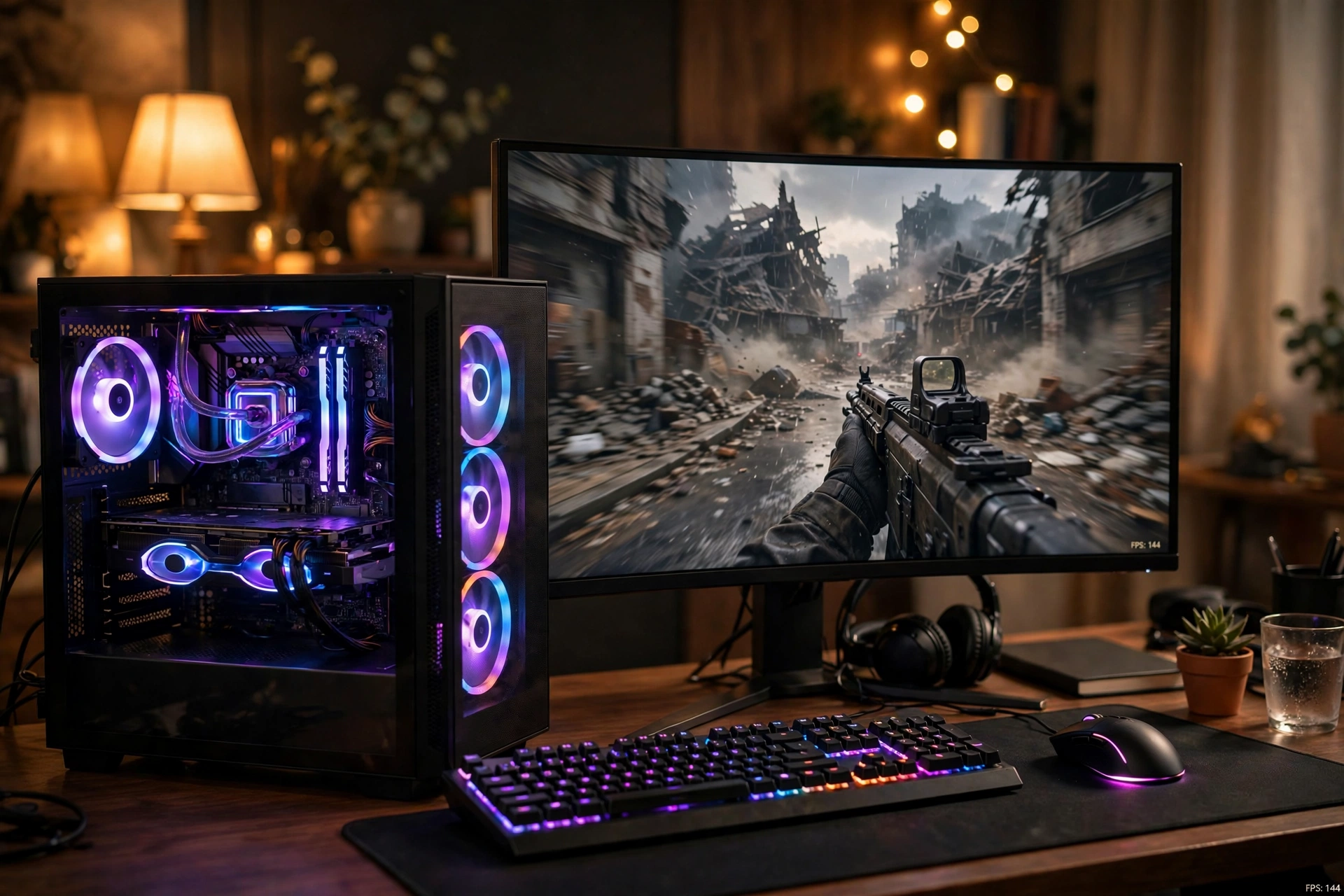
Most CPU roundups rank chips by how fast they are in a vacuum. That misses the point of a gaming build. Your CPU and GPU work as a team, and the slower partner decides your frame rate. If you want the full picture of how that partnership breaks down, our guide to CPU bottleneck vs GPU bottleneck explains which side is holding you back and why.
Here is how each pick below earned its rank:
1. Gaming performance per dollar. Raw frame rates matter, but only relative to what you pay, including the motherboard and memory the chip demands.
2. GPU ceiling. The strongest graphics card you can pair with the chip before the CPU becomes the bottleneck at 1440p. A chip that tops out at an RTX 5060 Ti is a bad buy next to an RTX 5080, no matter how good its own benchmarks look.
3. 1% lows and frame consistency. Average FPS makes headlines, but stutter ruins games. Chips with stronger 1% low performance rank higher for competitive and fast-paced titles.
4. Platform cost and memory flexibility. A cheaper chip on an expensive DDR5-only platform can cost more overall than a pricier chip on a board that reuses affordable DDR4.
5. Thermals and real-world power draw. A chip that needs a 360mm liquid cooler to behave is a worse gaming pick than its spec sheet suggests.
Every specification below comes from Intel’s official ARK product database or established hardware references. Where gaming claims come from published reviews or press coverage, they are attributed. Nothing here is invented.
7 Best Intel CPUs for Gaming in 2026
1. Intel Core i7-14700K: Best Overall Intel Gaming CPU
Best for: Most gaming PC builders in 2026. The sweet spot of gaming speed, platform value, and upgrade flexibility.
Key specs: 20 cores (8 Performance + 12 Efficiency), 28 threads, up to 5.6 GHz boost, 33MB L3 cache, LGA1700 socket, DDR4 and DDR5 support, 125W base power.
The i7-14700K is the Intel gaming CPU we recommend first because it removes the most compromises. Its 8 Raptor Cove performance cores deliver gaming frame rates within a few percent of the far more expensive i9-14900K, a finding confirmed across published reviews including TechPowerUp’s full review, which measured it trading blows with the previous generation’s flagship in games. The 12 efficiency cores chew through background tasks, streaming encodes, and Discord without stealing cycles from your game.
The real advantage is the platform. LGA1700 motherboards are mature and cheap, and the 14700K supports both DDR4 and DDR5. With DDR5 prices spiking through 2026, the option to build on affordable DDR4 is worth real money. Full specifications are listed on the TechPowerUp CPU database entry for the 14700K.
Bottleneck risk: Low. The 14700K can feed graphics cards up to the RTX 5080 / RX 9070 XT class at 1440p and 4K without becoming the limiting factor. At 1080p with a flagship GPU, any CPU becomes the limit eventually, but few Intel chips handle that scenario better for the money.
Watch out for: Heat. This chip can pull over 250W under full load, so budget for a strong cooler (more on that below). Also note the 13th and 14th generation instability saga: Intel addressed it through BIOS microcode updates, so buy new retail stock and update your motherboard BIOS on day one.
2. Intel Core Ultra 7 270K Plus: Best New-Generation Gaming Pick
Best for: Builders who want Intel’s latest platform and the strongest Intel gaming silicon you can buy new in 2026.
Key specs: 24 cores (8 Performance + 16 Efficiency), 24 threads, up to 5.5 GHz boost, 36MB L3 cache, LGA1851 socket, DDR5-7200 support, 125W base power.
The 270K Plus is the chip that fixed Arrow Lake’s reputation. Launched as part of Intel’s Arrow Lake Refresh (the Core Ultra 200S Plus series) with retail availability from March 26, 2026, it takes the 24-core configuration of the old Ultra 9 flagship and sells it at a mid-range price. Intel launched it at $299, though later reports noted Intel quietly revised official pricing upward afterward, so check current street prices rather than launch-day articles.
In independent gaming coverage, the 270K Plus showed roughly 4% higher average frame rates than AMD’s Ryzen 7 9700X at 1080p, with notably stronger 1% lows in titles like Battlefield 6 attributed to Intel’s binary optimization scheduling (Switchback Gaming’s published testing; treat any single outlet’s numbers as directional rather than universal). Intel itself describes it as its fastest gaming desktop processor, which is a marketing claim, but the independent coverage backs up the direction.
Bottleneck risk: Very low. This chip comfortably feeds an RTX 5090 at 4K and an RTX 5080 at 1440p. Its extra efficiency cores also make it a strong streaming CPU while gaming.
Watch out for: Platform cost. LGA1851 means an 800-series motherboard and DDR5 memory only, no DDR4 fallback. If your budget is tight, the 14700K system above will likely cost less overall for similar gaming results.
3. Intel Core Ultra 9 285K: Best for Gaming Plus Heavy Workloads
Best for: Creators, streamers, and developers who game seriously but also render, compile, or run heavy multitasking daily.
Key specs: 24 cores (8 Performance + 16 Efficiency), 24 threads, up to 5.7 GHz boost, 36MB L3 cache, LGA1851 socket, DDR5-6400 support, 125W base power.
The 285K was Intel’s original Arrow Lake flagship, launched in October 2024, and it remains a monster for productivity. In multi-threaded work it embarrasses everything below it. The catch, and the reason it sits at number three instead of number one, is gaming. In CPU-limited gaming scenarios, published testing has consistently shown it trailing the i9-14900K and sitting well behind AMD’s X3D chips. It is fast in absolute terms, just not the fastest Intel option for gaming per dollar.
Buy the 285K when gaming is one of several demanding jobs your PC does. If gaming is the only job, the 270K Plus gives you nearly the same gaming experience for much less money, and the 14700K gives you nearly the same gaming experience on a cheaper platform.
Bottleneck risk: Very low. Feeds an RTX 5090 without complaint at 4K. The limitation is value, not capability.
Watch out for: You are paying flagship money for productivity cores that games barely touch. Also confirm pricing: with the 270K Plus offering the same core count cheaper, the 285K only makes sense at a meaningful discount or for workstation-adjacent builds.
4. Intel Core i5-14600K: Best Mid-Range Value
Best for: 1440p gamers who want unlocked performance without paying the i7 premium.
Key specs: 14 cores (6 Performance + 8 Efficiency), 20 threads, up to 5.3 GHz boost, 24MB L3 cache, LGA1700 socket, DDR4 and DDR5 support, 125W base power.
The 14600K is the quiet value hero of Intel’s gaming lineup. Its 6 performance cores are the same class of core as the ones in chips costing twice as much, which means in GPU-bound scenarios at 1440p and 4K, it lands within single-digit percentages of the 14700K in gaming. The difference only opens up in CPU-heavy titles at high refresh rates, or when you are streaming and gaming simultaneously.
Like the 14700K, it rides the affordable LGA1700 platform with DDR4 support, and it overclocks if you enjoy tuning. Pair it with a mid-range card and you have the classic balanced build: money saved on the CPU goes straight into a better GPU, which is what actually raises frame rates. Our best CPU for RTX 4070 pairing guide shows exactly how this tier matches up with upper mid-range graphics cards.
Bottleneck risk: Low to moderate. Safe GPU ceiling is the RTX 5070 Ti / RTX 5070 class. Stretching to an RTX 5080 is possible at 4K, but at 1440p high-refresh you would start leaving GPU performance on the table.
Watch out for: The non-K 14600 exists if you never overclock, and the KF variant saves a few dollars if you already own a discrete GPU. Same BIOS-update advice as the other 14th gen chips applies.
5. Intel Core Ultra 5 250K Plus: Best Budget Pick on the New Platform
Best for: Builders committed to LGA1851 who refuse to overpay for cores their games will not use.
Key specs: 18 cores (6 Performance + 12 Efficiency), 18 threads, up to 5.3 GHz boost, 30MB L3 cache, LGA1851 socket, DDR5-7200 support, 125W base power.
The 250K Plus replaced the older 245K in the March 2026 Arrow Lake Refresh, jumping from 14 to 18 cores and adding faster memory support at a $199 launch price (later reports noted upward pricing revisions here too). For gaming, the story is simple: 6 fast performance cores handle modern titles well, and the 12 efficiency cores keep everything else out of the way.
This is the cheapest sensible door into Intel’s current platform. You get PCIe 5.0, modern connectivity, and an upgrade path within LGA1851, without paying for an i7 or Ultra 9.
Bottleneck risk: Moderate. Comfortable GPU ceiling is the RTX 5070 / RX 9070 class. It will not meaningfully bottleneck those cards at 1440p, but pairing it with an RTX 5080 or above would be a mismatch.
Watch out for: At this budget, always compare the total platform cost against a 14600K or 14400F build on cheap LGA1700 DDR4. The newer chip is better, but the older platform is often cheaper overall.
6. Intel Core i5-14400F: Best Cheap Intel Gaming CPU
Best for: Budget 1080p and 1440p builds where every dollar counts and the GPU matters most.
Key specs: 10 cores (6 Performance + 4 Efficiency), 16 threads, up to 4.7 GHz boost, 20MB L3 cache, LGA1700 socket, DDR4 and DDR5 support, 65W base power, no integrated graphics.
The 14400F is the chip for builders who read the benchmarks correctly: at 1080p and 1440p with a mid-range GPU, the graphics card decides your frame rate, not the CPU. This 65W chip sips power, runs cool on an affordable air cooler, and leaves maximum budget for the GPU. The F suffix means no integrated graphics, which is irrelevant in a gaming PC with a discrete card and saves you money.
It drops into inexpensive B660 or B760 DDR4 motherboards, making it the heart of the cheapest genuinely good Intel gaming build in 2026.
Bottleneck risk: Moderate. Ideal GPU ceiling is the RTX 5060 Ti / RX 9060 XT class. It handles those cards cleanly at 1080p and 1440p. Push beyond that and the CPU starts capping frame rates in demanding titles.
Watch out for: The locked multiplier means no overclocking, and the lack of an iGPU means no display output for troubleshooting without a graphics card installed. Both are fair trades at this price.
7. Intel Core i9-14900K: Enthusiasts Only
Best for: Overclockers, benchmark chasers, and builders who want the fastest Intel gaming clocks regardless of cost.
Key specs: 24 cores (8 Performance + 16 Efficiency), 32 threads, up to 6.0 GHz boost, 36MB L3 cache, LGA1700 socket, DDR4 and DDR5 support, 125W base power.
The 14900K remains the highest-clocked Intel gaming chip ever sold, touching 6.0 GHz out of the box. In pure gaming it is marginally the fastest 14th gen chip. The problem is everything around that fact: it costs far more than the 14700K for a low single-digit gaming gain, it can exceed 300W when unleashed, it demands elite cooling, and it carries the 13th/14th gen stability history more visibly than any other chip.
We rank it last among flagships because ranking is about recommendations, not specifications. Almost every gamer is better served by the 14700K or the 270K Plus.
Bottleneck risk: Very low on paper. Feeds an RTX 5090. But you are paying a large premium over chips with the same practical GPU ceiling.
Watch out for: Buy only new retail stock, update the BIOS immediately, and do not skimp on the cooler or power supply. If any of that sounds unappealing, scroll back up to pick number one.
Honorable mention: The Core i5-12400F (6 performance cores, LGA1700, DDR4) is still alive in 2026 as the ultra-budget option. It pairs fine with an RTX 5060 at 1080p, and on a used or discounted DDR4 board it can be the cheapest path to a competent gaming PC. It is aging, though, and the 14400F is the smarter buy when prices are close.
Intel Gaming CPUs Compared
| CPU | Cores (P+E) | Boost Clock | Socket | Memory | Safe GPU Ceiling | Best For |
|---|---|---|---|---|---|---|
| Core i7-14700K | 20 (8+12) | 5.6 GHz | LGA1700 | DDR4/DDR5 | RTX 5080 | Best overall |
| Core Ultra 7 270K Plus | 24 (8+16) | 5.5 GHz | LGA1851 | DDR5 | RTX 5090 | Newest platform |
| Core Ultra 9 285K | 24 (8+16) | 5.7 GHz | LGA1851 | DDR5 | RTX 5090 | Gaming + work |
| Core i5-14600K | 14 (6+8) | 5.3 GHz | LGA1700 | DDR5 | RTX 5070 Ti | Mid-range value |
| Core Ultra 5 250K Plus | 18 (6+12) | 5.3 GHz | LGA1851 | DDR5 | RTX 5070 | Budget new platform |
| Core i5-14400F | 10 (6+4) | 4.7 GHz | LGA1700 | DDR4/DDR5 | RTX 5060 Ti | Budget builds |
| Core i9-14900K | 24 (8+16) | 6.0 GHz | LGA1700 | DDR5 | RTX 5090 | Enthusiasts only |
Read the “Safe GPU Ceiling” column as pairing advice, not a benchmark result. It answers the practical question: above this GPU tier, your money is better spent on a stronger CPU than a stronger graphics card, because the CPU will cap what the GPU can deliver.
LGA1700 vs LGA1851 Which Platform Should You Buy Into?
Intel currently sells two desktop platforms side by side, and your choice here matters as much as the chip itself.
LGA1700 (12th, 13th, 14th gen) is the value platform. Motherboards are mature and inexpensive, and crucially, these chips support DDR4. That matters enormously in 2026: industry reporting puts a 32GB DDR5-6000 kit around $480 while an equivalent DDR4-3600 kit runs about $210, driven by an AI-fueled memory shortage redirecting fab capacity. Our DDR4 vs DDR5 gaming performance breakdown shows DDR4 still holding up well for gaming frame rates, so the savings are real, not theoretical.
LGA1851 (Core Ultra 200S and 200S Plus) is the modern platform. You get PCIe 5.0 throughout, faster DDR5 support (up to DDR5-7200 on the Plus chips), and a longer runway for future upgrades. The price is DDR5 memory only and pricier 800-series motherboards.
Here is the twist that changes the math: on October 9, 2026, Gigabyte confirmed that new LGA1700 processors are coming in early 2027, with BIOS updates already rolling out across its B760 and H610 lineups for both DDR4 and DDR5 boards. Intel has not formally announced or named the lineup (press coverage calls it Raptor Lake Next), so treat specifications as unconfirmed. But the confirmation itself is solid, and it means LGA1700 is not the dead end everyone assumed. If you already own a B760 or H610 board, waiting for the 2027 refresh could be the cheapest meaningful CPU upgrade you ever make. We track this story on our Intel LGA1700 new CPUs 2027 page.
Practical takeaway: Building new on a budget? LGA1700 with DDR4 wins on total cost. Building new with headroom and modern features? LGA1851 is the forward-looking choice. Already own LGA1700? Do not rebuild yet; the 2027 refresh may extend your board’s life.
What Intel’s Price Hikes Mean for Your Build
On October 12, 2026, WCCFTech reported, citing Taiwan’s Commercial Times (CTEE) supply-chain sources, that Intel raised processor prices across multiple generations: roughly 15 to 20% on Panther Lake, 5 to 10% on Meteor Lake and Arrow Lake, and 10 to 20% on Alder Lake and Twin Lake. This was reportedly Intel’s third such increase since late 2025.
Read the fine print before panicking. These are supplier-level increases reported by a single supply chain source, not confirmed by Intel, and there is no evidence yet that retail shelf prices moved by the same percentages. Older inventory at distributors can cushion the impact for months. Notebookcheck separately spotted Intel quietly revising official list prices upward on the new 270K Plus and 250K Plus chips after launch, which is consistent with the broader trend but is also report-based, not an Intel announcement.
What should you actually do? Three things. First, compare street prices, not launch MSRPs, because the two have diverged on several Intel chips this year. Second, discounted 14th gen chips on the mature LGA1700 platform may now be the best value Intel has offered in years, since retailers clear inventory. Third, if you are on the fence, buying sooner beats waiting in a rising-price environment. We covered the budgeting angle in depth in our CPU price hike gaming PC guide.
Cooling and Power What Each Tier Really Needs
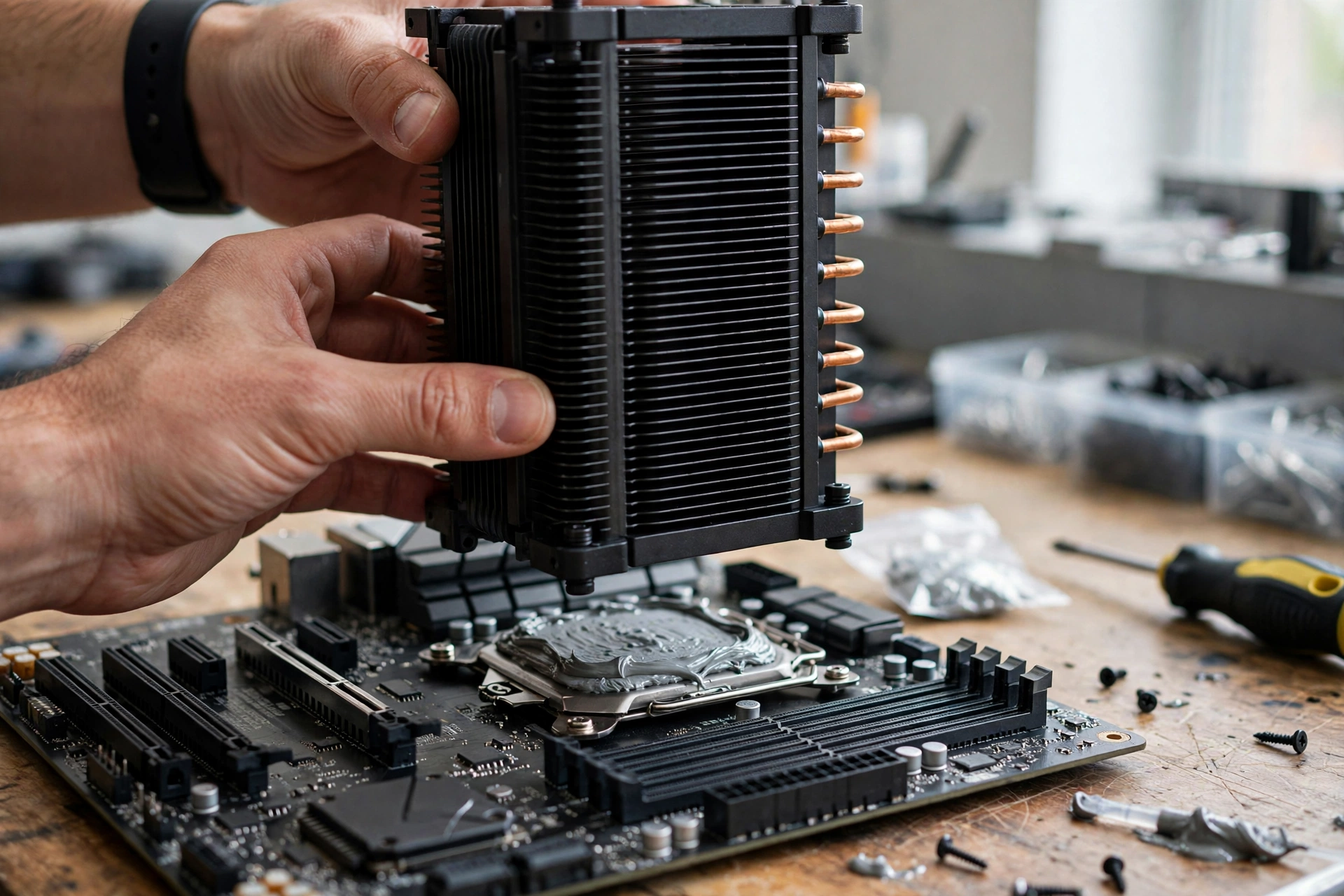
Intel’s 125W base power rating is only half the story. Under full load, the unlocked chips in this guide can draw 250W or more, and your cooler choice directly affects sustained gaming performance through thermal throttling.
Intel’s 125W base power rating is only half the story. Under full load, the unlocked chips in this guide can draw 250W or more, and your cooler choice directly affects sustained gaming performance through thermal throttling.
- 14400F (65W): A quality tower air cooler is plenty. This is the easiest chip on the list to keep cool and quiet.
- 14600K / 250K Plus: A strong dual-tower air cooler or a 240mm liquid cooler. Do not use a stock-style cooler here.
- 14700K / 270K Plus / 285K / 14900K: A 280mm or 360mm liquid cooler for sustained loads, or a top-tier air cooler with excellent case airflow. These chips will thermal-throttle on inadequate cooling, and throttling shows up as exactly the stuttering 1% lows that ruin competitive games.
Pair the cooler with an appropriate power supply. A 14700K or 270K Plus build with a high-end GPU wants a quality 750W to 850W unit; a 14900K with an RTX 5090 wants 1000W. Undersized or low-quality PSUs cause the random crashes people blame on the CPU.
Intel CPU Suffixes Explained
Intel’s naming is confusing enough without the suffixes. Here is what the letters actually change:
- K: Unlocked multiplier for overclocking. Needs a Z-series motherboard to overclock and a discrete cooler (no cooler in the box).
- KF: Unlocked like K, but no integrated graphics. Slightly cheaper; fine if you own a graphics card, annoying for troubleshooting without one.
- F: Locked (no overclocking) and no integrated graphics. The budget play, as with the 14400F.
- No suffix (e.g. 265, 14700): Locked, includes integrated graphics, lower power limits. Good for prebuilts and quiet builds.
- Plus (e.g. 270K Plus, 250K Plus): Intel’s Arrow Lake Refresh branding from March 2026. Newer silicon with more efficiency cores and faster memory support than the non-Plus equivalents.
One more naming trap: “Core Ultra” replaced “Core i” starting with the 200 series, but 14th gen chips kept the old names. A Core Ultra 7 is not automatically faster than a Core i7. Compare the actual model numbers, not the branding tier.
The Honest Intel vs AMD Question
No Intel roundup is honest without addressing AMD, because AMD’s X3D chips win most pure-gaming benchmarks in 2026. The Ryzen 7 9800X3D and its successors deliver higher frame rates than any Intel chip in CPU-limited games, thanks to stacked 3D cache. If your PC does nothing but game and your budget stretches to X3D, that is the rational buy.
So why buy Intel at all? Three reasons hold up. First, dual-purpose value: Intel’s hybrid chips crush AMD’s non-X3D lineup in streaming, rendering, compiling, and multitasking while gaming, often at lower prices. Second, platform flexibility: only Intel still offers DDR4-compatible gaming platforms in 2026, which is a genuine cost advantage right now. Third, availability and pricing: Intel chips are widely stocked and frequently discounted, while X3D chips carry premiums.
The market is clearly listening to both sides. The September 2026 Steam Hardware Survey, reported by Digital Foundry, showed AMD at a record 48.4% of CPUs versus Intel’s 51.6%, the closest the race has ever been among Steam gamers. Intel still leads, but the gap is shrinking fast. For the full head-to-head, see our Intel vs AMD CPU comparison.
Practical takeaway: Pure gaming at any budget where X3D fits? AMD. Gaming plus real work, or a tight budget where platform costs decide? Intel, chosen from the ranking above.
5 Mistakes to Avoid When Buying an Intel Gaming CPU
1. Buying the i9 for gaming alone. The 14900K’s extra cost over the 14700K buys you almost nothing in games. Put the difference into your GPU or monitor.
2. Pairing a budget CPU with a flagship GPU. An i5-14400F next to an RTX 5080 is a textbook CPU bottleneck: the GPU idles while the CPU struggles. Match the tiers using the GPU ceiling column above. If you are unsure which side is limiting you, our 10 signs your CPU is bottlenecking your GPU checklist makes it easy to diagnose.
3. Cheapening out on cooling for an unlocked chip. A 14700K on a weak cooler performs like a cheaper chip. Cooling is performance.
4. Forgetting the memory bill on LGA1851. DDR5-only platforms can add hundreds to a build in 2026’s memory market. Price the full system, not just the CPU.
5. Skipping the BIOS update on 13th or 14th gen. The instability issues were addressed through microcode updates, but only if your board actually has them. Update before you judge the chip.
Frequently Asked Questions
Is the Intel Core Ultra 7 265K’s integrated graphics good enough for games like Valorant or League of Legends at low settings?
Yes, for esports titles specifically. This is a real question asked on Quora, and the honest answer is that the 265K’s integrated graphics (4 Xe cores) handle Valorant, League of Legends, and similar light games at low settings and modest resolutions acceptably. It is not a gaming GPU replacement: modern AAA titles will struggle badly. If you play anything beyond esports, budget for a discrete graphics card and consider the 265KF or 14700KF to save money.
Is it worth upgrading from the Core i7-14700K to the Core Ultra 7 265K?
No, not for gaming alone. This question appears constantly in CPU comparison FAQs, and the answer is consistent: the 265K is only marginally faster than the 14700K in games, and the upgrade forces a new LGA1851 motherboard and DDR5 memory. That is a full platform rebuild for a sidegrade. Upgrade from a 14700K only if you are jumping to a much higher tier or switching platforms for other reasons.
I am building a PC mainly for gaming. Should I choose AMD or Intel?
This exact question was posted on Tom’s Hardware’s forum, and the balanced answer stands: if you only game and can afford an AMD X3D chip, it is the fastest gaming option. If you also stream, edit, or work on the PC, or if your budget favors Intel’s cheaper DDR4-compatible platform, Intel is the smarter buy. Either way, spend the savings on the best GPU your CPU tier can feed.
Will my old Intel CPU bottleneck a modern graphics card?
A real Quora asker wondered whether an older i3/i5 would bottleneck a new GPU, and the principle applies broadly: yes, older quad-core and early 6-core Intel chips will bottleneck modern mid-range and higher GPUs, especially at 1080p where the CPU works hardest. At 1440p and 4K the GPU carries more of the load, so an older CPU stretches further. If your CPU is more than five years old and you are buying a current-generation card, plan a CPU upgrade in the same build.
Is a Core i5 like the 14600K good for gaming?
Yes, and this is one of the most asked questions on CPU buying guides for good reason. A modern Core i5 like the 14600K is an excellent gaming chip because games still depend heavily on a few fast cores rather than huge core counts. Paired with an appropriate GPU (up to the RTX 5070 Ti class), it delivers a premium 1440p experience. Step up to an i7 when you stream, multitask heavily, or chase very high refresh rates in CPU-intensive titles. An i9 for pure gaming is almost never worth the premium.
Which processor is faster, the Core Ultra 7 265K or the Core i7-14700K?
This exact comparison question appears across CPU database FAQs, and the measured answer is: the 265K is slightly faster on paper (around 4% in single-core and 6% in multi-core in aggregated test data), but the gaming difference is small. The real decision is the platform: the 265K needs LGA1851 and DDR5, while the 14700K runs on cheaper LGA1700 boards with DDR4 support. And in 2026, both are overshadowed at their tier by the newer 270K Plus, which brought 24 cores to the mid-range price point.
Why is Intel considered better for gaming and AMD better for everything else?
This classic Quora debate made sense for years: Intel’s higher clock speeds won games, while AMD’s core counts won productivity. In 2026 the script has partly flipped. AMD’s X3D chips now win pure gaming benchmarks, while Intel’s hybrid chips win productivity and multitasking. The updated rule of thumb: AMD for a gaming-only build where X3D fits the budget, Intel for gaming plus real work or where Intel’s cheaper DDR4-compatible platform stretches your budget further.
Key Takeaways
- The Core i7-14700K is the best Intel CPU for gaming for most builders: near-flagship speed, DDR4 or DDR5, and a GPU ceiling of RTX 5080.
- The Core Ultra 7 270K Plus is Intel’s best current-generation gaming chip, with 24 cores and stronger frame consistency than the 265K it effectively replaces.
- Rank by bottleneck risk, not core count: match each CPU to its safe GPU ceiling before you buy.
- LGA1700 with DDR4 is the value king in 2026’s memory market, and Gigabyte-confirmed 2027 refresh chips may extend its life further.
- Reported Intel price hikes (15-20% on some lines, per CTEE via WCCFTech) are supplier-level and unconfirmed by Intel: compare street prices, not launch MSRPs.
- AMD’s X3D chips still win pure gaming benchmarks; Intel wins on dual-purpose value and platform flexibility.
Final Verdict
Intel’s 2026 lineup is confusing, but the decision underneath it is simple. Pick the cheapest chip whose GPU ceiling covers the graphics card you actually plan to buy, on the platform whose total cost (board plus memory) fits your budget. For most gamers that is the i7-14700K on affordable LGA1700, for new-platform builders it is the Core Ultra 7 270K Plus, and for tight budgets it is the i5-14400F with the savings poured into the GPU.
Whatever you choose, remember the rule this whole guide is built on: a balanced CPU and GPU beat a lopsided pair every time. Check your bottleneck risk before you check out, and your frame rates will thank you.

Leave a Reply