

The Quick Answer
Gigabyte has confirmed that Intel will launch new LGA1700 CPUs in early 2027 (the story behind the intel lga1700 new cpus 2027 searches), and its B760 and H610 motherboards already have BIOS updates ready. These are new spins of the Raptor Lake architecture, not a new design, and they support both DDR4 and DDR5. If you already own LGA1700 hardware, this news gives you a real reason to wait before spending money on a CPU upgrade.
Why This News Changes Everything for LGA1700 Owners
For years, the advice for Intel CPU owners was simple. Your socket gets two generations, and then you buy a new motherboard. AMD owned the long platform life story with AM4, which received new chips for half a decade. Intel’s LGA1700 was supposed to be done. Arrow Lake moved to the new LGA1851 socket, and everyone assumed LGA1700 would quietly fade away.
Then Gigabyte posted something unusual on its website on October 9, 2026. The motherboard maker announced that new LGA1700 processors are expected in early 2027, and that BIOS updates for its entire B760 and H610 lineup are already available. That is not a rumor from a forum or a blurry photo from a factory. It is a public statement from one of the largest motherboard manufacturers in the world. For the millions of gamers sitting on a 12th, 13th, or 14th Gen Intel CPU, the ground just shifted.
This article breaks down exactly what the announcement means for your upgrade plans. You will learn what was actually confirmed and what is still speculation, how the new chips should pair with modern graphics cards like the RTX 5060, RTX 5070, and RTX 5070 Ti, where bottlenecks will show up, the DDR4 cost math that is driving this whole comeback, and the risks nobody else is talking about.
A note on honesty before we go further. The search keywords around this news are brand new. Keywords like “intel lga1700 new cpus 2027” may have no measurable search volume yet, because the story broke days ago. Every fact below is labeled as confirmed or unconfirmed, and you will not find invented benchmark numbers or made-up specs here.
What Was Actually Confirmed (And What Intel Has Not Said)
Let us separate the solid ground from the guesswork, because getting this wrong costs money.
Confirmed by Gigabyte. In its press release, Gigabyte stated that new processors built on socket LGA1700 are expected to launch in early 2027, and that they will “bring fresh performance to an established platform.” The company announced BIOS support across its entire B760 and H610 motherboard lineup, covering both DDR4 and DDR5 variants. Gigabyte claims to be the first motherboard manufacturer to offer day-one readiness across those lineups. The BIOS updates are already downloadable from Gigabyte’s support site.
Not confirmed by Intel. Intel has not independently announced these processors, named them, or published specifications. The name “Raptor Lake Next” comes from industry reporting, not from Intel. Gigabyte itself did not use that name. Treat anything you read about exact clock speeds, pricing, or benchmark results as speculation until Intel or a retailer publishes real data. As reported by VideoCardz, the timing matches earlier reporting about a Core 2000 “Raptor Lake Next” family with production possibly starting in late January 2027, but that detail is still unconfirmed.
What Intel’s own executives did say. Back in August 2026, Intel’s Robert Hallock, VP and GM of the enthusiast channel, confirmed that Raptor Lake chips would stay in Intel’s portfolio “for years to come,” and he pointed to ongoing demand for DDR4-compatible systems as the reason. That on-the-record comment now reads like a preview of this announcement.
Chipsets left out. Notice which chipsets Gigabyte named: B760 and H610. It did not mention Z690, Z790, or B660. That does not mean those boards will never get support, but nothing has been promised for them yet. If you own a Z690 or Z790 board, your BIOS update will likely come from your specific board maker later, or you may be outside the first wave.
What the New Chips Actually Are Raptor Lake One More Time
Here is the part that confuses people. These are not a new architecture. According to reporting from Club386 and other outlets, the upcoming chips are new spins of the Raptor Lake and Alder Lake era silicon, the same fundamental designs that powered Intel’s 12th, 13th, and 14th Gen CPUs. If those leaked configurations prove accurate, the lineup includes a Core 3 with four performance cores and no efficiency cores, a Core 5 with six performance cores plus four efficiency cores, and a Core 7 with eight performance cores and 12 efficiency cores. There are also reports of a 125W 16-core variant (eight performance plus eight efficiency cores) and a 65W 20-core variant (eight performance plus 12 efficiency cores).
Think of it as the third desktop refresh of Raptor Lake. The 14th Gen was already a refresh of the 13th Gen. This is another turn of the same wheel, likely with adjusted clock speeds and product names. Intel is not pretending otherwise. The value proposition is not a new architecture. It is new, warranty-backed CPUs you can drop into a board you already own, at a time when building a whole new platform is brutally expensive.
That is also why the leaked specs matter less than people think. Nobody should wait for these chips expecting a generational leap in gaming performance over a 14700K. If you are expecting that, reset your expectations now. The reason to care is platform economics, which is the next section.
Why DDR4 Is the Real Story Here
The comeback of LGA1700 is not about CPU innovation. It is about memory prices.
Both DDR4 and DDR5 have gotten more expensive, but the gap between them has become enormous. Reporting from October 2026 puts a 32GB DDR4-3600 kit at around $210, while the equivalent DDR5-6000 kit runs about $480. TechTimes put the situation even more bluntly, reporting that 32GB DDR5 kits that cost $95 to $250 in mid-2025 now run $550 to $650, driven by an AI-fueled DDR5 shortage as fabrication capacity shifts toward High Bandwidth Memory for data-center accelerators.
Now look at the platform math. A new AM5 or LGA1851 build forces you onto DDR5. There is no DDR4 door. An LGA1700 board, by contrast, exists in both DDR4 and DDR5 versions, and Gigabyte’s announcement covers both. Intel is currently the only vendor positioned to sell a DDR4-native platform with new CPUs behind it. AMD’s AM5 went DDR5-only from its 2022 launch, and it never looked back.
Here is what that means in practice. If you bought an LGA1700 board with DDR4 in 2022 or 2023, you are sitting on memory that is now dramatically cheaper to keep than to replace. A CPU upgrade on that same board, with a BIOS flash, lets you skip the DDR5 tax entirely. For a gamer whose board, RAM, and cooler are all fine, that can easily be a $300 to $400 saving versus jumping to a new platform.
If you are building fresh on a tight budget, the same logic applies. A cheap B760 DDR4 board, a 32GB DDR4 kit, and one of the upcoming Core 5 chips could form one of the most affordable competent gaming platforms available in 2027. Nobody has confirmed pricing for the new chips, so do not bank on exact numbers, but the direction is clear: Intel wants the budget lane that AMD abandoned when AM5 went DDR5-only.
For more on how DDR4 and DDR5 actually compare in games, our DDR4 vs DDR5 gaming performance guide walks through the real differences by resolution.
The AM4 Parallel This Playbook Has Worked Before
If this situation feels familiar, it should. AMD ran exactly this playbook with AM4. Long after AM5 launched, AMD kept releasing and re-releasing AM4 chips, including X3D variants, because millions of users were still on cheap DDR4 boards and the upgrade math was irresistible. AMD’s own reporting shows how powerful that tail can be: Club386 noted in its coverage that AMD is even planning a 5800X3D relaunch, because the AM4 installed base keeps buying.
Intel is now attempting the same trick. LGA1700 becomes Intel’s AM4: the affordable, mature, DDR4-friendly platform that keeps selling while the flagship platforms chase the high end. There is real poetry in it, because for years Intel was the company that killed sockets quickly while AMD kept them alive. The roles have flipped, at least for this product line.
The parallel also tells you what to expect. AM4’s long tail worked because the chips were priced sensibly and the platform was genuinely stable. If Intel prices these new LGA1700 chips aggressively, they will sell. If it prices them near current 14th Gen levels with only minor improvements, buyers will just grab discounted 14th Gen chips instead. Pricing will decide everything, and pricing is the one thing nobody knows yet.
Our best AM4 CPUs for gaming guide shows what a mature budget platform looks like when it is done right. LGA1700 in 2027 is aiming for the same role.
Should You Wait or Buy Now? The Decision Framework
This is the question every LGA1700 owner is asking, and the honest answer is that it depends on your situation. Here is a framework that covers the common cases.
Wait for early 2027 if:
- You already own a B760 or H610 board (Gigabyte, or likely others once they announce support). Your upgrade path just got extended for free.
- Your current CPU is an i5-12400F or i5-13400F and you are mostly GPU-limited at 1440p or 4K. Your bottleneck is your graphics card, not your CPU, so waiting costs you nothing.
- You are on DDR4 and want to stay on DDR4. Every month you wait is a month you avoid the DDR5 tax.
- Your games run fine today and you are upgrading for future-proofing, not fixing a real problem.
Buy now if:
- Your CPU is genuinely holding back the GPU you already own. If you have an RTX 5070 Ti paired with an i3-12100F at 1080p, that is a real, measurable bottleneck today, and waiting four months will not make those lost frames come back.
- You find a 14th Gen chip at a deep discount. Retailers will clear 13th and 14th Gen inventory before the new chips arrive, and a discounted 14700K today beats a full-price mystery chip in 2027.
- You need the PC for work, not just gaming. Productivity workloads do not care about launch windows.
The scenario table. To make this concrete, here is how the decision breaks down by where you stand today:
| Your Situation Today | Best Move | Why |
|---|---|---|
| B760/H610 board, i5-12400F, RTX 5060, 1440p | Wait | Balanced pairing, no urgent bottleneck, DDR4 savings preserved |
| B760 board, i3-12100F, RTX 5070, 1080p | Buy a 14th Gen chip now | Severe CPU bottleneck today, waiting wastes months of performance |
| H610 DDR4 board, i5-13400F, RTX 4070, 1440p | Wait | Solid pairing, new chips give you a cheap drop-in later |
| No LGA1700 board yet, building fresh on a budget | Wait and watch pricing | The value play only works if the new chips are priced right |
| Z690/Z790 board owner | Wait for your board maker | Gigabyte has not promised support for your chipset yet |
One more timing factor. GPU prices are climbing fast. Data from 3DCenter covering the German market, reported in October 2026, shows GPU prices up roughly 66 percent over the last 12 months, with the RTX 5090 up 132 percent. That is European data, not American, but the direction is global. US system integrator Stince Built warned in early October 2026 that GPU supply is tightening further, as covered by WCCFtech. If you are planning a GPU purchase too, buy the GPU on its own schedule. Do not let the CPU launch delay a graphics card you need now, because GPU pricing is moving against you.
How Today’s LGA1700 Chips Pair With Modern GPUs
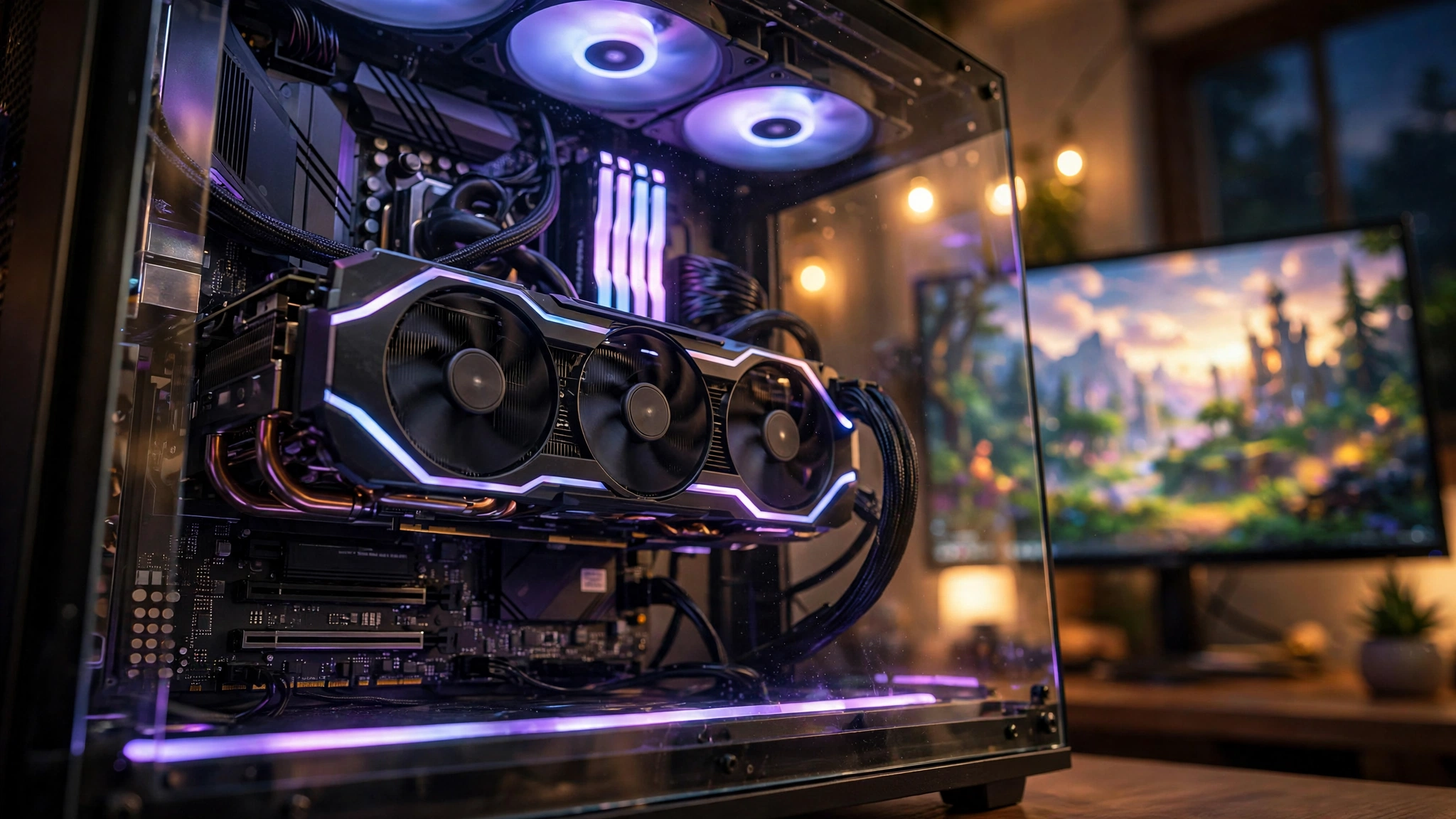
While you decide whether to wait, it helps to know exactly where the current LGA1700 lineup stands with today’s graphics cards. This is the bottleneck reality check.
i5-12400F: The Budget King Showing Its Age
The i5-12400F remains one of the most common gaming CPUs in existence: six performance cores, no efficiency cores, boost up to 4.4 GHz, 65W base power. It is a fantastic chip for its price, but it has limits, and modern GPUs are starting to find them.
With an RTX 5060, the 12400F is still a comfortable pairing at every resolution. The GPU is the limiting factor in nearly every game, which is exactly what you want. With an RTX 5070, the pairing stays healthy at 1440p and 4K, but at 1080p the CPU starts leaving performance on the table in CPU-heavy titles. Online bottleneck calculators estimate roughly a 19 percent CPU limitation for this pairing at 1080p, which matches what reviewers have observed: fine, but not ideal for high-refresh 1080p gaming.
With an RTX 5070 Ti, the 12400F becomes the clear limiter at 1080p, with calculator estimates around 27 percent, and even at 1440p you can see the CPU holding the card back in some games. At 4K, the GPU takes over and the pairing works. The pattern is consistent: the higher the resolution, the less the 12400F matters, and the lower the resolution, the more it bottlenecks.
Our best GPU pairings for the i5-12400F go deeper into which cards make sense for this chip.
i5-13400F and i5-14600K: The Sweet Spot
The i5-13400F adds efficiency cores to the 12400F formula, and the i5-14600K (six performance cores plus eight efficiency cores, 20 threads) pushes clocks and core counts meaningfully higher. These chips handle an RTX 5070 cleanly at 1440p and pair well with an RTX 5070 Ti at 1440p and 4K.
At 1080p high-refresh, even the 14600K can show limits with a 5070 Ti in the most CPU-demanding games, but for the vast majority of players this is the no-drama zone. If you own one of these chips, you do not have a CPU problem. Your upgrade decision is about the future, not about fixing something broken.
i7-13700K and i7-14700K: Still Not the Bottleneck
The i7-13700K and i7-14700K (eight performance cores plus 12 efficiency cores, 20 cores and 28 threads, boost up to 5.6 GHz on the 14700K) remain overkill for gaming with any current GPU at 1440p or 4K. Nothing you can buy today, short of an RTX 5090 at 1080p, will make these chips the limiting factor in a meaningful way.
If you own a 14700K, the 2027 LGA1700 chips are not for you. You are already at or near the top of what this socket will ever offer for gaming. Your next upgrade is a platform change years from now, not a drop-in chip next year.
GPU Tier Pairing Recommendations for LGA1700
Here is the practical pairing table. It assumes 1440p gaming, which is where most buyers of these cards actually play, and it reflects where CPU bottlenecks realistically appear.
| GPU Tier | Example Cards | Best LGA1700 Pairing | Bottleneck Notes |
|---|---|---|---|
| Budget 1080p | RTX 5060, RX 9060 XT | i5-12400F or better | GPU is the limit, any 12th Gen i5 or newer is fine |
| Mid-range 1440p | RTX 5070, RX 9070 XT | i5-13400F / i5-14600K ideal; 12400F acceptable | 12400F can limit 1080p high-refresh; clean at 1440p |
| Upper mid-range | RTX 5070 Ti | i5-14600K minimum; i7-13700K/14700K ideal | 12400F bottlenecks at 1080p and some 1440p titles |
| High-end 4K | RTX 5080 | i7-13700K / i7-14700K | At 4K the GPU dominates; CPU matters less |
Two things to notice. First, resolution is doing most of the work in this table. Moving from 1080p to 1440p erases most CPU bottlenecks, which is why a monitor upgrade can sometimes fix a “CPU problem” better than a CPU upgrade. Second, the Steam Hardware Survey for September 2026 showed the RTX 5070 as the most popular GPU among gamers at 6.2 percent, with AMD’s CPU share climbing to 48.4 percent. The mid-range is where the market lives, and it is exactly where LGA1700 remains most competitive.
For card-specific guidance, our best CPU for RTX 5070 guide breaks down pairings across both Intel and AMD platforms.
DDR4 vs DDR5 The Real Cost Math on LGA1700
Let us put numbers on the platform decision, because this is where LGA1700’s second life either wins or loses.
A gamer with a B760 DDR4 board and 32GB of DDR4-3600 today owns memory worth roughly $210 at current reported prices. Moving to any DDR5 platform means buying a DDR5 kit at roughly $480 for equivalent capacity, plus a new motherboard, plus the CPU. That is easily $600 to $700 in platform costs before the processor.
Staying on LGA1700 with a drop-in CPU upgrade means one purchase: the chip. Even if the new Core 5 chip launches at a mid-range price, the total upgrade cost stays hundreds of dollars below a platform jump. That is the entire business case for Raptor Lake Next, and it is a strong one.
The performance side is more nuanced. DDR5 does outperform DDR4 in some games, particularly at 1080p with fast CPUs, but the gap is typically single-digit percentages at 1440p and above. You are not giving up 30 percent by staying on DDR4. You are giving up a few percent in exchange for saving hundreds of dollars. For most gamers, that trade is obvious.
The honest caveat: DDR4 is a ceiling. Memory standards do not go backward, and every year the performance gap and the feature gap will widen slightly. If you keep your platform for five years, DDR4 will feel increasingly dated. But platforms are not lifetime commitments. A cheap LGA1700 refresh now can easily carry you to 2029 or 2030, at which point DDR5 (or its successor) will be cheaper and the whole market will look different.
If RAM capacity is part of your planning, our RAM for gaming guide covers how much you actually need in 2026.
Risks and Honest Downsides Nobody Else Mentions
Every comeback story has fine print. Here is LGA1700’s.
It is a dead-end socket. Let us be blunt. These 2027 chips are almost certainly the last CPUs LGA1700 will ever get. Buying into LGA1700 in 2027 means buying into a platform with no future beyond these chips. That is fine if the price is right and your horizon is three to four years, but do not confuse a life extension with a long life.
The architecture is old. Raptor Lake silicon dates to 2022. By 2027 it will be five years old. Efficiency, instruction set features, and platform I/O will all lag behind contemporary designs. For gaming, where single-thread performance and cache matter most, the gap is smaller than the age suggests. For anything else, it is real.
DDR4 is also a dead end. The cheap memory is cheap for a reason: the industry is moving on. DDR4 production will keep shrinking, and while prices are low now relative to DDR5, long-term DDR4 availability will decline. Buy the RAM you need while it is sensibly priced.
Chipset support is incomplete. Gigabyte promised B760 and H610. Z690, Z790, and B660 owners are waiting on their board makers. If you own a premium Z790 board, the irony is sharp: the budget boards got the promise first. Check your manufacturer’s support page before assuming anything.
Intel has not confirmed anything. Repeat this to yourself before making purchase decisions based on leaks. Gigabyte confirmed BIOS support for upcoming LGA1700 processors. It did not confirm names, specs, prices, or exact dates. Leaked configurations could change or prove wrong. Plan around the confirmed facts, treat the leaks as possibilities.
Ryzen X3D still rules gaming. None of this changes the enthusiast picture. AMD’s X3D chips remain the default recommendation for high-end gaming builds, and a refreshed Raptor Lake will not dethrone them. LGA1700’s second life is a value story, not a performance-crown story. Our Intel vs AMD CPU comparison keeps the full picture in view.
What to Do If You Already Own LGA1700 The BIOS Update Path
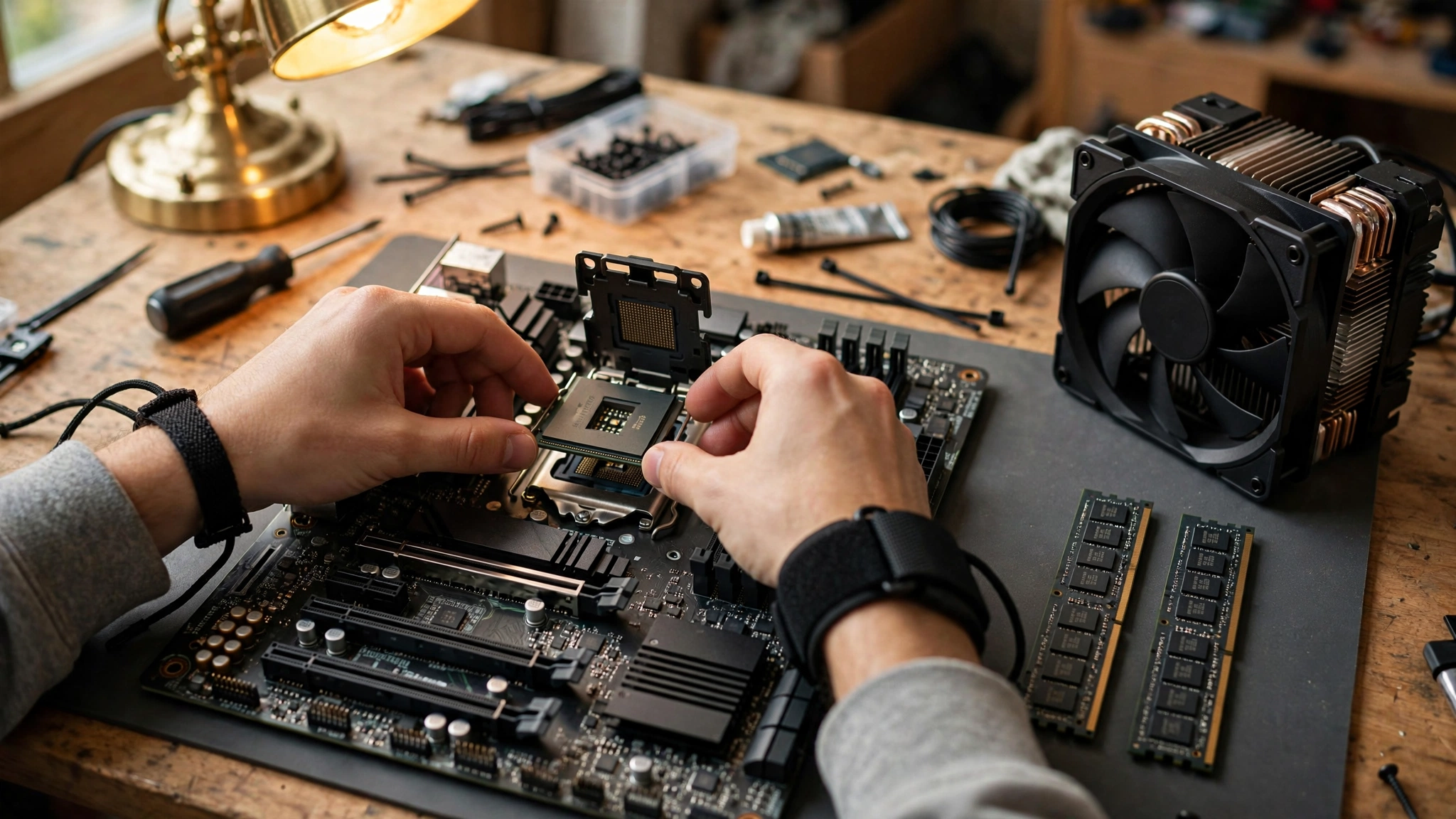
If you own a Gigabyte B760 or H610 board, the practical steps are simple, and you can start now.
- Identify your exact motherboard model and revision. This is printed on the board and shown in your BIOS.
- Visit Gigabyte’s official support page for your model and download the latest BIOS. Look for release notes mentioning support for upcoming LGA1700 processors.
- Update the BIOS with your current CPU still installed. Never flash a BIOS in the middle of instability: close background apps, do not interrupt power, and follow the manufacturer’s instructions exactly.
- When the new CPUs launch in early 2027, buy the chip, install it, and boot. No reinstall of Windows, no new drivers beyond the usual chipset update.
If you own a board from ASUS, MSI, ASRock, or another maker, nothing has been announced yet. History suggests they will follow Gigabyte, because no board maker wants to be the one whose customers cannot use new chips, but “likely” is not “confirmed.” Do not buy hardware today based on an announcement that has not happened.
One safety note from real user experience: forum users upgrading between LGA1700 generations repeatedly stress updating the BIOS before the CPU swap, not after. A board that does not recognize the new chip cannot boot to let you flash it. Flash first, swap second. If your board supports BIOS flashback without a CPU, that is your safety net, so check whether yours has it.
Common Mistakes to Avoid
Mistake 1: Waiting when you have a real bottleneck today. If your i5-12400F is choking your RTX 5070 Ti at 1080p right now, four months of waiting is four months of lost performance. The new chips will not retroactively give you those frames back.
Mistake 2: Assuming your board is supported. Only Gigabyte B760 and H610 boards have confirmed support. Everyone else is speculation. Verify before you plan.
Mistake 3: Expecting a performance revolution. These are refined Raptor Lake chips. Expect modest gains over 14th Gen, not a new era. The win is price and platform cost, not raw speed.
Mistake 4: Forgetting the cooler and power supply. A 125W-class chip needs real cooling and a decent PSU. Budget for a tower cooler if you are coming from a 65W i5, and check our gaming PC upgrades guide if your PSU is old.
Mistake 5: Buying DDR5 for a DDR4 board. It sounds obvious, but every platform transition produces buyers who order the wrong memory standard. Your board takes one or the other. Check the model name: DDR4 variants say so explicitly.
Frequently Asked Questions
Will I need a new motherboard for Intel’s 2027 LGA1700 CPUs?
Based on Gigabyte’s announcement, no, if you own one of its B760 or H610 boards. A BIOS update is the only requirement. Boards from other makers and other chipsets (Z690, Z790, B660) have no confirmed support yet.
Is “Raptor Lake Next” the official name?
No. That name comes from press reporting. Neither Gigabyte nor Intel has used it officially. Intel has not named the lineup at all.
Will one CPU support both DDR4 and DDR5?
Not on the same board. Gigabyte’s BIOS update covers separate DDR4 and DDR5 board models. The new processors are expected to work in both board types, but each individual motherboard uses only its own memory standard.
Should I upgrade my i5-12400 to an i7-14700, or wait for the 2027 chips?
This exact question comes up constantly in PC building communities. One Tom’s Hardware forum user asked whether the jump “will really be worth it in the long run,” and the consensus was that the i7 is a big upgrade for mixed gaming and productivity, but needs better cooling and a BIOS update first. If you can find a 14700 or 14700K at a clearance price, it is a proven chip today. If prices stay high, waiting for the 2027 drop-in makes sense, since your B760 or H610 board will support it.
Is the i7-14700K the best upgrade from an i5-12400F on the same board?
A Steam Community user asked exactly this while planning a future RTX 5080 upgrade, noting the 12400F was dragging down an RTX 4070 in demanding games. For a drop-in LGA1700 upgrade, the 14700K is indeed near the top of what the socket offers, with 20 cores and much higher clocks. Just budget for serious cooling, since it runs far hotter than the 65W i5, and update your BIOS before swapping.
Will my i5-13400F bottleneck an RTX 3060 Ti or 3070?
A Linus Tech Tips forum user asked this about a planned build. The short answer from the community: outside of extremely CPU-bound scenarios, no meaningful bottleneck. That logic extends upward. If a 13400F handles a 3070 comfortably, it handles an RTX 5060 comfortably too, and the 2027 chips will only improve on that.
Can I upgrade my i5-12400F and DDR4 board to an i7-14700 with DDR5?
A TechEnclave user asked this about an ASUS Prime H610M DDR4 board. The answer is no for the RAM: a DDR4 board physically cannot take DDR5 memory. You can upgrade the CPU on the same board (with a BIOS update), and you can move to 32GB of DDR4, but DDR5 requires a DDR5 board. This is exactly the trap the 2027 chips avoid: they let you upgrade the CPU while keeping your DDR4.
Should I upgrade from an i5-12400 to an i9-12900K instead?
Another Tom’s Hardware thread debated this. The community’s verdict was blunt: a discounted i7-14700K or 14700KF usually beats the older i9-12900K on both price and performance, since the newer chip is roughly 27 percent faster in multi-threaded work. The same logic will apply to the 2027 chips: compare them against discounted 14th Gen prices, not against launch-day MSRPs.
Does the 2027 launch change what GPU I should buy?
No. Buy the GPU for the games and resolution you play at now. The CPU news affects your processor timeline, not your graphics card choice. With GPU prices rising sharply and supply tightening, delaying a needed GPU purchase to line it up with a CPU launch is usually the wrong call.
Key Takeaways
- Gigabyte confirmed new LGA1700 CPUs for early 2027 with BIOS updates ready for its B760 and H610 boards. Intel has not independently announced them.
- The chips are new spins of Raptor Lake silicon, not a new architecture. Expect modest gains, with leaked configs ranging from a 4-core Core 3 to a 20-core Core 7, all unconfirmed.
- DDR4 economics are the real driver: 32GB of DDR4-3600 costs around $210 versus about $480 for DDR5-6000, and LGA1700 is the only platform with new CPUs and native DDR4 support.
- Current LGA1700 chips pair well with modern GPUs at 1440p and 4K. The i5-12400F bottlenecks an RTX 5070 Ti at 1080p but is fine at higher resolutions; the i7-14700K bottlenecks nothing in gaming.
- If your board is supported and your games run fine, waiting is smart. If you have a real bottleneck today or find a discounted 14th Gen chip, buy now.
- Risks are real: dead-end socket, aging architecture, incomplete chipset support, and zero Intel confirmation so far.
The Bottom Line
Intel bringing LGA1700 back is the most consumer-friendly thing the company has done for budget builders in years. It will not win benchmark crowns, and it will not dethrone Ryzen X3D. What it does is give millions of existing PC owners a cheap, simple upgrade path at the exact moment when building a new platform has become punishingly expensive.
Your move depends on your board, your bottleneck, and your patience. Check your chipset, check whether your CPU is actually holding back your GPU, and decide based on the confirmed facts rather than the hype. If you want a second opinion on your specific pairing, run it through our CPU bottleneck calculator and see where your system actually stands before you spend a dollar.

Leave a Reply