

Quick answer: The Ryzen 7 7800X3D pairs well with every modern GPU, so your pick comes down to budget and resolution. For 1080p esports, grab an RTX 5060 Ti or RX 9060 XT. For 1440p, the RX 9070 XT or RTX 5070 Ti shine. For 4K, step up to the RTX 5080 or RTX 5090.
You already own one of the best gaming CPUs ever made. Now comes the fun part: picking a graphics card that keeps up with it. The good news is that the Ryzen 7 7800X3D is almost never the limiting factor in a gaming PC. The bad news is that the GPU market in 2026 has more choices than ever, and the wrong pick can waste hundreds of dollars.
This guide cuts through the noise. You will learn exactly which GPU tier fits your resolution and refresh rate, how much VRAM you actually need, what power supply each card demands, and the small tweaks that keep your 7800X3D running at its best. No guesswork, no filler, just the pairings that make sense in 2026.
Why the Ryzen 7 7800X3D Bottlenecks Almost No GPU
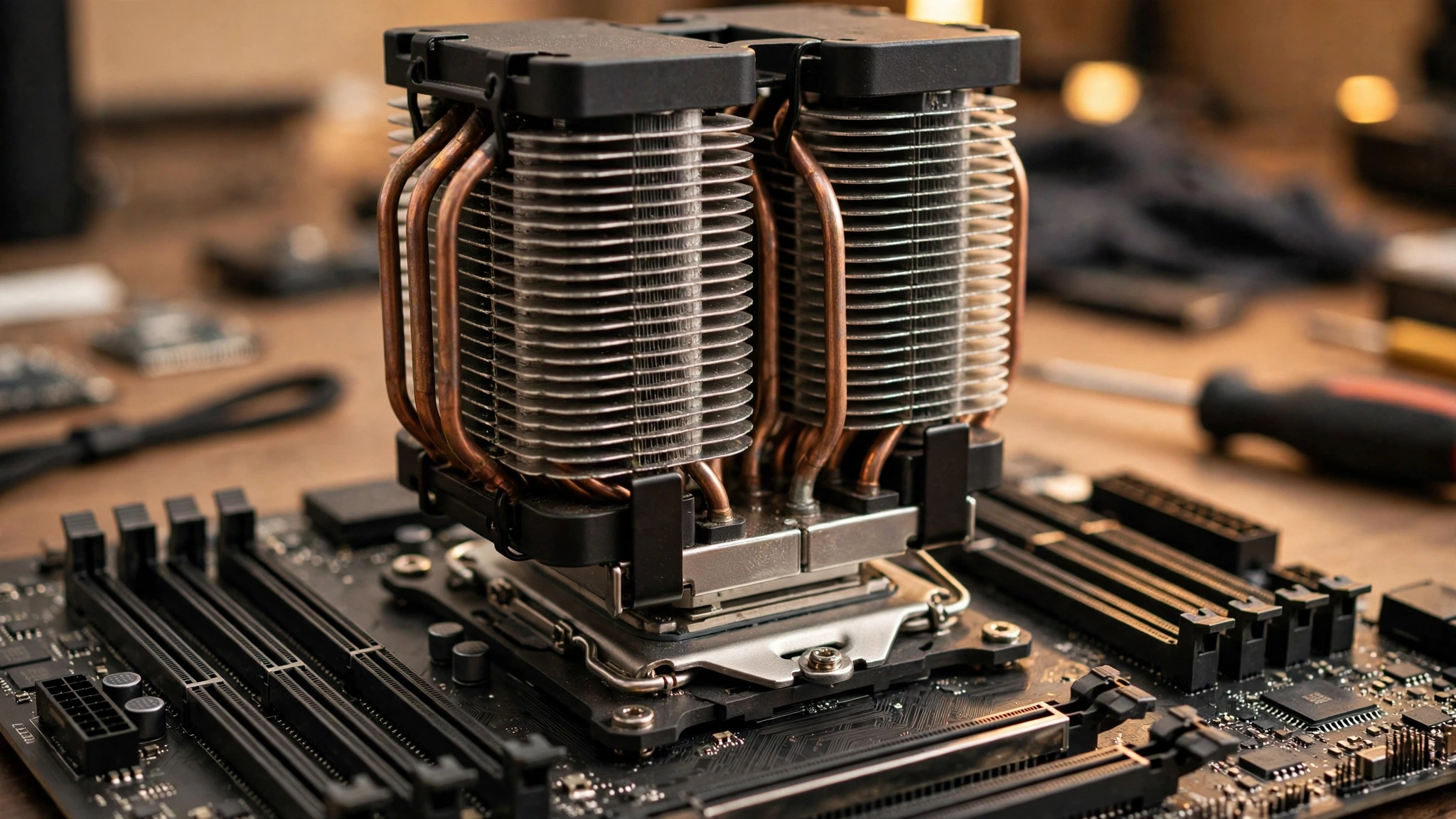
The 7800X3D is built around one trick: a huge stack of 3D V-Cache. Under the hood it is an 8-core, 16-thread Zen 4 chip with a 4.2 GHz base clock and a 5.0 GHz boost clock, but the headline spec is the cache. A normal Ryzen 7 has 32 MB of L3 cache. The 7800X3D has 96 MB of L3 (104 MB of total cache), because AMD stacked an extra 64 MB die right on top of the cores. Games constantly fetch small bits of data, and when that data sits in the cache instead of main memory, frame rates climb and frame times stay smooth.
That is why this CPU still sits at or near the top of gaming charts years after launch. Independent testing by TechPowerUp confirmed the 8-core layout, the 120W TDP, and the fused 5050 MHz frequency ceiling that keeps the stacked cache safe. The chip also runs on the AM5 socket with DDR5 memory and PCIe 5.0 support, so it pairs with every current graphics card without platform quirks.
What does this mean for your GPU choice? In simple terms, the CPU hands the graphics card a to-do list every frame. With the 7800X3D, that list gets handed over so fast that even an RTX 5090 rarely has to wait. At 1440p and 4K, where each frame takes the GPU far more work, the graphics card is the limiting part in essentially every game. At 1080p with a flagship card, a few CPU-heavy games (think simulation-heavy strategy titles or dense open worlds at 300+ fps) can make the CPU the limit, but that is an edge case, not the rule.
A quick refresher on terminology: a “bottleneck percentage” is just a way of saying which part holds the other back, and small percentages are completely normal. If you want the full explanation, read our guide on what a good bottleneck percentage looks like. With a 7800X3D, that percentage stays low against every GPU on this list.
Practical takeaway: stop worrying about the CPU holding your GPU back. Your budget, your monitor resolution, and your refresh rate are the real decision makers.
The Quick List Best GPU Pairings by Budget and Resolution
Short on time? Here is the whole guide in one table. Pick the row that matches your monitor, then read the matching section below for the details.
| Your Monitor | Best Value Pick | Best Performance Pick | PSU You Need |
|---|---|---|---|
| 1080p, 144-240 Hz esports | RX 9060 XT 16GB | RTX 5060 Ti 16GB | 550-650W |
| 1440p, 144-165 Hz | RX 9070 16GB | RTX 5070 12GB | 650-750W |
| 1440p ultrawide or 4K entry | RX 9070 XT 16GB | RTX 5070 Ti 16GB | 750W |
| 4K, high refresh | RX 9070 XT 16GB | RTX 5080 16GB | 850W |
| 4K, no compromises | RTX 5080 16GB | RTX 5090 32GB | 1000W |
Practical takeaway: match the GPU tier to your monitor first. A flagship card on a 1080p 60 Hz screen wastes money, and a budget card on a 4K screen wastes the monitor.
1080p and Esports RTX 5060 Ti and RX 9060 XT
If you play competitive shooters like Counter-Strike 2, Valorant, or Apex Legends at 1080p with a high-refresh monitor, you do not need a monster card. The 7800X3D already pushes huge frame rates in these games, and a midrange GPU keeps up easily. Your two best options are the NVIDIA RTX 5060 Ti and the AMD RX 9060 XT, and you should buy the 16 GB version of whichever you choose.
The RTX 5060 Ti carries 16 GB of GDDR7 memory on a 128-bit bus, packs 4,608 CUDA cores, and runs at a 180W board power. NVIDIA launched it at $429 for the 16 GB model ($379 for 8 GB). The RX 9060 XT answers with 16 GB of GDDR6, a 160W board power, and a $349 launch price. A detailed head-to-head comparison found the two cards trading blows across 30 games, with the Radeon often matching or beating the pricier NVIDIA card in raw rasterization while the 5060 Ti pulled ahead in ray-traced titles.
One technical detail worth knowing: the RTX 5060 Ti uses a PCIe 5.0 x8 interface, while the RX 9060 XT uses a full PCIe 5.0 x16 interface. On a modern AM5 board this barely matters. On a very old PCIe 3.0 system (which you would not be pairing with a 7800X3D anyway), the x8 card could lose a little performance. Since you are on AM5, ignore this and buy on price and features.
Which one should you pick? If you care about ray tracing, DLSS 4, or streaming with NVENC, the 5060 Ti earns its premium. If you want the most frames per dollar in standard rasterized games, the 9060 XT is hard to beat at its lower price. Either way, get 16 GB. Modern games at high texture settings are already pushing past 8 GB, and 16 GB keeps the card useful for years.
Practical takeaway: for 1080p high-refresh gaming, the RX 9060 XT 16GB is the value king and the RTX 5060 Ti 16GB is the feature pick. Both are perfect partners for a 7800X3D.
1440p Sweet Spot RTX 5070, RX 9070, RTX 5070 Ti, RX 9070 XT
This is where the 7800X3D truly shines. At 1440p the GPU works hard enough that the CPU disappears from the equation, and these four cards deliver the best balance of price and performance in 2026. If you own a 1440p 144 Hz or 165 Hz monitor, start your search here.
The RTX 5070 brings 12 GB of GDDR7, 6,144 CUDA cores, a 250W board power, and a $549 launch price. The RX 9070 counters with 16 GB of GDDR6, a 220W board power, and a $549 suggested price. Both handle 1440p high settings well, but the extra 4 GB of VRAM on the Radeon gives it more headroom in texture-heavy games.
Step up one tier and you hit the real fight: RTX 5070 Ti versus RX 9070 XT. The 5070 Ti offers 16 GB of GDDR7, 8,960 CUDA cores, a 300W board power, and a $749 launch price. The 9070 XT brings 16 GB of GDDR6, 4,096 stream processors, a 304W board power, and a $599 suggested price. A 2026 comparison citing TechSpot’s 52-game benchmark found the 5070 Ti only about 1.4% faster at 1440p and about 4% faster at 4K, while the Radeon launched $150 cheaper. That is effectively the same gaming class for noticeably less money.
So why would anyone pay more for the 5070 Ti? Three reasons: better ray tracing performance, DLSS 4 with multi-frame generation, and stronger AI and creator workloads. Our DLSS vs FSR comparison breaks down the upscaling side in detail. If you mostly play rasterized games and want maximum value, the 9070 XT is the smart buy. If ray tracing, streaming, or Blender-style work matters to you, the 5070 Ti justifies its price.
For 1440p ultrawide (3440×1440), lean toward the 9070 XT or 5070 Ti. The extra pixels push VRAM and bandwidth harder, and both cards carry 16 GB with wide 256-bit buses.
Practical takeaway: the RX 9070 XT is the 1440p value champion for 7800X3D builds. Buy the RTX 5070 Ti only if ray tracing, DLSS, or creator features matter to you.
4K and Enthusiast Builds RTX 5080 and RTX 5090
At 4K, the question “will my 7800X3D bottleneck this GPU?” has a simple answer: no. The graphics card does so much work per frame at 3840×2160 that the CPU spends most of its time waiting. Even the RTX 5090, the fastest consumer GPU on the planet, pairs cleanly with this chip.
The RTX 5080 is the sensible flagship. It packs 10,752 CUDA cores, 16 GB of GDDR7 on a 256-bit bus with 960 GB/s of bandwidth, runs at 360W, and launched at $999. It handles 4K high settings at smooth frame rates, and DLSS 4 multi-frame generation (which inserts up to three AI-generated frames per rendered frame) can push high-refresh 4K within reach. NVIDIA recommends an 850W power supply for it.
The RTX 5090 is the no-compromise option: 21,760 CUDA cores, a massive 32 GB of GDDR7 on a 512-bit bus pushing nearly 1.8 TB/s of bandwidth, a 575W board power, and a $1,999 launch price. It needs a 1000W PSU and a case with room to spare. Buy it for 4K 144 Hz, heavy ray tracing, VR, or GPU-heavy work like 3D rendering and AI. For pure 1440p gaming it is overkill, and your money buys more happiness as a better monitor or a bigger SSD.
One honest note: at 1080p with an RTX 5090, some CPU-bound games will hit a CPU limit before the GPU breaks a sweat. That is not a flaw in the 7800X3D. Every system has a limiting component somewhere, and that limit shifts with the game, resolution, and settings. If you game at 4K, which is where a 5090 belongs, the GPU is the limit and the 7800X3D keeps it fully fed.
Practical takeaway: for 4K with a 7800X3D, the RTX 5080 is the sweet spot and the RTX 5090 is the dream card. Neither one gets held back by the CPU.
VRAM Guide How Much Memory Your GPU Really Needs in 2026
VRAM is the most misunderstood GPU spec. More is not automatically better, but too little causes stuttering when games run out of fast memory and start swapping to system RAM. Here is a practical guide based on how games actually behave in 2026.
| Resolution and Settings | Recommended VRAM | Cards That Fit |
|---|---|---|
| 1080p, medium to high | 8 GB minimum, 12 GB comfortable | RTX 5060 Ti 8GB, RX 9060 XT 8GB |
| 1080p, ultra textures and mods | 12-16 GB | RTX 5060 Ti 16GB, RX 9060 XT 16GB |
| 1440p, high | 12 GB minimum, 16 GB ideal | RTX 5070, RX 9070, RX 9070 XT |
| 1440p ultrawide or 4K | 16 GB minimum | RTX 5070 Ti, RX 9070 XT, RTX 5080 |
| 4K ultra, heavy ray tracing, mods | 16-32 GB | RTX 5080, RTX 5090 |
Notice a pattern: 16 GB is the sweet spot for anything above basic 1080p. That is why the 16 GB versions of the 5060 Ti and 9060 XT are worth the small premium over their 8 GB siblings. The RTX 5070’s 12 GB is enough for standard 1440p gaming today, but texture-heavy future titles could push it. If you keep cards for four or five years, lean toward 16 GB whenever the price gap is reasonable.
Ray tracing deserves a special mention because it eats VRAM. A game that runs fine at 1440p with ray tracing off can suddenly demand far more memory with full path tracing enabled. This is one reason the 9070 XT’s 16 GB looks better long term than a 12 GB card in the same price neighborhood.
Practical takeaway: 16 GB of VRAM is the safe choice for 1440p and up in 2026. Do not buy an 8 GB card for a 4K monitor, no matter how good the deal looks.
PSU Requirements Match Your Power Supply to the GPU
Here is the part people skip, and it matters more than most buyers think. Your power supply must handle the GPU’s peak draw plus the rest of the system with headroom to spare. The 7800X3D itself is a light drinker (120W TDP, and it rarely pulls more than about 85W in games according to independent testing), so the GPU decides your PSU.
| GPU | Board Power | Recommended PSU |
|---|---|---|
| RX 9060 XT | 160W | 550W |
| RTX 5060 Ti | 180W | 600-650W |
| RX 9070 | 220W | 650W |
| RTX 5070 | 250W | 650-750W |
| RTX 5070 Ti | 300W | 750W |
| RX 9070 XT | 304W | 750W |
| RTX 5080 | 360W | 850W |
| RTX 5090 | 575W | 1000W |
These numbers line up with manufacturer guidance. NVIDIA’s own spec calls for a 600W minimum with the 5060 Ti and 850W with the 5080, AMD recommends 750W for the 9070 XT, and board partners publish similar figures. For a deeper dive into current-generation requirements, see our RTX 50-series power supply guide and our ranked PSU tier list before you buy.
Two buying tips: first, buy a quality unit from a known brand rather than chasing the cheapest wattage number. A good 750W beats a sketchy 1000W every time. Second, for the 5080 and 5090, get a modern ATX 3.1 unit with a native 12V-2×6 connector. Adapters work, but native cables are cleaner and safer.
Practical takeaway: a 750W quality PSU covers every sensible 7800X3D pairing. Only the 5080 and 5090 need more, at 850W and 1000W respectively.
DDR5-6000 and PBO Small Tweaks That Keep the 7800X3D Fast
Your GPU gets the glory, but two cheap tweaks make sure the CPU side never leaves performance on the table.
Memory: aim for DDR5-6000. AMD’s official spec lists DDR5-5200 as the maximum supported speed, but the AM5 platform is famous for running DDR5-6000 kits with EXPO profiles flawlessly, and that speed is widely regarded as the sweet spot for Zen 4. Going much faster often forces the memory controller into a slower mode that erases the gain, so 6000 MT/s at low latency (CL30 is the popular pick) is the set-and-forget choice. Slow memory can quietly cap your frame rates, which is its own kind of RAM bottleneck, so this $100-ish decision genuinely matters.
Cooling: a good air cooler is enough. The 7800X3D sips power for a gaming chip, so a quality dual-tower air cooler handles it easily and quietly. You do not need a 360mm liquid cooler for gaming, though one does not hurt if you like the look or run heavy all-core workloads.
PBO and undervolting: optional, keep it brief. Precision Boost Overdrive and Curve Optimizer are supported on this chip, and a modest negative curve offset can lower temperatures while holding boost clocks longer. Do not expect miracles: the chip’s maximum boost is fused around 5050 MHz, so PBO cannot push clocks far past stock. Also note that running outside AMD’s published specifications can affect your warranty, so treat this as an enthusiast tweak, not a requirement. Most gamers should enable EXPO, set a reasonable fan curve, and spend their tuning time in the game settings instead.
Practical takeaway: pair your 7800X3D with a DDR5-6000 EXPO kit and a decent air cooler. That is 95% of the tuning done.
Should You Match AMD With AMD?
Short answer: no. The 7800X3D works perfectly with both AMD Radeon and NVIDIA GeForce cards. There is no secret handshake that makes an AMD GPU faster on an AMD CPU in any way that matters for gaming.
Choose based on what each card actually offers: price, rasterization performance, VRAM, ray tracing, upscaling (DLSS 4 on NVIDIA, FSR 4 on AMD), power draw, and creator features. Smart Access Memory (AMD’s name for resizable BAR) works with NVIDIA cards too under the generic resizable BAR name, so that is not a tiebreaker either.
The one real ecosystem perk: if you already use AMD’s Adrenalin software and like its recording and tuning tools, staying Radeon keeps everything in one app. Similarly, NVIDIA owners often value GeForce Experience, NVENC streaming quality, and Broadcast features. Those are conveniences, not performance requirements.
Practical takeaway: buy the best card for your budget and resolution, regardless of brand. The 7800X3D plays fair with everyone.
Common Mistakes to Avoid When Pairing
After helping builders for years, the same mistakes show up again and again. Dodge these and your build will be balanced from day one.
Buying too much GPU for your monitor. An RTX 5090 feeding a 1080p 60 Hz display is like buying a race car for grocery runs. The card will sit half asleep. Either upgrade the monitor or drop a tier and pocket the difference.
Buying too little VRAM. The 8 GB versions of midrange cards look tempting when they are $50-80 cheaper. For competitive esports at 1080p they are fine. For anything with ultra textures, mods, or 1440p+, that saving will haunt you. Get 16 GB if your budget allows.
Reusing an ancient power supply for a flagship card. That 550W unit from 2018 will not safely run an RTX 5080, and a dying PSU can take other parts with it. Budget for the PSU in the same purchase as the GPU.
Ignoring the monitor in the budget. How resolution changes CPU and GPU load matters enormously: moving from 1080p to 1440p shifts work from the CPU to the GPU and can make an “unbalanced” pairing perfectly balanced. If you are still on an old 1080p panel, a monitor upgrade sometimes improves the experience more than a GPU upgrade.
Chasing maximum settings instead of smooth settings. Dropping from ultra to high in two or three expensive settings often costs almost nothing visually and buys 20-30% more frames. Our guide on ways to increase FPS covers the settings that matter most.
Forgetting to enable EXPO/XMP. Your DDR5-6000 kit runs at a slow default speed until you enable its EXPO profile in the BIOS. This single toggle is the most common free performance left on the table in new builds.
Practical takeaway: the most expensive mistake is not a weak component, it is a mismatched one. Balance the GPU to the monitor, feed it enough power and VRAM, and enable EXPO.
Frequently Asked Questions
Will the Ryzen 7 7800X3D bottleneck an RTX 5090?
In normal gaming at 1440p and 4K, no. The 5090 becomes the limiting factor long before the 7800X3D runs out of headroom, which is exactly what you want. At 1080p in CPU-heavy games chasing extreme frame rates, you may see the CPU become the limit, but pairing a 5090 with a 1080p monitor is a mismatch to begin with.
Is the RTX 5070 enough for 1440p 165 Hz with a 7800X3D?
Yes for most games at high settings, especially with DLSS 4 enabled. Very demanding titles with full ray tracing may need slightly reduced settings to hold 165 fps. If you want more headroom, the RX 9070 XT or RTX 5070 Ti is the next step up.
Which is better for the 7800X3D: RTX 5070 Ti or RX 9070 XT?
For pure gaming value, the RX 9070 XT: it performs within a few percent of the 5070 Ti while typically costing noticeably less. Pick the RTX 5070 Ti if ray tracing performance, DLSS 4, streaming features, or creator workloads matter to you.
How much VRAM do I need with a 7800X3D in 2026?
For 1080p: 8 GB minimum, 12-16 GB preferred. For 1440p: 12 GB minimum, 16 GB ideal. For 4K: 16 GB minimum, more if you use heavy mods or path tracing. When in doubt, 16 GB is the safe middle ground for a card you plan to keep for years.
Does the 7800X3D work better with AMD GPUs than NVIDIA GPUs?
No. It performs equally well with both brands. Pick your card based on price, performance, VRAM, ray tracing, and upscaling features rather than brand matching.
Key Takeaways
- The Ryzen 7 7800X3D (8 cores, 96 MB of 3D V-Cache, AM5) bottlenecks essentially no modern GPU at 1440p or 4K.
- 1080p esports: RX 9060 XT 16GB for value, RTX 5060 Ti 16GB for features.
- 1440p sweet spot: RX 9070 XT 16GB is the value king; RTX 5070 Ti 16GB wins on ray tracing and DLSS.
- 4K: RTX 5080 for high-end, RTX 5090 for no compromises. Neither is held back by the CPU.
- 16 GB of VRAM is the safe choice for 1440p and above in 2026.
- A quality 750W PSU covers every sensible pairing; only the 5080 (850W) and 5090 (1000W) need more.
- DDR5-6000 with EXPO is the set-and-forget memory choice for this CPU.
- Brand matching does not matter. Buy the best card for your budget and monitor.
Conclusion
Picking the best GPU for the Ryzen 7 7800X3D in 2026 is refreshingly simple, because the CPU side of the equation is already solved. You own a chip that keeps up with everything from a budget 9060 XT to a flagship RTX 5090. That frees you to choose based on what actually varies: your monitor, your budget, and the features you care about.
If you remember one thing from this guide, make it this: match the GPU to the monitor. A 1440p 165 Hz display with an RX 9070 XT will make you happier than a 5090 chained to an old 1080p panel, and it costs a fraction of the price.
Still unsure about your exact combination? Run your CPU and GPU through our free PC bottleneck calculator to see how balanced your build is before you spend a dollar. Your 7800X3D deserves a partner that lets it shine. Now you know exactly which one to pick.

Leave a Reply