
Quick answer: The best GPU for the i5-12400F in 2026 is the RTX 5060 for most gamers: a balanced, no-bottleneck pairing for 1080p and 1440p. On a tighter budget, the RTX 4060 is the value pick; for 1440p high settings, step up to the RTX 5060 Ti 16GB or RX 9060 XT 16GB. The sensible ceiling is the RTX 4070.
The Intel Core i5-12400F might be the best budget gaming CPU deal of the last few years. Six fast Alder Lake performance cores, no wasted silicon on integrated graphics, and a price that has often sat comfortably under $150. Millions of gamers are running one right now, and a huge number of them are asking the same question: what’s the best graphics card I can pair with it without creating a bottleneck?
This guide answers that question properly. Not with a made-up bottleneck percentage for your exact system (no honest article can give you one), but with tiered recommendations built on how this CPU actually behaves, what each GPU tier demands, and where the sensible ceiling sits. Every pick below includes a plain-English bottleneck verdict, the resolution it suits, and what power supply you’ll need.
Best GPU for i5-12400F Specs at a Glance
Before picking a GPU, it helps to know what you’re pairing with. The 12400F launched in early 2022 as part of Intel’s 12th-gen Alder Lake lineup, and its gaming performance has aged gracefully because games still reward exactly what it offers: six strong performance cores with high boost clocks.
| Specification | Core i5-12400F |
|---|---|
| Cores / Threads | 6 performance cores / 12 threads |
| Architecture | Alder Lake (Intel 7) |
| Base clock | 2.5 GHz |
| Max turbo clock | Up to 4.4 GHz |
| L3 cache | 18 MB |
| Socket | LGA 1700 |
| Memory support | DDR5-4800 / DDR4-3200 (board dependent) |
| PCIe support | PCIe 5.0 x16 + PCIe 4.0 x4 |
| Base power | 65W |
| Integrated graphics | None (discrete GPU required) |
Two details matter most for GPU pairing. First, those six performance cores with a 4.4 GHz boost give the 12400F genuinely strong single-thread performance, the thing games care about most. That’s why this budget chip keeps up with far more expensive-feeling GPUs. Second, it offers full PCIe 5.0 x16 lanes to the graphics card, so there’s no slot-bandwidth concern even with modern x8 cards like the RTX 5060. If you want the full explanation of what bottleneck numbers actually mean before we go further, our guide on good bottleneck percentages is the place to start.
How We Judge a Good GPU Pairing
A quick word on method, because most pairing guides skip it. A “good” pairing isn’t about matching price tiers or release years. It’s about balance at the resolution you actually play at.
The rule is simple: you want the GPU to be the limiting factor, not the CPU. When the graphics card runs at 95–99% usage while the processor has headroom, every dollar you spent on the GPU turns into visible performance. When the CPU maxes out first, the GPU idles and you paid for frames you’ll never see.
Resolution is the lever that moves this balance. At 1080p, frames are cheap for the GPU to render, so the CPU works hardest to keep up. This is where weak pairings show. At 1440p, each frame costs the GPU substantially more, which takes pressure off the processor. At 4K, the graphics card is almost always the limit regardless of CPU. Our breakdown of 1080p vs 1440p monitor bottleneck impact digs into exactly why.
So each recommendation below is judged the same way: does this GPU keep the i5-12400F comfortably fed at its target resolution, without leaving meaningful performance on the table? If yes, it’s on the list. If the CPU would routinely hold the card back (or the card is so weak the CPU is wasted), it’s out.
The Best GPUs for the i5-12400F, Ranked by Tier
Best Budget Pick for 1080p RTX 4060
If your monitor is 1080p and your budget is tight, stop here. The RTX 4060 is the classic 12400F pairing for a reason. It’s an 8GB GDDR6 card sipping around 115W, which means it runs cool, quiet, and happy on modest power supplies. At 1080p, the 12400F feeds it without breaking a sweat in the overwhelming majority of games, and you get DLSS 3 frame generation as a bonus for titles that support it.
The honest caveat is VRAM: 8GB is fine at 1080p today but it’s the card’s known ceiling. If you plan to jump to 1440p soon, spend the extra on one of the 16GB picks below instead of buying twice. But for a pure 1080p gaming box, this is the value king, and it draws so little power that most existing 12400F systems won’t even need a PSU upgrade.
Bottleneck verdict: No meaningful bottleneck at 1080p. Beautifully balanced.
Best Budget AMD Alternative RX 7600
Team Red’s answer at this tier is the Radeon RX 7600: also 8GB, also aimed squarely at 1080p, often a few dollars cheaper than the RTX 4060 while trading blows in rasterized performance. It lacks NVIDIA’s DLSS frame generation (it has FSR 3 instead, which works well), and its ray tracing is weaker, but for pure frames-per-dollar at 1080p it’s genuinely competitive.
Pick the 4060 if you care about ray tracing, streaming (NVENC), or DLSS; pick the 7600 if you find it notably cheaper and just want raw 1080p speed. The i5-12400F won’t bottleneck either one.
Bottleneck verdict: No meaningful bottleneck at 1080p. Pick by price and features.
The Sweet Spot RTX 5060
This is the pick for most i5-12400F owners in 2026. NVIDIA’s Blackwell-based RTX 5060 brings 8GB of much faster GDDR7 memory, DLSS 4 with Multi Frame Generation, and roughly 145W power draw at the same $299 launch price the 4060 debuted at. Against the 12400F it’s a genuinely harmonious pairing: the CPU’s strong single-thread performance keeps the card fed at 1080p high-refresh, and at 1440p the GPU becomes the limit, exactly what you want.
One technical footnote: the 5060 uses a PCIe 5.0 x8 interface. On older platforms that can matter, but the 12400F provides full PCIe 5.0 lanes, so the card gets everything it needs. You can read the full card breakdown on NVIDIA’s official RTX 5060 family page. For the deeper pairing logic, our best CPU for RTX 5060 guide covers this card from the other direction.
Bottleneck verdict: Well balanced at 1080p and 1440p. The default recommendation.
Best 1440p Step-Up RTX 5060 Ti 16GB
If you game at 1440p and want headroom, the 16GB version of the RTX 5060 Ti is the smart step up. The extra VRAM is the whole point. At 1440p with high textures, 16GB removes the memory anxiety that hangs over every 8GB card, and the stronger GPU core puts real distance between it and the base 5060. Power draw is around 180W, still modest.
A warning that matters: only buy the 16GB version for this CPU. The 8GB 5060 Ti costs nearly as much while keeping the VRAM limitation, which defeats the purpose of stepping up. At 1080p high-refresh-rate gaming, a 12400F can show mild CPU limits in the most demanding titles with this card (nothing ruinous, but it’s a 1440p card first and foremost).
Bottleneck verdict: Excellent at 1440p; mild CPU limits possible at 1080p high-refresh in demanding games.
Best Value 1440p Alternative RX 9060 XT 16GB
AMD’s RDNA 4-based RX 9060 XT 16GB is the value disruptor of this tier. With 32 compute units, 16GB of GDDR6, a 3.13 GHz boost clock, and 150–182W board power, it targets exactly the same 1440p gamer as the 5060 Ti 16GB, frequently at a lower price. It uses a full PCIe 5.0 x16 connection, supports FSR 4 upscaling, and needs only a single 8-pin power connector, which is friendly to older 12400F builds with basic PSUs.
Choose between this and the 5060 Ti 16GB on price and ecosystem: NVIDIA has the edge in ray tracing and DLSS 4 frame generation; AMD typically wins on VRAM-per-dollar. The 12400F is unbothered by either at 1440p. (AMD’s launch positioning is well summarized in GamingNexus’s Computex coverage, and Windows Central’s spec comparison lays out the full table.)
Bottleneck verdict: Excellent at 1440p; same mild 1080p high-refresh caveat as the 5060 Ti.
Maximum Sensible: RTX 4070
Here’s the ceiling. The RTX 4070 (12GB of GDDR6X, around 200W) is about as much GPU as an i5-12400F can meaningfully use. At 1440p it’s a genuinely great pairing: the card works hard, the CPU keeps up, and you get high-end 1440p performance from a budget processor. This is the “I want the most my CPU can handle” pick.
Past this point, stop. At 1080p, even the 4070 can run into CPU limits in demanding or simulation-heavy titles. The 12400F is good, but it’s still six last-gen cores. And anything stronger (4070 Super and up) spends most of its time waiting on the processor at 1080p. If you’re buying above the 4070, you should be budgeting for a CPU upgrade too, which changes the whole equation.
Bottleneck verdict: The sensible ceiling. Great at 1440p; expect some CPU limits at 1080p in demanding games.
Best GPU Every Pick Compared
| GPU | VRAM | Approx. Power | Target Resolution | Bottleneck Verdict |
|---|---|---|---|---|
| RTX 4060 | 8GB GDDR6 | ~115W | 1080p | No meaningful bottleneck |
| RX 7600 | 8GB GDDR6 | ~165W | 1080p | No meaningful bottleneck |
| RTX 5060 | 8GB GDDR7 | ~145W | 1080p / 1440p | Well balanced |
| RTX 5060 Ti 16GB | 16GB GDDR7 | ~180W | 1440p | Excellent; mild CPU limits at 1080p high-refresh |
| RX 9060 XT 16GB | 16GB GDDR6 | ~182W | 1440p | Excellent; mild CPU limits at 1080p high-refresh |
| RTX 4070 | 12GB GDDR6X | ~200W | 1440p | Sensible ceiling; some CPU limits at 1080p |
Power figures are board-partner-typical values for guidance, not guarantees, so always check your specific card model. And remember the golden rule from the table: match the card to your monitor’s resolution first, your budget second.
GPUs to Avoid With the i5-12400F
Not every GPU is a good idea, even if you can afford it. With this CPU, skip:
- RTX 5080 / 5090 and RX 9070 XT and above. At 1080p and even 1440p, a 12400F will spend its life holding these cards back. You’re paying flagship money for mid-range results. If you own one of these cards, you need a faster CPU. That’s a different guide.
- RTX 4070 Super (for 1080p). It’s a fine card, but the 12400F can’t consistently feed it at 1080p. The regular 4070 gives you nearly the same real-world experience for less money on this platform.
- Anything weaker than an RTX 3050 / RX 6600. Going too cheap wastes the CPU in the other direction. The 12400F deserves at least a proper 1080p card, or you’re leaving its gaming potential unused.
The practical takeaway: the 12400F’s happy zone is roughly the $250–$550 GPU bracket. Below it you’re underusing the CPU; above it you’re overpaying for the GPU.
Which Resolution Suits This CPU?
Your monitor decides more than your budget does. Here’s the honest breakdown:
1080p: The CPU works hardest here. Stick to the RTX 4060 / RX 7600 / RTX 5060 tier and you’ll be beautifully balanced. High-refresh competitive gaming (165Hz+) is the one scenario where the 12400F shows its limits. It handles it, but it’s working.
1440p: The sweet spot for this CPU’s stronger pairings. The RTX 5060 Ti 16GB, RX 9060 XT 16GB, and RTX 4070 all shine here because the GPU takes on enough work to let the processor breathe. If you’re buying a monitor and GPU together, 1440p is where the 12400F gives you the most for your money.
4K: Don’t. Not because the CPU can’t handle it (at 4K the CPU barely matters), but because none of the sensible GPUs for this CPU are 4K cards. Pairing a 12400F with an RTX 5080 just to game at 4K is backwards; the money belongs in a balanced 1440p system.
Don’t Forget the Rest of the Build
A GPU doesn’t live alone. Three quick checks before you buy:
Power supply. Match the PSU to the card, with headroom:
| GPU Tier | Recommended PSU |
|---|---|
| RTX 4060 / RX 7600 | 450–550W quality unit |
| RTX 5060 / RX 9060 XT | 550W quality unit |
| RTX 5060 Ti 16GB / RTX 4070 | 650W quality unit |
These assume a typical 12400F system (65W CPU sips power). A quality 550W unit covers most picks on this list; only the 4070 tier genuinely wants 650W. If your PSU is old or unbranded, replace it before the GPU. A bad PSU can kill an entire system.
DDR4 vs DDR5 motherboard. The 12400F supports both memory types; your motherboard decides which you have. Either is fine for gaming with these GPUs; don’t upgrade your board just for DDR5. If you’re buying new, DDR5 boards cost a little more but give you a cleaner upgrade path. Our DDR4 vs DDR5 gaming breakdown has the full comparison.
PCIe version. Non-issue here. The 12400F supplies PCIe 5.0 x16 to the graphics slot, so even x8 cards like the RTX 5060 run at full bandwidth. One less thing to worry about.
Used GPU Value Picks
The used market is kind to 12400F owners, because this CPU pairs well with last generation’s mid-range cards:
- RTX 3070 (used): Still a strong 1440p card, and the 12400F handles it comfortably. Just verify the card’s condition and remember it lacks frame generation.
- RX 6700 XT (used): 12GB of VRAM makes it age better than its price suggests; a great 1080p/1440p pairing for this CPU.
Buy used only from sellers with return protection, stress-test immediately with a demanding game or benchmark, and check temperatures. A used card with a dying fan is no bargain.
How to Verify Your Pairing in 5 Minutes
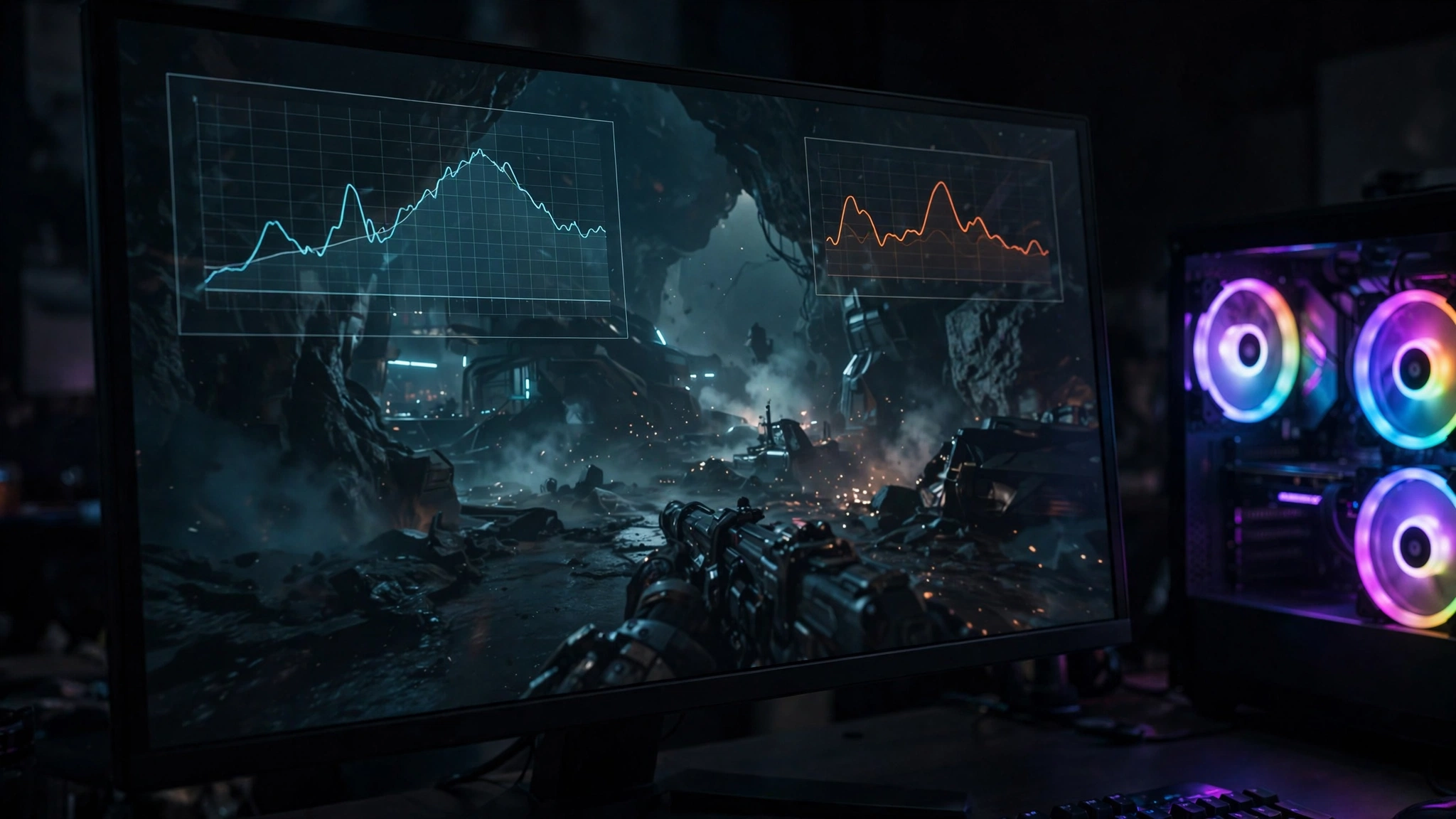
Don’t take any guide’s word for it, including this one. Your specific games are the final judge, and checking takes five minutes:
- Install MSI Afterburner with RivaTuner Statistics Server (both free) and enable the on-screen overlay for GPU usage, per-core CPU usage, and framerate.
- Play your actual games for 10 minutes at your normal settings.
- Read the GPU usage: 95–99% means your pairing is balanced: the GPU is the limit, which is correct. If GPU usage sits in the 70–85% range while a CPU core is pinned near 100%, the processor is holding the card back.
- Remember to check per-core CPU usage, not the overall number. A game maxing two cores looks like “30% CPU usage” but is still CPU-limited.
If you want a starting estimate before installing anything, run your combo through our free bottleneck calculator or the dedicated CPU bottleneck calculator first, then confirm with the overlay method.
Frequently Asked Questions
Will the i5-12400F bottleneck an RTX 4070?
At 1440p, no. It’s a well-matched pairing and the 4070 is the sensible ceiling for this CPU. At 1080p, especially high-refresh competitive gaming, you may see mild CPU limits in demanding titles. If 1080p high-refresh is your world, the RTX 5060 is the more balanced pick.
Is the i5-12400F still good for gaming in 2026?
Yes, for budget to mid-range builds. Its six performance cores and 4.4 GHz boost still handle modern games well, especially at 1440p where the GPU does the heavy lifting. It’s not the chip for 240Hz+ competitive esports anymore, but for 60–165Hz gaming it’s excellent value.
What is the best budget GPU for the i5-12400F?
The RTX 4060 for 1080p: low power draw, DLSS support, and no bottleneck. The RX 7600 is the AMD alternative if you find it cheaper. Either way, make sure your expectations match 1080p; both are 8GB cards.
Does the i5-12400F support DDR5?
The CPU supports both DDR5 and DDR4; your motherboard determines which one you use. Both are fine for gaming with the GPUs on this list, so don’t replace a working DDR4 board just to chase DDR5.
What power supply do I need for an i5-12400F gaming PC?
A quality 550W unit covers the RTX 4060, 5060, and RX 9060 XT comfortably. Step up to 650W for the RTX 5060 Ti 16GB or RTX 4070. The 65W CPU barely registers in the power budget. The graphics card decides.
Can the i5-12400F handle an RTX 5060 Ti?
Yes, particularly the 16GB version at 1440p. It’s one of the best pairings on this list. At 1080p the card is slightly overqualified, so only choose it if 1440p is your target.
Should I upgrade my i5-12400F or my GPU first?
Whichever one is actually limiting you. Run your current combo through a bottleneck calculator and check with an overlay. If the GPU is pinned at 99% while the CPU relaxes, upgrade the GPU. The 12400F has more to give.
Final Words
The i5-12400F remains one of the smartest budget CPUs you can own in 2026, and it rewards sensible GPU choices: an RTX 4060 or RX 7600 for 1080p, an RTX 5060 as the all-round sweet spot, a 5060 Ti 16GB or RX 9060 XT 16GB for 1440p, and an RTX 4070 as the maximum that makes sense. Stay inside that bracket, match the card to your monitor’s resolution, feed it with an adequate PSU, and you’ll get every frame you paid for.
Before you buy, run your exact combo through our free bottleneck calculator to see the expected balance at your resolution, then verify with the five-minute overlay test after installing. That’s how you buy a GPU once and buy it right.

Leave a Reply