

The ryzen 5 3600x rtx 3070 bottleneck question has a resolution-dependent answer. At 1440p and 4K, the Ryzen 5 3600X does not hold the RTX 3070 back in any meaningful way: benchmark scaling shows it landing within a few percent of much faster CPUs because the GPU is the limit. At 1080p high refresh rates, the 3600X can cost the 3070 10 to 20 percent of its potential in CPU heavy games.
The ryzen 5 3600x rtx 3070 bottleneck question refuses to die, and for good reason. The Ryzen 5 3600X launched in 2019 as the mid-range darling of the Zen 2 generation, and the RTX 3070 arrived in late 2020 as the 1440p champion of the Ampere lineup. Six years later, this exact pairing is still sitting in millions of gaming PCs, and in 2026 it has become one of the most common used-market combos in America. Owners keep asking the same thing: is my old CPU holding my GPU back, or do I still have a balanced rig?
This guide answers that question with real benchmark data instead of guesswork. You will get the honest verdict at 1080p, 1440p, and 4K, learn how to test your own system in about fifteen minutes, and find out exactly when an upgrade makes sense and when it is a waste of money. If you own this pairing, or you are thinking about buying a used RTX 3070 to drop next to a 3600X, keep reading.
Quick Verdict: Ryzen 5 3600X + RTX 3070 at a Glance
If you want the short answer before the long one, this is it. The 3600X and RTX 3070 pair very differently depending on the resolution you play at, so here is the verdict split by resolution.
| Resolution | Verdict | What it means in practice |
|---|---|---|
| 1080p | CPU-limited in fast games, balanced in story games | In esports and high refresh titles the 3600X often caps frame rates before the RTX 3070 is fully loaded. In single player games at high settings, the pair is close to balanced. |
| 1440p | Balanced, the sweet spot for this combo | The extra pixels load the RTX 3070 properly, GPU usage sits high, and the 3600X rarely costs you meaningful frames. This is the resolution this pairing was made for. |
| 4K | GPU-limited | The RTX 3070 does all the work and runs out of VRAM headroom in some newer titles. The 3600X is not your problem at 4K and a CPU upgrade would change almost nothing. |
What to upgrade first: it depends on your monitor. If you play at 1080p on a 144 Hz or faster screen, the CPU is the upgrade that pays. If you play at 1440p or 4K, keep the 3600X and put any upgrade money toward a GPU with more than 8GB of VRAM when the time comes.
Meet the Two Chips What You Are Pairing
Before judging any pairing, it helps to know what each part brings to the table.
Ryzen 5 3600X at a Glance
| Specification | Ryzen 5 3600X |
|---|---|
| Architecture | Zen 2 (Matisse), TSMC 7nm |
| Cores / Threads | 6 cores / 12 threads |
| Base clock | 3.8 GHz |
| Max boost clock | 4.4 GHz |
| Cache | 32 MB L3, 3 MB L2 |
| Socket | AM4 |
| PCIe support | PCIe 4.0 |
| TDP | 95 W |
| Launch | July 2019, $249 MSRP |
| Stock cooler | Wraith Spire |
The 3600X was never the fastest gaming CPU of its era, but it was one of the smartest buys. Six cores and twelve threads cover every modern game engine, the single thread performance was a big step up from the 2000 series, and the AM4 socket gives it an upgrade path that is still useful in 2026. Its main limitation today is age: Zen 3 and newer architectures deliver noticeably higher instructions per clock, which matters most when frame rates climb past 120.
RTX 3070 at a Glance
| Specification | GeForce RTX 3070 |
|---|---|
| Architecture | Ampere (GA104), Samsung 8nm |
| CUDA cores | 5,888 |
| Memory | 8 GB GDDR6, 256-bit bus |
| Memory bandwidth | 448 GB/s |
| Base / Boost clock | 1,500 MHz / 1,725 MHz |
| TDP | 220 W |
| Features | Ray tracing, DLSS upscaling |
| Launch | October 29, 2020, $499 MSRP |
The RTX 3070 was marketed as the card that brought RTX 2080 Ti class performance down to $499, and NVIDIA’s own launch materials made exactly that comparison. It remains a strong 1440p card in 2026, with DLSS upscaling extending its useful life considerably. Its two real limitations are the 8 GB of VRAM, which can get tight in a handful of very demanding titles at 1440p with ray tracing enabled, and the fact that newer budget cards now chase it on efficiency. The full specification sheet is documented in the RTX 3070 GPU database.
Takeaway: you are pairing a competent 2019 mid-range CPU with a 2020 upper-mid-range GPU. On paper, that is a sensible match. The question is how it behaves in practice.
What Bottleneck Really Means for This Pair
People use the word bottleneck to mean very different things, so let us get precise. A bottleneck exists whenever one component limits the performance of another. In a gaming PC, there is always a limiting component. The only question that matters is whether the limit shows up before you reach the performance you actually want.
For the 3600X and RTX 3070, the practical test is simple. While gaming, watch your GPU utilization. If the GPU sits at 95 percent or higher, it is doing all the work it can do, and your CPU is keeping up just fine. If the GPU consistently sits well below 95 percent while one or more CPU cores are maxed out, the CPU is holding the graphics card back. That is the entire diagnosis, and it beats any online percentage calculator. Our percentage interpretation guide walks through the math behind these numbers without the hype, if you want the full background.
Two more things matter here. First, average FPS only tells half the story. The smoothness you actually feel comes from frame times and the 1% lows, which is where a CPU limit often shows up first: the average looks fine, but you get small stutters. The full detail lives in our frame time deep dive, worth a read before you judge any benchmark. Second, bottlenecks are never a single fixed number. The same CPU and GPU can be perfectly balanced in one game at one resolution and badly mismatched in another. Anyone who gives you one percentage for this pairing without asking your resolution and games is guessing. Our hands-on bottleneck finder shows how to test your own setup rather than trusting a generic score.
Takeaway: a bottleneck only matters if it stops you from hitting your target frame rate. Everything else is theory.
At 1080p High Refresh Where the CPU Starts to Matter

This is the one resolution where the 3600X genuinely leaves performance on the table. At 1080p, the RTX 3070 can render frames faster than the 3600X can prepare them, especially when you are chasing 144 Hz or higher.
The best published data on this comes from a large Hardware Unboxed CPU scaling test that paired four generations of Ryzen 5 chips with GPUs up to the RTX 3070. With the RTX 3070 at 1080p using ultra settings, the 3600X delivered about 23 percent more performance than it did with a slower RX 5700 XT, which tells you the 3070 was still feeding it plenty of work. But the newer Ryzen 5 5600X gained 31 percent in the same test. The gap between the 3600X and the 5600X is the headroom you are missing: roughly in the 10 to 20 percent range depending on the game, and it concentrates in exactly the titles where the CPU works hardest. You can read the full scaling results in TechSpot’s four years of Ryzen 5 GPU scaling article.
Where does this hurt in practice? Competitive shooters and esports titles at 240 Hz and above, where players want every last frame. Modern AAA games with heavy simulation, like Cyberpunk 2077 or Watch Dogs Legion, where owners report the 3600X dipping below the 120 fps mark at 1080p. If your monitor is a standard 60 Hz or 75 Hz 1080p panel, none of this applies to you: the 3600X will feed the 3070 more than enough frames to saturate that display, and upgrading the CPU would change nothing you can see.
There is one more 1080p wrinkle worth knowing. DLSS upscaling has become the standard way to stretch GPU life in 2026, and it works against you at low resolutions in one specific way: upscaling from a lower internal resolution reduces the GPU workload, which means the CPU limit arrives sooner. At 1080p with DLSS Quality mode, the render resolution drops to 720p internally, and the 3600X becomes the ceiling even faster. At 1080p, you are usually better off running native resolution with this card.
Takeaway: at 1080p, the pairing works, but a faster CPU would unlock more of the 3070 in high refresh gaming. On a 60 to 144 Hz monitor with normal settings, you will rarely notice.
At 1440p The Sweet Spot for This Combo
At 1440p, everything changes, and this is where the 3600X and RTX 3070 earn their reputation as a balanced pair. The GPU now has roughly 78 percent more pixels to shade than at 1080p, so it becomes the limiting factor in the vast majority of games, and the CPU simply needs to stay out of its way. The 3600X does that comfortably.
The same Hardware Unboxed scaling data backs this up. At 1440p with ultra settings and the RTX 3070, the total spread from the oldest Ryzen 5 1600X to the much newer 5600X was around 15 percent across the tested games, and the 3600X sat close to the 5600X rather than down with the older chips. In other words, upgrading from a 3600X to a 5600X at 1440p buys you a small handful of percent in most titles. Real owners report the same thing: one 3600X and RTX 3070 owner noted on Quora that the GPU sits at 100 percent utilization in graphically intensive games at 1440p, which is exactly what you want to see.
Two caveats are worth a mention. First, DLSS is your friend at 1440p. With DLSS Quality mode rendering internally at 960p and reconstructing to 1440p, you get a large frame rate boost, and the 3600X has enough headroom to keep up because the upscaled frame rate still lands in the range it handles well. This is the single biggest reason this 2020 pairing still feels good in 2026. Second, the 8 GB of VRAM deserves honest attention. In a small number of very demanding 2026 titles, ultra texture packs combined with ray tracing at 1440p can push past 8 GB and cause stuttering that no CPU upgrade will fix. If you hit that wall, dropping textures one notch is the fix, not a new processor.
Takeaway: 1440p is where this pairing shines. The GPU is the limit, the CPU keeps up, and DLSS extends the combo’s life.
The GPU Does the Talking
At 4K, the CPU question answers itself. The RTX 3070 is working so hard to shade four times the pixels of 1080p that the 3600X is essentially waiting on it. The Hardware Unboxed data showed 4K results becoming extremely GPU bound, with no meaningful difference between any of the tested CPUs.
Real owners reached the same conclusion years ago. In a Tom’s Hardware forum thread asking exactly this question, a 3600X and RTX 3070 owner gaming on a 4K TV at 60 Hz was told by multiple experienced builders that the video card remains the limiting factor at 4K, and at 1440p with maximum settings the answer was the same. The consensus line from that thread still holds: at 4K or 1440p maxed out, no CPU bottleneck worth worrying about.
Be realistic about what 4K means for the 3070, though. The card can do 4K at 60 fps in many titles with tuned settings and DLSS, but it is not a 4K ultra card, and that is a GPU limitation, not a CPU one. If your 4K frame rates disappoint you, the upgrade you need is a stronger graphics card, not a stronger processor.
Takeaway: at 4K, the 3070 is the bottleneck in every meaningful sense, and the 3600X is completely fine.
Expected FPS: What This Pairing Delivers in 10 Popular Games
Percentages and bottleneck calculators only go so far. What most owners actually want to know is simpler: how many frames does this exact combo produce in real games? The table below pulls together estimated average frame rates for the Ryzen 5 3600X and RTX 3070 at high to ultra settings.
| Game | 1080p | 1440p | 4K |
|---|---|---|---|
| Cyberpunk 2077 | 82 FPS | 57 FPS | 27 FPS |
| Red Dead Redemption 2 | 88 FPS | 66 FPS | 37 FPS |
| Call of Duty: Warzone | 125 FPS | 98 FPS | 54 FPS |
| Fortnite | 105 FPS | 74 FPS | 38 FPS |
| Grand Theft Auto V | 100 FPS | 92 FPS | 52 FPS |
| Microsoft Flight Simulator | 42 FPS | 38 FPS | 29 FPS |
| Elden Ring | 60 FPS | 58 FPS | 47 FPS |
| Apex Legends | 155 FPS | 138 FPS | 72 FPS |
| Valorant | 270 FPS | 235 FPS | 145 FPS |
| Hogwarts Legacy | 68 FPS | 48 FPS | 24 FPS |
Note: these figures are estimates compiled from published third-party benchmark results for this hardware at High and Ultra settings, not in-house testing. Your results will vary with game version, driver, RAM speed, and background load. Elden Ring is capped at 60 FPS by the game itself. Notice the pattern the numbers confirm: esports titles and Flight Simulator flatten out at 1080p because the 3600X sets the ceiling, while heavy single player games keep scaling with resolution because the RTX 3070 sets it.
The Games Where the 3600X Works Hardest
Not all games stress the CPU equally, and knowing which camp your favorites fall into tells you more than any calculator. Our workload type reference goes deeper; here is the short version for this pairing.
CPU heavy territory includes competitive esports titles chasing 240 fps and above, large scale strategy games and simulations, MMOs in crowded areas, and open world games with dense AI and physics, especially with ray tracing enabled. These are the games where a 3600X owner is most likely to see the GPU utilization dip and the CPU become the ceiling, particularly at 1080p.
GPU heavy territory is most modern AAA single player games at 1440p and above with high or ultra settings. Here the 3070 does the heavy lifting and the 3600X cruises. This is also where the pairing spends the vast majority of its time for the average gamer, which is why most owners never feel a problem.
The practical move is to check your own library, not the internet’s opinions. If you live in Valorant, CS2, or Fortnite at a 240 Hz monitor, the CPU upgrade conversation is real. If you live in story driven AAA games at 1440p, it is not.
Takeaway: match the upgrade advice to your games, not to a generic percentage.
How to Test Your Own System in 15 Minutes
Stop guessing and measure. Here is the exact process:
- Install MSI Afterburner with the RivaTuner Statistics Server bundled installer, then enable the on screen display for GPU utilization, CPU per-core utilization, and frame rate.
- Load the game you actually play, at the resolution and settings you actually use.
- Play a demanding section for ten minutes while watching the overlay.
- Read the result: GPU pinned at 95 percent or higher means the CPU is keeping up. GPU sitting at 70 to 85 percent while one or two CPU cores are maxed out means the 3600X is your limit in that game.
- Repeat for two or three of your most played games, because the answer genuinely varies by title.
Never set it up? Our Afterburner beginner walkthrough takes you through the overlay click by click. One common mistake to avoid: testing with a synthetic benchmark instead of your games. Synthetics are designed to isolate components, so they answer a different question than the one you are asking.
Takeaway: fifteen minutes of monitoring beats a hundred forum opinions.
Should You Upgrade the 3600X?
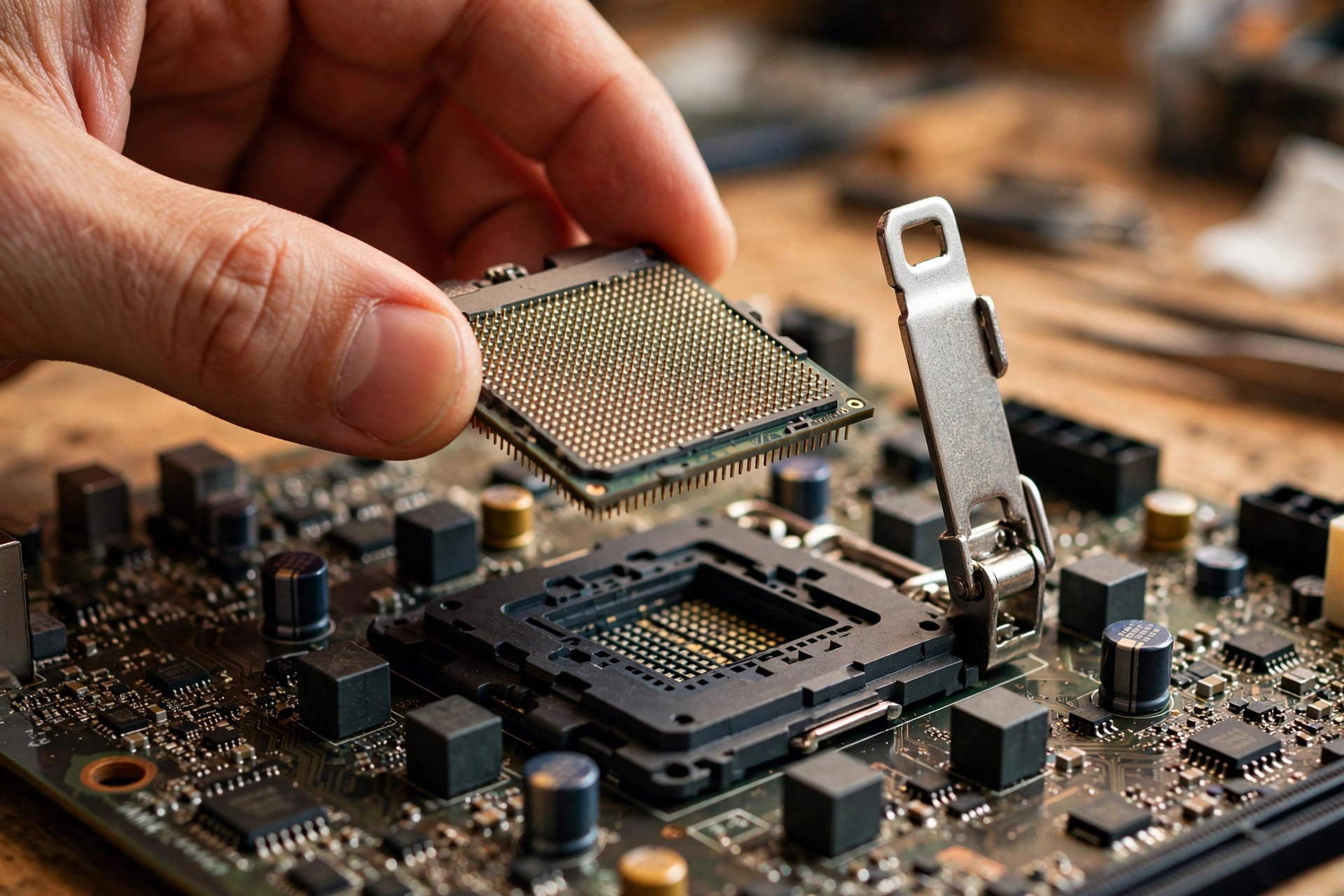
Here is the decision framework, based on everything above:
| Your situation | Verdict |
|---|---|
| 1440p gaming, 60 to 165 Hz monitor | Keep the 3600X. The GPU is your limit. |
| 4K gaming at 60 Hz | Keep the 3600X. Upgrade the GPU first if anything. |
| 1080p at 60 to 144 Hz | Keep the 3600X. You will not see the difference. |
| 1080p at 240 Hz plus, competitive esports | Consider a CPU upgrade. This is the one case it pays off. |
| Heavy streaming, recording, or multitasking while gaming | Consider a CPU upgrade for the extra headroom. |
| 8 GB VRAM stutter in new titles at 1440p | New GPU, not new CPU. Textures are a memory problem. |
If you do upgrade, the 3600X has one great trick left: the AM4 socket. A BIOS update on most B450, X470, B550, and X570 boards lets you drop in a Ryzen 5 5600X or a Ryzen 7 5700X3D with no other changes. The 5700X3D in particular is the classic endgame upgrade for AM4 gaming rigs, delivering a large gaming uplift from the stacked cache while reusing your board, RAM, and cooler. Check your motherboard maker’s CPU support list and update the BIOS before swapping chips.
What about jumping to a modern platform like AM5? That means a new motherboard and DDR5 memory, so the cost is several times higher than a drop in AM4 upgrade. It only makes sense if you are also planning a GPU upgrade beyond the 3070 class in the near future.
And if you are on the other side of this question, thinking about buying a used RTX 3070 in 2026 to pair with a 3600X you already own, the value case is genuinely strong. Recent price trackers put used RTX 3070 cards in the high $300s, where they trade blows with or beat newer budget cards that cost the same or more while offering less raster performance. For a 1440p gamer on AM4, that is one of the best dollars per frame upgrades available right now.
Takeaway: most 3600X owners should keep the CPU. The only owners who should upgrade are high refresh 1080p esports players, and they can do it cheaply on AM4.
Squeeze More Out of the Pair Without Spending a Dollar
Before you spend anything, make sure the pairing is actually running at its best. These free tweaks fix the majority of “my 3600X feels slow” complaints:
- Enable DOCP or XMP for your RAM. Ryzen 3000 scales strongly with memory speed, and many systems run expensive DDR4 3200 or 3600 kits at a sluggish 2133 MHz because the BIOS profile was never enabled. This alone can be worth several percent in CPU limited games.
- Run dual channel memory. Two sticks beat one stick by a wide margin on Ryzen. If you are on a single 16 GB stick, adding a matching second stick is the cheapest real upgrade you can make.
- Update your chipset drivers and BIOS. AMD improved boost behavior and scheduling on Zen 2 significantly after launch through AGESA and chipset driver updates.
- Use NVENC for streaming and recording. The RTX 3070’s hardware encoder handles the job with almost no CPU cost, while CPU based x264 encoding will eat the headroom your games need.
- Close background apps while gaming. Browsers with dozens of tabs, Discord overlays, and RGB software all tax the same cores your game wants.
- Try Precision Boost Overdrive. A mild PBO tune with decent cooling can add a few percent of single thread performance for free.
Takeaway: check your RAM speed first. It is the most common free performance left on the table with this pairing.
Issues Specific to the 3600X + RTX 3070 Pairing
Every CPU and GPU combination has its own quirks, and this one has four that owners run into again and again. None of them are faults. They are just the personality of a 2019 mid-range CPU paired with a 2020 upper mid-range GPU.
The 3600X single-core ceiling in CPU-heavy and esports titles
The 3600X was a strong chip at launch, but its single-core performance is what modern games feel most. Titles that lean on one or two main threads, including Valorant, Counter-Strike 2, League of Legends, and simulation games, hit a frame rate ceiling set by the CPU long before the RTX 3070 breaks a sweat. You will see it as GPU usage sitting at 70 to 85 percent with frame rates that refuse to climb no matter how far you drop the graphics settings. Lowering resolution does not fix it, because the bottleneck is thread speed, not pixels. This is also why the same RTX 3070 posts noticeably higher esports frame rates when paired with a newer CPU.
PCIe 3.0 on B450 versus PCIe 4.0 on B550: less drama than you think
Many 3600X systems run on B450 boards, which limit the RTX 3070 to PCIe 3.0 x16. The RTX 3070 supports PCIe 4.0, so owners often worry they are leaving performance on the table. In practice, PCIe 3.0 x16 provides enough bandwidth for this card that the measured difference in games is typically zero to two percent, well inside run-to-run variance. The 3070 is not one of the narrow-interface cards that suffer on older slots. A board swap purely for PCIe 4.0 is money wasted with this GPU. Where the platform does matter is the upgrade path it opens, which the alternatives section below covers.
The 8GB VRAM wall in newer 1440p titles
The most common complaint about this pairing in 2026 is not the CPU at all. It is the RTX 3070 running out of video memory. Several recent releases, including Hogwarts Legacy, The Last of Us Part I, and Forspoken, can exceed 8GB at 1440p with ultra textures, and the result is sudden stutter, texture pop-in, or forced texture downgrades even while average frame rates look healthy. The fixes are free: drop texture quality one notch, use DLSS Quality instead of native rendering, and close VRAM-hungry background apps. If a game stutters at 1440p but runs smoothly at 1080p on this combo, VRAM is the first suspect, not the 3600X.
Power supply: 650W is the sensible floor
The RTX 3070 is rated at 220W and the 3600X at 95W, but the 3070 is known for brief transient power spikes well above its rating. A quality 650W power supply handles this pairing comfortably, and 750W gives extra headroom if you plan a GPU upgrade later. What causes mystery shutdowns in these systems is usually an old or low-quality 550W unit that cannot ride out the spikes, not the average wattage on paper.
Real Questions Owners Ask
Is a Ryzen 5 3600X and RTX 3070 combo a bottleneck?
Not in any way that matters for most gamers. At 1440p and 4K the RTX 3070 is the limiting component, and the 3600X feeds it without issue. At 1080p with high refresh rate targets, the 3600X can cap the 3070’s maximum frame rate in CPU heavy titles, roughly 10 to 20 percent below what a newer CPU would deliver.
Will the Ryzen 5 3600X bottleneck a 3070 card on a 5120×1440 monitor?
No. Ultrawide 1440p pushes even more pixels than standard 1440p, which shifts the load further toward the GPU. At that resolution the 3070 is firmly the limit, and the 3600X keeps up comfortably.
Will my Ryzen 5 3600 bottleneck RTX 3070?
The non-X 3600 is only slightly slower than the 3600X, a couple hundred MHz of boost clock, so the answer is the same. One owner reported the 3600 sitting at just 30 to 40 percent usage at 1440p next to a 3070, with the GPU fully utilized. For 1440p gaming, the 3600 is fine.
How bad will a Ryzen 3600X bottleneck a 3060 or 3070 at 1440p resolution?
With an RTX 3060 the pairing is essentially perfect, since the weaker GPU is always the limit. With the 3070 at 1440p, any CPU limitation is marginal and confined to esports titles at very high frame rates. In AAA games at 1440p ultra, expect the GPU to be maxed out.
I have a Ryzen 5 3600X and just got an RTX 3070. Will the CPU bottleneck it on a 4K TV at 60 Hz?
No. At 4K 60 Hz the RTX 3070 is the limiting factor in practically every game. Multiple experienced builders confirmed this exact scenario, noting that only at 1080p would the CPU become a probable limit.
Should I upgrade from a 3600X to a 5600X just for the RTX 3070?
At 1440p or 4K, no. Benchmark scaling shows the 5600X only a few percent ahead of the 3600X with the 3070 at those resolutions, which you will not feel. Save the money, or put it toward a monitor or GPU upgrade instead. The upgrade only earns its price at 1080p high refresh rates.
Key Takeaways
- At 1440p and 4K, the Ryzen 5 3600X does not meaningfully bottleneck the RTX 3070. The GPU is the limit, which is exactly what you want.
- At 1080p high refresh rates, the 3600X can leave 10 to 20 percent of the 3070’s performance untapped in CPU heavy games.
- Test your own system with MSI Afterburner: GPU at 95 percent or higher means your CPU is keeping up.
- Enable DOCP/XMP for your RAM before considering any hardware upgrade.
- The only owners who should upgrade the CPU are 1080p high refresh esports players, and a drop in AM4 upgrade like the 5700X3D is the smart move.
- Buying a used RTX 3070 in 2026 to pair with an existing 3600X remains one of the best value upgrades for 1440p gaming.
A Better Alternative Combo for the Same Money
If you are buying or rebuilding today rather than upgrading one part, there is a smarter way to spend roughly the same budget. The weak point of the 3600X plus RTX 3070 combo in 2026 is balance over time: the GPU is still capable, but the CPU caps high refresh gaming and the platform gives you little room to grow.
Ryzen 5 5600 + RTX 3070 (or RX 6700 XT): the Ryzen 5 5600 uses the same AM4 socket, drops into most B450 and B550 boards with a BIOS update, and delivers roughly 15 to 25 percent higher frame rates in CPU-limited games thanks to its much stronger single-core performance. Paired with the same RTX 3070, the esports ceiling that frustrates 3600X owners largely disappears, and used 5600 prices make this the cheapest meaningful fix. If you are buying the GPU used as well, the RX 6700 XT is worth a hard look at the same money: similar raster performance to the 3070, but 12GB of VRAM instead of 8GB, which removes the texture compromises described above in newer 1440p titles.
The honest summary: keep the 3600X combo if you already own it and play at 1440p, it is still a good machine. But if any part of it is a fresh purchase, build around the 5600 instead. Same socket, same class of GPU, better balance, and no dead ends.
The Final Verdict
The Ryzen 5 3600X and RTX 3070 is a genuinely balanced pairing, and it has aged better than most combos from its era. At 1440p, which is where the RTX 3070 was always meant to live, the two parts complement each other: the GPU works at full tilt while the CPU stays comfortably out of its way. Only competitive gamers chasing extreme frame rates at 1080p have a real reason to move on from the 3600X, and even they can do it without replacing their motherboard.
If you own this combo, the smart money in 2026 goes to free optimizations and, eventually, your next graphics card, not a new CPU. Run your own numbers with our free bottleneck calculator to confirm where your specific games land, and game on.

Leave a Reply