

Quick answer: The RX 9070 XT has a 304W total board power rating, and AMD recommends a 750W power supply at minimum. A quality 750W 80 PLUS Gold unit is enough for most builds. Step up to 850W if you run a high-end CPU or an overclocked partner card, and always use separate PCIe cables rather than one daisy-chained cable.
The RX 9070 XT power requirements confuse a lot of PC builders, and honestly, the confusion is understandable. AMD’s spec sheet gives you one number, the box of your specific partner card gives you another (750W here, 800W or 900W there), and forum threads are full of people arguing over whether a 650W, 750W, or 850W unit is the right call. Some of those people are right, some are running fine by luck, and a few are one hot summer day away from a shutdown.
This guide settles the question with verified numbers, not guesses. You will learn the card’s real power draw, which wattage fits which build, why transient spikes matter more than most people realize, what the connector situation actually looks like on partner cards, how to check whether your current PSU is really up to the job, and a free tweak that cuts power draw without costing you frames.
How Much Power the RX 9070 XT Really Draws
Start with the official numbers, because everything else builds on them. AMD’s own specifications list the Radeon RX 9070 XT with 64 compute units, 16GB of GDDR6 memory on a 256-bit bus, a boost clock up to 2.97 GHz, and a 304W total board power (TBP) rating. AMD also notes that this is the reference specification and partner board specifications may differ, which turns out to be an important detail. You can verify these figures on AMD’s official RX 9070 series materials (amd.com).
Total board power is the number the whole card is designed around, not a single chip’s TDP. It covers the GPU, the memory, the power delivery components, and the fans. In real gaming, the card’s draw moves around this figure: lighter titles pull less, heavy ray-traced scenes at 4K push it toward and sometimes past the rated number. Independent testing reflects this. Measurements reported by TechRepublic, citing TechSpot’s test data, found the RX 9070 XT consumed roughly 20% more power during gaming than the RTX 5070 Ti, even though the two cards have nearly identical official ratings (304W vs 300W). That is a useful reminder that two cards with the same spec-sheet number do not behave the same in your case (techrepublic.com).
Partner cards raise the ceiling further. Factory-overclocked models ship with higher clocks, higher power limits, and sometimes a third power connector, so their real draw can sit noticeably above the reference 304W. The PowerColor Red Devil, for example, is a heavily overclocked card whose box recommends a 900W PSU, while reference-clock models ask for 750W. Same GPU chip, very different appetite, so always check the specs of your exact card rather than assuming the reference number applies to every 9070 XT.
At the other end of the scale, idle and desktop power is modest. The card sips power when you are not gaming, typically in the low tens of watts, so you do not need to worry about your electricity bill from browsing and video playback. The PSU question is entirely about worst-case gaming loads.
Takeaway: Treat 304W as the reference baseline, not the ceiling. Your specific partner card’s power limit and the games you play decide the real number, and that real number decides the PSU.
What PSU Wattage Is Safe for the RX 9070 XT
AMD recommends a 750W power supply as the minimum for the RX 9070 XT. That recommendation assumes a complete, realistic system, not just the GPU in isolation, and it is echoed by PSU makers: Seasonic’s official guidance table lists the RX 9070 XT at 304W TBP with a 750W recommended PSU for builds with mid-class CPUs (seasonic.com).
Here is how to think about wattage tiers:
- 750W (80 PLUS Gold or better): The safe floor for most builds. A quality 750W unit handles the 9070 XT with a mainstream 6 or 8 core CPU, a couple of SSDs, and normal cooling with room to spare. Corsair’s own guidance agrees that AMD’s 750W minimum is the right starting point (corsair.com).
- 850W: The sweet spot for enthusiast builds. Choose this if you run a high-end CPU, an overclocked partner card, lots of drives and fans, or custom water cooling. It also keeps the PSU in its efficient mid-load range more often, which means less heat and often less fan noise.
- 1000W: Overkill for most people, but sensible if you pair the card with a flagship power-hungry CPU like a Ryzen 9 9950X or Intel Core Ultra 9 285K, or you want the PSU to survive several future upgrades. Seasonic suggests adding 100 to 150W of headroom when your build includes a power-hungry CPU and multiple drives plus liquid cooling, which lands you at 850 to 900W in those cases.
The recommendation table below puts it together by build type. These are recommendations for a quality unit from a reputable brand, not a bargain-bin label claim. Quality matters more than the number on the box, which we will cover in the “check your PSU” section.
| Build type | Typical CPU | 9070 XT model | Recommended PSU |
|---|---|---|---|
| Mainstream 1440p gaming | Ryzen 5 7600X, Ryzen 5 9600X, Core i5-14400F class | Reference or 2x 8-pin partner card | 750W 80 PLUS Gold |
| High-refresh 1440p / 4K | Ryzen 7 7800X3D, Ryzen 7 9800X3D class | 2x 8-pin factory OC card | 850W 80 PLUS Gold |
| Flagship CPU or heavy OC | Ryzen 9 9950X, Core Ultra 9 285K class | 3x 8-pin cards (Red Devil, Gaming OC) | 850W to 1000W |
| Efficient compact builds | 65W-class Ryzen 5 | Reference-clock card | 750W quality unit (minimum) |
Before you buy, cross-check any specific model against our PSU tier list, where we ranked dozens of power supplies by build quality, protection features, and real-world reliability. The tier list exists precisely because two PSUs with the same wattage number on the box can be completely different products inside.
Takeaway: 750W is the floor AMD stands behind; 850W is the comfortable middle for most enthusiast builds; go higher only when your CPU and card both demand it.
Partner Card Power Recommendations at a Glance
This is where builders get tripped up, because the number on your card’s box is not always AMD’s 750W. Board partners set their own recommendations based on each model’s clocks, cooler, and connector layout. A current retailer roundup of 2026 RX 9070 XT models shows how wide the spread is (newegg.com):
| Model | Power connectors | Partner’s recommended PSU |
|---|---|---|
| Sapphire Pulse | 2x 8-pin | 750W |
| ASUS Prime | Not listed | 750W |
| ASRock Challenger / Steel Legend | 2x 8-pin | 800W |
| XFX Swift | Not listed | 800W |
| PowerColor Hellhound | 2x 8-pin | 800W |
| Gigabyte Gaming OC | 3x 8-pin | 850W |
| PowerColor Red Devil | 3x 8-pin | 900W |
Two patterns stand out. First, the 750W recommendation belongs to reference-clock cards with two 8-pin connectors. Second, once a partner adds a third 8-pin connector and pushes clocks higher, the recommendation climbs to 850W or even 900W. Treat your card’s own listed requirement as the authority for your build, and use AMD’s 750W as the absolute floor below which you should never go.
This also answers a common worry: if AMD’s Frank Azor said most 9070 XT models would stick with familiar 8-pin connectors and would not demand extreme PSUs, he was talking about the mainstream models, not the halo overclocked cards. As Azor put it before launch, plenty of RX 9070 XT models would ship with 8-pin connectors for “worry-free upgrading” (overclock3d.net). That holds true for the mainstream cards in the table above. The 900W-recommendation flagships are a different animal, so read your specific card’s requirements.
Takeaway: Match your PSU to your card’s own recommendation, not to a generic number. 750W for reference cards, 800 to 900W for the big overclocked ones.
Transient Spikes The Hidden Reason PSU Size Matters
Most PSU advice talks about average power draw, but average draw is not what shuts down your PC. Modern GPUs, including the RX 9070 XT, can demand very brief spikes of power far above their average draw when a demanding scene loads, when clocks boost suddenly, or when the game engine hammers the card for a few milliseconds. These are called transient spikes, or power excursions.
A real builder on the Linus Tech Tips forum ran the math on exactly this problem: his 650W Corsair TX with a Ryzen 7 5700X and a 9070 XT estimated a 450 to 480W sustained gaming load, which sounds like comfortable headroom, but he worried that transient peaks adding roughly 150W could push the system near the unit’s limit (linustechtips.com). That worry is legitimate. A PSU that is fine at sustained load can still trip its over-current protection if spikes keep slamming into the ceiling.
This is also why wattage alone is a weak predictor. A well-built modern PSU is designed to absorb short excursions without flinching, and the ATX 3.0 and ATX 3.1 standards specifically test PSUs against high transient loads. A cheap older unit with the same wattage number may not be. When you buy a PSU for a 9070 XT today, an ATX 3.0 or 3.1 certified unit with a native 12V-2×6 cable is the safer choice, because excursion handling is part of what the certification tests. This is the same standard NVIDIA’s RTX 50-series cards rely on, and if you ever want the full NVIDIA-side picture, our RTX 50-series power supply guide covers the 12VHPWR and ATX 3.x side of things, including adapter safety.
Takeaway: Spikes, not averages, are what knock out borderline PSUs. Headroom plus a modern ATX 3.x unit is the real insurance policy.
Connector Reality 8-Pin vs 12V-2×6 on Partner Cards
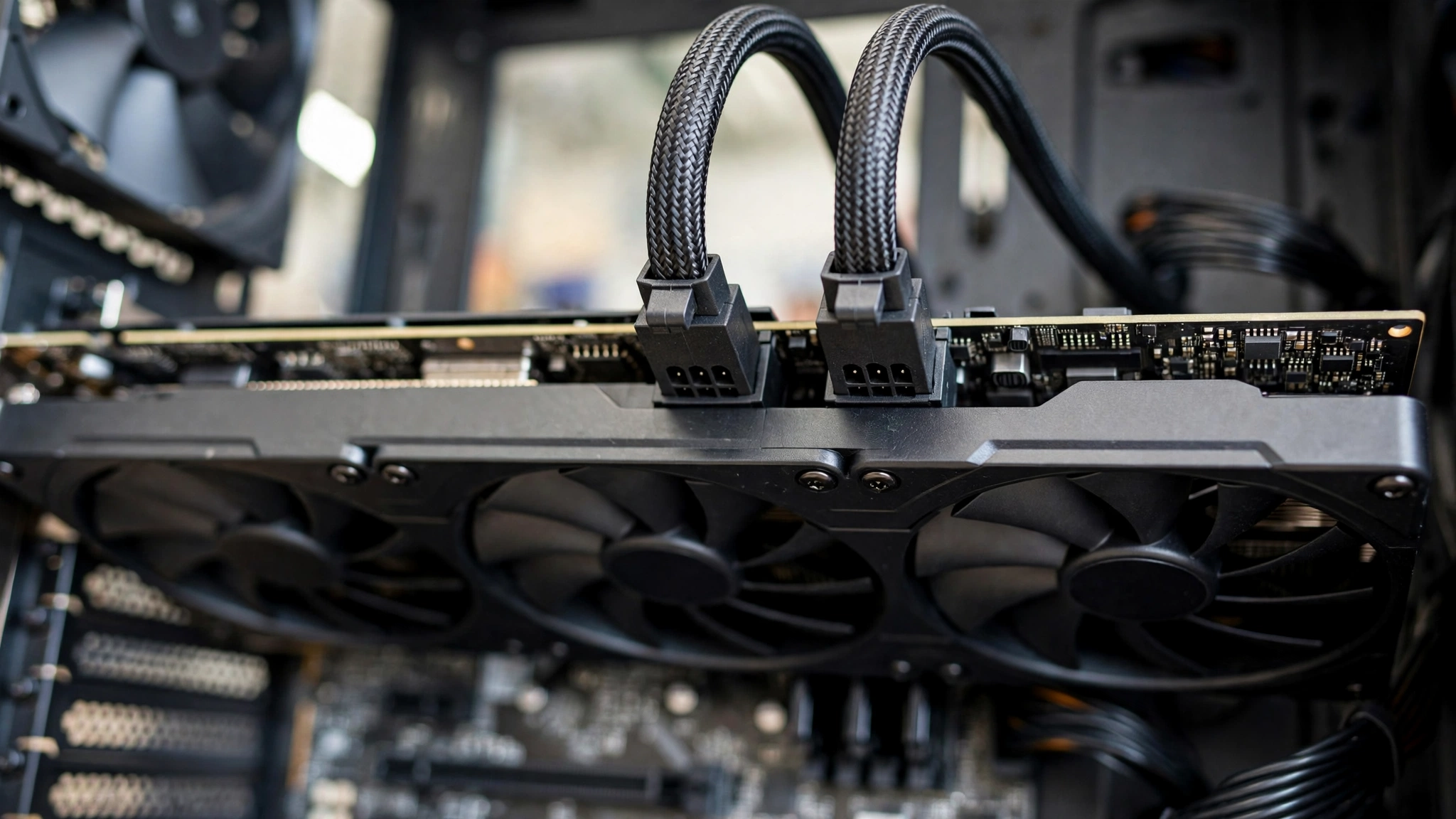
Good news first: the vast majority of RX 9070 XT cards use the familiar 8-pin PCIe connectors your current PSU already has. Most mainstream models need two 8-pin plugs, which together with the 75W from the PCIe slot can deliver up to 375W, comfortably above the card’s rated draw. The big overclocked models add a third 8-pin for extra headroom.
A smaller number of premium models use the newer 16-pin 12V-2×6 connector (the revised version of the 12VHPWR plug from the RTX 40 series era). If your card has one, check whether your PSU includes a native 12V-2×6 cable. A native cable from an ATX 3.x PSU is the cleanest option. If you must use the adapter that ships with the card, make sure every plug is fully seated with no visible gap, because a loose 16-pin connection is the classic failure mode.
That is not a theoretical warning. One documented case involved an ASRock RX 9070 XT Taichi OC, one of the 12V-2×6 models, where the owner’s adapter (three 8-pins to one 16-pin) showed discoloration and later melted. The owner was also running a 700W PSU from a budget brand without ATX 3.1 certification, while ASRock recommends 850W for that card (overclock3d.net). The combination of an adapter, an undersized and uncertified PSU, and possibly a poorly seated plug was the problem, not the connector standard itself. Still, it is a vivid lesson in not cutting corners on power delivery.
One more wiring rule that comes up constantly: never feed two 8-pin GPU plugs from a single daisy-chained cable (the pigtail with two connectors on one wire). Use two separate PCIe cables from the PSU. The 9070 XT can pull more current through that single wire than it is comfortably rated for, and builders have traced random crashes and black screens back to exactly this mistake. Two cables, two plugs, no shortcuts.
Takeaway: Most cards are 2x 8-pin and plug into what you already own. If yours uses 12V-2×6, prefer a native ATX 3.x cable, seat it fully, and never daisy-chain.
How to Check Your PSU’s Real Capacity
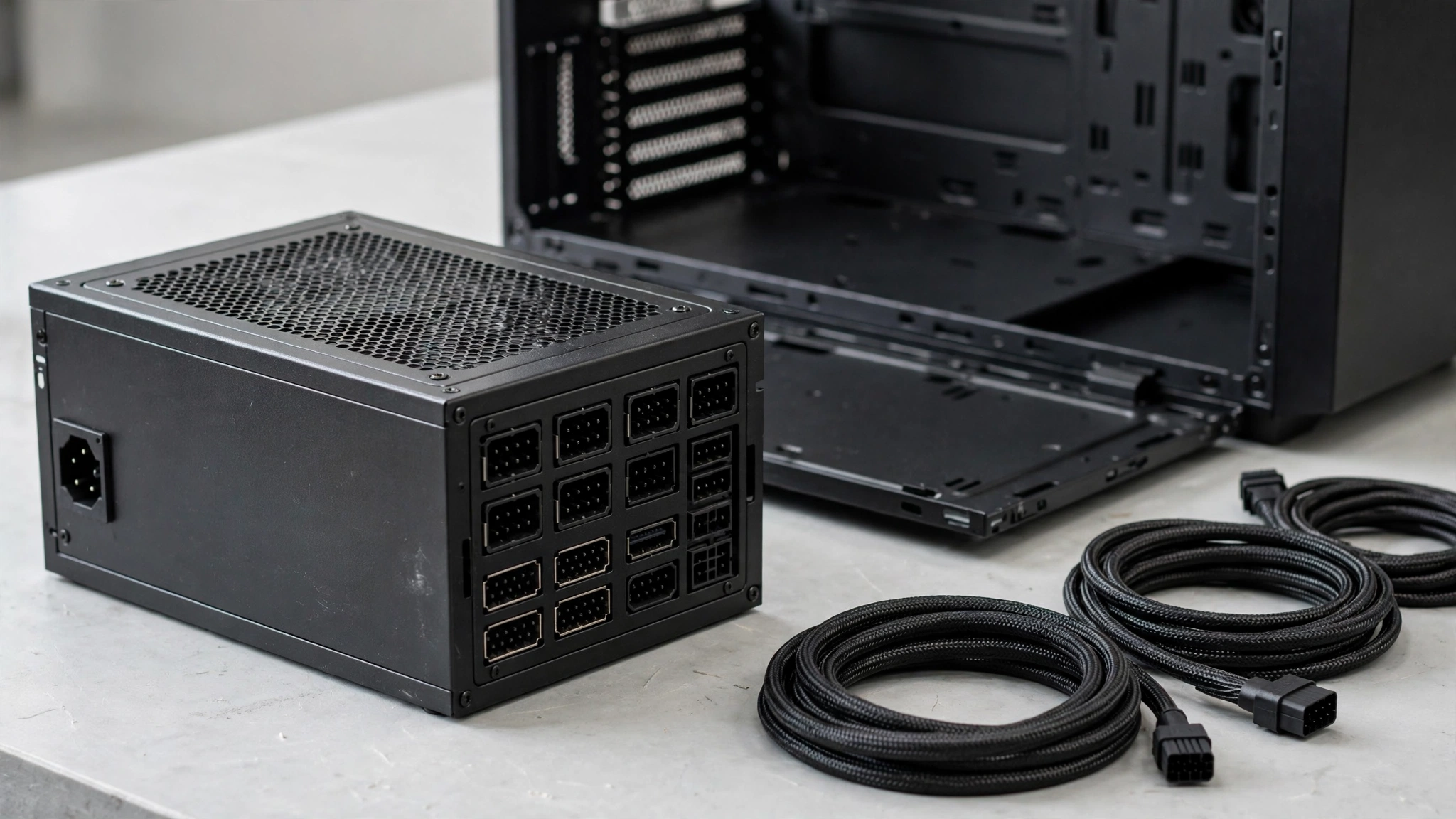
The number printed in big letters on the PSU box is the beginning of the story, not the end. Here is how to find out what your unit can actually deliver.
1. Read the label, not the marketing. Flip the PSU over (or check the spec sheet online) and look at the output table. What matters is the combined wattage on the +12V rail or rails, because the GPU and CPU draw almost everything from 12V. A “750W” unit whose 12V rail is only rated for 600W is not really a 750W unit for gaming purposes. Quality units deliver nearly their full rating on 12V; weak ones do not.
2. Check the unit’s age. Capacitors age, and a PSU that was a solid 750W unit eight or ten years ago may not deliver the same clean, stable power today. One widely discussed incident involved a ten-year-old 850W unit whose PCIe cable melted under a 9070 XT load while the card itself survived unharmed thanks to its protection circuits (en.gamegpu.com). Age alone does not condemn a PSU, but a decade-old unit paired with a brand-new 300W-class GPU is a gamble. If your PSU is approaching the end of its warranty period, treat the upgrade as overdue maintenance.
3. Verify the exact model. Two PSUs with the same brand and wattage can be completely different inside, because brands outsource to different manufacturers across product lines. Search your exact model number for professional reviews (look for detailed load testing and ripple measurements, not Amazon star ratings). If your model has a reputation for weak protection circuits or inflated ratings, replace it regardless of the wattage number.
4. Look at the eco or semi-fanless mode. Some PSUs have a physical eco-mode switch or a software toggle that keeps the fan off until the load gets high. One 9070 XT owner traced a suddenly loud PSU fan to exactly this: he had bumped the eco switch while swapping the GPU, and turning it off fixed the noise (forums.tomshardware.com). Check yours before assuming the fan noise means the PSU is failing.
5. Be honest about the tier. A good 650W Gold unit from a respected platform beats a sketchy 750W unit every time. If your PSU is an unknown no-name model that came with a prebuilt, the wattage number means very little, and a 9070 XT deserves better.
Takeaway: Real capacity is the 12V rail rating plus the unit’s age, model reputation, and build quality. The label number is just a starting point.
Undervolting The Free Fix for Power, Heat, and Noise
If your PSU is borderline or you just want a cooler, quieter card, undervolting is the single best free tweak available for the RX 9070 XT. The idea is simple: the card ships with more voltage than it strictly needs, and lowering the voltage in AMD’s Adrenalin software (the Voltage Offset control) reduces power draw and heat at the same clock speeds. In some cases you can even raise the power limit while undervolting and end up with higher sustained clocks, because the card stops hitting thermal limits.
This is not just forum folklore. Testing covered by TechSpot showed overclockers Der8auer and Alva Jonathan pushing undervolted 9070 XT cards to remarkable results: Der8auer raised the power limit to 360W on a PowerColor Red Devil, applied a 170mV undervolt, and reached stable clocks that beat an RTX 5080 in Cyberpunk 2077 at 4K in his test, while Alva Jonathan saw roughly a 10% frame-rate improvement on an ASRock card (techspot.com). Your mileage will vary because every chip undervolts differently, but the headroom on RDNA 4 is real.
Two honest caveats. First, stability is per-card: an undervolt that is rock solid for someone else may crash your specific card, so test with actual games, not just a quick benchmark. Second, watch your memory temperatures. Several 9070 XT owners report VRAM temperatures in the high 80s to mid 90s Celsius under heavy load, and undervolting can make fans spin slower, which can leave the memory running hotter even as the GPU core runs cooler. If you undervolt, keep an eye on memory temperature in Adrenalin or HWiNFO and keep your fan curve sensible rather than chasing silence at all costs.
Undervolting does not change which PSU you should buy, but it is a legitimate way to shave 30 to 50W off your real-world draw and make a borderline-but-quality PSU comfortable. Think of it as a bonus, not a substitute for adequate hardware.
Takeaway: A modest undervolt is free, safe to try, and genuinely effective on this card. Monitor VRAM temps while you do it.
GPU Prices and the PSU You Already Own
Here is the part most PSU guides ignore: the market you are buying into. GPU prices have climbed hard over the past year. Data from 3DCenter, reported by PC Guide, shows GPU prices up roughly 66% over a 12-month window, driven largely by memory costs. On top of that, leaked reports suggest AMD’s board partners may raise RX 9000 series MSRPs, though AMD has not confirmed any price change, so treat that as an unconfirmed rumor rather than a fact. The practical point is the same either way: the card costs more than it used to, and every dollar matters more.
That makes your existing PSU worth a serious look before you spend money on a new one. A quality 750W or 850W unit you already own, from a reputable model line, with the right cables and a few years of life left, is money you do not need to spend. Run through the capacity checklist above. If it passes, put that PSU money toward the GPU itself, where it buys you actual frames.
One more piece of context for upgraders: the RTX 5070 currently sits at the top of the Steam Hardware Survey, which means a huge number of PC gamers are sitting on a 5070-class card and a PSU sized for it. If you are one of them and eyeing a 9070 XT, know that the 5070 is a 250W-class card that runs happily on a 650W PSU, while the 9070 XT is a 304W card that wants 750W.
That upgrade is very often a GPU-plus-PSU upgrade, not just a GPU swap, and you should budget for both. (For the full picture on the other side of this decision, our RTX 50-series power supply guide covers NVIDIA’s current lineup wattage by wattage.)
Takeaway: With GPU prices elevated, re-evaluate the PSU you already own before buying a new one. A good existing 750W+ unit is budget you can redirect to the card.
Related Reading
Picking the right CPU matters for your PSU math too, since a power-hungry processor adds directly to the total. Our best CPU for RX 9070 XT guide breaks down which processors pair well with this card in 2026, from efficient 65W options to flagship chips, so you can size both sides of the equation.
If you are wondering whether power problems can damage the rest of your system, our article on whether a bottleneck is bad for your PC covers the thermal and PSU stress angles, including warning signs that your power delivery is struggling.
And if you are still planning the build, run your CPU and GPU combination through our bottleneck calculator to check the pairing before you spend money on either part.
FAQs
Will my existing 750W PSU be okay for a 9070 XT?
In most cases, yes, if it is a quality 750W unit and your card is a reference-clock or 2x 8-pin model. This exact question came up on the Tom’s Hardware forum, where a buyer of an XFX Swift 9070 XT (a card whose box recommends 800W) asked whether his 750W Gold unit plus a modest undervolt would be fine with a non-K Intel CPU (forums.tomshardware.com). The consensus: a genuine, well-built 750W supply is generally fine there, but the exact model matters more than the wattage number. If your card’s box says 850W or 900W, follow the card, not the general rule.
Is a 650W PSU enough for the RX 9070 XT?
It can work in narrow circumstances, but it is not something to plan around. Owners in the Overclockers UK 9070 XT owners thread report running the card on quality 650W units (a Seasonic Focus GX and an older EVGA Gold) with efficient Ryzen CPUs and zero issues, usually with a mild undervolt or a negative power limit applied (forums.overclockers.co.uk). The catch is headroom: transient spikes and CPU boost can push a 650W unit near its limits, and you have no room for upgrades. Treat 650W as “it can survive with a quality unit and an efficient CPU,” not as a recommendation. 750W remains the sensible minimum.
Should I upgrade my PSU when switching from an RTX 5070 to a 9070 XT?
Very likely, yes. This came up from a real buyer who ran an RTX 5070 on a 650W PSU and found a 9070 XT at the same price: the 5070 is a 250W-class card that is happy on 650W, while the 9070 XT is a 304W card that AMD rates for 750W minimum (yomotherboard.com). Budget for the PSU as part of the switch, because a 650W unit that was perfect for the 5070 becomes the borderline part of a 9070 XT build.
Does the RX 9070 XT use 8-pin connectors or 12V-2×6?
Both, depending on the model. The majority of cards use two 8-pin PCIe connectors, and the big overclocked models use three. A smaller set of premium models (such as the ASRock Taichi OC) use the 16-pin 12V-2×6 connector instead. Check your exact card’s spec sheet before ordering cables or a new PSU. If it is a 12V-2×6 card, an ATX 3.x PSU with a native cable is the cleanest solution, and any adapter must be fully seated.
Can I use a daisy-chained PCIe cable for the 9070 XT?
No. Use one separate PCIe cable per 8-pin connector on the card. A daisy-chained (pigtail) cable forces more current through a single wire and connector than it is comfortably rated for, and builders have traced crashes, black screens, and in extreme cases damaged connectors to this exact shortcut. It costs you one extra cable run during the build and removes an entire category of problems.
Will undervolting let me run the 9070 XT on a smaller PSU?
It helps, but it does not rewrite the rules. A moderate undervolt can shave meaningful watts off real-world draw and is well documented on this card (see the Der8auer and Alva Jonathan results discussed above). That can make a quality-but-borderline PSU comfortable. But undervolting results vary by chip, and it does nothing for transient spikes, so do not use it to justify a PSU that is clearly undersized. Buy the right PSU, then undervolt for the thermal and noise benefits.
My PSU fan got loud after installing the 9070 XT. Will a new PSU fix it?
Maybe, but check the simple things first. One owner on the Tom’s Hardware forum solved this exact problem by finding that he had accidentally bumped his PSU’s eco-mode switch while installing the GPU; turning eco mode off restored normal fan behavior and even reduced case heat (forums.tomshardware.com). If the fan is loud because the PSU is genuinely working near its limit, then yes, a larger quality unit running at a lower percentage of its capacity will be quieter. But do not buy a new PSU before checking that switch.
Key Takeaways
- The RX 9070 XT is a 304W (total board power) card, and AMD recommends a 750W PSU minimum.
- 750W 80 PLUS Gold is the safe floor; 850W is the sweet spot for high-end CPUs and overclocked partner cards.
- Partner cards set their own requirements: 750W for reference models, up to 900W for halo cards like the Red Devil.
- Transient spikes, not average draw, are what shut down borderline systems. Headroom and a modern ATX 3.x PSU are the fix.
- Most cards use 2x or 3x 8-pin connectors. If yours uses 12V-2×6, prefer a native cable and seat it fully.
- Never daisy-chain PCIe power cables. One cable per connector, always.
- Check your PSU’s 12V rail rating, age, and exact model before deciding to keep or replace it.
- Undervolting is a free, effective way to cut power, heat, and noise, but it is a bonus, not a substitute for a proper PSU.
- With GPU prices elevated in 2026, a good PSU you already own is budget you can put toward the card instead.
Conclusion
The RX 9070 XT power requirements look complicated only because three different numbers compete for your attention: AMD’s 750W minimum, your partner card’s own recommendation, and whatever the forums say. The hierarchy is simple. Your card’s listed requirement wins, AMD’s 750W is the floor, and the quality of the unit matters more than either number. Size for the spikes, wire it with separate cables, and check the PSU you already own before spending money you could put toward the GPU.
Planning the rest of the build? Run your parts through our bottleneck calculator to make sure the CPU and GPU are a balanced pair, then enjoy the frames.

Leave a Reply