

Quick answer: The best CPU for RX 9070 builds is the Ryzen 7 9800X3D for 1080p or high-refresh 1440p. The Ryzen 7 7800X3D is the smarter value pick for most 1440p players, while the Ryzen 5 9600X keeps up well at 1440p Ultra and 4K, where tests show midrange chips converging with flagships once the GPU becomes the limit.
Picking the best CPU for RX 9070 owners is a different job than pairing its bigger brother. Almost every pairing guide on the internet targets the RX 9070 XT and treats the non-XT card as an afterthought, even though the standard 9070 is the volume seller: the $549 card (at launch) that sips 220W instead of 304W and runs fine on a 650W power supply. If you bought the sensible card, you deserve a guide written for it.
This guide fixes that gap. Every recommendation below is matched to the real RX 9070, with specs verified against AMD’s own product page, per-resolution CPU tiers for 1080p, 1440p, and 4K, honest PSU guidance, and a short section on building through the 2026 GPU and memory shortage without overpaying. And if Call of Duty MW4 (launching October 23) is the reason you are building, you will find exactly which CPUs keep its frame rates high.
RX 9070 Specs That Decide Your CPU Choice
Before choosing a processor, it helps to know what the card actually asks of it. Here are the official specifications from AMD’s RX 9070 product page, which I checked directly rather than trusting secondhand spec sheets:
| Specification | Radeon RX 9070 |
|---|---|
| Architecture | RDNA 4 (Navi 48) |
| Compute units / stream processors | 56 CU / 3,584 SP |
| Game clock / boost clock | 2,070 MHz / up to 2,520 MHz |
| Memory | 16GB GDDR6, 256-bit, up to 640 GB/s |
| Infinity Cache | 64MB |
| Typical board power | 220W |
| Power connectors | 2x 8-pin |
| Bus interface | PCIe 5.0 x16 |
| AMD minimum PSU recommendation | 650W |
| Launch | March 2025 |
Three of those rows matter most for CPU pairing. First, 220W is modest for this performance class, so the CPU does not need to be a power-sipping chip to keep the total build inside a 650W supply. Second, the full PCIe 5.0 x16 interface means this card does not punish older or midrange motherboards the way x8 cards can (more on that below). Third, 16GB of VRAM makes the card genuinely comfortable at 1440p and even 4K, which shifts the bottleneck question toward lower resolutions, where the CPU does more of the work per frame.
Source: the specifications above come from AMD’s official RX 9070 product page.
Takeaway: the RX 9070 is an efficient 220W card on a full x16 link, so your CPU budget can go toward gaming speed rather than compensating for the GPU’s appetite.
How CPU Bottlenecks Show Up With the RX 9070
A CPU bottleneck simply means your processor cannot prepare frames fast enough, so the RX 9070 sits idle waiting for work. You feel it as stuttering or low 1% lows rather than a low average frame rate, and it shows up most at 1080p, where each frame is cheap for the GPU to render and the CPU becomes the pace-setter. At 4K the picture flips: the card works so hard per frame that almost any modern 6-core or 8-core CPU keeps up.
If you want the deeper math on what counts as an acceptable mismatch, our good bottleneck percentage guide breaks down the numbers, and you can test any specific combo in our CPU bottleneck calculator before you buy.
Takeaway: resolution decides how much CPU you need. Match the chip to your monitor, not to the most expensive option.
Best CPU for RX 9070 by Resolution
1080p High-Refresh Gaming
This is the one resolution where your CPU choice genuinely changes what the RX 9070 can do. At 1080p the card finishes frames so quickly that a slower processor becomes the ceiling, especially in competitive shooters and CPU-heavy sims. If you play on a 240Hz (or faster) monitor with lowered settings, buy the fastest gaming CPU you can justify: the Ryzen 7 9800X3D. Its 3D V-Cache keeps 1% lows high exactly where high-refresh players feel dips.
For normal 1080p high-settings gaming on a 144Hz or 165Hz panel, the Ryzen 7 7800X3D or even the Ryzen 5 9600X will keep the card well fed in most titles. The difference between a midrange and flagship CPU shrinks the moment you raise settings or resolution. If you are still deciding on a display, our 1080p vs 1440p monitor bottleneck breakdown shows how the resolution choice reshapes the whole build.
Takeaway: at 1080p, CPU speed is the upgrade that matters. The 9800X3D is the ceiling; the 7800X3D is the sweet spot.
1440p: The RX 9070 Sweet Spot
1440p is where this card lives, and it is also where CPU pressure drops off fast. Once the GPU becomes the limiting factor, published scaling tests show even budget chips converging with flagships: TechSpot’s CPU scaling data, cited across review roundups, found a Ryzen 5 7600X effectively matching a 9800X3D once a 9070-class card became GPU-bound at 1440p. That is why the Ryzen 7 7800X3D is my default recommendation here. It delivers nearly all of the flagship gaming experience for less money, and the savings can go toward 32GB of DDR5 or a better monitor.
One review roundup citing GamersNexus testing put the vanilla RX 9070 at roughly 106 FPS average at 1440p versus about 116 FPS on the 9070 XT, around a 9 percent gap. The lesson for CPU shopping: if the two cards sit that close, the CPU advice barely changes between them, except that the cheaper card leaves more budget for the processor.
Takeaway: at 1440p the 7800X3D is the value king, and a 9600X gets you most of the way there for much less.
4K: Where the GPU Does the Talking
At 4K the RX 9070 is doing the overwhelming majority of the work on every frame, so CPU choice stops mattering in any way you would notice while playing. A Ryzen 5 9600X, a Ryzen 7 9700X, or a Core i5-14600K all feed the card comfortably here. Spending flagship-CPU money for a 4K60 build is the single most common waste I see in 9070 builds: that cash buys more happiness as a larger SSD, a better cooler, or games to actually play.
The one exception is 4K high-refresh (120Hz and up) in CPU-heavy titles like Microsoft Flight Simulator or large strategy games. If that is your target, the 9800X3D still earns its keep.
Takeaway: for 4K60, buy a solid midrange CPU and put the savings everywhere else.
Best AMD CPUs for the RX 9070
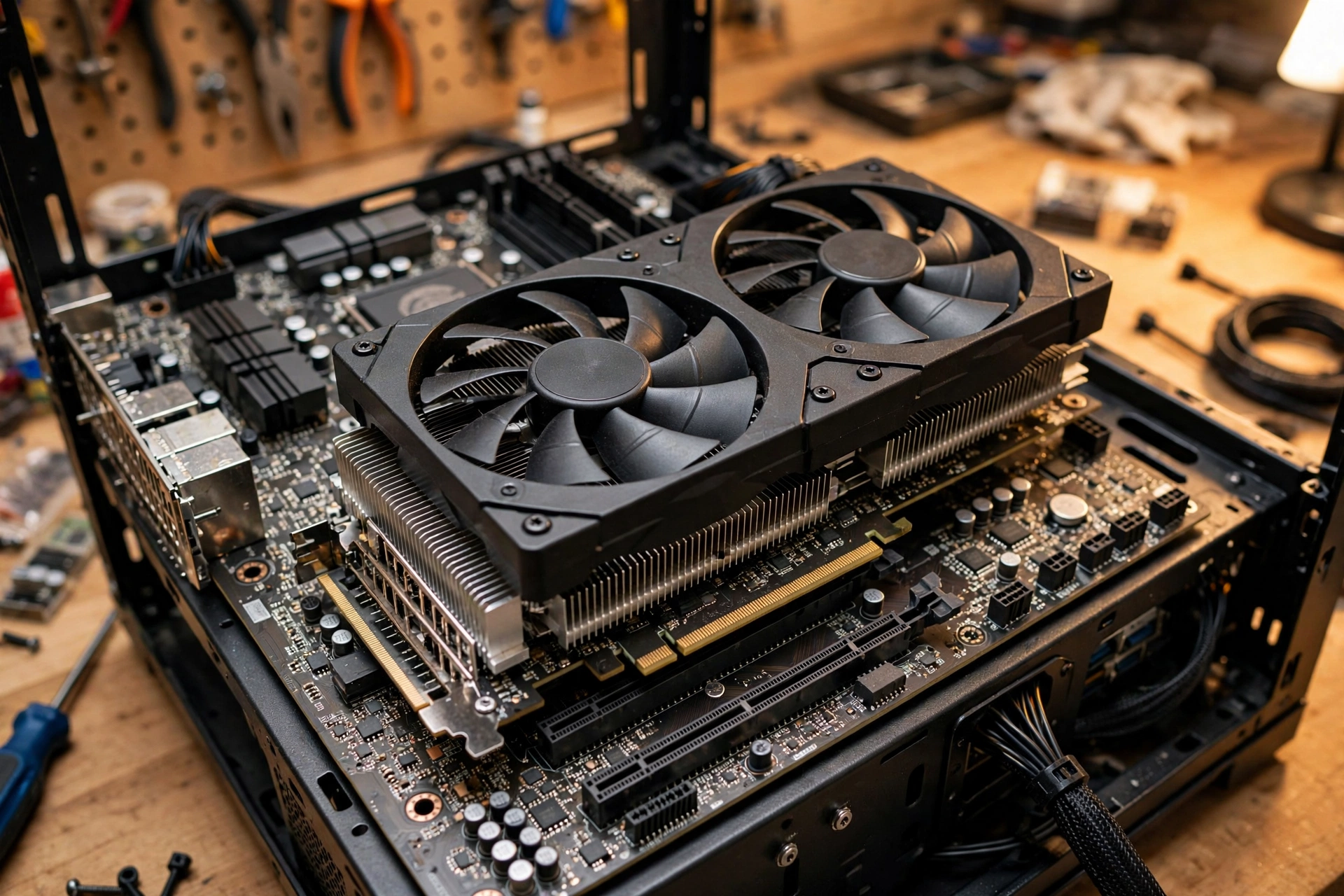
AMD’s X3D chips remain the best gaming processors you can pair with this card, and the AM5 platform gives you a real upgrade path. Here are the four worth considering, from flagship to budget.
Ryzen 7 9800X3D: The No-Compromise Pick
Eight Zen 5 cores, 96MB of stacked L3 cache, and a boost clock up to 5.2 GHz make the 9800X3D the fastest gaming CPU in this stack. It is the correct answer for 1080p high-refresh rigs, competitive players who lower settings to chase frame rates, and anyone who wants CPU limitations essentially eliminated at 1440p. The honest caveat from testing: Tom’s Hardware measured only about a 3.2 percent gaming advantage for the newer 9850X3D over the 9800X3D in a deliberately CPU-limited test, which tells you how little headroom is left above this chip. For a 4K60 build it is more CPU than you need, and I would rather see that money in your GPU or monitor budget.
Takeaway: buy it when frame rate is the whole point (1080p, 240Hz+, competitive settings). Skip it for relaxed 4K gaming.
Ryzen 7 7800X3D: The Value Champion
The previous-generation X3D chip is still a monster for gaming, with 8 cores, 96MB of L3 cache, and boost clocks up to 5.0 GHz. At 1440p with an RX 9070 it keeps up with the pricier 9800X3D in most real games because the GPU becomes the limit first. Pricing is the whole story here: when the 7800X3D sits meaningfully below the 9800X3D, it is the smartest money in this guide. Check current street prices before deciding, since shortage-era pricing moves fast (our CPU price hike tracker follows exactly this).
Takeaway: the default pick for 1440p RX 9070 builds. Nearly flagship gaming for less money.
Ryzen 7 9700X: Best Non-X3D 8-Core
Not everyone wants to pay the X3D premium, and the 9700X is the best alternative: 8 cores and 16 threads with boost clocks up to 5.5 GHz at a modest 65W TDP. It games well, sips power, and its extra threads handle streaming, Discord, browser tabs, and background recording more gracefully than a 6-core chip. If your PC also does content creation, code compiling, or heavy multitasking, the 9700X arguably beats the 7800X3D for your actual use, since those workloads do not benefit from stacked cache.
Takeaway: the balanced pick for gaming plus real multitasking, with low power draw as a bonus.
Ryzen 5 9600X: The Budget Sweet Spot
Six cores, 12 threads, boost up to 5.4 GHz, and a 65W TDP. The 9600X is the cheapest modern CPU I am comfortable recommending with an RX 9070, and only with the resolution caveat: at 1440p Ultra and 4K it keeps the card fed in the vast majority of games, matching much pricier chips once the GPU becomes the limit. The compromise appears in CPU-heavy titles, very-high-refresh 1080p gaming, and scenarios where maximum 1% low performance matters most. Pair it with DDR5-6000 and it punches far above its price.
Takeaway: the budget pick that does not feel like a compromise at 1440p and above.
Best Intel CPUs for the RX 9070
AMD owns the pure-gaming crown right now, but Intel has legitimate plays for mixed workloads and platform pricing. Two chips deserve your attention.
Core i5-14600K: The Intel Value Play
With 14 cores (6 performance cores plus 8 efficiency cores), the i5-14600K keeps up with the RX 9070 at 1440p and 4K in most modern AAA games. You give up a little ground to the X3D chips in the most CPU-heavy titles, but for GPU-bound 1440p Ultra gaming the difference is small, and the extra efficiency cores are genuinely useful for streaming and background tasks. Platform cost can be lower too, since LGA1700 boards and DDR5 are widely available. It draws more power than the Ryzen alternatives, so budget a capable cooler.
Takeaway: the Intel pick for gamers who also stream, record, or multitask heavily.
Core i7-14700K and Core Ultra 5 245K: When You Multitask
The i7-14700K brings 20 cores to the table and handles gaming plus serious productivity without breaking stride, but it is power-hungry: plan on a 280mm or 360mm liquid cooler and an 850W power supply for an RX 9070 pairing. For most pure gamers it is more chip than the card needs. The Core Ultra 5 245K is the more balanced modern Intel option, with strong multi-core performance for creators and high frame rates for gamers at much saner power draw. Between the two, the 245K fits the RX 9070’s efficient character better; the 14700K only makes sense if your workload genuinely uses its cores.
Takeaway: 245K for efficient mixed use, 14700K only if you will actually load 20 cores.
RX 9070 CPU Pairing Cheat Sheet
| CPU | Best for | Resolution sweet spot | Sensible PSU | Notes |
|---|---|---|---|---|
| Ryzen 7 9800X3D | Max FPS, competitive | 1080p / 1440p high-refresh | 750W Gold | Fastest gaming chip; overkill for 4K60 |
| Ryzen 7 7800X3D | Value flagship gaming | 1440p | 750W Gold | Near-flagship once GPU-bound |
| Ryzen 7 9700X | Gaming + productivity | 1440p / 4K | 650W Gold | 65W, cool and quiet |
| Ryzen 5 9600X | Budget builds | 1440p / 4K | 650W Gold | Best value; weakest at 1080p high-refresh |
| Core i5-14600K | Gaming + streaming | 1440p / 4K | 750W Gold | Extra E-cores help multitasking |
| Core Ultra 5 245K | Efficient mixed use | 1440p | 750W Gold | Modern platform, sane power draw |
| Core i7-14700K | Heavy productivity | 1440p / 4K | 850W Gold | Needs strong cooling; overkill for pure gaming |
PCIe 5.0 x16 Why Older Motherboards Are Fine
The RX 9070 uses a full PCIe 5.0 x16 interface, and that detail quietly saves budget builders real money. Drop the card into a PCIe 4.0 x16 slot (any B650, X670, or decent B550 board) and the link simply runs at PCIe 4.0 speeds, which still offers far more bandwidth than a 220W card in this class can saturate. Published lane-scaling tests of comparable midrange cards show only a small difference between generations at x16, nothing you would notice in a blind test.
This matters because the cards that do punish older slots are the x8 models: cut an x8 card down to PCIe 4.0 or 3.0 and you halve an already narrow pipe. The 9070’s full x16 link sidesteps that problem entirely. One real-world caution from a MakeUseOf experiment: a reader paired the RX 9070 with an old Ryzen 5 5600G over a PCIe 3.0 x4 Oculink adapter, and the card was clearly held back. That is an extreme case (a quarter of the intended lanes on an old standard), not a warning against normal PCIe 4.0 x16 boards.
Takeaway: any modern PCIe 4.0 x16 slot feeds the RX 9070 fully. Spend the motherboard savings on RAM or storage.
PSU Requirements for an RX 9070 Build
AMD’s official minimum for the RX 9070 is a 650W power supply, and the card needs two 8-pin PCIe connectors, so check that your unit actually has them before you buy. In practice:
- 650W 80+ Gold: comfortable for 9600X, 9700X, or 7800X3D builds with no overclocking ambitions. This is the sensible default for most RX 9070 PCs.
- 750W 80+ Gold: my recommendation for 9800X3D builds, i5-14600K builds, or anyone who wants headroom for transient power spikes and future upgrades.
- 850W 80+ Gold: only needed for power-hungry pairings like the i7-14700K, which can spike hard when CPU and GPU load up together.
Do not cheap out on the unit itself: a quality 650W supply beats a shady 850W one every time. Our PSU tier list ranks reliable models so you can pick with confidence.
Takeaway: 650W Gold is the honest minimum, 750W Gold is the comfortable pick, and the PSU’s quality matters more than its wattage sticker.
RX 9070 vs RX 9070 XT
Since most pairing guides target the XT, here is the short version: the 9070 XT brings 64 compute units, 4,096 stream processors, and a 304W board power at a $599 launch price, while the non-XT runs 56 compute units, 3,584 stream processors, and 220W at $549. Cited testing puts the XT roughly 9 percent ahead at 1440p, and it demands a 750W PSU instead of 650W. The non-XT is the efficiency and value pick of the pair. For the full head-to-head, see our RX 9070 XT vs RTX 5070 Ti performance breakdown, which covers where the XT stretches its legs.
Building an RX 9070 PC During the 2026 GPU Shortage
A quick market note, because it changes buying strategy. In October 2026, AMD notified board partners of a GDDR6 memory price hike effective October 1, ending the Radeon lineup’s run as the last relatively sheltered corner of the GPU market (reported by Tech Times, sourced to Board Channels and corroborated by BenchLife). European pricing trackers cited in that coverage show Radeon RX 9000 cards up roughly 48 percent over the past year, with further increases expected as memory costs flow through. We are tracking the whole situation in our GPU shortage 2026 coverage.
What this means for your build: if you already own the RX 9070, buy the rest of the platform sooner rather than later, since CPUs, boards, and especially RAM are all exposed to the same memory inflation. Speaking of RAM, Valve’s September 2026 Steam Hardware Survey marked a real milestone: 32GB systems (42.22%) overtook 16GB (37.82%) as the most common gaming configuration, even with RAM prices surging (TechSpot’s coverage of the survey). For an AM5 build, 32GB of DDR5-6000 remains the sweet spot: fast enough for Ryzen’s memory controller, stable without exotic tuning, and aligned with where the market has moved. And with Call of Duty MW4 launching October 23, a 9800X3D or 7800X3D plus 32GB of DDR5 is exactly the kind of platform that keeps a demanding new shooter smooth: check our MW4 PC requirements guide to size the rest of your system.
Takeaway: secure the CPU, board, and 32GB DDR5 kit promptly; memory-driven inflation is the trend, not a blip.
Mistakes That Waste Money on RX 9070 Builds
- Buying a flagship CPU for a 4K60 TV setup. The GPU is the limit at 4K. A 9600X or 9700X gets you the same experience for hundreds less.
- Keeping an ancient CPU “to save money.” A Ryzen 5 5600G-class chip with PCIe 3.0 genuinely strangles this card, as real-world experiments showed. If your CPU predates AM5/LGA1700 by generations, budget the platform upgrade.
- Building with 16GB of RAM in late 2026. Steam’s own data says the market moved to 32GB. With memory prices climbing, buying the smaller kit now often means paying more later to fix it.
- Trusting a no-name PSU. AMD asks for 650W minimum and two 8-pin connectors. A quality Gold-rated unit from the tier list protects a build worth over a thousand dollars.
- Chasing DDR5-8000 for gaming gains. On AM5 the stable sweet spot is DDR5-6000. Extreme memory speeds cost a lot, complicate stability, and gain you almost nothing in real games next to a better CPU or GPU.
Frequently Asked Questions
Will a Ryzen 5 5600 bottleneck the RX 9070?
In most 1440p games the Ryzen 5 5600 keeps up acceptably, since the GPU does the heavy lifting at that resolution. The problem cases are CPU-heavy titles: one builder on the TechEnclave forums asked exactly this about Microsoft Flight Simulator and was told to expect the CPU to cap frame rates there. And a MakeUseOf experiment pairing the weaker 5600G with an RX 9070 showed a clear bottleneck even at ultrawide 1440p. If you already own a 5600, try the card first and watch GPU utilization. If you are buying new, step up to at least a Ryzen 5 9600X.
Will a Ryzen 5 7500F or 7600X bottleneck the RX 9070?
At 1440p and 4K, no, not in any way you would feel in most games. This exact debate played out on the Tom’s Hardware forums, where experienced builders concluded a 7500F-class chip delivers the vast majority of a flagship CPU’s performance once a 9070-tier card becomes GPU-bound. The bottleneck only appears at 1080p with competitive settings or in simulation-heavy games. Since the non-XT 9070 is slightly slower than the XT, the case for a 6-core chip is even stronger here.
Is my Ryzen 7 5800X3D still enough, or do I need to move to AM5?
The 5800X3D remains a capable gaming CPU, and at 1440p or 4K it will feed an RX 9070 without meaningful complaint in most titles. Builders on community Q&A boards report the 5800X3D plus 9070-class cards working well outside of a few poorly optimized Unreal Engine 5 games. My advice: install the card, test your actual games, and only pay for a full AM5 platform swap if you see the CPU holding you back. Do not upgrade on anxiety alone.
What power supply do I need for an RX 9070 with an i7-14700K?
An 850W 80+ Gold unit from a reputable brand. The RX 9070 itself is a modest 220W card, but the 14700K is power-hungry and both parts can spike at once during heavy gaming or rendering. AMD’s 650W minimum assumes a mainstream CPU; with a 20-core Intel chip in the mix, the extra headroom is cheap insurance for stability and component longevity.
Will the Ryzen 5 9600X bottleneck the RX 9070 at 1440p?
For the overwhelming majority of games, no. At 1440p Ultra the RX 9070 is the limiting component, and published CPU scaling tests show 6-core Zen 5 chips converging with much more expensive processors once the GPU becomes the bound. You will only feel the 9600X as a limit in CPU-heavy games, very-high-refresh competitive play, or heavy background multitasking while gaming. It is the best-value pairing in this guide for 1440p and 4K.
Can I run the RX 9070 on a PCIe 4.0 motherboard?
Yes. The card’s full PCIe 5.0 x16 interface means a PCIe 4.0 x16 slot still gives it far more bandwidth than it can use, and real-world gaming differences are negligible. Just make sure your board’s BIOS is current and the card is seated in the primary x16 slot, not a secondary x4 slot wired through the chipset.
Key Takeaways
- The best CPU for RX 9070 gaming is the Ryzen 7 9800X3D for 1080p and high-refresh 1440p, the Ryzen 7 7800X3D for value-focused 1440p, and the Ryzen 5 9600X for budget 1440p and 4K builds.
- Match the CPU to your resolution: CPU choice matters most at 1080p and least at 4K.
- AMD’s verified specs (220W, 650W PSU minimum, PCIe 5.0 x16, 16GB GDDR6) make this an easy card to build around.
- Buy 32GB of DDR5-6000 for AM5 builds: Steam’s September 2026 survey confirms it is now the most common gaming configuration.
- With GDDR6 prices rising in October 2026, locking in your CPU, board, and RAM sooner beats waiting.
Conclusion
The RX 9070 non-XT is the thinking builder’s card: nearly all of the XT’s 1440p experience, 84 fewer watts, a 650W PSU requirement, and money left over for the parts that actually complete a build. Pair it with a 9800X3D if frame rates are your religion, a 7800X3D if you want the smart money, or a 9600X if the budget is tight, and the card will never wait on your processor at the resolutions it was made for.
Still torn between two chips? Run both combinations through our CPU bottleneck calculator and compare them at your exact resolution before spending a dollar. Then go enjoy MW4 on October 23 with a balanced rig.

Leave a Reply