
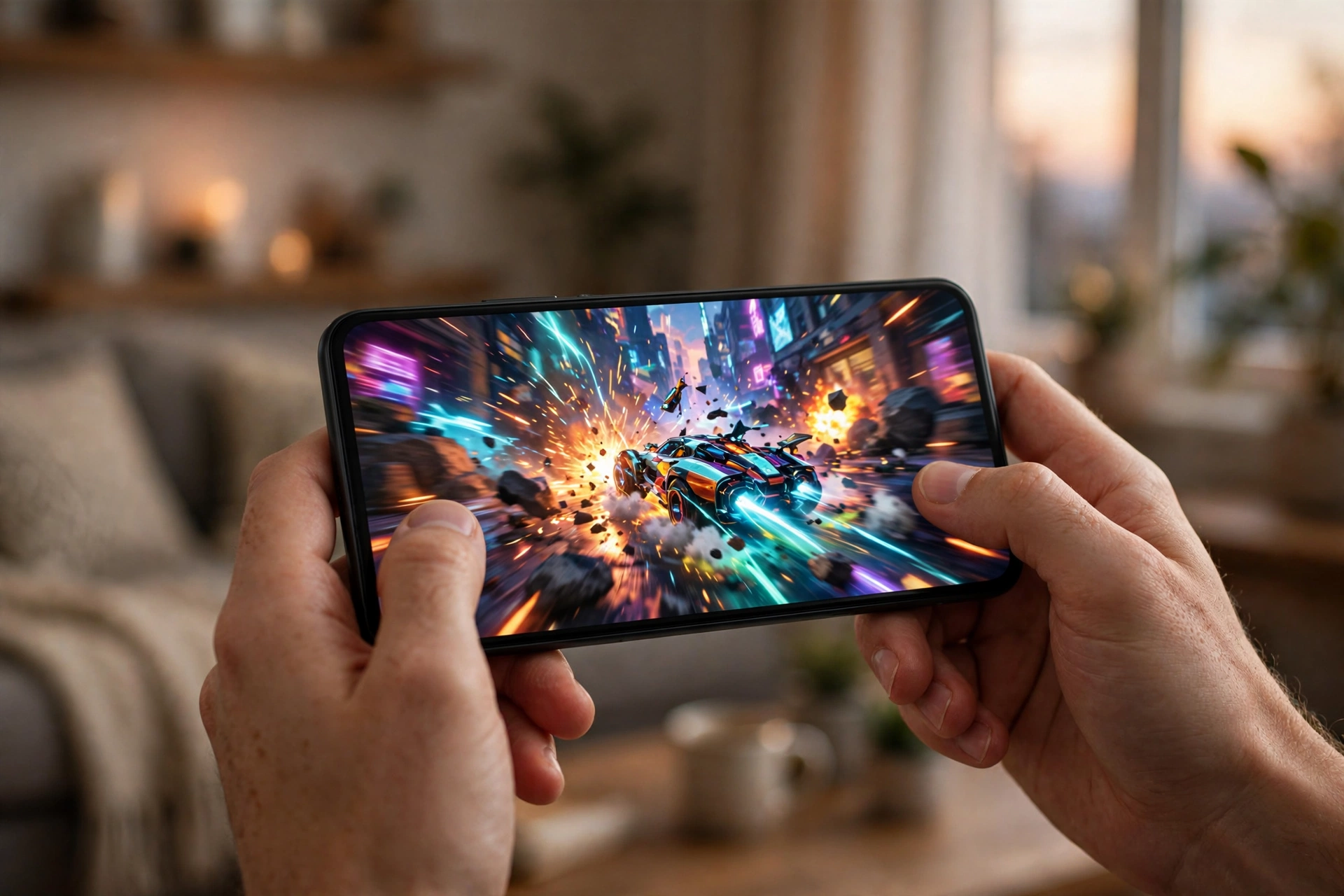
The best android phone for gaming in 2026 is the one that stays fast after thirty minutes, not the one with the biggest benchmark number on launch day. Look for a current flagship chipset, a vapor chamber or a fan, at least 12GB of RAM, 256GB of fast storage, and a 120Hz or higher display. Dedicated gaming phones such as the Asus ROG Phone 9 Pro and the RedMagic 11 Pro lead on cooling and controls, while the Samsung Galaxy S26 Ultra is the best gaming Android flagship for everyday life. Budget buyers should spend on the chipset first and the screen second.
An android phone for gaming is a small gaming PC that fits in your pocket, and it fails in the same way a PC fails. One part runs faster than the rest, heat builds up in a tight space, and the whole system slows down to protect itself. If you have ever watched a smooth match turn choppy ten minutes in, you have met the phone version of a bottleneck.
This guide explains how to pick a phone for game sessions that stay smooth from the first minute to the last. You will learn which chipsets hold their speed, how much RAM actually matters, what a 120Hz screen does for you, which controllers are worth the money, and which price bands make sense. The focus stays on Android, because that is where the widest choice and the best value live right now.
Why a Phone Bottlenecks Like a PC
A gaming PC slows down when one part cannot keep up with the rest. A phone works the same way, only the parts are smaller and packed tighter. The chipset is the CPU and GPU in one package. The RAM holds the game and the apps running behind it. Storage feeds textures and maps into memory. The screen shows only as many frames as the chipset can produce. The battery and the cooling system set the limit on how long full speed can last.
When any one of these parts falls behind, you feel it as a bottleneck. A strong chipset with slow storage stutters when a big open world loads new areas. Plenty of RAM with a weak GPU still drops frames in demanding scenes. A 185Hz display on a phone that can only produce 60 frames per second in your game shows you nothing extra. The parts have to match, just as they do in a desktop build.
That is why this guide treats a phone as a small system, not a list of specs. A balanced phone beats a phone with one amazing number and three weak ones. If you already know how PC parts fit together, the same thinking applies here, and our complete guide to how to build a gaming PC without bottlenecks explains the balance idea in full.
Takeaway: judge a gaming phone as a system. Chip, cooling, RAM, storage, display, and battery all have to pull in the same direction.
Thermal Throttling The Real Enemy of Smooth Play
Heat is the biggest reason a fast phone turns slow mid-match. A phone has no fans the size of a PC case and no room for a big heatsink. When the chipset works hard, it makes heat faster than a thin glass body can shed it. Once internal sensors cross a set limit, the phone lowers clock speeds to protect the battery and keep the surface comfortable to hold. That automatic slowdown is thermal throttling, and it is the phone version of a CPU bottleneck.
Throttling is sneaky because it rarely shows a warning. The first sign is usually frame pacing that turns uneven, a screen that dims slightly, or touch input that feels a beat late. Many players blame the game or the network when the real cause is heat. Independent stress testing in 2026 showed the gap clearly: actively cooled phones held close to 80 percent of their peak graphics performance in long stress tests, while some passively cooled flagships with the same class of chip fell far lower. Those stress tests push hardware harder than most games do, so do not read them as normal gaming results, but they show what happens when heat becomes the limit.
Cooling design is therefore the first thing to check after the chipset name. A large vapor chamber spreads heat across the body. Graphite layers and a metal frame help a little. A built-in fan or a liquid cooling loop, the kind RedMagic puts in its gaming phones, helps a lot. A clip-on cooler or a small fan accessory can also extend a long session on a normal flagship. The cheapest fix of all is free: take the case off while you play, keep the phone out of direct sun, and do not charge at full speed during a ranked match, because charging adds heat on top of gaming heat.
Takeaway: peak speed means little if heat takes it away in ten minutes. Sustained speed is the number that decides your match.
Snapdragon vs Dimensity vs Tensor
The chipset decides the ceiling of every android phone for gaming. Three families cover almost every phone worth buying in 2026: Qualcomm Snapdragon, MediaTek Dimensity, and Google Tensor. They are not equal for gaming, and the differences matter more than the brand name on the back of the phone.
Snapdragon leads for gaming. The Snapdragon 8 Elite Gen 5 is the current flagship, with a third generation Oryon CPU that Qualcomm rates up to 4.74GHz, and an Adreno GPU that the company says is about 23 percent faster while using about 20 percent less power than the previous generation. Those are manufacturer claims measured against the prior chip, not promises about your game, but they explain why the newest gaming phones and flagships use it. The platform also supports Unreal Engine 5 features, hardware ray tracing, and Wi-Fi 7 with lower gaming latency. You can read the full specifications in the official Snapdragon 8 Elite Gen 5 product brief. The previous Snapdragon 8 Elite is still a strong chip and now appears in cheaper phones, which makes it one of the best value picks of the year. The Snapdragon 8 Gen 5 sits a step below the Elite Gen 5 and powers value flagships such as the OnePlus 15R.
Dimensity is the quiet challenger. MediaTek Dimensity 9400 class chips power several Android flagships and large gaming tablets, including the Samsung Galaxy Tab S11 Ultra, and they handle demanding games well. Dimensity phones often cost less than Snapdragon phones with similar speed, which makes them attractive in the mid range. The trade-off is game optimization: some games and emulators tune first for Snapdragon, so a Dimensity phone can occasionally miss a high frame rate mode at launch even when the hardware is fast enough. Check whether your main game offers its top graphics settings on the exact phone you plan to buy.
Tensor is the everyday chip, not the gaming chip. Google Tensor G5 powers the Pixel 10, and Tensor G6 powers the Pixel 11 Pro XL. Pixels are excellent phones for photos, software, and daily use, but Tensor prioritizes AI features over sustained graphics speed. If you play casually, a Pixel is fine. If Genshin Impact or Fortnite at high settings is your daily habit, a Snapdragon or Dimensity phone will hold its speed longer.
The best phone processor for gaming is therefore not just the fastest name on a chart. It is the fastest chip in a body that can cool it. A Snapdragon 8 Elite Gen 5 in a thin phone with a small vapor chamber can lose to a Snapdragon 8 Elite in a gaming phone with a fan after twenty minutes. Always read sustained performance results, not only launch day benchmarks.
| Chipset | Where you find it | Gaming strength | Watch out for |
|---|---|---|---|
| Snapdragon 8 Elite Gen 5 | Newest flagships and gaming phones | Fastest current mobile gaming chip, Unreal Engine 5 support | Needs good cooling to hold peak speed |
| Snapdragon 8 Elite | Last year flagships, gaming phones, value flagships | Still very fast, now cheaper | Older phones may get fewer updates |
| Snapdragon 8 Gen 5 | Value flagships such as OnePlus 15R | Strong speed for the price | Slightly below Elite class in heavy games |
| Dimensity 9400 class | Android flagships and gaming tablets | Fast, often better value | Some games optimize for it later |
| Tensor G5 and G6 | Pixel 10 and Pixel 11 Pro XL | Great for daily use and AI features | Not built for sustained heavy gaming |
Takeaway: Snapdragon is the safest gaming pick, Dimensity is the value pick, and Tensor is the pick for players who game lightly and photograph heavily.
How Much RAM and Storage Do You Really Need
RAM is the most misunderstood phone spec, and sellers love it because the number is easy to compare. More RAM does not make a slow chip faster. It gives the phone room to keep a big game, a voice chat app, a browser, and a screen recorder in memory at the same time without reloading them. Once a game has enough memory, extra RAM adds almost nothing to frame rates.
For most players in 2026, 8GB is the practical starting point. It runs popular games and leaves room for Android and a few background apps. If you switch between a demanding game, chat, and a browser all session long, 8GB starts to feel tight, and Android will close background apps to free space. That is why 12GB is the sweet spot for a gaming phone you plan to keep for several years. It costs little more than 8GB in most lineups and gives you real headroom.
16GB suits heavy users: competitive players who stream, record, and run voice chat at the same time, or players who keep several large games installed and switch between them. Phones with 24GB exist, but that much memory is bragging rights for almost everyone, and the money is better spent on a better chip or better cooling.
Storage matters as much as RAM, and it gets less attention. Modern mobile games are large, and a 128GB phone fills up fast once you install two or three big titles plus their updates. A 256GB model is the safer starting point, and 512GB is sensible if you play many games. Storage speed matters too: UFS 4 class storage loads games and streams open world assets faster than older UFS 2.2 storage, which can show up as shorter loading screens and fewer hitches when a game pulls in new areas. Check the storage type in the spec sheet, not just the size. Also check whether the phone takes a microSD card. Many Samsung phones and tablets still support expansion, while gaming phones and Pixels usually do not.
| RAM | Who it suits | What to expect |
|---|---|---|
| 6GB | Casual games and light use only | Fine for simple titles, tight for big games with chat open |
| 8GB | Most players, practical baseline | Runs popular games well, some app reloads when multitasking |
| 12GB | Serious players, best balance | Smooth multitasking, good headroom for years |
| 16GB | Streamers, recorders, heavy multitaskers | Extra room for recording and switching between big games |
| 24GB | Enthusiasts only | Rarely needed, spend the money on chip or cooling instead |
Takeaway: buy 12GB of RAM and 256GB of fast storage. That combination covers nearly every mobile gamer without wasting money.
Display: 120Hz, 90fps and 120fps Phones Explained
The display is where a gaming phone shows its quality, and it is also where marketing gets confusing. Three numbers matter: refresh rate, frame rate support in your games, and touch response.
Refresh rate is how many times per second the screen can redraw the image. A 60Hz screen redraws 60 times per second. A 120Hz screen redraws 120 times, which makes camera movement and fast action look smoother. A 144Hz or 165Hz screen is smoother still, and some gaming phones go to 185Hz. But a screen can only show the frames the chipset produces. A 120fps phone is only a 120fps phone in games that actually unlock 120 frames per second on that device. Many popular games cap at 60fps or 90fps, and some lock high frame rates behind specific phone models. A 90fps phone experience in PUBG Mobile can feel better than a 144Hz screen in a game capped at 60fps, because the game, not the screen, sets the limit.
Before you pay extra for a high refresh screen, check whether your main games support high frame rates on the phone you want. 90fps phones are a good middle ground: 90 frames per second looks clearly smoother than 60, and far more phones can hold 90 than can hold a steady 120 in demanding titles. For competitive shooters, a 120Hz or higher display with a fast touch sampling rate is worth it. Touch sampling rate measures how often the screen reads your finger, and a high rate makes taps and swipes feel more immediate. For story games and casual play, a good 120Hz OLED panel is plenty.
Panel type matters too. OLED screens give deep blacks, vivid colors, and fast response times, which suit dark games and fast motion. Good IPS LCD panels are cheaper and avoid any burn-in worry, but they cannot match OLED contrast. Size is personal: a 6.7 to 6.9 inch screen suits most players, while smaller phones are easier to hold for long sessions. The same refresh rate logic applies to every screen you game on, and our guide to the best gaming monitor explains how refresh rate, resolution, and GPU power fit together on the desktop side.
Takeaway: a 120Hz OLED display is the sweet spot. Pay for 144Hz or higher only if your games unlock those frame rates on that phone.
The Top Android Gaming Phones in 2026
The top android gaming phones of 2026 split into two groups: dedicated gaming phones built for play first, and flagships that happen to game very well. Both groups are worth your money, for different players.
The Asus ROG Phone 9 Pro is the best gaming phone overall in several independent roundups. It pairs a Snapdragon 8 Elite chip with a 185Hz display, shoulder triggers, and a huge battery. In one major publication’s web browsing battery test it lasted 20 hours and 34 minutes, the longest result in that comparison, though that is a browsing measurement, not a promise of gaming runtime. Its weak points are camera quality behind mainstream flagships and only two years of full Android updates, so buy it for gaming, not for photography.
The RedMagic 11 Pro is the cooling king. It combines a Snapdragon 8 Elite Gen 5 chip with a built-in fan and a liquid cooling loop, plus a 144Hz display. If your sessions run long and your games punish heat, this is the phone that holds its speed. The cameras are weak and there is no official dust resistance rating, because the air intake needs an opening. The RedMagic 11S Pro is the related value pick: one major buying guide names it its editors choice and calls it one of the cheapest Snapdragon 8 Elite Gen 5 phones at launch, with an entry price under 800 euro.
The Samsung Galaxy S26 Ultra is the best gaming Android flagship for people who want one phone for everything. It uses a Snapdragon 8 Elite Gen 5 for Galaxy chip, a 6.9 inch AMOLED display at 120Hz, and a redesigned vapor chamber. In the same publication’s browsing battery test it lasted 16 hours and 10 minutes. It has no shoulder triggers, but it has the best cameras, the widest carrier support, and years of software updates. The Galaxy S25 Ultra remains a strong cheaper option with the same idea.
The OnePlus 15R is the best value gaming phone for many buyers. It uses a Snapdragon 8 Gen 5 chip, a 165Hz display, and it posted one of the best battery results ever recorded in that same publication’s browsing test, at 21 hours and 54 minutes. It costs several hundred dollars less than the top flagships. The trade-offs are a higher price than earlier R models and no telephoto camera.
The Poco F9 Pro is the flagship killer of this group. One major buying guide prices it at about 700 euro and praises its bright OLED display, great battery life, and Snapdragon 8 Elite performance. Its 185Hz refresh rate works only in certain games, and its ultrawide camera is weak, but for gaming per dollar it is hard to beat. You can compare all of these picks side by side in the best gaming phones guide from Tom’s Guide and in the best gaming phones buyers guide from GSMArena.
The iPhone 17 Pro Max deserves one honest mention as the iOS comparison. It is the best gaming iPhone, with a powerful chip, a 120Hz display, and vapor chamber cooling, and iPhone 17 gaming is a real talking point this year because Apple finally takes sustained gaming seriously. But this is an Android guide, and if you want Android freedom, sideloading, emulation, and the widest accessory choice, the phones above are the picks.
| Phone | Chip | Display | Cooling | Best for |
|---|---|---|---|---|
| Asus ROG Phone 9 Pro | Snapdragon 8 Elite | 185Hz AMOLED | Vapor chamber, optional clip-on cooler | Best overall gaming phone |
| RedMagic 11 Pro | Snapdragon 8 Elite Gen 5 | 144Hz AMOLED | Fan plus liquid cooling | Long sessions, heavy games |
| Samsung Galaxy S26 Ultra | Snapdragon 8 Elite Gen 5 for Galaxy | 120Hz AMOLED | Large vapor chamber | Flagship that games well |
| OnePlus 15R | Snapdragon 8 Gen 5 | 165Hz AMOLED | Vapor chamber | Best value gaming phone |
| Poco F9 Pro | Snapdragon 8 Elite | 185Hz OLED | Vapor chamber | Flagship speed for less money |
| RedMagic 11S Pro | Snapdragon 8 Elite Gen 5 | 144Hz OLED | Fan and cooling system | Cheapest current-gen gaming phone |
Takeaway: buy a dedicated gaming phone if play comes first, a Samsung or OnePlus flagship if the phone must do everything, and a Poco if value comes first.
Gaming Phone Price Bands From Budget to Flagship
Price bands decide more than any single spec, because a band sets what chip, screen, and cooling you can expect. Prices change fast with sales, so treat every band below as a guide to what is realistic, not a promise about a specific model. Check current prices before you buy, and watch for Black Friday on November 27, 2026, when gaming phones often get their best discounts of the year.
The cheapest gaming smartphone worth buying is not the cheapest phone on the shelf. A best gaming phone under 7000 rupees or a best gaming phone in 10000 rupees will run casual games, but heavy titles will stutter, and there is no real best smartphone under 2000 for gaming at all. Smartphones under 7K are fine for light play and as a second device, not as a main gaming phone. The same warning applies to a best phone under 10000 for gaming: expect a modest chip, 4GB to 6GB of RAM, and low settings in demanding games.
The budget band starts to work around 15000 to 20000 rupees. A best gaming phone under 15000 5G gives you 5G, a usable chip, and enough RAM for popular games at medium settings. The top 5 smart phone under 15000 lists usually mix older Redmi, Samsung, and Infinix models, so compare the chip first and the camera count second. The top 5 smart phone under 20000 and the top 10 smartphones under 20000 lists usually mix Samsung, Redmi, iQOO, and Infinix models. A best gaming phone under 20000 with snapdragon 888 is a popular search because that older flagship chip still plays well, but check the phone’s age and update support before buying an older model. A snapdragon processor phone under 20000 is a good target: look for a Snapdragon 7 series or an older 8 series chip, 8GB of RAM, and 128GB or more of storage. The best phone under 20000 with snapdragon processor is the one with the newest chip in that band, not the one with the most cameras. Samsung buyers in this band should look at the Galaxy A series, and the samsung galaxy best phone under 20000 is usually an A series model on sale. Redmi buyers should check the best redmi phone under 15000 5g for a cheaper 5G entry point, and samsung snapdragon phones under 20000 are worth a look when Samsung uses a Snapdragon chip in your region.
The mid range, from 20000 to 35000 rupees, is where gaming gets serious. A snapdragon phone under 25000 or a best phone for gaming under 25000 can run Genshin Impact, PUBG Mobile, and COD Mobile at good settings. A gaming phone under 35k or a best gaming phone under 30000 with snapdragon 888 gives you an older flagship chip with real cooling headroom. The top 5 smartphone under 25000 and the top 10 smartphones under 30000 lists in this band are full of strong picks. A best budget smartphone under 30000 is usually a previous year flagship or a performance focused mid ranger, and it often beats a new budget phone at the same price. Under 30k best gaming phone searches return the same idea: last year speed at this year prices.
The upper mid range, from 35000 to 55000 rupees, is the sweet spot for most serious players. A best mobile under 55000, a gaming phone under 50k, or a best gaming phone under 45000 buys a current upper mid range or previous flagship chip, a 120Hz or 144Hz OLED display, and 12GB of RAM. The best gaming phone under 25000 with snapdragon 888 is a step below this band, so if you can stretch here, you get newer silicon and longer support.
Above that, a best gaming phone under 100000 covers current flagships and dedicated gaming phones. The world most powerful gaming phone on paper is not always the best buy, because cooling and software support matter as much as the chip. In the United States, the same logic applies in dollars: the best android phone under 500 covers strong upper mid range phones, the best smartphone under 300 covers value flagships on sale, and the best android under 200 covers older models and sale prices. The best cell phone for gaming in the United States is usually a flagship or a dedicated gaming phone, not the cheapest phone in the store.
Brands matter inside each band. Samsung is the safe pick for support and resale. iQOO is a strong gaming brand, and an iqoo gaming phone under 20000 is a real option where iQOO sells. Infinix targets PUBG Mobile players directly, and infinix pubg bundles and game modes are part of its pitch. Tecno also plays in the budget gaming space, and tecno best gaming phones lists usually point to its Spark and Camon gaming editions. Itel makes entry level phones, and an itel gaming phone is a light gaming pick at best, not a heavy gaming pick.
Takeaway: spend the least that buys a current or previous flagship chip with real cooling. That band, not the cheapest band, is where gaming phones earn their money.
Controllers, Triggers and Gamepads
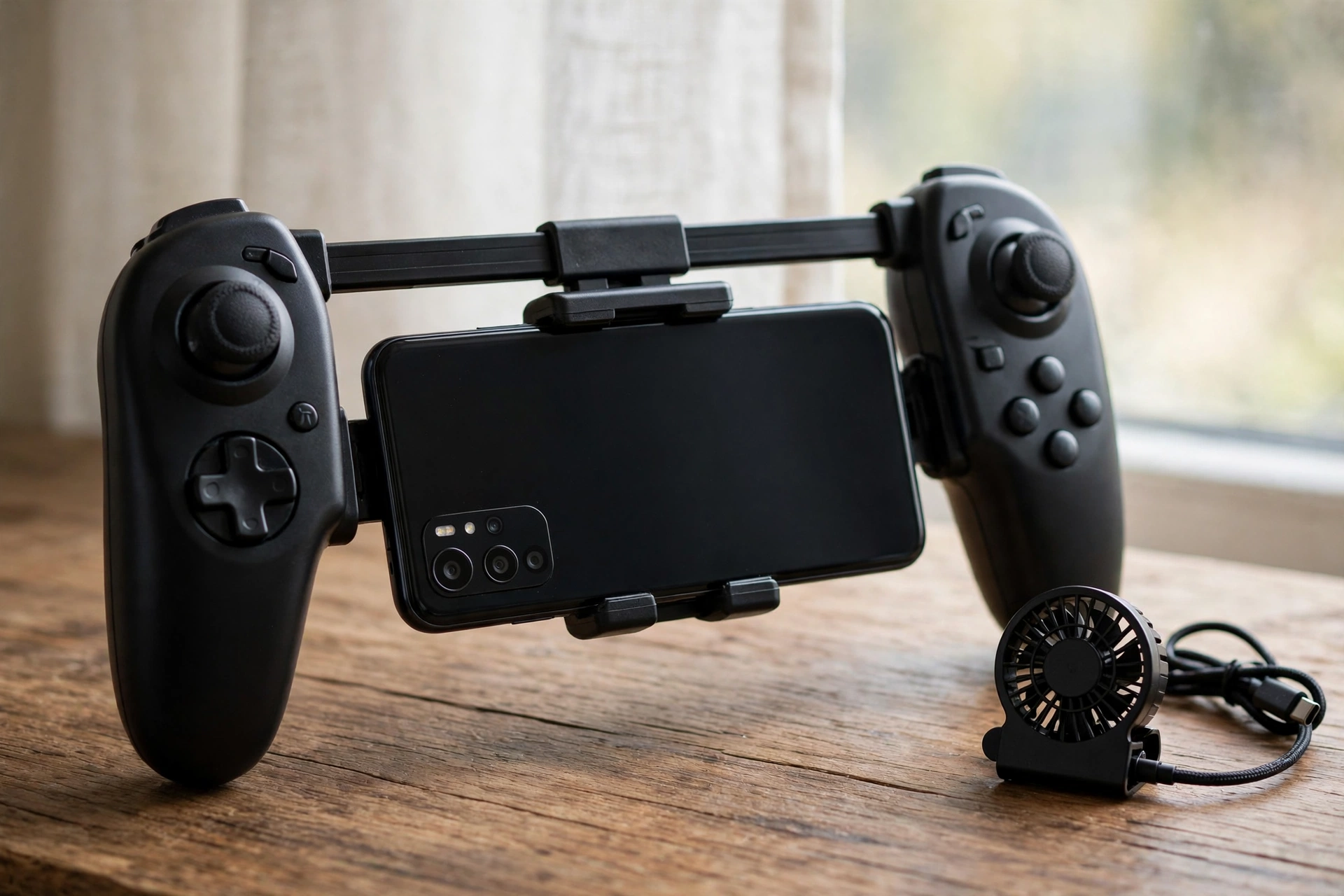
Touch controls work, but they are the weakest part of phone gaming. Your thumbs cover the screen, your fingers get sweaty, and precise aiming on glass is hard. A controller fixes all three problems, and it is the cheapest big upgrade you can buy for a phone you already own.
An android gaming controller comes in three shapes. A telescopic controller grips the phone in the middle, with sticks and buttons on both sides, and turns it into a handheld console. A clip-on controller attaches below or beside the phone. A full size Bluetooth controller, such as an Xbox or PlayStation controller, pairs with the phone and works best with a clip or a stand. The best android phone game controller for you depends on where you play: telescopic for travel, full size for couch play.
The best controller for mobile gaming is the one your games actually support. Most popular shooters and racing games support controllers, but some competitive titles restrict them or match you only with other controller players. Check your main game before you buy. A game controller for phone use should also have low latency, because a laggy Bluetooth connection ruins the point. Modern controllers use Bluetooth Low Energy or a direct USB-C connection, and USB-C is the safer pick for competitive play.
Shoulder triggers are the gaming phone answer to the same problem. Phones such as the ROG Phone 9 Pro and RedMagic models have touch sensitive shoulder areas you map to in-game actions, so you can aim and shoot without lifting your thumbs. A mobile phone controller with triggers, or a smartphone gaming controller with extra buttons, gives a similar edge on a normal phone. The best mobile phone controller is the one that fits your phone with its case off and holds it firmly without wobbling.
If you are choosing between a telescopic gamepad and a clip-on, think about size. A gamepad phone setup with a telescopic controller is the most portable, and a best mobile gamepad folds small enough for a pocket. A clip-on controller is cheaper and lighter, but it can feel cramped on a large phone. The best phone gaming controller for shooters usually has Hall effect sticks, which resist drift longer than older stick designs. The best controller for mobile players who also game on iPhone is a cross-platform model, and if you share gear with an iPhone user, the best game controller for iphone searches point to the same telescopic models that work on Android.
Takeaway: a controller is the best value upgrade in mobile gaming. Buy it before you buy a faster phone.
Battery Life and Heat During Long Sessions
Battery life decides whether a long session ends early, and heat decides whether the phone is still fast when the battery runs low. The two are linked: a bright high refresh screen, a hard working chipset, and a 5G connection drain power fast, and the same workload makes heat.
Gaming phones solve the battery problem with size. The ROG Phone 9 Pro and RedMagic models carry batteries far larger than a normal flagship, which is a big reason their gaming sessions last longer. A phone with a 5,000mAh or larger battery is a good starting point for long play, and 6,000mAh or more is better. But battery size alone does not tell the story. A phone that throttles early uses less power and lasts longer on paper while playing worse, so read battery results next to sustained performance results, never alone.
Charging speed matters between sessions. Many gaming phones charge from empty to most of the way full in about half an hour, which means a short break can rescue an evening. Bypass charging is a feature worth looking for: it powers the phone directly from the charger during play instead of charging the battery at the same time, which keeps heat down and slows battery wear. Phones with this feature can game plugged in for hours without cooking the battery.
Your habits matter as much as the hardware. Playing game on phone screens at full brightness with 5G on and a case trapping heat is the fastest way to a hot, slow phone. Lower the brightness a notch, switch to Wi-Fi when you can, close background apps before a ranked match, and give the phone a few minutes to cool between long games. A small clip-on cooler helps on a normal flagship, and it costs far less than a new phone. If the phone gets too hot to hold comfortably, stop and let it cool. That discomfort is the phone telling you the battery is under stress.
Takeaway: big battery, fast charging, and bypass charging extend sessions, but cooling and habits decide whether the last hour plays as well as the first.
Cloud Gaming on a Phone vs Native Play
Cloud gaming changes the question entirely. Instead of the phone running the game, a server runs it and streams the picture to your phone. Services such as GeForce Now and Xbox Cloud Gaming let a mid range phone play big PC and console games that it could never run natively. The phone becomes a screen and a controller, not the computer.
The trade-off is the network. Cloud gaming needs a fast, stable connection with low latency, and Wi-Fi is almost always better than mobile data. A stutter on a native game is usually heat or a weak chip. A stutter in the cloud is usually the network, and no phone upgrade fixes a bad connection. Data use is also heavy, so unlimited Wi-Fi is the practical way to play in the cloud.
Native play still wins for competitive mobile games. PUBG Mobile, COD Mobile, and Genshin Impact are built for phones, they work offline or on weak connections, and their touch controls are tuned for small screens. Cloud play wins for big PC games you already own, for trying a game before you buy it, and for playing on a phone that could never run it locally. Many players use both: native games for ranked matches, cloud games for story sessions on the couch.
A phone with a good screen and a controller is a better cloud gaming device than a phone with a faster chip, because the chip does little work in the cloud. That flips the normal buying advice. If cloud gaming is your main use, spend on the display, the network, and the controller, and save money on the chipset. Your desk setup matters here too: a comfortable place to sit with the phone on a stand and a controller in your hands makes long cloud sessions far better, and our gaming PC setup guide covers the desk, chair, and screen position that keep long sessions comfortable.
Takeaway: native play is for competitive mobile games, cloud play is for big PC games on a small screen, and a good connection matters more than a fast chip in the cloud.
How Each Big Game Stresses Your Phone
Not every game asks the same thing from a phone. Knowing what your game needs stops you buying the wrong strengths.
Genshin Impact is the hardest test most players will run. Its open world, detailed scenery, and long sessions punish weak cooling first. Genshin Impact phones need a flagship chip, a vapor chamber or better cooling, and 12GB of RAM to hold high settings for an hour. If Genshin Impact is your main game, buy cooling first and treat anything else as a bonus. The best mobile game for Android players who love open worlds is still Genshin Impact, and it is also the game that most honestly shows whether a phone can sustain its speed.
PUBG Mobile and COD Mobile are competitive shooters, so frame rate and touch response matter more than graphics detail. A 90fps or 120fps mode, a fast screen, and a controller or triggers give a real edge. These games also punish heat, because a ranked match that slows down in the final minutes costs you the game. A mid range phone for gaming with a 90Hz display and a solid chip can compete here, as long as it can hold its frame rate.
Fortnite on Android needs a strong chip and plenty of storage, and it plays best on phones with large screens and high refresh rates. Free Fire is lighter, and the best gaming phone for Free Fire does not need flagship speed: a solid mid range chip, 8GB of RAM, and a smooth 90Hz or 120Hz screen are enough. Pokemon Go is a different test entirely: it needs GPS accuracy, a bright screen for outdoor play, and a big battery, because long walks drain power fast. The best phone for Pokemon Go is therefore a phone with a great battery and a screen you can read in sunlight, not the fastest chip on the market.
The best phone game experience for you depends on your library, not on a ranking list. List the two or three games you play most, check what frame rates and settings they offer on the phone you want, and buy for those games. A game smartphone choice made for your library beats a generic top ten list every time. Every game for phone hardware has its own demands, and the right phone is the one that meets yours. An Android mobile game can look simple and still stress a phone, because background downloads, voice chat, and screen recording all add load on top of the game itself. The best mobile phone game for your hardware is the one you already play, running at the settings your phone can hold.
Takeaway: buy for the games you actually play. Genshin Impact needs cooling, shooters need frame rate, and light games need far less phone than sellers suggest.
Phone vs Tablet vs PC Where a Gaming Phone Fits
A phone is the smallest screen you game on, and that size is both its strength and its limit. A tablet gives you a bigger screen, a bigger battery, and more room for cooling, which is why many competitive players keep both. Our guide to the best tablet for gaming compares the top gaming tablets side by side, including the RedMagic Astra 2, a compact gaming tablet with a Snapdragon 8 Elite Gen 5 chip, a 185Hz OLED display, and liquid cooling. If your hands cramp on a phone or your eyes tire on a small screen, a tablet is the next step, not a faster phone.
A PC is a different world. It has real cooling, upgradeable parts, a big monitor, and a keyboard and mouse. A phone will never match a PC for long sessions or for games that need precise controls. But a phone goes everywhere, plays in minutes, and costs far less than a full build. The two complement each other: a phone for travel and quick matches, a PC for long evenings. If you are building the PC side, our guide to how to build a gaming PC without bottlenecks walks through matching parts so nothing holds the rest back.
The top phone for gaming in your life is the one that fits how you play. A high end gaming phone is the pick if the phone is your main gaming device. A gaming Samsung phone such as the Galaxy S26 Ultra is the pick if the phone must also be your camera, your work device, and your gaming device. The best samsung phone for gaming is the one with the newest chip and the best cooling Samsung offers that year, and the samsung phone for gaming that suits most buyers is the Ultra model. A samsung galaxy phone under 25000 is a good budget Samsung pick where it is sold, though it will not match the Ultra for heavy games. The top android gaming phones are the dedicated gaming models, while the best all-rounders are the flagships.
Takeaway: a phone is for play anywhere, a tablet is for a bigger screen with the same games, and a PC is for the longest sessions. Most players are happiest with two of the three.
Common Mistakes When Buying a Gaming Phone
Most bad gaming phone buys come from the same few mistakes, and all of them are easy to avoid.
The first mistake is buying benchmark numbers instead of sustained speed. A phone that wins a sixty second test and throttles in ten minutes will lose every long match. Look for sustained performance results and cooling design before you look at peak scores. The highest antutu score phone under 20000 lists change every month as new models launch, and a top score on a phone with poor cooling is a trap, not a bargain.
The second mistake is buying a cheap phone for gaming and expecting flagship results. Low budget gaming phones have their place, and a budget friendly gaming phone is a smart buy when your games are light, but a phone with a weak chip and 4GB of RAM will not run Genshin Impact at high settings no matter what the box promises. Budget friendly android phones are good value when you match them to light and medium games.
The third mistake is ignoring software support. A gaming phone with two years of updates ages fast, while a flagship with five or more years stays safe and smooth longer. Check the update promise before you buy, especially on dedicated gaming phones.
The fourth mistake is buying storage too small. Games grow with every update, and a 128GB phone fills up fast. Pay for 256GB if you can. The fifth mistake is forgetting the network: a phone with weak Wi-Fi or no 5G in your area will lag online no matter how fast its chip is. The sixth mistake is buying a snapdragon phone under 30000 without checking which Snapdragon it actually has, because the name alone does not tell you the generation.
Takeaway: buy sustained speed, enough storage, long software support, and the right chip generation. Skip the phone that only wins on paper.
Key Takeaways
- A gaming phone bottlenecks like a PC: one weak part limits the rest.
- Heat is the main enemy. Sustained speed matters more than peak speed.
- Snapdragon is the safest gaming chip, Dimensity is the value challenger, and Tensor suits light gaming.
- 12GB of RAM and 256GB of fast storage suit most players.
- A 120Hz OLED display is the sweet spot, and only pay for more if your games unlock it.
- A controller is the cheapest big upgrade for a phone you already own.
- Buy for the games you actually play, and check current prices before you buy.
Frequently Asked Questions
What is the best Android phone for gaming in 2026?
The best android phone for gaming in 2026 depends on how you play. The Asus ROG Phone 9 Pro is the best dedicated gaming phone overall, the RedMagic 11 Pro is the best for long sessions because of its fan and liquid cooling, and the Samsung Galaxy S26 Ultra is the best gaming Android flagship for everyday life. Budget buyers should look at the OnePlus 15R or the Poco F9 Pro, which offer strong gaming speed for less money.
Is 8GB RAM enough for gaming on a phone?
Yes, 8GB is enough for most players and most popular games. It runs Genshin Impact, PUBG Mobile, and COD Mobile with room for Android and a few background apps. 12GB is better if you multitask heavily, stream, or record while you play, and it gives you more headroom if you keep the phone for several years. 16GB suits heavy users, while 24GB is rarely needed.
Why does my phone lag after ten minutes of gaming?
Heat is the usual cause. The chipset makes more heat than a thin phone can shed, so the phone lowers its speed to protect the battery and keep the surface comfortable. That slowdown is thermal throttling. Take the case off, lower the brightness, switch to Wi-Fi, avoid charging during play, and let the phone cool between matches. A clip-on cooler helps on phones with weak cooling.
Do I really need a gaming phone, or will a flagship work?
A flagship works well for most players. A gaming phone is worth it only if you play demanding games for long sessions, want shoulder triggers and a fan, and accept weaker cameras and shorter software support. If your phone must also be your camera and work device, a flagship such as the Samsung Galaxy S26 Ultra is the better buy.
Can a cheap phone run Genshin Impact and PUBG Mobile?
A cheap phone can run both games, but not at high settings and not smoothly for long sessions. PUBG Mobile is lighter and runs well on a solid mid range phone at medium settings. Genshin Impact needs a flagship chip, good cooling, and 12GB of RAM for high settings. If those two games are your main titles, buy the strongest chip and cooling your budget allows.
Is 120Hz worth it for mobile gaming?
Yes, if your games support high frame rates on your phone. A 120Hz display makes motion look smoother in games that unlock 90 or 120 frames per second. In games capped at 60 frames per second, a 120Hz screen adds little. Check whether your main games offer 90fps or 120fps modes on the exact phone you plan to buy before you pay extra for a higher refresh rate.
Does a mobile controller make a real difference?
Yes, for most players it is the biggest single upgrade after the phone itself. A controller keeps your thumbs off the screen, improves aiming, and reduces finger fatigue in long sessions. An android phone controller that connects over USB-C has the lowest latency, and the best android phone controller for travel is a telescopic model that folds small. The best controller for mobile play is the one your games support, so check compatibility with your main game first.
Can I play PC games on my Android phone with cloud gaming?
Yes, through services such as GeForce Now and Xbox Cloud Gaming. The server runs the game and streams it to your phone, so even a mid range phone can play big PC games. You need fast, stable Wi-Fi with low latency, and a controller makes the experience far better. Cloud gaming suits story games and trying new titles, while native mobile games are still better for competitive ranked play.
What is the best budget gaming phone under 20000?
The best phones under 20 k for gaming are usually performance focused mid range models with a Snapdragon 7 series or older 8 series chip, 8GB of RAM, and at least 128GB of storage. Look at Samsung Galaxy A series models, Redmi 5G models, iQOO models, and Infinix gaming models in that band, and compare the chip and cooling rather than the camera count. Check current prices and sale deals before you buy, because the best pick in this band changes often.
Conclusion
An android phone for gaming is a small system, and it plays well only when every part pulls together. The chip sets the ceiling, cooling decides how long you stay near it, RAM and storage keep the game fed, the display shows what the chip produces, and the battery decides when the session ends. The top phone gaming picks of 2026 all get that balance right in different ways: dedicated gaming phones for pure play, flagships for everything, and value phones for players who want speed without the top price.
Start with your games, then your budget, then the chip and cooling that fit both. Check whether your games unlock high frame rates on the phone you want, buy 12GB of RAM and 256GB of storage when you can, and add a controller before you chase a faster phone. Do that, and the next phone you buy will still feel fast in the thirtieth minute of a match, not only in the first.

Leave a Reply