
If you are shopping for a mainstream graphics card in 2026, rtx 5060 vs rtx 4060 is one of the most common comparisons you will face. Both cards launched at 299 dollars, both carry 8GB of video memory, and both are aimed squarely at 1080p gaming. The difference is that one is the current generation card with newer architecture and newer AI features, while the other is the previous generation card that is now mostly found as remaining stock or on the used market. This guide compares them on specs, real gaming performance, video memory, CPU pairings, power and compatibility, and price, so you can make a clear decision instead of guessing from a single benchmark chart.
Buy the RTX 5060 if you are building a new PC or buying a new card today. It is roughly one fifth to one quarter faster in raster games, it has much faster GDDR7 memory, and it supports DLSS 4 with Multi Frame Generation, which the RTX 4060 cannot use. For a new purchase at a similar price, the newer card is the better buy.
Keep the RTX 4060 if you already own one and it still hits your frame rate target. The upgrade is real, but it does not change the class of gaming you can do. Both cards are 8GB cards, both are happiest at 1080p, and neither one turns a 1080p PC into a comfortable 4K PC. Spend the upgrade money on a bigger jump, such as a 16GB card or a higher tier GPU, instead.
At 1080p: RTX 5060 wins clearly. Expect a useful lift in most games, plus DLSS 4 in supported titles.
At 1440p: RTX 5060 wins on raw speed, but both cards need compromises. Drop texture quality by one step or use DLSS in demanding games, and treat 1440p ultra in the heaviest new titles as a stretch for either card.
Upgrade first if you already own an RTX 4060: Do not upgrade the GPU alone to an RTX 5060. Upgrade to a card with more memory or a higher tier first, or put the money toward a CPU, monitor, or storage upgrade that actually changes your experience.
RTX 5060 vs RTX 4060 Specs Compared
The spec sheet tells a story that is easy to misread if you only look at one number. The RTX 5060 does not win because it has more memory. It wins because it has more cores, much faster memory, and a newer architecture, all at a modest increase in power draw. The RTX 4060 remains an efficient card, and that efficiency is part of why it still makes sense in a small or older PC, but efficiency alone does not close a 20 percent plus performance gap.
| Specification | RTX 5060 | RTX 4060 |
|---|---|---|
| Architecture | Blackwell | Ada Lovelace |
| CUDA cores | 3840 | 3072 |
| Video memory | 8GB GDDR7 | 8GB GDDR6 |
| Memory bus | 128-bit | 128-bit |
| Memory bandwidth | 448 GB/s | 272 GB/s |
| Boost clock | About 2.50 GHz | About 2.46 GHz |
| Ray tracing cores | 4th generation | 3rd generation |
| Tensor cores | 5th generation | 4th generation |
| DLSS support | DLSS 4 with Multi Frame Generation | DLSS 3 with Frame Generation |
| PCIe interface | PCIe 5.0 x8 | PCIe 4.0 x8 |
| Board power | 145W | 115W |
| Recommended power supply | 550W | 550W |
| Launch price | 299 dollars | 299 dollars |
The most important line in that table is memory bandwidth. The RTX 5060 moves data at 448 GB/s compared with 272 GB/s on the RTX 4060, a jump of about 65 percent, even though both cards use a 128-bit bus and 8GB of memory. Faster memory does not remove the 8GB limit, which we cover in detail below, but it does help the card feed its cores more quickly, and that shows up in smoother frame times in many games.
Power is the other practical difference. The RTX 5060 draws 145W compared with 115W for the RTX 4060, yet NVIDIA still recommends a 550W power supply for a typical system with either card. In practice, that means most buyers do not need a new power supply to move from one card to the other, provided the existing supply is a decent quality unit and not already at its limit. A single 8-pin connector powers both cards, which keeps the swap simple in most cases.
For full manufacturer specifications, see NVIDIA GeForce RTX 5060 family specifications and the TechPowerUp RTX 5060 specifications page.
What Changed From Ada Lovelace to Blackwell
A generation change is more than a new model number. Blackwell brings fourth generation ray tracing cores and fifth generation tensor cores to the 60 class, along with support for DLSS 4. The practical result is better ray tracing performance and access to newer AI upscaling and frame generation features. It does not magically fix every limit of a mainstream card, and buyers should not expect flagship features at a mainstream price, but the feature gap between these two cards is wider than the raw raster gap alone suggests.
DLSS is where the difference is easiest to feel. DLSS 3 on the RTX 4060 already helps a lot: Super Resolution renders at a lower internal resolution and upscales the image, and Frame Generation inserts an AI generated frame between rendered frames. DLSS 4 on the RTX 5060 goes further with Multi Frame Generation, which can generate multiple frames for each rendered frame in supported games. That can produce very high displayed frame rates, but it is important to understand what those numbers mean. Generated frames make motion look smoother, yet they do not reduce input lag in the same way as a genuinely higher rendered frame rate, and they work best when the base frame rate is already solid. If a game runs at a low base frame rate, Multi Frame Generation will not rescue it. If a game already runs well, it can make high refresh rate gaming feel notably smoother.
Ray tracing follows a similar pattern. The RTX 5060 handles ray tracing better than the RTX 4060, especially at 1080p with DLSS enabled. Neither card is a comfortable choice for heavy path tracing at high resolutions, and buyers who want that experience should look a tier or two higher. For light to moderate ray tracing at 1080p, the RTX 5060 is the more capable card, and it is the one to pick if ray traced lighting matters to you.
NVIDIA’s launch announcement for the 50 series family confirms the 299 dollar starting price and the DLSS 4 feature set for these cards, as described in NVIDIA’s Blackwell launch announcement. Drivers also matter in 2026, and they are an easy win that costs nothing. NVIDIA’s October 2026 driver 621.01 adds Advanced Shader Delivery, with support noted for titles including Call of Duty: Modern Warfare 4 and Gears of War E-Day. New drivers do not change which card is faster, but they can improve shader compilation stutter in supported games, so update to a current Game Ready driver after installing either card and retest before judging performance. This is a good example of why a 2026 buying guide cannot rely only on launch reviews: the software around both cards keeps moving.
Real World Performance at 1080p and 1440p
Published third party testing gives a consistent picture. TechSpot testing cited across 2026 comparisons puts the RTX 5060 about 22 percent ahead of the RTX 4060 at 1080p and about 27 percent ahead at 1440p in its test suites. Other outlets report a similar range, roughly 20 to 30 percent depending on the game mix, settings, and test system. That range is the honest way to describe the gap: it is large enough to notice, but it is not a doubling of performance, and it varies by title.
The table below is an estimate compiled from published third party benchmarks, not in-house testing. Figures assume high settings at each resolution on a capable modern CPU, without DLSS frame generation, and they will vary with your CPU, RAM, game version, and driver. Treat them as a guide to the size of the gap, not as a promise for your exact PC.
| Game | RTX 4060 at 1080p | RTX 5060 at 1080p | RTX 4060 at 1440p | RTX 5060 at 1440p |
|---|---|---|---|---|
| Cyberpunk 2077 | 62 | 78 | 38 | 48 |
| Baldur’s Gate 3 | 78 | 96 | 52 | 66 |
| Forza Horizon 5 | 95 | 118 | 68 | 86 |
| Call of Duty: Warzone | 95 | 118 | 66 | 84 |
| Fortnite | 110 | 138 | 78 | 98 |
| Apex Legends | 130 | 158 | 92 | 115 |
| Valorant | 280 | 340 | 220 | 265 |
| Counter-Strike 2 | 190 | 235 | 140 | 172 |
| Hogwarts Legacy | 68 | 86 | 44 | 56 |
| Red Dead Redemption 2 | 72 | 90 | 48 | 60 |
All figures are estimated average frames per second. Esports titles show the largest absolute numbers because they are less demanding, but the percentage gap stays in the same broad range. At 1080p, the RTX 5060 turns several games that sit in the 60 to 70 frames per second range on the RTX 4060 into comfortable high refresh rate experiences. At 1440p, the RTX 5060 is faster, but demanding single player games still sit in the 45 to 65 frames per second range in this estimate, which is why DLSS or a settings tweak remains useful at that resolution.
A note on 4K: neither card is a good 4K gaming card for modern AAA titles. The RTX 5060 is faster than the RTX 4060 at 4K too, but faster does not mean comfortable when averages fall into the 20s and low 30s in demanding games. If 4K is your target, save for a higher tier card with more memory instead of stretching either of these cards beyond their design point.
The 8GB VRAM Problem Honestly Explained
Both cards have 8GB of video memory, and that shared limit is the single biggest caveat in this whole comparison. The RTX 5060 is a faster 8GB card, not a card that escapes the limits of 8GB. That distinction matters more in 2026 than it did at the RTX 4060 launch, because newer games use larger texture budgets and because texture quality settings that once fit comfortably in 8GB now push against the limit at 1440p.
At 1080p, 8GB remains workable for most games at high settings. Esports titles, well optimized games, and most titles from a few years ago will not trouble either card. Problems show up mainly at 1440p with ultra textures in heavy open world games, and in a small number of very demanding titles where exceeding video memory causes stutter, texture pop in, or a sharp drop in the lowest frame rates even when the average frame rate looks fine. Published testing of 8GB cards in 2026 has highlighted exactly this pattern in titles such as STALKER 2 and Oblivion Remastered at 1440p: averages can look playable while the experience feels choppy.
The practical fix is simple and free. Drop texture quality from ultra to high, or from high to medium in the heaviest games, and the problem usually goes away. That is not a satisfying answer if you paid for ultra settings, but it is the honest trade off of buying an 8GB card in 2026. If you refuse to touch texture settings, or if you plan to keep the card for four or five years and play the heaviest new releases at 1440p, then neither of these cards is the right long term pick. Look at a 16GB alternative in the section below instead.
For a deeper explanation of what a bottleneck actually is and how to spot one in your own system, see our guide on how to find a PC bottleneck. Memory limits, CPU limits, and settings choices can all look alike on screen, so checking before you spend money saves a disappointing upgrade.
CPU Pairings That Avoid Bottlenecks for Each Card
A graphics card comparison is incomplete without the CPU, because the wrong pairing can hide the very performance gap you are paying for. Both of these cards are mainstream GPUs, so they do not need a flagship CPU. What they need is a modern six core CPU with good single core performance, enough RAM, and no ancient platform holding them back.
For the RTX 5060, a good pairing target is a modern midrange CPU such as a Ryzen 5 7600, Ryzen 5 9600X, Intel Core i5-12400F or newer, or Core i5-14400F class processor, paired with 16GB of RAM at minimum and 32GB if your budget allows. These CPUs keep the RTX 5060 fed at 1080p in most games without becoming the limit themselves. At 1440p, the GPU becomes the limit more often, which actually makes CPU choice less critical, but a weak or very old CPU will still hurt frame consistency and 1 percent lows.
For the RTX 4060, the same class of CPU works well, and slightly older CPUs remain more forgiving because the card itself is slower. A Ryzen 5 5600, Ryzen 7 5700X, Intel Core i5-12400F, or similar processor pairs cleanly with the RTX 4060 at 1080p. If you already own one of those CPUs, there is no need to upgrade the CPU just to run either card. If you are still on a four core CPU from many years ago, or on slow single channel RAM, fix that first: a graphics card upgrade will not fix stutter caused by the rest of the system.
Older PC owners should read this pairing advice carefully. If you are upgrading an old PC, our guide to the best GPU for an old PC upgrade covers the platform checks that matter, including power supply age, case airflow, and BIOS support. For RTX 5060 specific pairing detail, see our best CPU for RTX 5060 guide.
One more pairing point deserves emphasis. DLSS does not remove a CPU bottleneck, and in some cases it can make one more visible, because upscaling lowers the GPU load and leaves the CPU as the remaining limit. Our explainer on whether DLSS reduces a CPU bottleneck walks through that effect. The short version: if your CPU is already at its limit at 1080p, DLSS will raise the frame rate ceiling less than you expect, and the fix is a CPU upgrade, not a different DLSS setting.
To judge whether your current pairing is balanced, check what a good bottleneck percentage looks like. A small GPU bottleneck at high resolutions is normal and often desirable, because it means the graphics card is fully used. A large CPU bottleneck at 1080p in competitive games is the pattern to fix.
Power, PCIe, and Compatibility
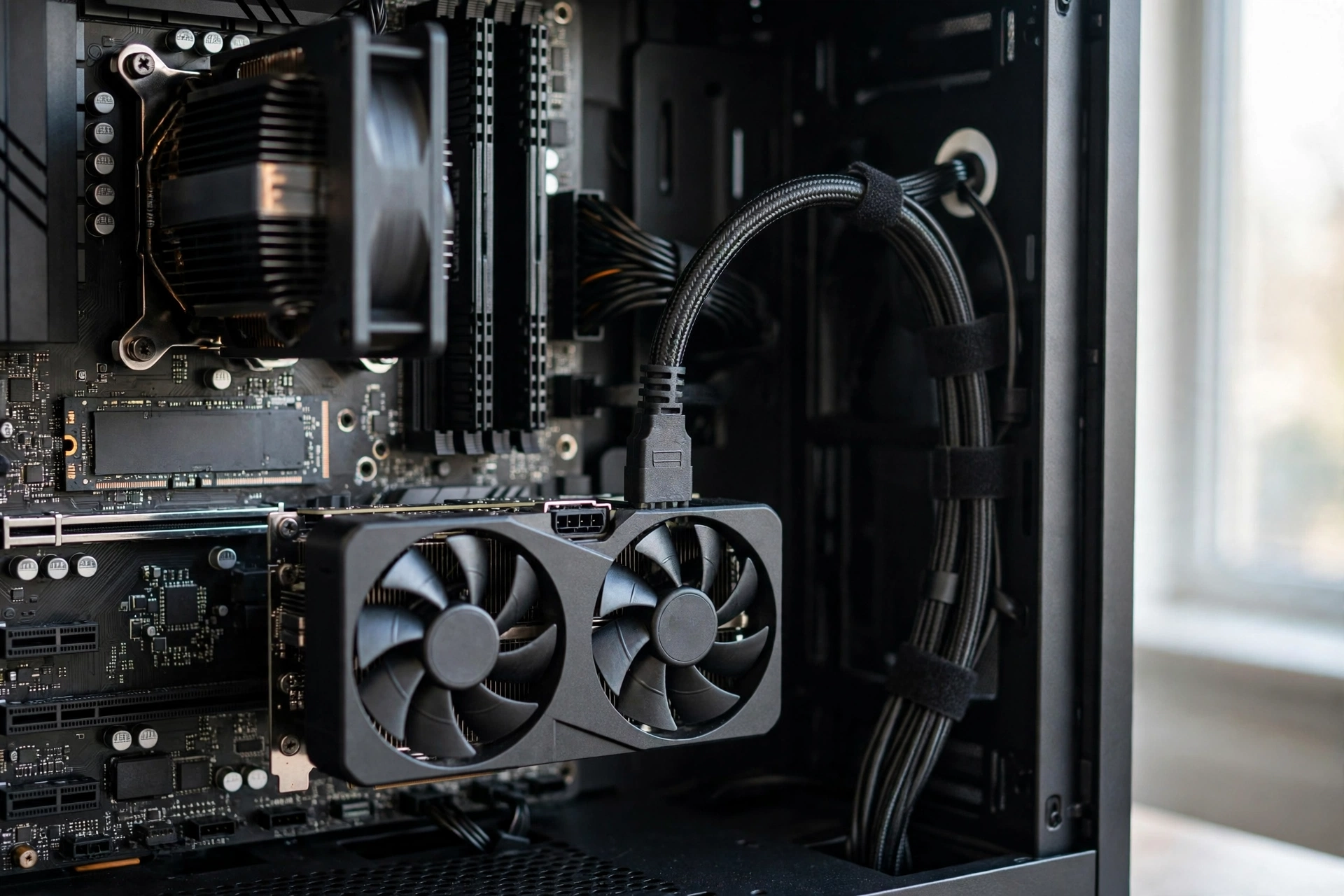
Both cards are easy to live with, and that is part of their appeal. They are dual slot cards in most partner designs, they use a single 8-pin power connector, and they fit in most mainstream cases. The RTX 5060 asks for 30W more board power than the RTX 4060, but the recommended system power supply stays at 550W for both, so a quality 550W to 650W unit with a modern CPU is normally plenty. If your power supply is very old, unbranded, or already running close to its limit with extra drives and fans, replace it before blaming the graphics card for instability.
PCIe is the compatibility question buyers ask most, and it deserves a straight answer. The RTX 5060 uses a PCIe 5.0 x8 interface, while the RTX 4060 uses PCIe 4.0 x8. On a modern PCIe 4.0 or 5.0 motherboard, the x8 width is not a practical problem for either card at 1080p, because the interface still offers plenty of bandwidth for a mainstream GPU. On an older PCIe 3.0 system, the effective bandwidth drops further, and that is where an x8 card can lose a few percent in some games compared with a full x16 card. The loss is usually small, but it is real, and it is one more reason to check your motherboard generation before buying. If your system is PCIe 3.0 only, budget for the possibility of a small penalty, or consider a card with a wider interface if you find one at a similar price.
Other compatibility checks are quick. Confirm your case has room for the card length of the partner model you pick, since lengths vary by cooler design. Confirm your monitor connection matches the card outputs, usually three DisplayPort and one HDMI on modern NVIDIA cards, and check whether your monitor supports G-SYNC or high refresh rates that the new card can actually drive. Finally, update your BIOS and chipset drivers if you are installing a 50 series card in an older board, and install the latest NVIDIA driver after the hardware swap.
Price and the Used Market in the 2026 Shortage
Both cards launched at 299 dollars, but launch price is not street price in 2026. Memory price pressure in 2026, driven by rising DDR5 costs and broader component demand, has put upward pressure on PC building costs generally, and GPU availability has been uneven through the year. Our GPU shortage in 2026 coverage explains why a buyer in this market should compare live listings rather than trusting an old review price.
That advice matters directly here. When a previous generation card is down to remaining stock, its price does not always fall neatly below the replacement. In some listings, a new RTX 4060 can cost as much as, or more than, a new RTX 5060, which makes the older card a poor buy no matter how you view the specs. The rule is simple: if the RTX 4060 costs the same as the RTX 5060, buy the RTX 5060. If the RTX 4060 is clearly cheaper by a margin that matters to you, and you only play at 1080p, then the older card can still be a rational budget choice, provided it is new, sealed, and covered by warranty.
The used market needs more caution. A used RTX 4060 can be a genuine bargain, especially from a known seller with proof of purchase and a card that was never used for mining or heavy overclocking. It can also be a risk: no warranty, unknown thermal history, and a cooler full of dust. Before buying used, ask for photos of the card, the original box if available, and a short video of it running a game or benchmark. Test it yourself on arrival, check temperatures under load, and keep the option to return it if anything looks wrong. Never pay a used price close to a new RTX 5060 price, because at that point the warranty and the newer features of the new card are worth more than the saving.
Market context also helps set expectations. The Steam hardware survey for September 2026 shows the RTX 5070 as the most popular GPU at 6.2 percent, with AMD CPU share at 48.4 percent. That does not mean everyone should buy a 5070, but it does show that many buyers in 2026 are stretching one tier above the 60 class when they can, often because they want more memory headroom and stronger 1440p performance. If your budget can stretch that far without cutting corners on the power supply or RAM, that is a legitimate reason to look beyond both cards in this comparison.
A Better Alternative for the Same Money
If the 8GB limit worries you, the best alternative for similar money is not another 8GB card. It is a card with more memory, even if that means accepting a different brand or a slightly different feature set. The RTX 5060 Ti 16GB is the direct NVIDIA step up: same Blackwell feature set, same DLSS 4 support, but double the memory, which removes the texture compromise at 1440p in most games. It costs more than the base RTX 5060, so it is not strictly the same money, but it is the smallest step that actually changes the long term picture.
AMD and Intel alternatives also deserve a look, depending on live pricing. A 16GB AMD card in this price region gives you memory headroom and strong raster performance, though you give up DLSS 4 and NVIDIA’s broader ray tracing and creator ecosystem. An Intel Arc card with 12GB or more can offer strong value for buyers who mainly play at 1080p and 1440p without heavy ray tracing, though driver maturity and game specific quirks vary more than on NVIDIA. The right choice depends on which games you play and whether DLSS, ray tracing, or streaming features matter to you, so compare live prices and check reviews for your specific games before switching brands.
For buyers on a tight budget, the honest alternative is patience. If you already own an RTX 4060, waiting for a larger generational jump or a sale on a 16GB card will give you a bigger improvement than a side step to another 8GB card. If you own something much older, such as a GTX 1660 or RTX 2060, then the RTX 5060 itself is a large jump and needs no alternative justification.
Who Should Buy Which Card
Use this section as a checklist, not as a slogan. Your games, resolution, and budget matter more than any single verdict.
Buy the RTX 5060 if: you are building a new PC, you play at 1080p and want high refresh rates, you play games that support DLSS 4, you want better ray tracing at 1080p, or you are upgrading from a card two or more generations old.
Buy the RTX 4060 if: you find a genuine, warranty covered bargain well below the RTX 5060 price, you only play at 1080p, your games are not VRAM heavy, and you would rather put the saving toward RAM, storage, or a better monitor.
Buy neither if: you play mainly at 1440p ultra in heavy new games, you refuse to lower texture settings, or you want a card to last five years without compromise. In that case, save for a 16GB card or a higher tier GPU.
Keep your current card if: you already own an RTX 4060 and it meets your target. A 20 to 27 percent gain is not worth the cost and hassle of a side grade when the memory limit stays exactly the same.
Common Mistakes to Avoid
First, do not buy on VRAM capacity alone. Both cards have 8GB, so VRAM does not separate them. Bandwidth, architecture, and DLSS support do. Second, do not judge DLSS 4 by its biggest marketing number. Multi Frame Generation numbers look dramatic, but base frame rate and input lag still matter, especially in competitive games. Third, do not ignore the CPU. A weak CPU will cap both cards at 1080p, and the faster card will look disappointing through no fault of its own. Fourth, do not buy a used card at a new card price. Warranty, condition, and return options have real value in a shortage market. Fifth, do not assume a power supply upgrade is needed, or that one is unnecessary, without checking. A quality 550W unit is fine for most builds with either card, but an old or low quality unit is a risk regardless of which card you pick.
Frequently Asked Questions
Is upgrading from an RTX 4060 to an RTX 5060 worth it?
For most existing RTX 4060 owners, no, not as a standalone upgrade. The RTX 5060 is faster and has better features, but both cards are 8GB cards aimed mainly at 1080p gaming, so the upgrade does not change what you can play or at what settings. It is worth it as a new purchase when you are choosing between the two cards today, and it is worth it as an upgrade from a much older card. If you already own an RTX 4060 and want a real improvement, wait for a higher tier or 16GB card.
Is 8GB of VRAM enough in 2026?
At 1080p, yes for most games at high settings. At 1440p with ultra textures in heavy new titles, 8GB can become a limit, causing stutter or texture problems even when average frame rates look acceptable. Lowering texture quality by one step usually fixes it. If you play mainly at 1440p ultra and want no compromises, choose a 16GB card instead of either card in this comparison.
How much performance will I lose on a PCIe 4.0 or PCIe 3.0 slot?
On a PCIe 4.0 motherboard, expect little to no practical loss with either card at 1080p, since both cards use an x8 interface and mainstream GPUs do not saturate that link in most games. On a PCIe 3.0 system, the effective bandwidth is lower and you may lose a few percent in some games. The effect is small compared with the generation gap between the cards, but it is worth knowing before you install a new card in a very old system.
What power supply do I need for an RTX 5060?
NVIDIA recommends a 550W power supply for a typical system with an RTX 5060, the same recommendation as for the RTX 4060. A good quality 550W to 650W unit is normally enough with a midrange CPU. Check that your supply has a free 8-pin PCIe connector, that it is not very old or unbranded, and that your case has enough airflow for the extra 30W of board power compared with the RTX 4060.
Should I buy a used RTX 4060 or a new RTX 5060?
Buy the new RTX 5060 if the prices are close, because you get a warranty, newer features, DLSS 4, and faster memory. Buy a used RTX 4060 only if the saving is large, the seller is trustworthy, you can test the card on arrival, and you mainly play at 1080p. Never pay close to new RTX 5060 money for a used RTX 4060 with no warranty.
Conclusion
RTX 5060 vs RTX 4060 is not a close call for a new purchase, and it is not a compelling upgrade for an existing owner. Those two statements sound contradictory, but both are true, and they are the key to buying well in 2026. The RTX 5060 is faster by roughly one fifth to one quarter in raster games, it has far faster memory, and it alone offers DLSS 4 with Multi Frame Generation. At a similar price, it is clearly the better buy. The RTX 4060, meanwhile, remains a capable 1080p card, and if you already own one, the smart move is to keep it until you can afford a jump that actually changes your gaming: more memory, a higher tier, or both.
Check your CPU pairing, confirm your power supply and PCIe generation, compare live prices in the current shortage market, and be honest about whether 8GB fits your games at your resolution. Do that, and whichever card you choose will be a choice you made on purpose, not a guess based on a single spec or a single chart. For a new PC in 2026, that choice is the RTX 5060. For an existing RTX 4060 owner, that choice is to wait for a bigger upgrade.

Leave a Reply