

Quick answer: Valorant is CPU-bound at the settings competitive players use. Your processor’s single-thread performance sets your maximum frame rate far more than your graphics card. Upgrading your CPU, running fast dual-channel RAM, and using the right in-game settings are what push you past 300 FPS at 1080p.
Is Valorant CPU or GPU Bound?
So, is valorant cpu or gpu bound? The short answer is your CPU. Riot built Valorant for competitive integrity first and visual spectacle second. The game runs on a modified Unreal Engine 4 tuned to render frames as fast as possible with minimal GPU overhead. At the 1080p low-to-medium settings that nearly every serious player uses, a midrange graphics card finishes drawing each frame faster than most CPUs can prepare the next one. That means the processor is the ceiling on your frame rate, not your graphics card.
This is why you see players with a modest GPU and a strong CPU getting 400 or more FPS, while players with an expensive graphics card and an aging processor sit stuck at 150 FPS wondering what went wrong. If your goal is high, stable frame rates for a 144Hz, 240Hz, or 360Hz monitor, your money and your troubleshooting should go to the CPU side of your system first.
Why Your CPU Decides Your FPS in Valorant
Understanding why Valorant leans on the processor helps you make every upgrade and settings decision correctly. Three things work together here.
The Engine Lives and Dies by Single-Thread Speed
Valorant’s game logic, physics calculations, hit registration, and frame preparation all run through a small number of CPU threads, with one main thread doing the heaviest lifting. A processor with fewer, faster cores will almost always beat a processor with more, slower cores in this game. This is why a modern 6-core chip with high boost clocks outperforms an older 8-core chip at lower clocks, and why CPUs with huge gaming caches, like AMD’s X3D chips, dominate Valorant benchmarks. Core count beyond six or eight cores gives you almost nothing extra in this game. Clock speed and cache do.
At 1080p, Your GPU Is Waiting Around
Performance analysis from PC Optimized Settings measured how much the GPU is actually the limiting factor in Valorant across resolutions. Their GPU-busy deviation numbers tell the story clearly: at 4K on high settings the deviation was only 8 percent, meaning the load was fairly balanced, but at 1440p it rose to 43 percent and at 1080p it hit 60 percent, with the test system pushing over 600 FPS on average. You can read their full breakdown on their Valorant optimization guide. A 60 percent deviation at 1080p means the GPU spends most of its time waiting for the CPU. At the competitive settings most players use, that waiting time is even larger.
Frame Times Matter More Than Frame Rates
At 144 FPS your CPU must deliver a frame roughly every 7 milliseconds. At 240 FPS that window shrinks to about 4 milliseconds, and at 360 FPS it is about 2.8 milliseconds. Even tiny variations in how fast the CPU hands frames to the GPU show up as microstutter, the brief hitches you feel even when the average FPS number looks fine. A CPU with stronger single-thread performance and faster memory delivers frames on a tighter, more consistent schedule. That is the real reason competitive players obsess over CPUs: not the average FPS number, but the smoothness of the frame delivery. A stable 280 FPS with tight frame times feels better and aims better than a spiky 350 FPS.
The Exceptions When Valorant Does Become GPU-Bound
Valorant is CPU-bound at competitive settings, but there are real situations where the graphics card becomes the limit. Knowing them saves you from upgrading the wrong part.
First, resolution. Push the game to 4K on high settings and the balance flips, because the GPU now has far more pixels to shade per frame. At 1440p on maxed settings with an older midrange card, you can also run into a GPU limit. Second, weak integrated graphics. An old Intel HD 4000-class or very early AMD APU can hold the game back even at 720p low settings, because the GPU simply cannot keep up. Third, background capture. If you record or stream with GPU encoding while playing, you steal graphics resources and the GPU can become the bottleneck, especially on older cards. Fourth, extremely high settings on modest hardware. Maxing out material quality, detail quality, and anti-aliasing at 1440p will stress the GPU more than competitive players ever ask it to.
For most readers chasing 300+ FPS at 1080p, though, these exceptions do not apply. Your target is a CPU-first system.
How to Find Out Which Component Limits YOUR PC
Before spending money or changing anything, spend ten minutes diagnosing your actual bottleneck. Guessing wastes money. Here is a reliable method using free tools.
- Install a monitoring overlay. MSI Afterburner with RivaTuner Statistics Server is free and standard. Configure it to show GPU usage percentage, CPU usage per core (not just the total), RAM usage, and your frame rate.
- Play a real match, not the practice range. Load a deathmatch or an unrated game and watch the numbers during actual fights with abilities going off. The range is too light a load to reveal anything.
- Read the numbers correctly. If your GPU usage sits below 70 percent while one or more CPU cores are pinned high, your CPU is the bottleneck. That is the classic Valorant signature. If your GPU usage is near 100 percent while the CPU is relaxed, your GPU is the limit (unusual in Valorant at 1080p, but possible at 4K or on weak integrated graphics).
- Watch the trap case: low usage on BOTH. If neither your CPU nor your GPU is working hard yet your FPS is low, the real limit is usually memory, thermals, or a background problem. A real Tom’s Hardware forum case had an RTX 3070 paired with a Ryzen 7 3700X showing low usage on both parts and poor Valorant FPS, and the culprit turned out to be slow DDR4-2400 RAM in the wrong configuration holding the whole platform back. You can read that solved thread on Tom’s Hardware. Also check CPU temperatures: a chip thermal throttling at 95 degrees will show low effective usage and low FPS.
- Test per-core, not total CPU usage. Valorant’s main thread can max out one core while total CPU usage reads 30 percent. If you only watch the total, you will miss the bottleneck completely.
If you want a broader guide to reading these signals across any game, our article on the 10 signs your CPU is bottlenecking your GPU walks through the same diagnosis in detail, and our why is my FPS so low guide covers the non-hardware causes people overlook.
The Best Valorant Settings for Maximum FPS in 2026

Competitive Valorant players converge on nearly the same settings, because Riot designed the game so that low settings still look clean and readable. These are the settings that maximize frame rate without hurting your ability to spot enemies.
| Setting | Recommended Value | Why |
|---|---|---|
| Display Mode | Fullscreen | Lowest input lag, best frame pacing |
| Resolution | Native (usually 1920×1080) | Stretched resolutions do not help in Valorant like they do in CS, models do not widen usefully |
| FPS Limit | Uncapped, or 10% above your refresh rate | Uncapped gives lowest input lag; a cap slightly above refresh rate prevents tearing without G-Sync |
| Multithreaded Rendering | On at 1080p/1440p | Spreads frame work across threads; at 4K you can test turning it off if GPU-bound |
| Material Quality | Low | Removes visual noise with a real FPS gain |
| Texture Quality | Low to Medium | Medium is fine if your GPU has headroom; Low is fastest |
| Detail Quality | Low | Cuts clutter like decals and debris that distract in fights |
| UI Quality | Low | No meaningful visual loss, tiny performance gain |
| Vignette | Off | Keeps screen edges bright for spotting enemies |
| VSync | Off | VSync adds input lag; competitive players never use it |
| Anti-Aliasing | MSAA 2x or FXAA | Smooths edges without the heavy cost of 4x MSAA |
| Anisotropic Filtering | 4x | Cheap on any modern GPU, keeps ground textures readable at angles |
| Improve Clarity | On | Makes enemies pop against backgrounds |
| Bloom | Off | Removes distracting glow effects |
| First Person Shadows | Off | Removes weapon shadows that distract and cost frames |
Two settings deserve extra attention. Multithreaded Rendering is the big one for CPU-bound systems: it lets Valorant spread frame preparation across more threads instead of leaning on the main thread alone, and it is one of the largest single FPS gains at 1080p and 1440p. Improve Clarity is the rare setting that is both free and competitive: it sharpens enemy visibility with no real performance cost, so there is no reason to leave it off.
With these settings, community testing consistently reports 200+ FPS on GTX 1660 or RTX 3050-class systems and 400+ FPS on modern midrange builds, a pattern documented across community settings guides. Your exact numbers depend on your CPU, which brings us to the part of your system that actually matters most.
Windows and System Tweaks That Push FPS Higher
In-game settings are half the battle. These system-level tweaks address the CPU-side factors that cap Valorant performance, and several of them are free.
Fix Your RAM Speed and Configuration First
RAM is the most underrated FPS lever in Valorant. The CPU feeds on data constantly at high frame rates, and slow or misconfigured memory starves it. Three rules cover almost everything.
Run dual channel. Two matched sticks in the correct motherboard slots (usually slots 2 and 4) roughly double memory bandwidth compared to a single stick. On AMD systems especially, single-channel RAM can cost you a shocking amount of performance. The Tom’s Hardware case from the diagnosis section above is the textbook example: a capable Ryzen chip held back because the memory setup was wrong.
Enable XMP or EXPO. Most DDR4 and DDR5 kits run at a slow default speed until you enable the rated profile in BIOS. A DDR4-3600 kit running at DDR4-2133 defaults is leaving real Valorant FPS on the table. Check the actual speed in Task Manager under Performance, then enable XMP (Intel) or EXPO (AMD) in BIOS if it is not active.
Faster RAM scales at high frame rates. Valorant responds to memory speed more than most games do once you chase 240+ FPS, because tighter memory latency shortens the CPU’s frame delivery intervals. If you are on DDR4, 3200 to 3600 MT/s in dual channel is the sweet spot. On DDR5, 6000 MT/s CL30 is the widely recommended target for AM5 builds. You do not need exotic overclocking; you need the kit running at its rated speed in dual channel.
Power Plan, Game Mode, and Background Apps
Set Windows to the High Performance or Ultimate Performance power plan so the CPU never downclocks mid-fight. Turn on Windows Game Mode, which deprioritizes background activity while gaming. Then close the real FPS killers: Chrome with dozens of tabs, Discord hardware acceleration (keep Discord, disable its hardware acceleration if you get hitches), screen recording software running in the background, and any RGB or “gaming booster” utilities that poll hardware constantly. Each one steals CPU cycles that Valorant’s main thread wants.
Update your GPU drivers and your motherboard chipset drivers. Chipset drivers in particular affect how quickly the CPU talks to the rest of the system on AMD platforms, and outdated ones have caused real stuttering cases in forums.
Advanced Shader Delivery: The New Stutter Fix
One genuinely new development this month is Microsoft’s Advanced Shader Delivery for RTX GPUs, rolled out in October 2026. Instead of your PC compiling game shaders the first time each scene loads, which is the classic cause of traversal stutter in Unreal Engine games, pre-compiled shaders can be delivered through the system. It requires Windows 11 24H2 or newer and an RTX graphics card. If you have ever had Valorant hitch for a split second when a new ability effect appears for the first time, this is the technology aimed at that problem. It does not raise your average FPS, but it smooths the 1% lows, which is what your aim actually feels.
Storage and Thermals
Valorant does not stream huge assets like open-world games do, so an SSD is not a frame-rate upgrade, but it dramatically improves load times and prevents the hitching some players get on old spinning hard drives. If you are still on an HDD, moving the game to any SSD is worth it. On thermals, a CPU that hits its temperature limit will quietly downclock and cost you 10 to 20 percent of your FPS with no obvious warning. Check temperatures during a match with HWMonitor or HWiNFO. If you are thermal throttling, repasting or a better cooler is one of the cheapest real FPS upgrades available.
Which Upgrades Actually Raise Your Valorant FPS
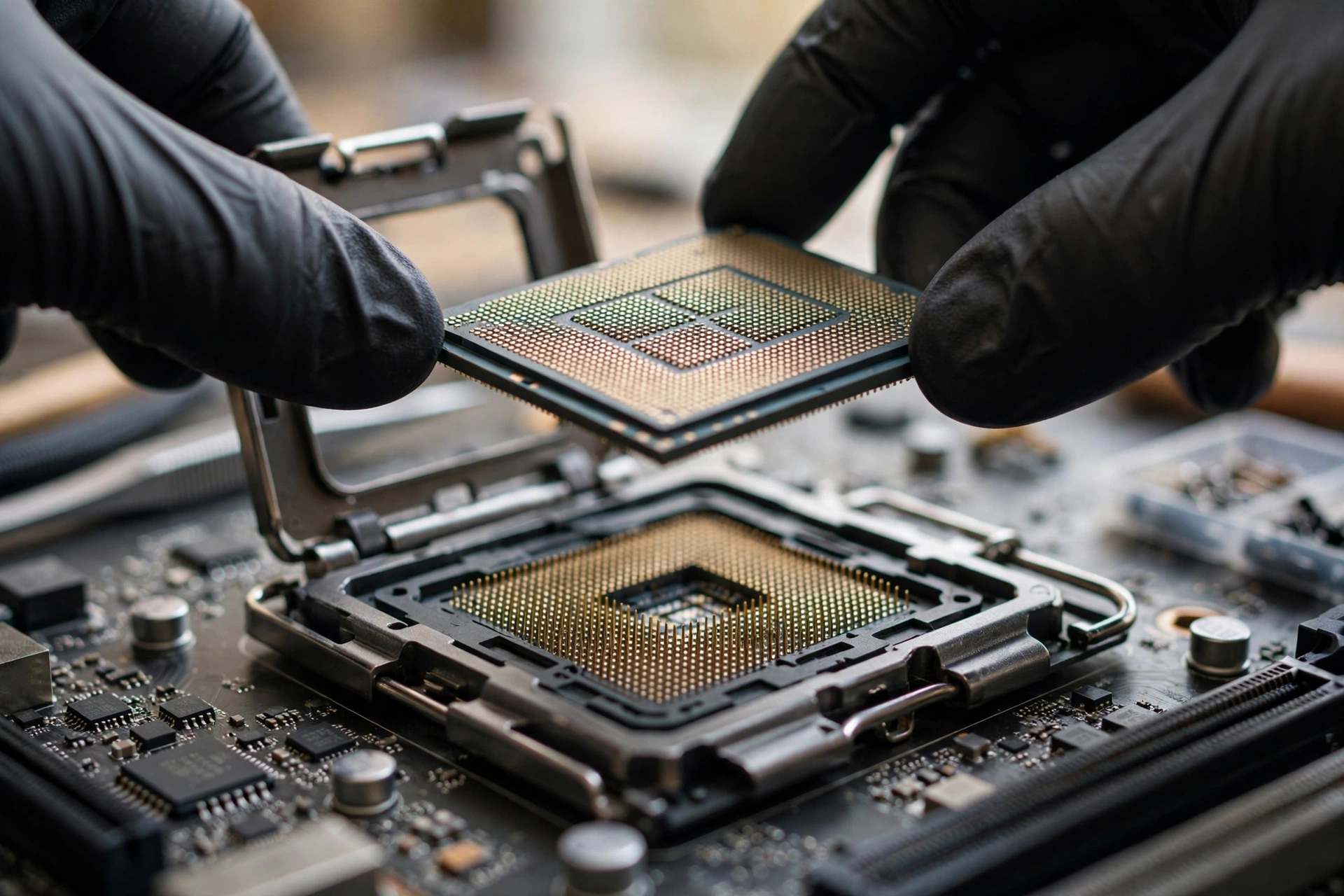
If the tweaks above are done and you still want more, upgrade in this order of impact: CPU first, RAM second, GPU last (unless your GPU is genuinely ancient or you play at high resolution).
CPUs Worth Buying for Valorant in 2026
Because the game rewards single-thread speed and cache, the value hierarchy is clear. These tiers reflect what the community and hardware testers consistently recommend for high-refresh Valorant play.
| Tier | Example CPUs | What to Expect at 1080p Low |
|---|---|---|
| Budget | Ryzen 5 5600, Core i5-12400F | Comfortable 240+ FPS average in most situations, the classic value picks |
| Midrange | Ryzen 5 7600 / 7600X, Core i5-14400F | Strong 300+ FPS averages with fast RAM, great for 240Hz monitors |
| High end | Ryzen 7 7800X3D, Ryzen 7 9800X3D | The Valorant kings; 400-600+ FPS territory with proper memory, ideal for 360Hz play |
| Avoid for Valorant | Old 4-core chips, laptop U-series processors | Frame-time spikes and sub-144 FPS dips no settings can fix |
Two market notes for October 2026. The September 2026 Steam hardware survey shows the RTX 5070 as the most popular GPU at 6.2 percent and AMD holding 48.4 percent of CPU share, which tells you where the mainstream has moved: modern midrange hardware is the norm now, and a system built around a current 6-core CPU is the baseline for serious high-FPS Valorant play. Also note that Intel CPU price hikes of 15 to 20 percent were reported on October 12, 2026, via WCCFTech citing Taiwan’s CTEE, which shifts the value math toward AMD options for new builds right now. Always check current street prices before buying.
Platform matters as much as the chip. A Ryzen 5 5600 on cheap DDR4 can be a smarter buy than a slightly faster chip that forces an expensive DDR5 platform upgrade. Total platform cost, CPU plus motherboard plus RAM, is the real number to compare. If your current platform is AM4 or LGA1700, a drop-in CPU upgrade is usually far better value than rebuilding.
GPUs You Need Less Than You Think
At 1080p competitive settings, an RTX 4060, RX 7600, or even older cards like the RTX 3060 or 1660 Super are enough to stay out of the GPU’s way. The September Steam survey’s most popular card being the RTX 5070 says more about new builds than about what Valorant needs. Do not buy a flagship GPU to fix Valorant FPS; if your GPU usage is under 70 percent in matches, a faster card changes almost nothing. The exceptions are the ones from the GPU-bound section: 4K play, streaming with GPU encoding, or a genuinely ancient card.
If you do pair a strong CPU with a modest card, check the pairing on our bottleneck calculator first. A good rule of thumb from our good bottleneck percentage guide: under 10 percent is a healthy pairing, and in a CPU-bound game like Valorant the “bottleneck” reading will almost always point at the CPU, which is exactly what you want here. For specific pairings, our best GPU for the Ryzen 7 7800X3D and best CPU for the RTX 5060 guides break down real combinations.
RAM and Storage Upgrades
If you are on a single 8GB stick, adding a second matched stick for dual channel is the single best dollar-per-FPS upgrade in budget systems. If you are on slow DDR4-2400 or 2666, a 2x8GB or 2x16GB DDR4-3200/3600 kit is cheap and effective. For new AM5 builds, 2x16GB DDR5-6000 CL30 is the target. An SSD for the game itself is quality-of-life, not FPS, but worth doing on any HDD-based system.
Common Mistakes That Cap Your FPS
These are the errors that show up again and again in help threads, and each one quietly costs frames.
Leaving VSync on. VSync caps your frame rate to your monitor’s refresh rate and adds input lag. In a game where you want 300+ FPS on a 240Hz monitor for the lowest input latency, VSync defeats the entire purpose. Turn it off in-game and in your GPU control panel.
Maxing settings “because my GPU can handle it.” Your GPU is not the limit, so cranking settings up just adds visual clutter and GPU load for zero competitive benefit. Low settings are the competitive standard because they make enemies easier to see, not just because they are faster.
Ignoring RAM configuration. A fast CPU with single-channel or slow RAM is like a sports car on flat tires. Enable XMP/EXPO, run dual channel, and verify the actual speed. This single check resolves a surprising number of “why is my FPS low” threads.
Upgrading the GPU first. The most expensive mistake. A player with a Ryzen 5 3600 and an RTX 3060 who buys an RTX 4070 for Valorant will gain almost nothing, because the CPU was the ceiling all along. Diagnose first with the monitoring method above, then spend where the limit is.
Chasing average FPS instead of 1% lows. A system that averages 350 FPS but drops to 120 during fights will feel worse than one holding a steady 280. Watch the 1% and 0.1% low frame rates in your benchmarks, not just the average. Stutter comes from the lows.
Outdated chipset drivers and BIOS. Especially on AMD platforms, old chipset drivers can cause scheduling and stuttering issues that look exactly like a hardware bottleneck. Update them before you blame your parts.
Running the game on a hard drive in 2026. Load-time hitching and slow texture streaming on HDDs are a solved problem: any SSD fixes it.
Expert Tips for Stable 300+ FPS
Once the fundamentals are right, these are the details that separate a system that averages 300 FPS from one that holds it.
Match your monitor to your target. A 360Hz monitor is wasted if your system holds 220 FPS. A 240Hz monitor paired with a system holding 300+ FPS is the sweet spot most competitive players land on, because the extra headroom above the refresh rate reduces input lag. Our guide on what CPU you need for 240Hz breaks down the processor side of high-refresh gaming.
Cap smartly or not at all. Uncapped gives the lowest input lag. If you get screen tearing without adaptive sync, cap about 10 percent above your refresh rate rather than at it. Never cap at exactly your refresh rate without sync technology; you lose the latency benefit of extra frames for no reason.
Prioritize the 1% lows in every change you test. When you change a setting or upgrade a part, compare the 1% low FPS before and after, not just the average. The setting that raises your lows is the one your aim will feel.
Keep Windows lean on game day. Close browsers, pause downloads and updates, and disable background recording unless you actually need the footage. Valorant’s main thread competes with everything else running, and on a 6-core CPU a busy background app is a real, measurable FPS tax.
Test Multithreaded Rendering on YOUR system. It is on by default and helps at 1080p and 1440p on almost every modern CPU. The only time to test it off is if you are GPU-bound at 4K, where single-threaded mode can let the CPU boost higher. Test both, keep the one with better 1% lows.
Understand what “CPU bottleneck” means here. In most games a CPU bottleneck is a problem to fix. In Valorant at competitive settings it is the normal, healthy state of a well-balanced system: the GPU waiting on a fast CPU is exactly what 300+ FPS looks like. Our breakdown of CPU bottleneck vs GPU bottleneck explains the general concept, and our how to fix a CPU bottleneck guide covers the general fixes if your processor is genuinely too weak rather than just normally loaded.
FAQs
These are real questions players have asked on forums, with direct answers. Each one is paraphrased from an actual post so the wording matches what people really search for.
Should I upgrade my CPU or GPU for Valorant if I can only upgrade one?
Upgrade the CPU, unless your current processor is already a modern midrange chip or better. This exact question comes up constantly (source: Quora), and the answer is consistent: Valorant is CPU-bound at competitive settings, so a weak CPU hurts frame stability more than a weak GPU. Upgrade the CPU if yours is an older quad-core or worse, or more than about six years old. Only upgrade the GPU first if your CPU is already solid and you play at 1440p or higher, where the graphics card starts to matter more.
Can Valorant run on a low-end PC?
Yes. Riot designed Valorant to run on modest hardware, and the official minimum specs are famously low (source: Quora). For genuinely playable 60+ FPS, a practical low-end target is a modern dual-core or better CPU, 8GB of RAM, and at least a GTX 1050 or 1650-class card, or a modern integrated GPU, playing at 720p or 900p with everything on low. On very old integrated graphics with 4GB of RAM, the game will launch but competitive play will suffer from frame drops and input lag. Competitive 144+ FPS is a different goal entirely and needs a real gaming CPU.
I get 30-40 FPS on a Ryzen 5 3400G with 8GB RAM. Will more RAM help?
Yes, but the configuration matters more than the capacity. This real question (source: Quora) describes the classic APU trap: a single 8GB stick means single-channel memory, which starves both the CPU and the integrated graphics. Adding a second matched 8GB stick to enable dual channel, and enabling the rated memory speed in BIOS, typically fixes the largest part of the problem. Community reports describe the difference as night and day on APU systems. If you only add capacity while staying single-channel, the improvement will be modest.
I get 190-200 FPS but it drops to 140-160 in fights. What should I upgrade?
Those drops during fights are the signature of a CPU or memory limit, not a GPU problem (source: VLR.gg forums). First, check your RAM: dual channel enabled, XMP/EXPO on, and a decent speed. Second, check CPU temperatures for throttling. If the platform is old, the real fix is a CPU and platform upgrade: community recommendations for this exact situation point to a modern 6 or 8-core chip like a Ryzen 5 7600 or 7700X with DDR5-6000, or a 7800X3D if the budget allows, while keeping your existing GPU. Your graphics card is almost certainly fine for this FPS range.
Why do I get low FPS in Valorant when neither my CPU nor GPU usage is high?
This is the trap case from the diagnosis section, and it is a real solved thread (source: Tom’s Hardware forums): an RTX 3070 with a Ryzen 7 3700X showed low usage on both parts with poor Valorant FPS, and the cause was slow DDR4-2400 RAM in a bad configuration. When both components look idle, suspect memory speed and configuration, thermal throttling, a background process eating CPU cycles, outdated chipset drivers, or the game installed on a failing hard drive. Check RAM speed in Task Manager first; it is the most common answer.
I bought a Ryzen 5 5600X mainly for Valorant and my FPS suddenly dropped. Is my CPU dying?
Almost certainly not. A real Linus Tech Tips thread describes exactly this: great FPS at first, then a sudden drop to struggling for 200 FPS, persisting even after swapping to a different CPU. The pattern points to software, not silicon: a bad overclocking utility install, corrupted drivers, a Windows issue, or a background process. The fix path is clean driver reinstalls, removing overclocking tools, checking for thermal throttling, and as a last resort a clean Windows install. CPUs rarely degrade suddenly; when FPS falls off a cliff after working fine, look at what changed in software.
Key Takeaways
- Valorant is a CPU-bound game at competitive settings. Single-thread CPU performance and cache decide your maximum FPS far more than your graphics card.
- At 1080p the GPU spends most of its time waiting on the CPU. Only at 4K, on weak integrated graphics, or while streaming does the GPU become the limit.
- Diagnose before spending: GPU usage under 70 percent with a maxed-out CPU core means a CPU limit. Low usage on both means RAM, thermals, or background issues.
- The competitive settings recipe is simple: fullscreen, native 1080p, uncapped FPS, multithreaded rendering on, everything visual on low or off, Improve Clarity on, VSync off.
- RAM is the hidden FPS lever: dual channel, XMP or EXPO enabled, and at least DDR4-3200 or DDR5-6000 for high-refresh targets.
- Upgrade in this order: CPU first, RAM second, GPU last. Do not buy a flagship GPU to fix Valorant FPS.
- For 300+ FPS stable, target a modern 6-core or better CPU with fast memory, and judge every change by your 1% low FPS, not just the average.
Conclusion
Valorant rewards the processor, not the graphics card. Once you accept that the game is CPU-bound at the settings that matter, every decision gets simpler: spend on single-thread speed and cache, run fast dual-channel RAM, use the competitive settings above, and keep Windows lean. That combination is what takes you from a spiky 180 FPS to a locked-in 300+ that your 240Hz or 360Hz monitor can actually use.
Before you buy anything, run your exact parts through our free CPU bottleneck calculator to see which component is really holding your system back. In Valorant, the answer will usually be the CPU, and now you know exactly what to do about it.

Leave a Reply