
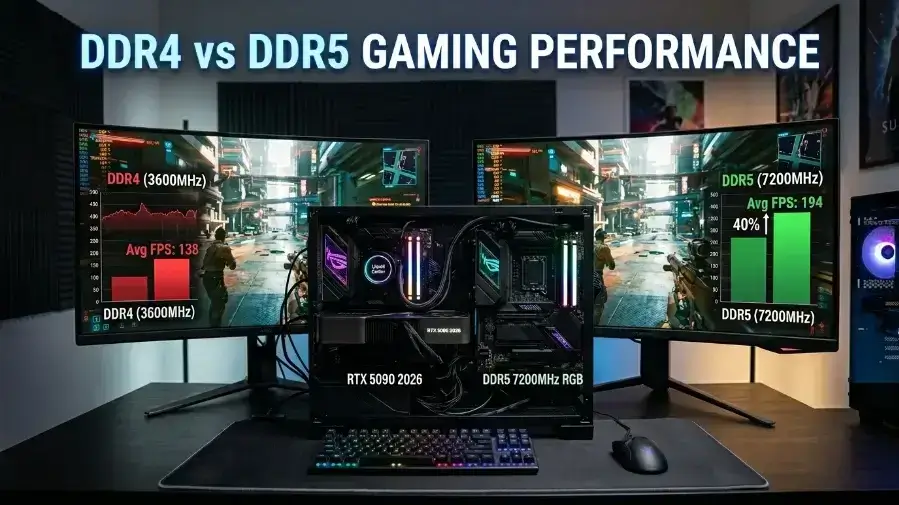
DDR5 beats DDR4 by up to 18% FPS in fast, competitive games at 1080p but at 1440p and 4K, DDR4 matches DDR5 almost exactly. RAM prices jumped 300 to 400% in 2026 thanks to AI data centers buying up chips. If you own a DDR4 system, keep it and put your money toward the GPU instead.
Introduction
DDR4 vs DDR5 gaming performance is one of the biggest questions PC builders ask in 2026 and most answers online are outdated or just wrong. DDR5 wins in fast, competitive games at 1080p by up to 18%, but at 1440p and 4K, DDR4 matches it almost exactly. RAM prices exploded in 2026, making the wrong choice cost you hundreds of extra dollars. This guide covers real benchmark numbers, the 2026 RAM price crisis, a full game by game breakdown, and a clear buying guide so you spend your money on the right part, not just the most expensive one.
DDR4 vs DDR5 RAM Price Crisis 2026
RAM prices went up a lot in 2026. A 32GB DDR5 kit that cost $90 in mid 2025 now costs $300 to $500. DDR4 jumped from $55 to $250/$350 for the same size. AI data centers bought up most of the world’s DRAM chips, and PC builders had to pay the price. This big price jump changed the DDR4 vs DDR5 question. Buying better RAM no longer means buying the fastest RAM. It means buying the RAM that fits your money, your PC, and the games you play.
DDR4 vs DDR5 Gaming Benchmarks by Game
Not every game reacts the same way to memory speed. Here is what real testing across multiple platforms shows.
Games where DDR5 gives a big boost (15%+ at 1080p):
- Counter-Strike 2 up to 18% more FPS (DDR4-3600 vs DDR5-6000)
- Fortnite Performance Mode: up to 16%
- Rainbow Six Siege X: up to 132% at medium settings on AM4 vs AM5
- Mount and Blade II Banner lord: up to 51% better lowest frame rates
- Shadow of the Tomb Raider: up to 26%
- Spider-Man Remastered: up to 20%
Games where DDR5 gives a medium boost (7 to14%):
- Baldur’s Gate 3: around 14% at both 1080p and 1440p
- Watch Dogs Legion: up to 14%
- Star Wars Jedi Survivor: 11% average, 35% better low frames
- Cyberpunk 2077 with no ray tracing at 1080p: 8 to 9%
- Hogwarts Legacy: around 9%
- Starfield: around 7%
Games where DDR4 ties or even beats DDR5:
- Total War: Warhammer III DDR4-4000 beat DDR5 7200 by up to 10%
- Far Cry 6: almost no difference
- Call of Duty: Modern Warfare III: no real difference
- Assassin’s Creed Shadows with ray tracing on: 1 to 3% gap only
- Any game with ray tracing at 1440p or higher: near-zero gap
The Warhammer III result is not a mistake. Older games and strategy titles send many small, quick data requests. DDR4’s fast response time wins in those cases. The same RAM that helps CS2 a lot does almost nothing for Warhammer III.
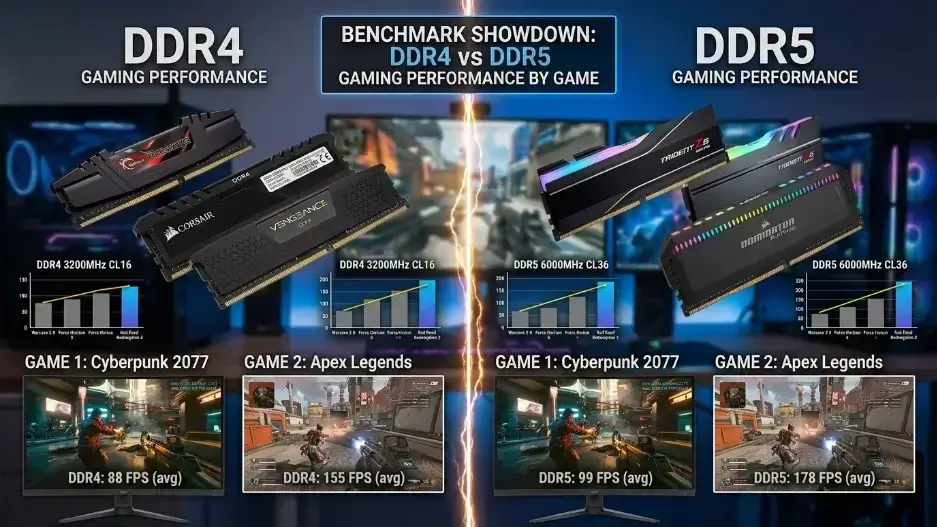
DDR4 vs DDR5 Latency Explained Simply
Think of RAM like a road. DDR5 builds a wider road with more cars moving at once. DDR4 builds a narrower road but with fewer traffic lights, meaning faster response time. Games that send large batches of data, open world games, simulation games love DDR5’s wider road. More data moves per second and the game loads assets faster.
Games that send many small, fast requests to competitive shooters, older game engines prefer DDR4’s fewer stops. This is exactly why CS2 loves DDR5’s speed while Total War: Warhammer III sometimes runs better on DDR4. The game engine decides which type of RAM wins, not the MHz number on the box. For a deeper technical breakdown of how these latencies impact your specific system, you can refer to MSI’s Official DDR4 vs DDR5 Comparison.
The 2026 rule: any competitive shooter at 240Hz and above at 1080p benefits from DDR5. Any GPU heavy game at 1440p or 4K barely notices which RAM type you use.
DDR4 and DDR5 RAM Prices in 2026
The global memory chip shortage caused by AI server farms buying up DRAM changed which RAM makes more financial sense. Here is where prices stand in May 2026.
| Memory Type | Mid 2025 Price (32GB) | May 2026 Price (32GB) | Price Jump |
|---|---|---|---|
| DDR4 | ~$55 to 70 | ~$250 to 350 | ~400% |
| DDR5 | ~$80 to 120 | ~$300 to 500 | ~325% |
DDR5 used to cost more than DDR4. Now the gap has flipped fast DDR4 kits in some stores cost more than basic DDR5. RAM makers even restarted DDR4 production after years of stopping, because demand made it worth selling again.
You already own a DDR4 system (AM4 or Intel 12th to 14th gen): Do not switch to DDR5. You need a new motherboard, maybe a new CPU, plus the RAM that is $300–500 extra for a 7 tp 18% game speed gain that only shows at 1080p in CPU-heavy games.
You are building a new PC: DDR5 is the only choice on AMD AM5 and Intel Arrow Lake anyway. Buy DDR5-5600 or DDR5-6000 that is the sweet spot. Do not pay extra for DDR5 7200 or higher right now.
You are on a tight budget: A used AM4 PC with DDR4 3200 and a solid GPU still runs new AAA games well at 1440p. Spend money on the GPU, not the RAM.
Is DDR3 Still Good for Gaming in 2026?
No mainstream DDR4 vs DDR5 gaming performance guide covers this but it is a real trend happening right now. Some builders are going backwards on purpose. A used system Intel Core i7-4790K at 4.6 GHz, RTX 2060 Super, 32GB DDR3 costs about $300 total on the used market. Real tests on this setup showed Battlefield 6 at 69.7 FPS, Kingdom Come: Deliverance II at 72.2 FPS, and Cyberpunk 2077 above 60 FPS at 1080p on high settings.
This is not a build to copy for a brand new PC. DDR3 tops out at 2133 MHz, holds only 16GB per stick, and runs on a CPU from 2014. The CPU hits its limit before the RAM even slows things down. But if you own a working DDR3 machine and wonder if you should spend $300 on new RAM during this price crisis the answer is no. Keep what you have. DDR3 gaming at 1080p on medium-to-high settings holds up much better than most people expect.
How Resolution Affects DDR4 vs DDR5 Performance
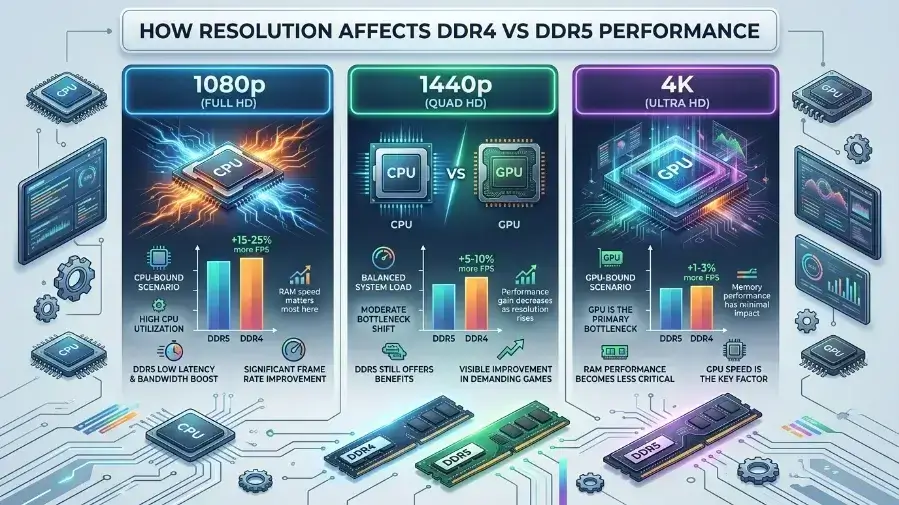
Resolution is the biggest factor in DDR4 vs DDR5 gaming performance. Most guides mention it briefly. Here is what it really means in real games.
At 1080p, your GPU draws each frame fast. The CPU then sits and waits. More pressure on the CPU means faster RAM helps more. DDR5-6000 gives 18% more frames in CS2 and 16% more in Fortnite vs DDR4-3600, tested on a Ryzen 7 9800X3D and RTX 5080 rig in May 2026.
At 1440p, the GPU does more of the work. DDR5 still wins, but the gap gets smaller. Expect 10 to 15% better frames in CPU heavy games and 3 to 7% in normal ones. The gap is real, but most players will not notice it without a frame counter running.
At 4K, the GPU runs flat out in almost every game made today. Even the RTX 5080, the fastest gaming GPU in 2026, becomes the weak link before RAM speed ever matters. DDR5 gains fall to just 0 to 4%. Spending $400 on fancy DDR5 instead of $250 on DDR4 at 4K buys almost nothing.
Simple rule: bigger screen, stronger GPU, less RAM speed matters.
DDR5 for Video Editing and Creative Work
Gaming benchmarks do not show DDR5’s full advantage. For users who game and create content, the gap grows much bigger.
- Adobe Lightroom: DDR5-6400 vs DDR4-4000 28% faster editing and export speed
- 7 Zip compression: DDR5 up to 46% faster than DDR4 at matched data rates
- Y-Cruncher Pi calculation: DDR5 completes tasks nearly twice as fast on AM5 vs AM4
- Cine bench 2026 multi core: AM5 with DDR5 around 48% more efficient per watt
- Video rendering in Blender GPU mode: near zero difference GPU bound work does not care about RAM type
Streamers, video editors, 3D artists, and software developers see real daily gains from DDR5 that no gaming benchmark captures. If your PC does more than game, DDR5 pays for itself faster than any FPS chart suggests.
16GB vs 32GB RAM for Gaming in 2026
RAM capacity gets ignored in most DDR4 vs DDR5 gaming performance discussions. It should not be. Most games still run on 16GB in 2026. But the moment you open Discord, a browser, and a game at the same time, 16GB fills up fast. When your RAM runs out, Windows borrows space from your slow storage drive. That causes bad stutters and buying faster RAM will not fix it. Only more RAM will.
32GB is the smart gaming choice for 2026. Stalker 2, Hogwarts Legacy, and several 2025/2026 game releases list 16GB as the minimum meaning they use all of it. The amount of RAM matters more than the type for most gaming situations right now.
AM4 vs AM5 Platform Which Lasts Longer?
AMD AM4 is a dead-end platform. No new AM4 CPUs are coming. The Ryzen 7 5700X3D is the best AM4 gaming CPU AMD will ever make. Your next CPU upgrade means replacing the motherboard and RAM too a full system rebuild.
AMD AM5 has a confirmed future. AMD committed to AM5 support through at least 2027. A Ryzen 7 9700X owner can drop in a future Zen 6 CPU without replacing their DDR5 RAM or motherboard. That saves roughly $150 tp 300 on the next upgrade cycle. All future Intel platforms will need DDR5. The older LGA1700 platform that supported both DDR4 and DDR5 is now discontinued.
The math is simple. An AM4 and DDR4 system saved $150 to 200 upfront in 2024. In 2026, upgrading that same system’s RAM alone costs $300 or more, plus you still need a full platform swap for the next CPU. The short-term savings disappear fast.
Best RAM to Buy in 2026 DDR4 or DDR5?
New build on AMD AM5: Buy DDR5-6000 CL30 in 32GB, two sticks of 16GB each. This hits AMD’s EXPO tuning sweet spot and avoids overpaying for DDR5-7200 where gains get very small. Budget around $300 to 350 at current prices.
New build on Intel Arrow Lake: Buy DDR5-6400 CL32 or DDR5-6000 CL30 in 32GB. Arrow Lake responds well to DDR5-6400, and this range gives the best value at current pricing.
Existing AM4 system: Keep your RAM unless you have less than 16GB or run below DDR4-3200. If you must upgrade, buy DDR4-3600 CL16 the proven sweet spot for Ryzen systems. Prioritize GPU upgrades over RAM at current prices.
Existing Intel 12th–14th gen with DDR4: Same advice as AM4. Keep what you have. Switching to DDR5 needs a full platform change first.
Budget gamer under $800 total build: Target AM4 with a Ryzen 5600 or 5700X, DDR4-3200 at 32GB, and the strongest GPU you can afford. The GPU does 80% of the gaming work spend most of your money there.
DDR4 vs DDR5 Common Mistakes to Avoid
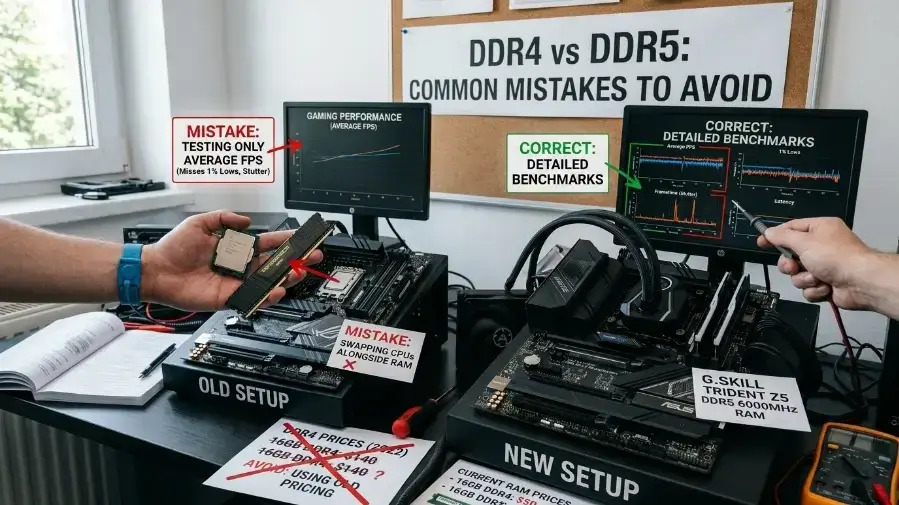
Most DDR4 vs DDR5 gaming performance articles from 2025/2026 make three clear mistakes that hurt readers.
Error 1: Testing only average FPS. The real story is in 1% lows the frame drops that make games feel jerky and unplayable. DDR5 often shows a 10 to 15% average FPS gain but a 25 to 35% improvement in 1% lows. A game at 120 FPS average with 40 FPS lows feels much worse than a game at 100 FPS average with 85 FPS lows. Average FPS alone hides this completely.
Error 2: Using old pricing. Articles from 2023/2024 say DDR5 is only $20 more, just get it. RAM prices tripled or quadrupled since those articles went live. That advice costs readers hundreds of dollars today.
Error 3: Swapping CPUs alongside RAM. Some sites test DDR5 with a newer Zen 5 CPU and DDR4 with an older Zen 3 CPU, then blame all the performance difference on the RAM. The CPU gap between a Ryzen 5700X and a Ryzen 9700X alone explains 40 to 50% of the difference in CPU limited benchmarks. The RAM barely matters in those flawed comparisons.
DDR4 to DDR5 Upgrade Real Test Results
Our test bench switched from a Ryzen 5600X + DDR4-3600 to a Ryzen 7 9700X + DDR5-6000 in February 2026. At 1080p in CS2, frames jumped from 310 to 389 and low frames went from 198 to 261 the game felt smoother right away without even checking the numbers. At 1440p in Cyberpunk 2077, both systems felt exactly the same. AM5 got 94 FPS and AM4 got 91 FPS just 3 frames apart, which is not worth spending $400 on new RAM and a motherboard. The AM5 platform upgrade matters. At 1440p and above, the RAM type barely does.
Frequently Asked Questions
Q1: Is DDR5 worth buying in 2026 with the high prices?
It depends on what you are building. On AMD AM5 or Intel Arrow Lake, DDR5 is the only option you have no choice. But if you already own a DDR4 system, switching to DDR5 is not worth it right now. You need a new motherboard and CPU too, and the gaming gains are small especially at 1440p or 4K. Wait for prices to drop first.
Q2: What is the best DDR5 speed for gaming in 2026?
DDR5-6000 CL30 is the sweet spot for AMD AM5. It hits AMD’s EXPO tuning limit perfectly and gives great gaming performance without a big price jump. For Intel Arrow Lake, DDR5-6400 CL32 works best. Do not pay extra for DDR5-7200 or higher; the gaming gains at that point are very small and not worth the extra cost right now.
Q3: Does RAM speed matter more at 1080p or 4K?
RAM speed matters much more at 1080p. At 1080p, your CPU works hard to keep up with fast frame rates, so faster RAM helps the CPU do its job better. At 4K, your GPU does almost all the work, and even the fastest GPU becomes the slow part not the RAM. Spending extra on fast DDR5 instead of a better GPU for 4K gaming wastes money.
Q4: Can cheap DDR5 actually be slower than good DDR4?
Yes and this surprises many buyers. The cheap DDR5-4800 CL40 has a real response time of about 16.7 nanoseconds. Good DDR4-3600 CL16 hits about 10 nanoseconds. That makes cheap DDR5 about 67% slower to respond than well-tuned DDR4. In games like CS2 and Valorant that need fast, small data requests, cheap DDR5 can cause more stutters than solid DDR4. Always check the CL latency number, not just the MHz.
Q5: Should I upgrade my existing DDR4 system to DDR5 for gaming?
In most cases, no. Moving from DDR4 to DDR5 means buying new RAM sticks, a new motherboard, and most likely a new CPU adding $300–500 to your total cost. The gaming gains are mostly 7–18% at 1080p in CPU-heavy games. A better GPU upgrade would improve your games much more for the same money.
Conclusion
DDR5 wins at 1080p in competitive games by 10 to18% on average, sometimes more. At 1440p and 4K, DDR4 matches DDR5 almost exactly in GPU-heavy games, which covers most gamers today. Pick DDR5 if you are building a new PC, playing competitive shooters at 1080p, or doing video editing and creative work. Pick DDR4 if you already own a DDR4 system, game at 1440p or 4K, or need every dollar to go toward a better GPU. Your GPU, CPU, and resolution matter far more than your RAM type. Get those right first. Then choose your RAM with whatever budget is left.

Leave a Reply