

Quick Answer: The Ryzen 7 9800X3D is the better buy for a pure gaming PC. Across published reviews it matches or slightly beats the Ryzen 9 9950X3D in games while costing far less. Buy the 9950X3D only if you also do heavy multitasking, rendering, or CPU-based streaming next to gaming.
Search ryzen 9 9950x3d vs ryzen 7 9800x3d and you will find one of the most common PC building questions of the year. On paper the choice looks obvious. The Ryzen 9 9950X3D has twice the cores, a higher boost clock, and more cache. It costs more, so it must game better. Right? Not exactly. In gaming the two chips land within a few percent of each other, and the cheaper one sometimes wins. That surprises a lot of builders, and it is the reason this comparison matters.
This guide breaks the battle down with a bottleneck lens: how each CPU is built, what published reviews actually measured, which chip bottlenecks high-end GPUs less at 1080p, 1440p, and 4K, and which one belongs in your build. Every benchmark number below comes from a published review, never from our own guesswork.
Ryzen 9 9950X3D vs Ryzen 7 9800X3D Specs at a Glance
Both chips use AMD’s Zen 5 architecture on the AM5 socket, support DDR5 memory and PCIe 5.0, and ship without a boxed cooler. The differences that matter for gaming are core layout, cache placement, and power.
| Specification | Ryzen 9 9950X3D | Ryzen 7 9800X3D |
|---|---|---|
| Cores / Threads | 16 / 32 | 8 / 16 |
| Base clock | 4.3 GHz | 4.7 GHz |
| Max boost clock | Up to 5.7 GHz | Up to 5.2 GHz |
| L2 cache | 16 MB | 8 MB |
| L3 cache (shared) | 128 MB | 96 MB |
| 3D V-Cache placement | Stacked on one of two CCDs | Stacked on the single CCD |
| Default TDP | 170W | 120W |
| Socket | AM5 | AM5 |
| Memory / PCIe | DDR5 / PCIe 5.0 | DDR5 / PCIe 5.0 |
| Max operating temperature | 95C | 95C |
| Launch date | March 2025 | November 2024 |
| Launch price | $699 | $479 |
AMD lists the full 9950X3D specifications on its official product page, including the 170W TDP, the 95C maximum temperature, and its recommendation of a liquid cooler for best performance. Street prices for both chips have moved since launch, so check current listings rather than relying on the launch prices above.
Takeaway: the 9950X3D doubles core count and boosts higher, but its 3D V-Cache sits on only one of its two core dies. That single detail explains almost the entire gaming story.
Where the Cache Lives and Where It Does Not
To understand why 16 cores do not beat 8 cores in games, you need a quick look inside the chips.
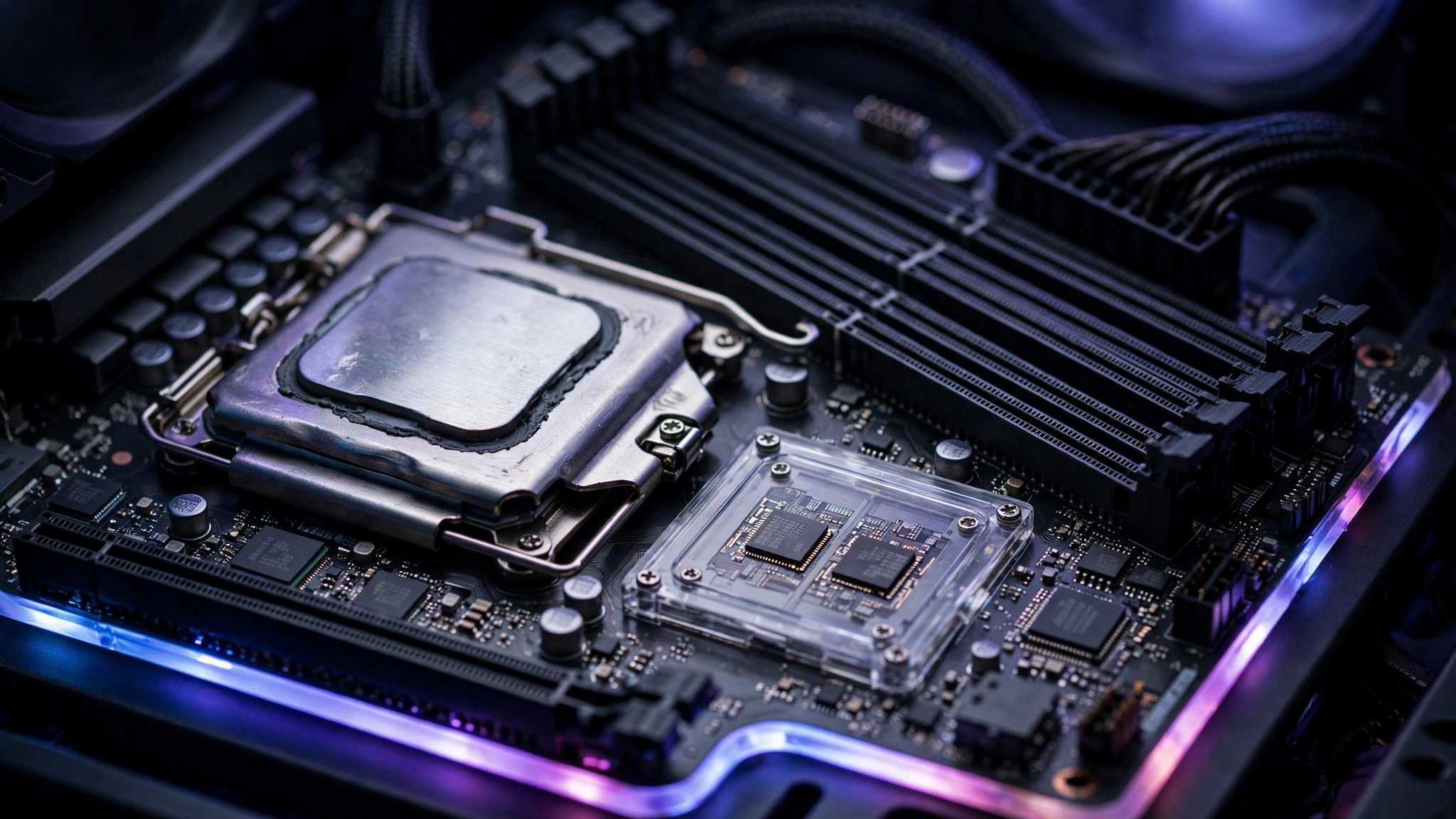
The Ryzen 7 9800X3D has one CCD (Core Complex Die) with eight cores, and AMD’s second-generation 3D V-Cache is stacked underneath it. Every core in the chip sits next to that extra cache. A game thread can run on any core and still get the full cache benefit.
The Ryzen 9 9950X3D has two CCDs with eight cores each, but only one CCD carries the stacked 3D V-Cache. The other CCD has no extra cache. If a game thread lands on a core in the wrong CCD, it misses the cache that makes X3D chips fast, and jumping between the two dies adds inter-CCD latency that costs frames.
AMD’s answer is scheduling. Its chipset driver works with Windows to keep games on the cache-equipped CCD, and AMD’s provisioning software can park the second CCD while you play. When that works, the game effectively runs on eight cached cores, exactly what the 9800X3D has. When it does not work perfectly, which can happen with an outdated chipset driver or a game Windows does not recognize as a game, threads can spill onto the wrong cores and performance dips.
Takeaway: the 9800X3D has no second die to manage, so it never needs parking to game at full speed. The 9950X3D depends on correct scheduling to match it.
What Published Reviews Actually Show
Here is what the launch reviews measured, head to head, drawn from TechPowerUp’s 9950X3D review, GamersNexus’s benchmark comparison, and other published tests. No marketing numbers, only published test results.
| Reviewer | What was tested | 9950X3D vs 9800X3D result |
|---|---|---|
| TechSpot | 12-game average | Essentially identical gaming performance |
| GamersNexus | Per-game testing | Trading places title by title; 9800X3D 2% ahead in Final Fantasy XIV |
| TechPowerUp | 720p average with an RTX 5090 | 9800X3D 6.8% faster on average |
| Tom’s Hardware | CPU-heavy game suite | 9950X3D 0.4% behind the 9800X3D |
| ComputerBase | Gaming average | 9950X3D 3% behind the 9800X3D |
| TechSpot | Cinebench multi-core (productivity) | 9950X3D 77% faster than the 9800X3D |
A few patterns stand out. At low resolutions where the CPU does the heavy lifting, the 9800X3D tends to lead by a small margin. TechPowerUp’s reviewer noted that the gaps shrink at higher resolutions because the bottleneck shifts from the CPU to the GPU. GamersNexus reached the same split verdict many buyers quote: for a purely gaming computer, scale it down and go with the 9800X3D.
Productivity is where the 9950X3D earns its price. With twice the cores it was 77% faster in TechSpot’s Cinebench multi-core test, and reviewers found it trading blows with AMD’s non-X3D 16-core flagship in rendering and encoding. The X3D cache even gives it a small edge over the plain 9950X in some applications.
Takeaway: for gaming the two chips are effectively tied, with a slight edge to the 9800X3D. For multi-core work the 9950X3D is in a different league.
Bottleneck Analysis Which CPU Bottlenecks Your GPU Less
A CPU bottleneck happens when the processor cannot prepare frames fast enough to keep the graphics card busy, so the GPU sits idle part of the time. If you are new to the concept, our guide to CPU bottlenecks vs GPU bottlenecks explains the difference in plain terms. The interesting part of this comparison is how little changes between the two CPUs, and how much the resolution changes everything.
1080p: The CPU-Bound Zone
At 1080p with a high-end GPU, the processor is usually the limit. This is where the 9800X3D’s single-CCD design shines. TechPowerUp’s 720p testing (even more CPU-bound than 1080p) had the 9800X3D 6.8% ahead of the 9950X3D on average, which tells you the 9800X3D leaves slightly more headroom for cards like the RTX 5070 Ti or RTX 5080. If you play competitive shooters at 1080p on a 240Hz or 360Hz monitor, the 9800X3D is the safer pick. It also draws less power doing it, with a 120W TDP rating against the 9950X3D’s 170W.
1440p: The Balance Point
At 1440p the load splits more evenly. This is the resolution where the two chips are hardest to tell apart, and it is also the most popular resolution for high-end gaming PCs. The September 2026 Steam Hardware Survey, reported by Digital Foundry, showed octa-core CPUs reaching 30% of gaming PCs as players moved toward mid-range and high-end X3D chips, and 1440p remains the sweet spot where those chips stretch their legs. Either CPU will feed an RTX 5080 or RX 9070 XT without a meaningful bottleneck here. If you want to measure your own system rather than guess, our guide on how to find a PC bottleneck walks through the signs step by step.
4K: The GPU Takes Over
At 4K the graphics card is almost always the bottleneck, so the CPU choice matters least. TechPowerUp’s reviewer made this exact point: as resolution rises, the differences between processors compress because the limit moves to the GPU. With an RTX 5090 at 4K, both CPUs will keep the card fed, and the 9950X3D’s extra cores contribute nothing to frame rates. A growing counter-trend is worth knowing: NVIDIA’s new DLSS 5 AI model, released October 16, 2026, raises frame rates by up to 1.4x. Upscaling that effective can push frame counts back up into CPU-limited territory even at higher resolutions, so a strong CPU still has value in a 4K DLSS build.
Takeaway: the 9800X3D bottlenecks high-end GPUs slightly less at 1080p. At 1440p they are tied, and at 4K neither CPU is the limit.
GPU Pairing Guide Which Graphics Card for Each CPU
Neither of these CPUs will seriously bottleneck a modern GPU at 1440p or 4K. The table below is practical pairing guidance based on the resolution-scaling behavior the reviews documented, not measured bottleneck percentages. For your exact combination, run it through a CPU bottleneck calculator to get a number.
| Graphics card | Resolution sweet spot | With the 9800X3D | With the 9950X3D |
|---|---|---|---|
| RTX 5070 | 1080p / 1440p | Ideal match, no bottleneck concern | Ideal match, no bottleneck concern |
| RTX 5070 Ti | 1440p | Excellent, tiny 1080p CPU edge | Excellent, parking setup matters at 1080p |
| RX 9070 XT | 1440p | Excellent pairing | Excellent pairing |
| RTX 5080 | 1440p / 4K | Great, best at high refresh 1440p | Great, best if you also stream or create |
| RTX 5090 | 4K | Top-tier gaming, lowest power draw | Top-tier gaming plus workstation muscle |
Two notes for buyers. First, the RTX 5070 was the fastest-growing GPU in the September 2026 Steam Hardware Survey at 6.2% of surveyed systems, so the 9800X3D plus RTX 5070 combination is becoming one of the most common high-end pairings in the world. Our dedicated breakdown of the Ryzen 7 9800X3D and RTX 5070 bottleneck covers that exact combo in detail. Second, pairing a 9950X3D with a mid-range card just for gaming wastes the chip’s strength. That money buys more frames as a GPU upgrade.

Takeaway: match either CPU with any modern high-end GPU confidently. Buy the 9950X3D for the workload, not for the frame rates.
When the 9950X3D Is the Right Buy
The 9950X3D stops looking overpriced the moment your PC does real work. It is the right buy when you:
- Stream with CPU-based x264 encoding while gaming, so the game gets the cached cores and the encoder gets the rest
- Edit video, render 3D scenes, or compile code regularly (remember that 77% Cinebench multi-core lead)
- Run virtual machines, game servers, or heavy multitasking with dozens of background apps
- Want one machine that games like a flagship and works like a workstation, and you accept the 170W TDP and a good cooler
It is the wrong buy when your PC only plays games. The extra eight cores sit parked, the second CCD adds scheduling complexity for zero gain, and the price difference could have bought a better GPU, a faster monitor, or a bigger SSD. A common beginner mistake is assuming core count equals gaming speed. In cache-sensitive games, cache placement beats core count.
Takeaway: creators, streamers, and developers get their money’s worth. Pure gamers do not.
Setup Checklist So the 9950X3D Games Like It Should
If you buy the 9950X3D, a short setup routine makes sure games land on the right cores:
- Install the latest AMD chipset drivers from AMD’s support page. The driver package includes the provisioning software that parks the non-cache CCD during games.
- Keep Windows and the Xbox Game Bar installed and up to date. Reviewers noted that up-to-date Game Bar helps Windows recognize games so the scheduler treats them correctly.
- Check your motherboard BIOS is current, especially on older AM5 boards. Early BIOS versions had weaker X3D scheduling behavior.
- Use two matched DDR5 sticks in the correct slots and enable the EXPO memory profile. Ryzen gaming performance responds well to fast, stable memory.
- Give it real cooling. AMD recommends a liquid cooler for the 9950X3D, and its 170W rating needs more headroom than the 9800X3D’s 120W.
The 9800X3D needs none of the CCD management in steps 1 and 2 to game at full speed, which is part of why reviewers call it the simpler, safer pick.
Takeaway: the 9950X3D performs best with current drivers, an updated Game Bar, and strong cooling. Skip the setup and you may leave performance on the table.
Which X3D CPU for Your Build
| Your situation | Buy this | Why |
|---|---|---|
| Pure gaming PC, any resolution | Ryzen 7 9800X3D | Equal or better gaming, lower price, lower power, no scheduling fuss |
| Gaming plus streaming on the CPU | Ryzen 9 9950X3D | Cached cores game while the other CCD encodes |
| Gaming plus video editing or 3D work | Ryzen 9 9950X3D | Workstation-class multi-core speed with flagship gaming |
| Competitive 1080p high-refresh gaming | Ryzen 7 9800X3D | Strongest CPU-bound frame rates per the reviews |
| 4K gaming with an RTX 5090 | Either | The GPU is the bottleneck, so pick by budget and workload |
| Quiet, efficient small build | Ryzen 7 9800X3D | 120W TDP is far easier to cool quietly |
For context on what the numbers mean, a small CPU bottleneck is normal in every gaming PC. Our guide to what a good bottleneck percentage looks like explains which percentages are healthy and which signal a real mismatch.
Takeaway: buy the 9800X3D for frames and the 9950X3D for frames plus work.
Frequently Asked Questions
Is the Ryzen 9 9950X3D faster than the 9800X3D for gaming?
Not meaningfully. Published reviews put them within a few percent of each other across dozens of games. TechSpot’s 12-game average called them essentially identical, Tom’s Hardware measured the 9950X3D 0.4% behind, and ComputerBase measured it 3% behind. The 9800X3D’s single cached die avoids the scheduling overhead that costs the dual-CCD chip a small amount in some titles.
Is there any benefit to using the AMD Ryzen 9 9950X3D in terms of running creative apps like Photoshop and Premiere?
Yes, and this is a real question asked on Quora. The benefit comes from the extra eight cores, not the extra cache. In multi-core rendering and encoding the 9950X3D is dramatically faster than the 9800X3D (TechSpot measured 77% in Cinebench multi-core). For Photoshop, which leans on fewer fast cores, the difference is smaller. If your day is creative work with gaming after hours, the 9950X3D is built exactly for you.
I am building a new computer for 4K gaming and plan to pair it with an RTX 5090. Which X3D chip should I pick?
This question came from a Tom’s Hardware forum member planning a 4K build. At 4K the RTX 5090 is the bottleneck, so both CPUs will perform nearly identically in games. Pick the 9800X3D if the PC is only for gaming and you want to save money and power. Pick the 9950X3D if you will also stream, edit, or run heavy background workloads.
Will the 9950X3D’s gaming wins be evident on a 5070 Ti or weaker cards?
Another real question from the same Tom’s Hardware forum thread, and the honest answer is mostly no. With a mid-range GPU the graphics card limits frame rates long before either CPU breaks a sweat, so the two chips perform the same. Save the price difference and put it toward the GPU itself, which is what actually raises frame rates at that tier.
I play at 1440p 144Hz and want the best bang for my buck. Which processor should I go with?
This came from a HardForum member building a strictly gaming PC. The 9800X3D is the value answer. It matches the 9950X3D in games, costs much less, runs cooler at 120W, and needs no CCD parking setup. Builders in that thread pointed out the savings buy a better monitor or GPU, which improves the daily experience far more than extra cores you will never use in games.
Does the 9950X3D run hot, and what cooler does it need?
It runs warmer than the 9800X3D because of the 170W TDP rating and 16 cores. AMD officially recommends a liquid cooler for optimal performance. That said, gaming loads are lighter than all-core workloads: GamersNexus measured the 9950X3D pulling about 98.8W in Starfield, far below its rating. A quality 240mm or 360mm AIO handles it comfortably.
Key Takeaways
- For pure gaming, the Ryzen 7 9800X3D matches or slightly beats the Ryzen 9 9950X3D while costing less and using less power.
- The 9950X3D’s 3D V-Cache sits on only one of its two CCDs, so it relies on driver scheduling and core parking to keep games on the fast cores.
- Published reviews agree: TechSpot, GamersNexus, TechPowerUp, Tom’s Hardware, and ComputerBase all land within a few percent between the two chips in games.
- The 9950X3D dominates multi-core productivity, running about 77% faster in Cinebench multi-core in TechSpot’s testing.
- At 1080p the 9800X3D has a small CPU-bottleneck edge; at 1440p they tie; at 4K the GPU is the limit either way.
- Pair either CPU with any modern high-end GPU confidently; buy the 9950X3D for the workload, not for extra frames.
Conclusion
The ryzen 9 9950x3d vs ryzen 7 9800x3d debate has a clean answer once you frame it around bottlenecks instead of core counts. Games are limited by cache and per-core speed, not by having sixteen threads waiting in reserve, which is why the 9800X3D keeps winning the value argument in review after review. The 9950X3D is not a bad gaming chip. It is a superb all-rounder that games like a flagship and works like a workstation, and for creators who live in both worlds it is genuinely the best single-socket option AMD sells.
So the decision is simple. If your PC exists to play games, buy the 9800X3D, spend the savings on the GPU or monitor, and enjoy the simpler setup. If your PC also earns its keep through streaming, editing, rendering, or compiling, the 9950X3D gives you both worlds without compromise. Either way, you are buying one of the two best gaming CPUs on the market, and the bottleneck will be your graphics card, exactly where you want it.

Leave a Reply