

Quick Answer: No. If you searched for ryzen 7 9800x3d rtx 5070 bottleneck, here is the short version: the Ryzen 7 9800X3D does not meaningfully bottleneck the RTX 5070. The CPU is considerably faster than this GPU needs, so in nearly every real gaming scenario the graphics card is the limiting factor, which is exactly the healthy balance you want. At 1080p high-refresh esports the CPU simply has headroom to spare, at 1440p the pair is beautifully matched, and at 4K the 5070 is firmly the part doing the heavy lifting.
If you searched for ryzen 7 9800x3d rtx 5070 bottleneck, you are asking exactly the right question before spending money. This is one of the most popular CPU and GPU pairings of the current generation: AMD’s fastest gaming processor matched with NVIDIA’s mainstream Blackwell card. On paper it looks lopsided, a flagship chip next to a mid-range GPU, and that mismatch is precisely what makes people nervous. Are you wasting money on a CPU the graphics card can never keep up with? Or is this the smart, future-proof combo builders claim it is?
This article tests that question at 1080p, 1440p, and 4K. You will get a clear verdict for each resolution, an honest explanation of when the CPU waits on the GPU and when (if ever) the reverse happens, what DLSS and frame generation do to the equation, and whether the 9800X3D is overkill for a 5070. Every spec below comes from the manufacturers, and every performance figure is attributed to its source. Where numbers are estimates rather than measurements, I say so plainly.
Who Waits on Whom?
A bottleneck is simply one component waiting on another. If your CPU can prepare 200 frames per second but your GPU can only draw 120, the GPU is the bottleneck and the CPU spends part of every second idle. If the situation flips and the GPU sits idle waiting for the CPU, you have a CPU bottleneck. Neither situation is automatically bad. What matters is which one you have, how big it is, and whether it affects the games you actually play. For a deeper refresher on the two types, see our guide on CPU bottleneck vs GPU bottleneck.
With the 9800X3D and the RTX 5070, the direction is clear: the GPU is the part that sets the pace in the overwhelming majority of games. The 9800X3D is one of the fastest gaming CPUs ever made, while the 5070 is a strong mid-range card. Putting them together means the CPU almost always finishes its work first and waits. That is the good kind of imbalance. A GPU bottleneck means every dollar you spent on graphics performance is being used, and your upgrade path later is a simple GPU swap rather than a full platform rebuild.
Here is the per-resolution verdict up front. The sections below explain the reasoning behind each one.
| Resolution | Limiting factor | Verdict |
|---|---|---|
| 1080p | GPU in AAA titles; CPU has headroom in esports | No CPU bottleneck. At 240Hz+ competitive settings the 9800X3D simply has power to spare. |
| 1440p | GPU in nearly all games | No meaningful bottleneck either way. This is the sweet spot for the pairing. |
| 4K | GPU, firmly | No CPU bottleneck at all. Watch the 5070’s 12GB of VRAM with maxed-out textures instead. |
Practical takeaway: if you game at 1440p or 4K, stop worrying. The 9800X3D will not hold your 5070 back.
Meet the Pair Ryzen 7 9800X3D and RTX 5070 Specs
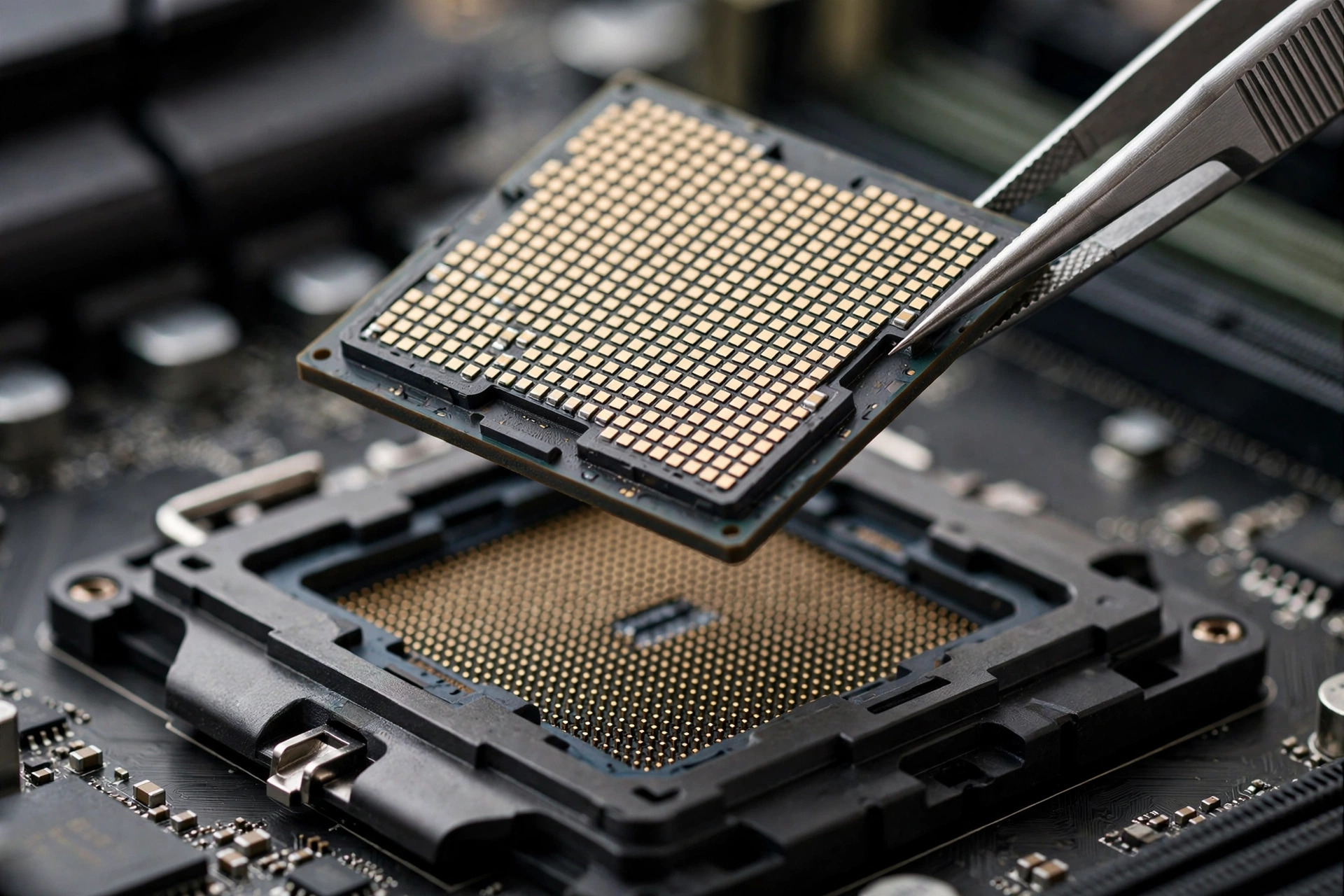
Understanding why this pair behaves the way it does starts with what each part actually is. The 9800X3D is AMD’s second-generation 3D V-Cache gaming chip: eight Zen 5 cores with a 64MB slab of stacked cache sitting underneath the cores (a change from the first generation, where the cache sat on top and trapped heat). That huge pool of 96MB total L3 cache is why the chip feeds frames to the GPU so quickly in games. It is also the first X3D chip AMD left fully unlocked for overclocking. These specifications come from AMD’s official Ryzen 7 9800X3D specifications.
| Specification | Ryzen 7 9800X3D |
|---|---|
| Cores / Threads | 8 / 16 |
| Architecture | Zen 5 (TSMC 4nm) |
| Base / Boost clock | 4.7 GHz / up to 5.2 GHz |
| L3 cache | 96MB (64MB 3D V-Cache + 32MB) |
| Total cache | 104MB |
| TDP | 120W |
| Socket / Memory | AM5 / DDR5 |
| PCIe support | PCIe 5.0 |
| Overclocking | Unlocked (first fully unlocked X3D chip) |
| Launch | November 7, 2024 |
The RTX 5070 is NVIDIA’s mainstream Blackwell card, built on the GB205 die with 6,144 CUDA cores and 12GB of GDDR7 memory. The generational story here is not raw shader count but AI-assisted rendering: DLSS 4 with Multi Frame Generation is the card’s headline feature. Detailed board specs are cataloged in TechPowerUp’s RTX 5070 GPU database entry.
| Specification | GeForce RTX 5070 |
|---|---|
| GPU | GB205 (Blackwell) |
| CUDA cores | 6,144 |
| Memory | 12GB GDDR7, 192-bit, 672 GB/s |
| Boost clock | 2,512 MHz |
| Board power | 250W |
| Interface | PCIe 5.0 x16 |
| Key features | DLSS 4, Multi Frame Generation, 4th-gen RT cores |
| Launch | March 2025 |
Put side by side, the mismatch is obvious and intentional-feeling: a $479-class flagship gaming CPU (AMD’s launch SEP) next to a $549 mainstream GPU. Builders choose this combo for one reason. The CPU is bought once and kept for years on the AM5 platform, while the GPU is the part you will replace first. Our best GPU for Ryzen 7 9800X3D buying guide covers the full range of graphics cards that suit this chip if you are still deciding on a GPU; this article answers the narrower question of how the 5070 specifically behaves with it.
Practical takeaway: the 9800X3D is a long-term platform investment, the 5070 is the replaceable workhorse. That is a sound way to split a build budget.
1080p Test The CPU Has Room to Spare
At 1080p, the graphics card has comparatively little work to do per frame, so the CPU’s speed matters more here than at any other resolution. This is the one scenario where a weaker processor could hold a 5070 back. The 9800X3D is the opposite of a weaker processor.
In demanding single-player games at 1080p with high or ultra settings, the 5070 is still the limiting factor in most cases. The card simply runs out of rendering headroom before the 9800X3D breaks a sweat. Where the picture changes is competitive esports titles at low settings chasing 240Hz and above: Valorant, Counter-Strike 2, Fortnite in performance mode. There, frame rates climb so high that the GPU finishes each frame quickly and the CPU’s per-frame preparation speed becomes the ceiling. The 9800X3D’s massive L3 cache is exactly what pushes that ceiling upward, which is why AMD’s own testing highlights improved minimum frame rates (the 1% lows that decide whether motion feels smooth) rather than just average FPS.
So is there a bottleneck at 1080p? Not a CPU bottleneck in any meaningful sense. In esports at extreme refresh rates, you could argue the 5070 becomes the limit on how far the 9800X3D’s frame output can go, but that is the GPU bottlenecking a CPU that has headroom, which harms nothing. If you bought this pair mainly for 1080p 60Hz gaming, though, be honest with yourself: both parts are overqualified, and a cheaper CPU would deliver the same experience. Our breakdown of 1080p vs 1440p monitor bottleneck impact explains why resolution choice matters more than most builders expect.
Practical takeaway: at 1080p the 9800X3D never holds the 5070 back. If anything, the CPU is waiting with capacity to spare.
1440p Test The Sweet Spot for This Pair
1440p is where the RTX 5070 was designed to live, and it is where this pairing makes the most sense. At this resolution the GPU works hard enough in AAA games that it is almost always the limiting factor, which means the 9800X3D’s speed translates into consistency (high, stable frame rates with strong 1% lows) rather than wasted potential.
NVIDIA’s own published figures for the card tell the story: the company states the RTX 5070 can exceed 250 fps at 1440p in Hogwarts Legacy and S.T.A.L.K.E.R. 2, and surpass 120 fps with full ray tracing at 1440p in Cyberpunk 2077 and Alan Wake 2, with DLSS 4 Multi Frame Generation doing the heavy lifting in those numbers (NVIDIA’s RTX 5070 launch figures). Those are manufacturer numbers measured in favorable conditions, so treat them as the ceiling rather than a promise, but the direction is unmistakable: at 1440p this GPU is working at full utilization, and a CPU as fast as the 9800X3D keeps it fed without breaking stride.
Online bottleneck calculators generally report effectively zero CPU-side bottleneck for this pair at 1440p. A word of honesty about those tools: they publish percentage estimates without disclosing their measurement methodology, so their exact numbers should not be quoted as lab results. What they agree on, and what the hardware specs support, is the qualitative verdict: no meaningful CPU bottleneck at 1440p. If you want a framework for interpreting those percentages, our article on what counts as a good bottleneck percentage sets sensible thresholds.
Practical takeaway: 1440p high-refresh is the resolution this combo was made for. Expect the GPU pinned near full usage and the CPU cruising.
4K Test The GPU Does the Heavy Lifting
At 4K, the question answers itself. Four times the pixels of 1080p means the graphics card is doing roughly four times the shading work per frame, while the CPU’s per-frame workload barely changes. The 5070 becomes the definitive limiting factor, and the 9800X3D spends its time waiting comfortably.
That does not mean 4K is a bad idea with a 5070. It means 4K is a GPU-bound experience where your settings choices matter more than your CPU choice. With DLSS Quality mode or balanced upscaling, the 5070 delivers genuinely playable 4K in most current AAA titles. Without upscaling, native 4K ultra settings will expose the card’s limits, and no CPU on earth changes that.
The real thing to watch at 4K with this card is not the CPU at all. It is the 12GB of VRAM. Modern AAA games with ultra texture packs can press against a 12GB frame buffer at 4K, and when VRAM runs out, performance falls off a cliff in a way no processor can fix. If 4K ultra textures are your priority, that memory ceiling deserves more of your attention than any bottleneck percentage. Our GPU bottleneck guide covers how VRAM pressure shows up differently from a classic GPU compute bottleneck.
Practical takeaway: at 4K the 9800X3D is never the problem. Manage expectations on settings and VRAM, and the pair is perfectly enjoyable.
How DLSS and Frame Generation Change the Bottleneck Math
This is the section most bottleneck articles skip, and it matters more for this specific pair than for almost any other. DLSS Super Resolution and frame generation do not just raise your FPS. They change which component is working hardest, which rewrites the bottleneck equation.
Here is the mechanism in plain language. DLSS Super Resolution renders the game at a lower internal resolution and reconstructs a higher-resolution image with AI. A lower render resolution means less GPU shading work per frame, which can shift the limiting factor back toward the CPU in some titles. Frame generation works differently: it synthesizes entirely new frames on the GPU between traditionally rendered ones. The CPU still only prepares the base frames, so its workload barely moves, while the displayed frame rate climbs. Net effect of frame generation: the GPU takes on more work, the CPU’s headroom grows, and any trace of a CPU bottleneck shrinks further. For the full breakdown of this dynamic, see our article on whether DLSS reduces CPU bottlenecks.
Two October 2026 developments make this freshly relevant for 5070 owners. First, NVIDIA announced an updated DLSS 5 model rolling out first in NBA 2K27, which the company says runs twice as fast as the previous model, uses about 20% less VRAM at 4K, and lifts frame rates up to 1.4x in that title. Second, a new beta Frame Generation “Preset C” performance mode, available through the NVIDIA App beta for RTX 40 and 50 series cards, replaces one of frame generation’s two AI models with a lighter algorithm that NVIDIA claims runs up to 35% faster, with minor image-quality trade-offs. (These are NVIDIA’s announced figures from mid-October, so independent testing will confirm how they land in real games.)
What does this mean for the 9800X3D plus 5070? Both updates push more of the frame-rate work onto the GPU’s AI hardware while asking nothing extra of the CPU. That tilts the pair even further toward GPU-limited territory, which is the healthy direction. If you enable frame generation on a 5070 paired with a 9800X3D, the CPU is the last part you need to worry about. The practical question becomes whether you like the feel of generated frames (slightly higher latency than native frames) rather than whether your processor can keep up. It can.
Practical takeaway: DLSS and frame generation move work onto the GPU, which only strengthens this pairing’s balance. The October DLSS 5 and Preset C updates continue that trend.
Is the 9800X3D Overkill for the RTX 5070?
This is the question hiding behind the bottleneck question, and it deserves a straight answer: for pure frames-per-dollar today at 1440p or 4K, yes, the 9800X3D is more CPU than the 5070 needs. A Ryzen 7 9700X or even a Ryzen 5 9600X would deliver essentially identical FPS in GPU-bound AAA games at those resolutions, for considerably less money. If your only metric is this year’s frame rates, the X3D premium buys you little with a 5070.
But frames-per-dollar-today is not the only metric that matters, and this is where the honest verdict gets nuanced:
- 1% lows and smoothness. The 3D V-Cache advantage shows up most in minimum frame rates, not averages. Fewer stutters is something you feel even when the average FPS number looks identical.
- CPU-heavy outliers. Simulation games, strategy titles, and chaotic multiplayer moments (think large-scale Battlefield-style battles) lean on the CPU far more than the average benchmark. The 9800X3D’s headroom is insurance for exactly those moments.
- Upgrade path. The 5070 is the part you will replace in three to four years. When you drop in a faster next-generation GPU, the 9800X3D will still be fast enough to feed it, while a mid-range CPU bought today might become the new bottleneck. Buying the CPU once and the GPU twice is a legitimate long-term strategy on the AM5 platform.
- Market reality. Graphics card prices have climbed steeply, with 3DCenter’s market tracking reporting roughly 66% higher GPU prices than a year ago. When GPUs are expensive and CPUs hold their value longer, putting more of the budget into the longer-lived component is defensible.
Practical takeaway: the 9800X3D is more than the 5070 needs today, but it is future-proofing, not waste.
How to Check Your Own Bottleneck in Two Minutes

Percentages from websites are estimates. Your own system will tell you the truth in about two minutes. Install MSI Afterburner with the RivaTuner overlay (both free), enable the on-screen display for GPU usage, CPU usage per core, and frame rate, then play your actual games for a few minutes.
Read the overlay like this:
- GPU usage pinned near 95 to 100% while CPU cores sit well below max: your GPU is the limit. This is the healthy state, and it is what you should see with a 9800X3D and 5070 at 1440p or 4K.
- GPU usage well below 90% while one or two CPU cores are maxed out: the CPU is holding things back in that specific game and scene.
- Both bouncing around: the game is shifting the load scene by scene, which is normal in open-world titles.
Two warnings. First, overall “CPU usage” as a single number lies; games hammer a few threads, so watch per-core usage. Otherwise, test in the games you actually play, at the settings you actually use. A synthetic benchmark number tells you less than five minutes in your favorite title. If the overlay shows a pattern you do not understand, our list of 10 signs your CPU is bottlenecking your GPU walks through each symptom, and our CPU bottleneck calculator gives a quick estimate for your exact parts and resolution.
Practical takeaway: trust a two-minute overlay test over any website’s percentage. Your games, your settings, your answer.
Practical takeaway: no hardware change needed. Tune settings per resolution, keep drivers fresh, and check the basics before blaming the pairing.
Frequently Asked Questions
A note on sourcing: I searched Quora and Reddit specifically for real user questions about this exact pairing and found none, so I am saying so plainly rather than inventing any. The questions below are real, taken from tech forums and product Q&A pages, kept close to their original wording, and every one is answered.
Will RTX 5070 bottleneck Ryzen 7 9800X3D?
This exact question appears in hardware buying-guide FAQs, and the honest answer is that it slightly misreads the situation. The 5070 does not damage or waste the 9800X3D. In most games the GPU reaches its limit first, which means the CPU waits, but waiting is harmless. The CPU still delivers its strengths: fast frame preparation and excellent 1% lows. Think of it as the GPU setting the pace while the CPU jogs comfortably alongside, never out of breath.
Will the Ryzen 7 9800X3D bottleneck the RTX 5070 Ti at 1440p 240Hz?
This question comes from a real prebuilt PC listing’s FAQ (asked about the 5070 Ti, the 5070’s bigger sibling). The 1440p high-refresh part is what matters for our pair too. At 1440p 240Hz in competitive titles, the 9800X3D is one of the best CPUs you can buy for the job; it will not be the reason you miss 240 fps. If anything misses the target, it is the GPU’s rendering throughput at that refresh rate, and that is true of any CPU you could pair with it.
Is the 9800X3D a waste of money if I will be GPU bottlenecked anyway?
A forum commenter put it bluntly: for most people the 9800X3D is a waste of money because they will be GPU bottlenecked regardless. There is truth in it for pure value shoppers. If every game you play is GPU-bound at your resolution, a cheaper CPU gives the same average FPS. What the comment misses is everything beyond averages: smoother minimum frame rates, headroom in CPU-heavy scenes, and a CPU that stays relevant through your next two GPU upgrades. Waste is too strong a word. Luxury with a purpose is closer.
Is the 9800X3D wasted on a mid-range GPU unless I play competitive esports?
A Steam hardware forum regular argued the 9800X3D is wasted on most builds unless you play esports at a high level with a high-end GPU. These questions often appear in prebuilt listings and buying guides, so the phrasing is kept close to the original. For esports, the chip genuinely shines at any GPU tier because those games are CPU-hungry. For AAA single-player games with a 5070, you will not see the X3D advantage in average FPS, but you still benefit from consistency and from the upgrade headroom described above. Wasted? No. Fully utilized today? Also no. It is a deliberate trade of present value for future flexibility.
At 1440p and above, does the GPU matter more than the CPU?
A builder on a hardware forum captured the confusion well: they kept hearing that at 1440p and above FPS depends more on the GPU, but also that some games are CPU heavy, and they were not sure which was true. Both are true. Resolution raises the GPU’s workload far more than the CPU’s, so the GPU dominates the average. But individual games with heavy simulation, AI, or draw-call loads can still be CPU-limited at 1440p. With a 9800X3D, you are covered on both fronts, which is the entire point of buying it.
Why do reviewers benchmark the 9800X3D at 1080p, and does it matter for how I play?
This comes from a long-running forum debate about CPU reviews. Reviewers test at 1080p (sometimes with reduced settings) deliberately, to remove the GPU from the equation and expose the CPU’s true speed. It is a laboratory technique, not a recommendation to game at 1080p. For your buying decision, the 1440p and 4K results matter more, because that is where you will actually play, and that is where the differences between fast CPUs shrink. The 1080p numbers tell you about headroom; the higher-resolution numbers tell you about your experience.
Key Takeaways
- The Ryzen 7 9800X3D does not meaningfully bottleneck the RTX 5070 at any common resolution.
- 1080p: the CPU has headroom to spare, especially in esports at high refresh rates.
- 1440p: the sweet spot. The GPU is the limit in AAA games, the CPU keeps frame delivery smooth.
- 4K: firmly GPU-bound. Watch the 5070’s 12GB VRAM with maxed textures, not the CPU.
- DLSS and frame generation shift work onto the GPU, which only improves this pairing’s balance. October 2026’s DLSS 5 update and the Preset C frame generation beta continue that trend.
- For pure value today the 9800X3D is more than the 5070 needs, but as a long-lived AM5 platform investment paired with an easy future GPU swap, it is a defensible choice.
- Verify with a two-minute overlay test in your own games rather than trusting any website’s bottleneck percentage.
Conclusion
The ryzen 7 9800x3d rtx 5070 bottleneck question has a reassuring answer: there is no meaningful CPU bottleneck here. The 9800X3D is simply faster than the 5070 requires, which leaves the graphics card as the pace-setter in nearly every game you will play. At 1080p the CPU idles with capacity to spare, at 1440p the two parts complement each other about as well as any pairing in this price class, and at 4K the GPU carries the load while the CPU waits patiently.
If you already own this combination, enjoy it and stop second-guessing. Tune your settings per resolution, turn on DLSS where it helps, and keep an eye on VRAM at 4K rather than on bottleneck percentages. If you are still deciding, be honest about what you are buying: present-day value favors a cheaper CPU with this GPU, while the 9800X3D is a bet on smoothness today and an easy, bottleneck-free GPU upgrade tomorrow. Either way, the pairing itself is sound, and that is the answer that matters.

Leave a Reply