

Quick Answer: The official call of duty mw4 pc requirements name a Ryzen 5 3600 or Core i7-8700K with an RTX 3060 Ti, RX 6600 XT, or Intel Arc B580 as the 90 FPS multiplayer tier on High settings. If your CPU is weaker than that, it will likely bottleneck you below 90 FPS even with a strong GPU. RTX 50 owners get DLSS 4.5 with up to 6X Multi Frame Generation, which moves the limit from the GPU to the CPU.
If you play Call of Duty on PC, you already know the deal. The game comes out, everyone loads into multiplayer, and half the lobby is complaining about stutter, low FPS, or a PC that suddenly feels three years old. Modern Warfare 4 launches on October 23, 2026, and Activision did something unusual this time. They put an actual FPS number on the official specs. The recommended tier is built for 90 FPS in multiplayer on High graphics, no slider touching required.
That gives us something real to work with. Instead of guessing what “recommended” means, we can map every official tier to CPU and GPU pairings, figure out where the bottleneck actually sits, and decide who needs an upgrade before launch day. One honest note up front: the game is not out yet, so no independent benchmarks exist. Everything here is built on Activision’s official spec sheet, NVIDIA’s published driver and DLSS details, and how the Call of Duty engine has behaved on PC in past years. Where something is uncertain, I will say so plainly.
Official MW4 PC Requirements
Activision published the full spec sheet on the official Call of Duty blog on September 29, built with PC developer Beenox. There are three tiers, and each one has a stated job. The minimum tier gets you into the game. The recommended tier targets 90 FPS in multiplayer on High. The top tier is for high quality ray tracing at upscaled 4K.
Here is the complete sheet, copied from Activision’s official PC blog:
| Component | Minimum | Recommended: 90 FPS multiplayer on High | Ray Tracing: High RT at 4K upscaled |
|---|---|---|---|
| OS | Windows 10 64-bit | Windows 11 64-bit | Windows 11 64-bit |
| CPU | Ryzen 5 1400 or Core i5-6600 | Ryzen 5 3600 or Core i7-8700K | Ryzen 7 3700X or Core i7-10700K |
| RAM | 8 GB | 16 GB | 32 GB |
| GPU | GTX 970 / GTX 1060, RX 470, Arc A580 | RTX 3060 Ti, RX 6600 XT, Arc B580 | RTX 5070 Ti, RX 9070 XT |
| VRAM | 3 GB | 8 GB | 16 GB |
| Storage | 115 GB SSD | 115 GB SSD | 115 GB SSD |
| Security | TPM 2.0 + Secure Boot | TPM 2.0 + Secure Boot | TPM 2.0 + Secure Boot |
A few things jump out. First, the minimum GPU list includes cards from 2014 to 2016, so a lot of older PCs can at least boot the game. Second, the jump from recommended to the ray tracing tier is huge: double the RAM, double the VRAM, and a much stronger GPU. Third, TPM 2.0 and Secure Boot are mandatory at every tier, not just for anti-cheat in multiplayer but as a launch requirement.
The practical takeaway: read the spec sheet as three separate buying guides, not one. Each tier has its own bottleneck story, and mixing parts across tiers is where most people create their own bottleneck.
What 90 FPS Multiplayer Actually Demands From Your Hardware
Before the pairing tables, it helps to understand what 90 FPS in multiplayer actually asks of your PC. This is the part most spec-sheet articles skip, and it is exactly where bottlenecks hide.
Why multiplayer punishes your CPU harder than the campaign
The campaign is mostly a GPU job. It renders pretty scenes along a scripted path, and your CPU mostly keeps up. Multiplayer is a different animal. Every frame, your CPU has to process player positions, hit registration, physics, audio, network packets, and the game logic for a dozen or more players moving at once. In a fast shooter with a low time to kill, those calculations happen under real time pressure.
This is why Call of Duty multiplayer has historically been CPU hungry in the same way other competitive shooters are. If you have ever wondered whether a fast-paced shooter is limited by your processor or your graphics card, the breakdown in our guide to whether Valorant is CPU or GPU bound walks through the same logic, and it applies to Modern Warfare 4 multiplayer as well. The short version: in multiplayer, the CPU sets the ceiling. A weak CPU caps your frame rate no matter how good your GPU is.
Where the GPU does the heavy lifting
That said, 90 FPS on High at 1080p still needs real graphics power. Textures, shadows, lighting, and draw distance all land on the GPU, and ray tracing reflections (optional in MW4) hit it harder still. The official sheet pairs a mid-range CPU with a mid-range GPU for a reason: at the recommended tier, both parts are working hard and neither is supposed to be the obvious weak link.
When one part is clearly weaker than the other, you get a bottleneck, and the symptoms are easy to read. If your GPU usage sits at 99 percent while your CPU relaxes, the GPU is the limit. If your CPU is pinned and the GPU waits around, the CPU is the limit. If your frames are low and you cannot tell which part is at fault, start with our guide on why your FPS is so low before spending money.
CPU Bottleneck Check Which CPUs Hold 90 FPS
Here is the honest breakdown, tier by tier. Remember that the game is not released, so these are bottleneck judgments based on the official CPU targets and where each chip sits relative to them, not measured MW4 benchmarks.
Minimum tier CPUs: fine for 60, risky at 90
The Ryzen 5 1400 and Core i5-6600 are four-core, four-thread chips from around 2016 to 2017. They meet the minimum spec, which means the game will run, but “run” and “run at 90 FPS in multiplayer” are very different things. On these chips, expect the CPU to be the bottleneck in multiplayer, especially on busy maps. You would likely land in the 50 to 70 FPS range with settings turned down, and 1% lows could feel rough in chaotic fights.
That is not a guess about exact numbers, it is a statement about the bottleneck direction: with a minimum-tier CPU, the processor is the limit, and a stronger GPU will not fix it.
The official 90 FPS CPUs: the floor, not the ceiling
The Ryzen 5 3600 and Core i7-8700K are the official 90 FPS multiplayer CPUs. The 3600 is a 6-core, 12-thread chip, and the 8700K is a 6-core, 12-thread chip as well. Activision tested these and says they hit the target, so treat them as the floor for smooth 90 FPS multiplayer.
One catch: the 8700K is from 2017, and its age shows in single-thread speed compared to modern chips. If you are running either of these CPUs today, you are probably fine for 90 FPS at 1080p, but you have little headroom. Background tasks, Discord, streaming, or a browser with twenty tabs can eat into that margin.
Modern mid-range CPUs that remove all doubt
If you are buying or upgrading now, any modern mid-range CPU comfortably clears the official floor. Here is how the common options stack up against the 90 FPS target:
| CPU | Cores / Threads | Verdict for MW4 multiplayer at 90 FPS |
|---|---|---|
| Ryzen 5 5600 | 6 / 12 | Clears the official floor with room to spare; a great budget pick for 90 to 120 FPS |
| Ryzen 5 7600 | 6 / 12 | Strong single-thread speed; no CPU bottleneck at 90 FPS, headroom for 144+ |
| Core i5-12400F | 6 / 12 | Matches or beats the official CPUs; solid 90 FPS chip on a budget |
| Core i5-14600K | 14 / 20 | Overkill for 90 FPS; the CPU will not be your limit at any common resolution |
| Ryzen 7 7800X3D | 8 / 16 | Massive headroom; the CPU bottleneck disappears entirely for competitive play |
The pattern is simple: six modern cores with strong single-thread performance is the sweet spot for 90 FPS. X3D chips and high core count Intel parts only matter if you are chasing 144 FPS or higher on a high refresh monitor, or if you stream while you play.
For a deeper explanation of what bottleneck percentage actually means when you are comparing two parts, our guide to good bottleneck percentages puts real numbers on these judgments.
GPU Pairing Tables for Every Official Tier
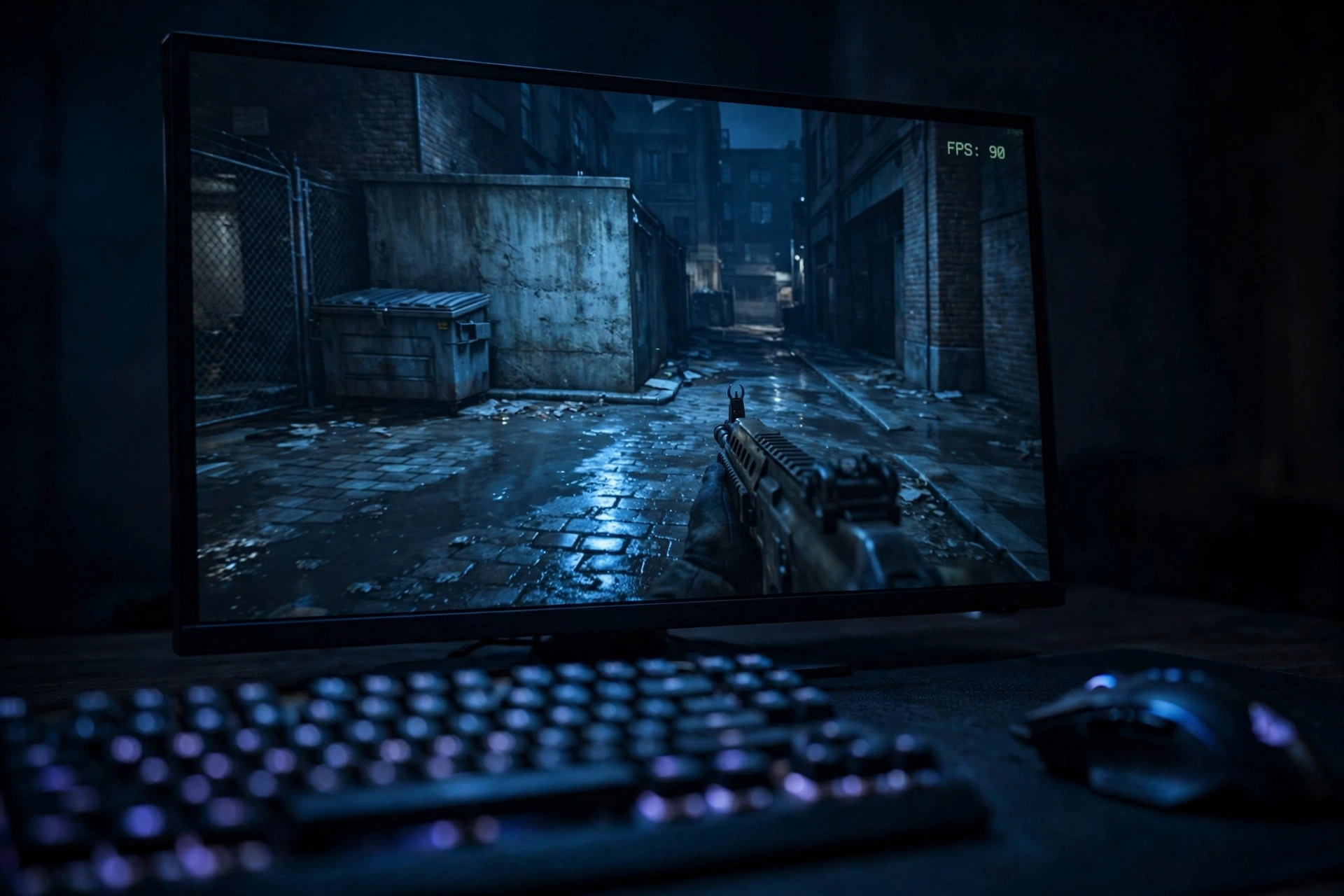
Now the part everyone actually wants: which CPU goes with which GPU at each official tier. These tables pair the official GPU targets with CPUs that keep the bottleneck small, based on the official spec sheet and each part’s relative strength. The game has no public benchmarks yet, so treat the pairings as well-reasoned guidance, not lab results.
Minimum tier pairings
These GPUs get you into the game. The bottleneck here will usually be the GPU, which is fine, because at this tier you are targeting smooth 60 FPS at reduced settings, not 90.
| GPU | Best CPU pairing | RAM to use | What to expect |
|---|---|---|---|
| GTX 970 / GTX 1060 6GB | Ryzen 5 1400 or i5-6600 | 8 GB | Playable at low to medium settings; the GPU is the limit |
| RX 470 | Ryzen 5 1400 or i5-6600 | 8 GB | Same story; 3 GB class VRAM means keep textures modest |
| Intel Arc A580 | Ryzen 5 3600 or i5-12400F | 16 GB | Arc cards need Resizable BAR enabled; a slightly stronger CPU avoids driver overhead bottlenecks |
One important note for Arc owners: Activision’s sheet states that Intel Arc GPUs require Resizable BAR. If your motherboard has it off, an Arc card will underperform badly, and it will look exactly like a GPU bottleneck. Check your BIOS before launch day.
90 FPS High tier pairings
This is the tier most readers care about. The official GPUs are the RTX 3060 Ti, RX 6600 XT, and Intel Arc B580, each with 8 GB of VRAM. The table below pairs them with CPUs that hold 90 FPS without creating a CPU bottleneck.
| GPU | CPU pairing: safe for 90 FPS | CPU pairing: best value today | Notes |
|---|---|---|---|
| RTX 3060 Ti | Ryzen 5 3600 or i7-8700K | Ryzen 5 5600 or i5-12400F | The official combo; DLSS Super Resolution adds headroom |
| RX 6600 XT | Ryzen 5 3600 or i7-8700K | Ryzen 5 5600 or i5-12400F | Slightly weaker than the 3060 Ti; FSR Redstone helps at 1440p |
| Intel Arc B580 | Ryzen 5 5600 or i5-12400F | Ryzen 5 7600 | Newer Arc drivers reward a stronger CPU; enable Resizable BAR |
At this tier, the most common self-inflicted bottleneck is pairing one of these GPUs with a much older CPU, like a Ryzen 5 2600 or an i7-7700. Those chips sit below the official floor, and in multiplayer they will cap you under 90 FPS while your GPU idles. The fix is a CPU upgrade, not a GPU upgrade.
4K ray tracing tier pairings
The ultra tier targets high quality ray tracing at upscaled 4K with an RTX 5070 Ti or RX 9070 XT and 16 GB of VRAM. At 4K, the GPU is almost always the limit, so the CPU matters less, but ray tracing adds CPU-side work for scene traversal, so the official CPUs (Ryzen 7 3700X or i7-10700K) are the sensible floor.
| GPU | CPU pairing: official floor | CPU pairing: no-compromise | Notes |
|---|---|---|---|
| RTX 5070 Ti | Ryzen 7 3700X or i7-10700K | Ryzen 7 7800X3D or i7-14700K | DLSS 4.5 with 6X Multi Frame Generation on this card; read the DLSS section below |
| RX 9070 XT | Ryzen 7 3700X or i7-10700K | Ryzen 7 7800X3D or i7-14700K | FSR Redstone instead of DLSS; 16 GB VRAM is comfortable at 4K |
Do not buy a 4K ray tracing GPU to play at 1080p. At 1080p, even a 5070 Ti will spend half its time waiting on the CPU in multiplayer, which is the textbook definition of a CPU bottleneck, and you paid for performance you cannot use.
DLSS 4.5 and 6X Multi Frame Generation Shift the Bottleneck to Your CPU
This is the most important new wrinkle for MW4, and it is fully verified. NVIDIA’s Game Ready 617.42 driver (released October 6) confirms that Modern Warfare 4 ships with DLSS 4.5, and the feature split works like this:
| Feature | RTX 20 / 30 series | RTX 40 series | RTX 50 series |
|---|---|---|---|
| DLSS 4.5 Super Resolution | Yes | Yes | Yes |
| Frame Generation | No | Yes | Yes |
| Dynamic Multi Frame Generation, up to 6X | No | No | Yes |
| NVIDIA Reflex | Yes | Yes | Yes |
So what does this mean for bottlenecks? Two things, and they pull in opposite directions.
First, frame generation is a GPU-side feature that multiplies the frames your GPU renders. On an RTX 50 card, Dynamic Multi Frame Generation can generate up to five extra frames for every real one, which NVIDIA says can raise 4K frame rates in heavy games by up to 35 percent over the older 4X mode. That sounds like free performance, and in GPU-bound situations it is close to it.
Second, and this is the part people miss, frame generation does not raise your CPU’s frame ceiling. Every generated frame is built from real frames, and real frames still have to pass through your CPU. If your CPU can only prepare 80 real frames per second, no amount of frame generation gives you a genuinely responsive 300 FPS experience. The displayed number goes up, but the underlying simulation rate and the input latency still follow the CPU. This is why pairing a weak CPU with an RTX 5070 and turning on 6X Multi Frame Generation is a trap: the FPS counter looks amazing while the game still feels like it is running at the CPU’s speed.
The practical rule: frame generation helps most when you are GPU-bound, which is exactly when you do not have a CPU bottleneck to worry about. If you are CPU-bound, fix the CPU first. Our deep dive on whether DLSS reduces CPU bottlenecks explains this mechanism in full, and it applies directly to DLSS 4.5 in MW4.
One more verified detail: NVIDIA Reflex is available on every GeForce RTX card in MW4. Reflex cuts system latency, and it is the feature competitive players should enable first, before any frame generation toggle.
Advanced Shader Delivery and the Day-One Driver
Call of Duty players know the launch-day stutter problem well. You load into your first match, the game compiles shaders on the fly, and the frame rate swings wildly for the first few minutes. Modern Warfare 4 attacks this with Advanced Shader Delivery, a system that ships precompiled shaders with the game install instead of building them on your machine at startup.
Here is the verified driver timeline:
- NVIDIA 616.56: the driver version listed on Activision’s official September 29 spec chart.
- NVIDIA 617.42: the Game Ready driver released October 6, with official Modern Warfare 4 support and DLSS 4.5, confirmed by Neowin’s driver coverage. This is the driver to install before launch.
- ASD-compatible NVIDIA driver: expected around October 21, two days before launch, per Neowin’s spec report. Activision’s blog says an ASD-compatible driver will be available before launch.
AMD owners should be on Adrenalin 26.7.1 and Intel owners on 32.0.101.8974, the versions on the official chart. And one practical tip from the official blog: install the Xbox PC app even if you bought the game on Steam or Battle.net, because that is how Advanced Shader Delivery gets its shaders to you at install time and during updates.
The bottleneck angle here is simple. Shader compilation stutter looks like a hardware problem but is not one. If your first match stutters and your hardware meets the specs, update the driver and let the shaders finish before you blame your CPU or GPU.
TPM 2.0, Secure Boot, and the 115GB SSD Launch Blockers
Three non-performance requirements can still stop you from playing, and they have nothing to do with bottlenecks.
TPM 2.0 and Secure Boot are mandatory. This is part of the Ricochet anti-cheat’s hardware-level protection. Every CPU on the official spec sheet has a firmware TPM built in, so for most people this is two toggles in the BIOS, not a purchase. But if you built your own PC years ago and never enabled them, the game will refuse to launch until you do. Check this before October 23, not after.
The 115 GB SSD is required at every tier. A mechanical hard drive does not meet the minimum spec, full stop. If your game library lives on an old HDD, move MW4 to an SSD. Beyond the spec requirement, an SSD also shortens the shader and asset loading that causes hitching.
Plan for more than 115 GB. Activision warns that mandatory updates will need extra space, and Call of Duty installs have a long history of growing well past 200 GB over a game’s life. Leave headroom on the drive.
Pre-Launch Upgrade Checklist
Launch is nine days away as of this writing. Here is a decision table based on everything verified above. Find your row.
| Your current PC | Verdict | Why |
|---|---|---|
| Meets or beats the 90 FPS tier (RTX 3060 Ti class + Ryzen 5 3600 class or better) | Wait, buy nothing | You are already at the official target; spend launch week tuning settings with the built-in benchmark tool |
| GPU at the 90 FPS tier, CPU below the official floor (e.g. i7-7700, Ryzen 5 2600) | Upgrade the CPU | The CPU will bottleneck you under 90 FPS in multiplayer; a Ryzen 5 5600 or i5-12400F class chip fixes it |
| CPU is modern, GPU below the 90 FPS tier (e.g. GTX 1660 Super, RX 590) | Upgrade the GPU, or wait | An RTX 3060 Ti class card or better clears the tier; but with hardware prices running hot this fall, waiting for post-launch sales is defensible |
| Below minimum spec on both CPU and GPU | Plan a full platform upgrade | Minimum spec only gets you in the door; a balanced budget build around a modern 6-core CPU and an 8 GB GPU is the real target |
| RTX 50 series owner (any model) | Update drivers, enable Reflex | Your card already exceeds every official tier; the 617.42 driver plus DLSS 4.5 is your launch-day upgrade |
| Still on Windows 10 with a 90 FPS tier PC | Consider Windows 11 | The recommended and ultra tiers specify Windows 11; the minimum tier allows Windows 10, but you may miss optimizations |
A final word on timing. With the game nine days out and no independent benchmarks published yet, the smartest money is on parts that are certain: a CPU that clears the official floor, 16 GB of RAM if you still have 8, and an SSD with room to spare. Big GPU purchases can wait until real MW4 benchmarks land, unless your current card cannot even meet the minimum spec. If you do tune rather than buy, our guide on how to increase FPS covers the settings that actually move the needle in shooters.
Five Mistakes Players Make Before a CoD Launch
1. Turning on frame generation to fix a CPU bottleneck. As covered above, Multi Frame Generation multiplies GPU-rendered frames. It cannot make your CPU prepare more real frames per second. If your CPU is the limit, frame generation just gives you a higher number on a game that still feels sluggish.
2. Upgrading the GPU while ignoring 8 GB of RAM. The recommended tier asks for 16 GB. Players with 8 GB will hit memory pressure in multiplayer, which causes stutter that looks exactly like a CPU bottleneck. RAM is the cheapest fix on this list.
3. Installing a 115 GB game on a nearly full SSD. SSDs slow down when they are nearly full, and CoD updates need working room. Keep at least 30 to 50 GB free beyond the install size.
4. Forgetting Resizable BAR on Intel Arc cards. The official spec sheet requires it for Arc GPUs. An Arc A580 or B580 with Resizable BAR off will underperform so badly that you will misdiagnose it as a weak card.
5. Skipping the driver update. The 617.42 Game Ready driver exists specifically for this game, and the ASD-compatible driver lands around October 21. Launching on a months-old driver and then blaming your hardware is a tradition nobody needs to continue.
Key Takeaways
- The official call of duty mw4 pc requirements define the 90 FPS multiplayer tier as a Ryzen 5 3600 or Core i7-8700K with an RTX 3060 Ti, RX 6600 XT, or Intel Arc B580 and 16 GB of RAM.
- In multiplayer, the CPU sets the frame ceiling. Anything weaker than the official CPUs will likely bottleneck you below 90 FPS no matter how strong your GPU is.
- RTX 50 owners get DLSS 4.5 with up to 6X Dynamic Multi Frame Generation, but frame generation cannot fix a CPU bottleneck. It only helps when the GPU is the limit.
- Install NVIDIA Game Ready driver 617.42 before launch, and watch for the Advanced Shader Delivery compatible driver around October 21 to avoid first-match stutter.
- TPM 2.0, Secure Boot, and a 115 GB SSD are hard requirements. Check your BIOS and your drive space before October 23.
- The game includes a built-in benchmark tool. Use it on launch day to verify your own bottleneck instead of guessing.
Frequently Asked Questions
How optimized is Call of Duty: Modern Warfare for PC?
This is one of the most asked questions about the series on Quora, and for MW4 the early signs are decent. Activision put a real FPS target on the official specs, the PC build includes a built-in benchmark tool, 800 plus graphics options, ultrawide support, and a competitive settings preset, and Advanced Shader Delivery is designed to kill the shader compilation stutter that plagued past launches. Real optimization verdicts have to wait for launch-day testing, which no one has yet.
What are the biggest multiplayer issues for Call of Duty?
Quora users ask this every year, and historically the answers are cheaters and stutter. For MW4, Activision is answering the cheating part with Ricochet anti-cheat backed by mandatory TPM 2.0 and Secure Boot, and the stutter part with Advanced Shader Delivery plus a day-one Game Ready driver. Whether both hold up at launch-week player counts is the open question.
Will an RTX 3060 Ti really hit 90 FPS in MW4 multiplayer?
That is exactly what the official spec sheet promises: the RTX 3060 Ti is listed in the recommended tier, which Activision defines as 90 FPS in multiplayer on High settings. Pair it with at least a Ryzen 5 3600 or Core i7-8700K so the CPU does not become the bottleneck, keep 16 GB of RAM in the system, and use DLSS Super Resolution if you want extra headroom. No independent benchmarks exist yet to confirm the number.
Does Modern Warfare 4 require TPM 2.0 and Secure Boot?
Yes. The official spec sheet lists both as required at every tier, and the August beta already enforced them. They support the Ricochet anti-cheat. Nearly all CPUs from the last decade include a firmware TPM, so this is usually two BIOS toggles, not new hardware. If either is off, online play will not launch.
What CPU do I need so the CPU does not bottleneck at 90 FPS?
The official floor is a Ryzen 5 3600 or Core i7-8700K. Anything at or above that, such as a Ryzen 5 5600, Ryzen 5 7600, Core i5-12400F, or Core i5-14600K, holds 90 FPS in multiplayer without the CPU becoming the limit, based on their relative performance against the official targets. X3D chips are only needed if you are chasing 144 FPS or higher.
Should I upgrade before launch or wait for benchmarks?
Upgrade only what is certain now: a below-spec CPU, 8 GB of RAM, or a non-SSD install drive. Hold off on big GPU purchases until independent MW4 benchmarks land after October 23, unless your current GPU cannot meet the minimum spec. The built-in benchmark tool will tell you exactly which part is holding you back on your own PC.
Final Verdict
Modern Warfare 4 is the rare Call of Duty that tells you the target up front: 90 FPS in multiplayer on High, with a specific CPU, GPU, RAM, and driver list attached. That makes the bottleneck math unusually clear. Match the recommended tier with balanced parts, keep your CPU at or above the Ryzen 5 3600 or Core i7-8700K floor, install the 617.42 Game Ready driver, enable TPM 2.0 and Secure Boot, and give the game its 115 GB of SSD space.
If you own an RTX 50 card, your launch-day upgrade is free: DLSS 4.5 with Dynamic Multi Frame Generation and Reflex. Just remember what frame generation can and cannot do. It multiplies the frames your GPU renders. It does not raise your CPU’s ceiling. The players who have the smoothest launch week will be the ones with balanced systems, current drivers, and realistic expectations, not the ones with the most expensive single part.
Preload opens October 15, campaign early access starts October 16 for pre-orders, and the full launch lands October 23. Check your BIOS toggles and your drive space today, update your drivers this week, and run the built-in benchmark on day one. If the numbers surprise you, run your parts through our bottleneck calculator before you spend a dollar on new hardware.

Leave a Reply